Bitrix24 Helpdesk

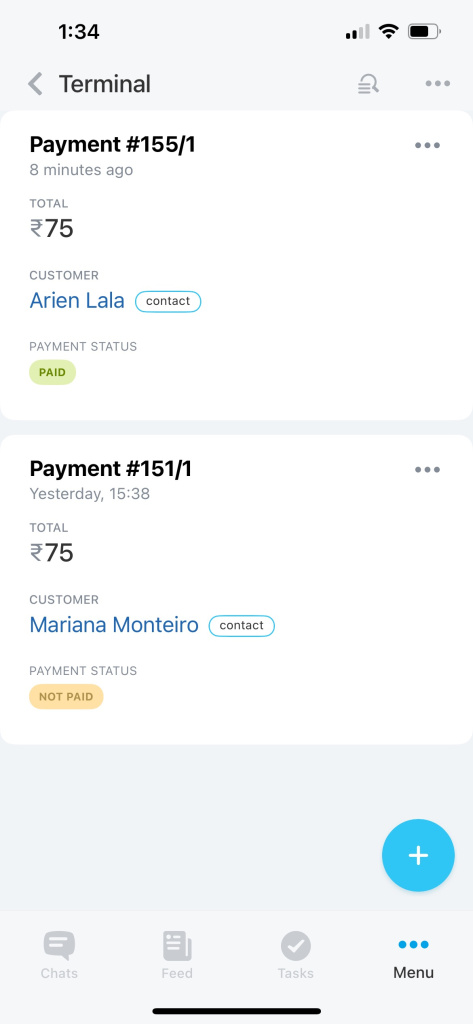
Payment terminal

Terminal is a tool that allows you to accept payments using a QR code from your smartphone. There is no need for additional equipment since the tool is available in the Bitrix24 Mobile app for Android and iOS.

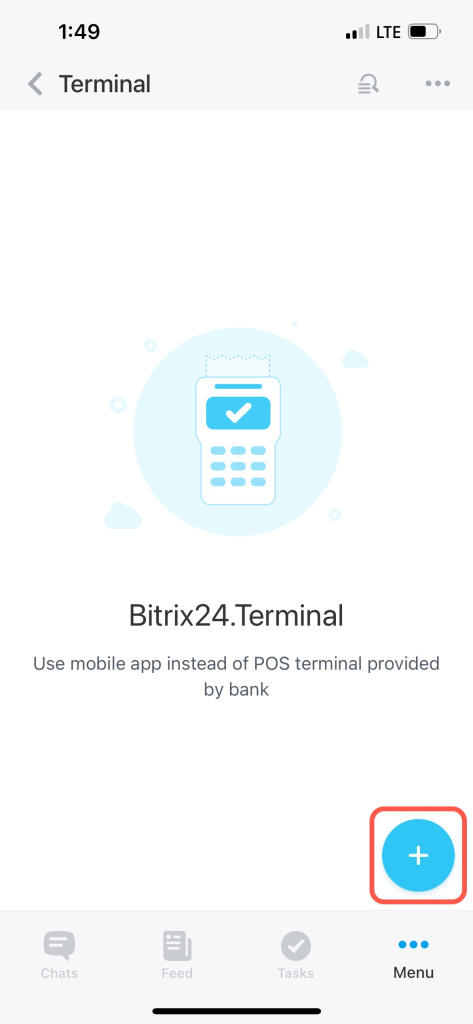
Tap on the + icon in the bottom right corner to create a payment.
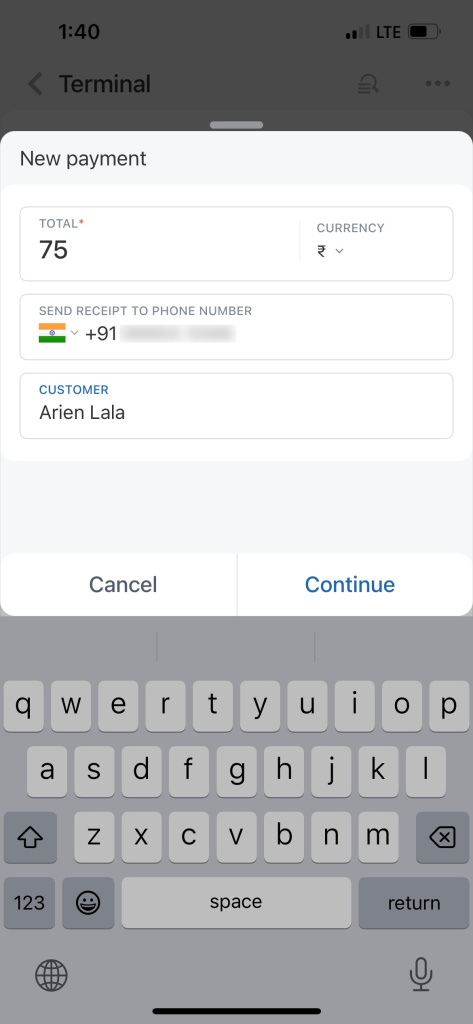
Specify the amount. Enter your client's phone number (optional). If you add this data, your customer will receive proof of payment by SMS.

Also, fill in your client's name to save it in CRM. Then tap Continue.
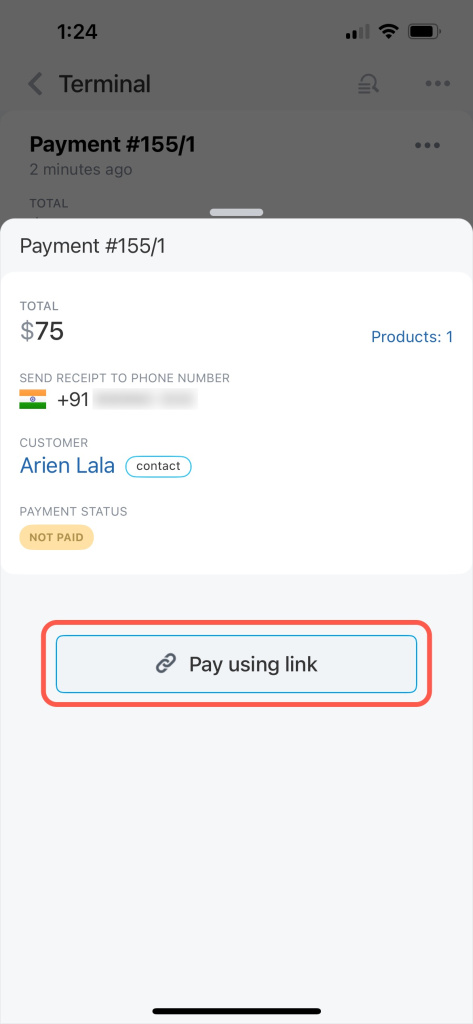
Select a payment option.
Ask your customer to scan the QR code.
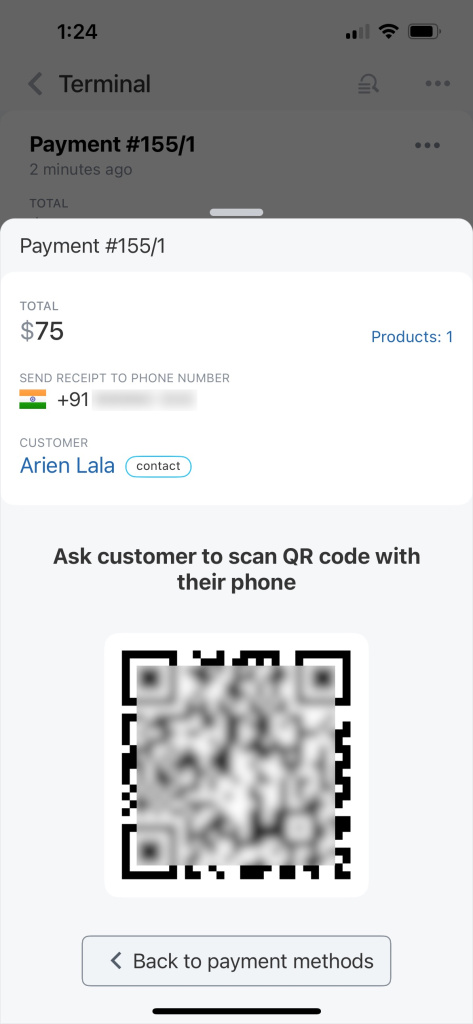
Once they've made a payment, the information about it will appear in the deal timeline and the list of payments under Terminal.

Was this information helpful?
Integration specialist assistance
That's not what I'm looking for
Complicated and incomprehensible text
The information is outdated
It's too short. I need more information
I don't like the way this tool works
Get your Bitrix24 set up by local professionals
FIND BITRIX24 PARTNER NEAR ME
implementation_helper_man
Go to Bitrix24
Don't have an account? Create for free
Related articles
Deadline view in tasks Planner view in tasks Invite a customer to Telegram chat Create CRM entities from source Get access token to connect Telegram bot Stickers in the Bitrix24 Messenger CoPilot Follow-Up: AI-powered speech analytics for video calls Tasks in collabs Sign in to Bitrix24 Check-in