
Task dependencies define the relationship between tasks and control the order in which they happen. They show which task comes first and which tasks depend on it.
You can create task dependencies in the Gantt Chart task view.
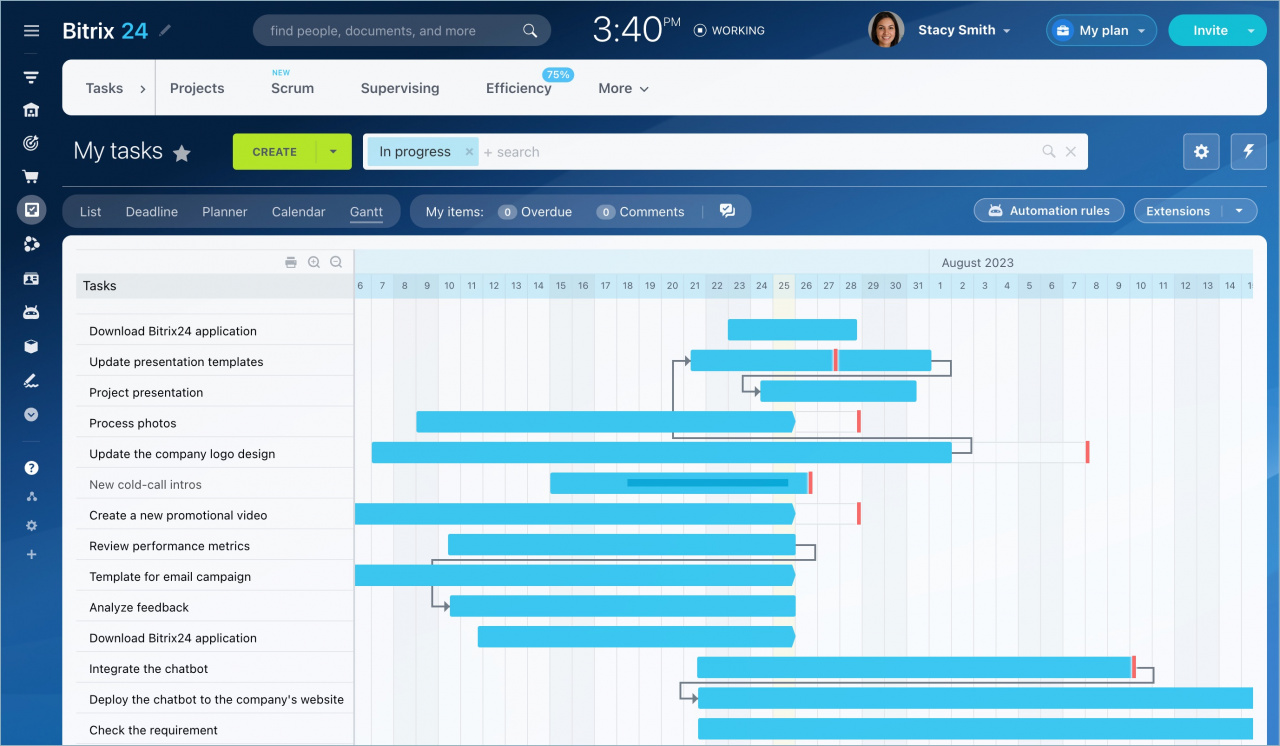
Create task dependencies
For example, if you need to create a marketing campaign, you may first need to complete the design before you can create the content. Task dependencies help you organize tasks in the correct order and keep deadlines aligned.
To create a dependency:
1. Identify the main task. If you change the dates of the main task, the dependent task updates automatically.
2. Select the dependency type. The dependency type defines how the main task affects the dependent task.
The following dependency types are available:
-
Finish to Start (FS): When you change the End date of the main task, the Start date of the dependent task updates automatically.
-
Start to Start (SS): When you change the Start date of the main task, the Start date of the dependent task updates automatically.
-
Finish to Finish (FF): When you change the End date of the main task, the End date of the dependent task updates automatically.
-
Start to Finish (SF): When you change the Start date of the main task, the End date of the dependent task updates automatically.
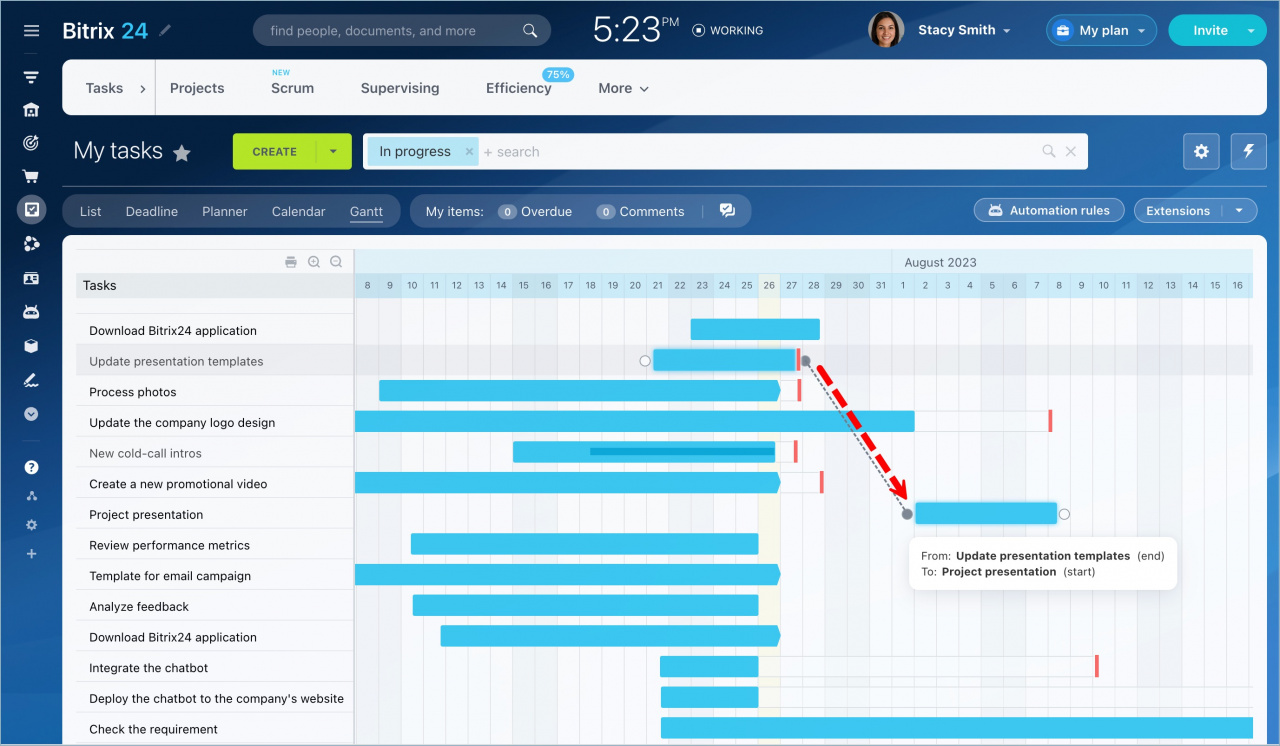
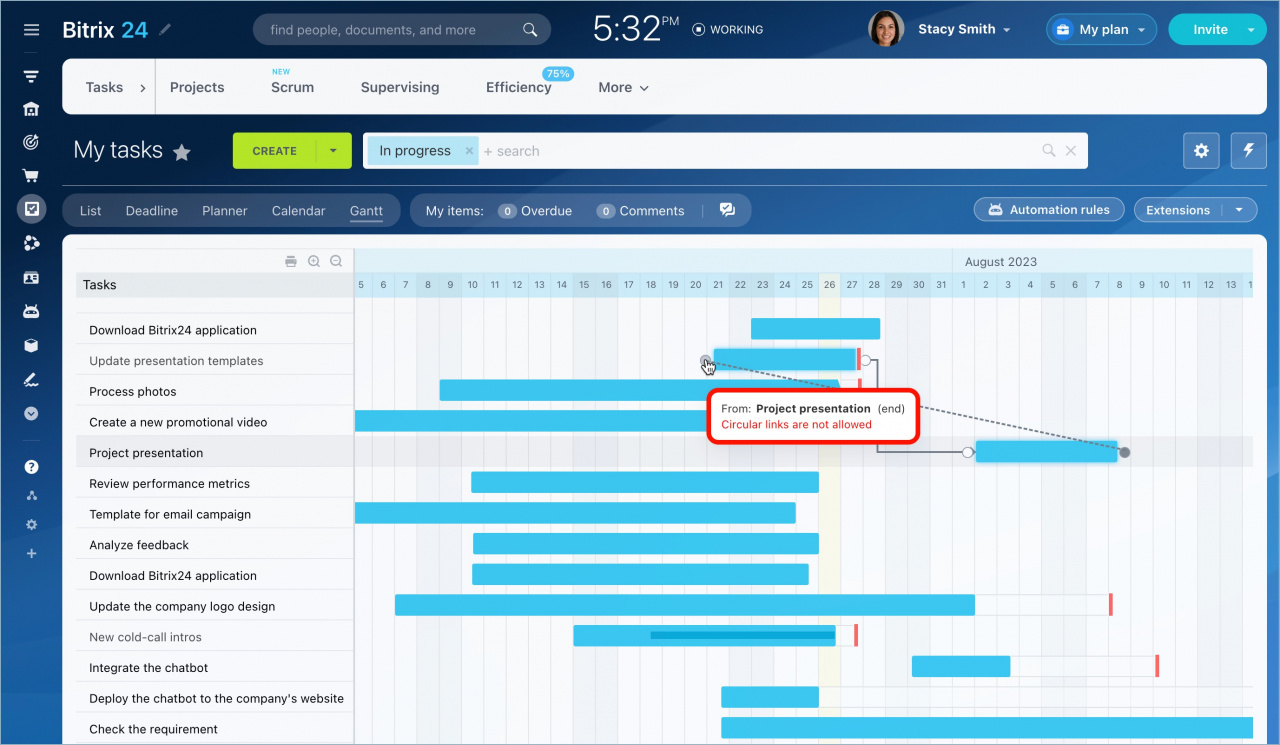
3. Connect the tasks. Hover over a task bar to display circles on both sides of the task. Click the Start or End point of one task and drag it to the Start or End point of another task. A dotted line appears while you create the connection.
Delete task dependencies
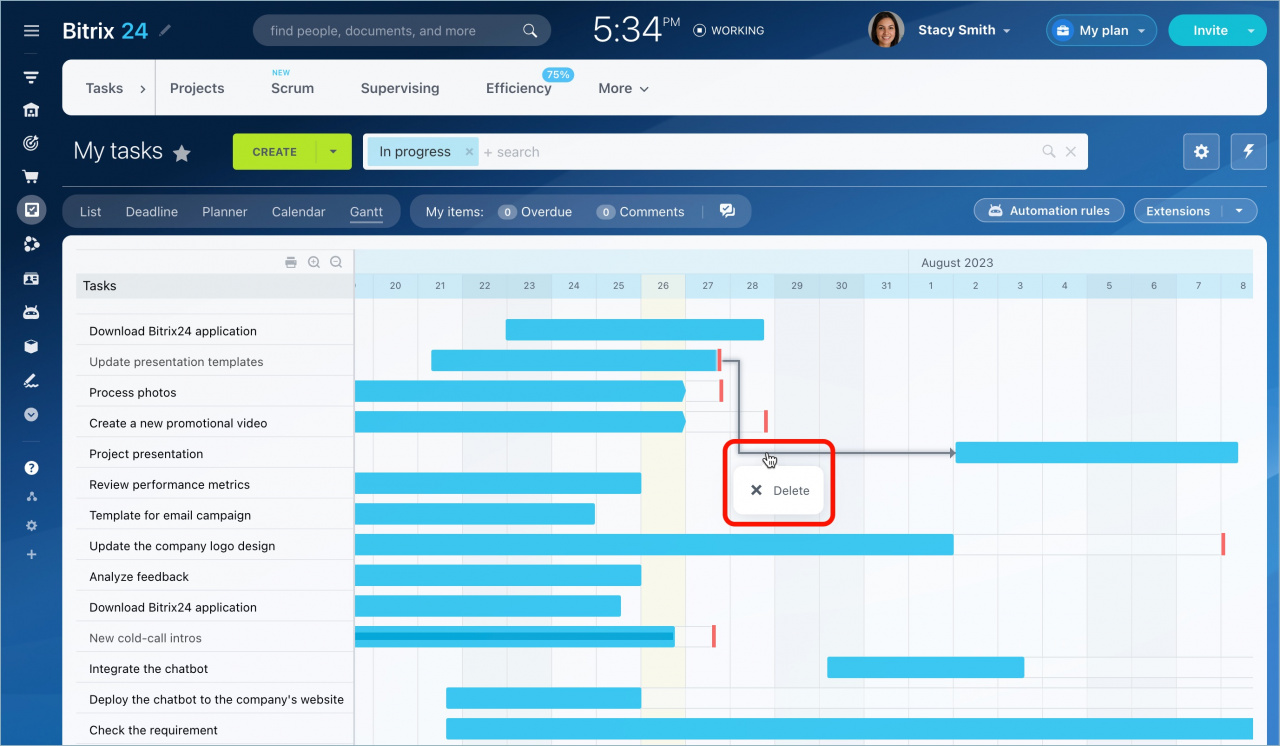
To remove a dependency, hover over the connection arrow, click it, and select Delete.
In brief
-
Task dependencies create visual relationships between tasks in a project.
-
Dependency types control task order and automatically adjust task dates when you change the Start or End date of the main task.
