
Only Bitrix24 administrators can uninstall apps from the Market.
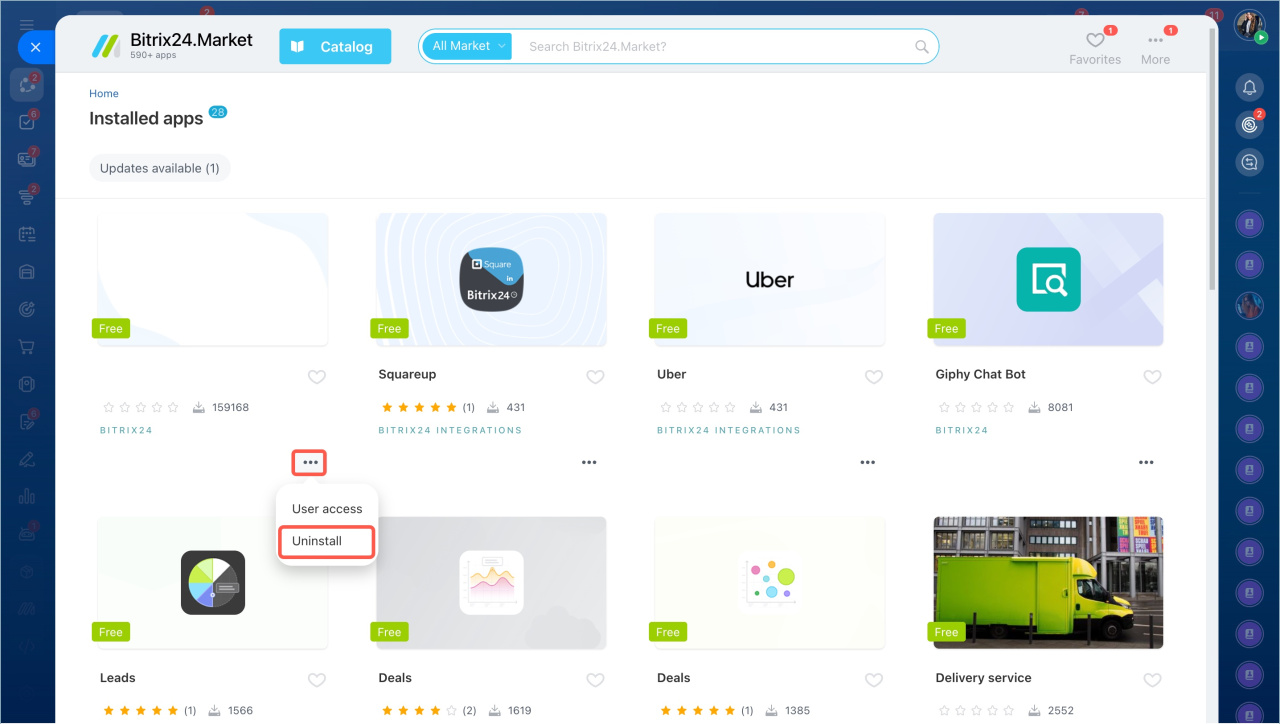
Uninstall an app from the list
To uninstall an app:
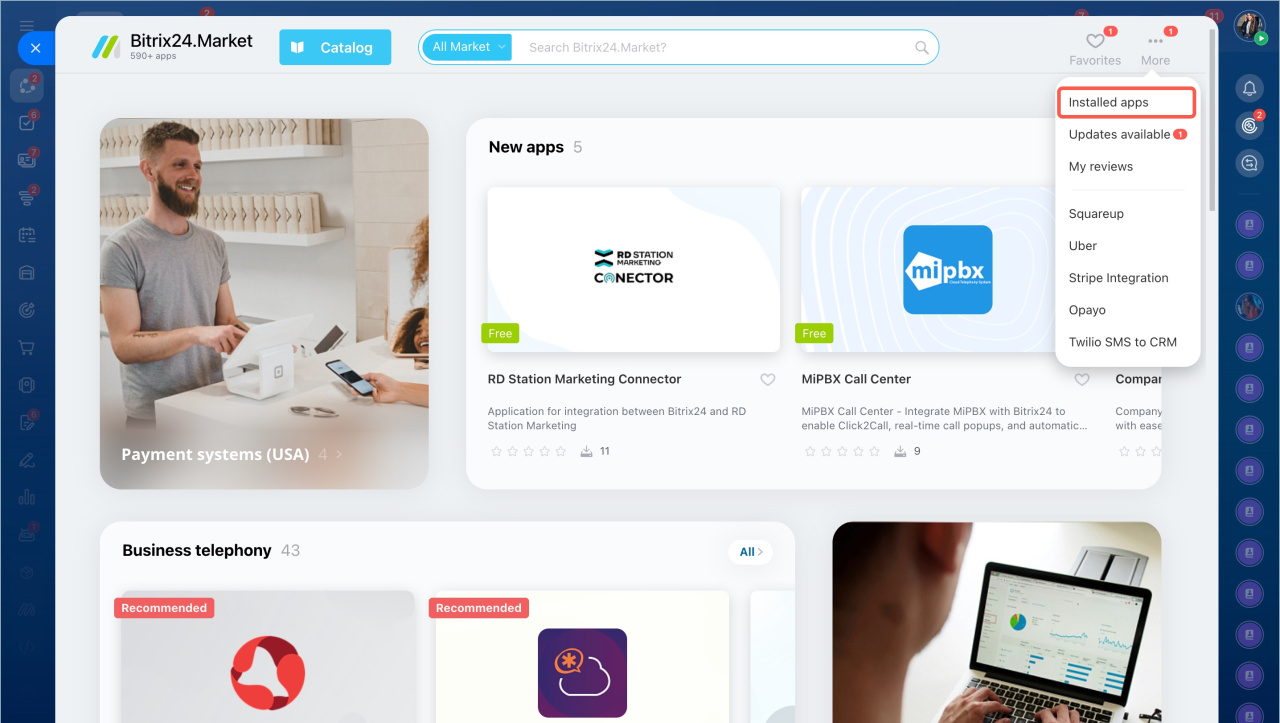
- Open the Applications section in the left menu and select Market.
- Click More and choose Installed apps.
- Find the app and select Uninstall from the menu.
Uninstall an app from its page
- Open the app page.
- Click Uninstall.
- Select Delete application settings and data if you want to remove all saved data.
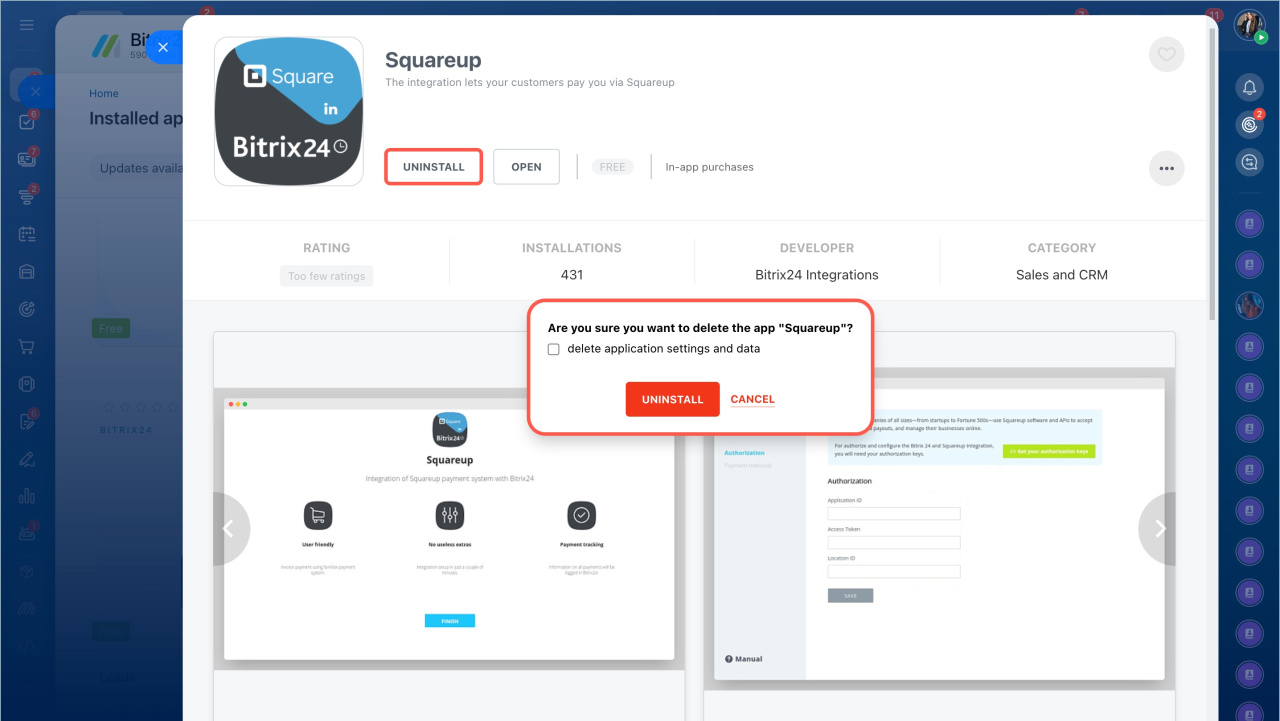
After you uninstall the app, it is removed from Bitrix24. You can install it again at any time.
In brief
- Only administrators can uninstall Market apps.
- You can uninstall an app from the installed apps list or from the app page.
- You can reinstall the app later if needed.