
In Bitrix24, deleted tasks are first moved to the recycle bin, where they are stored for 30 days. If a task was deleted by mistake and contains important discussions or files. You can recover it along with the chat history. If the task is no longer needed, it can be permanently deleted from the recycle bin. After 30 days, tasks are automatically removed.
Bitrix24 plans and pricing
In this article:
Find deleted tasks
Each user can only see the tasks they deleted. A Bitrix24 administrator can view deleted tasks of all employees.
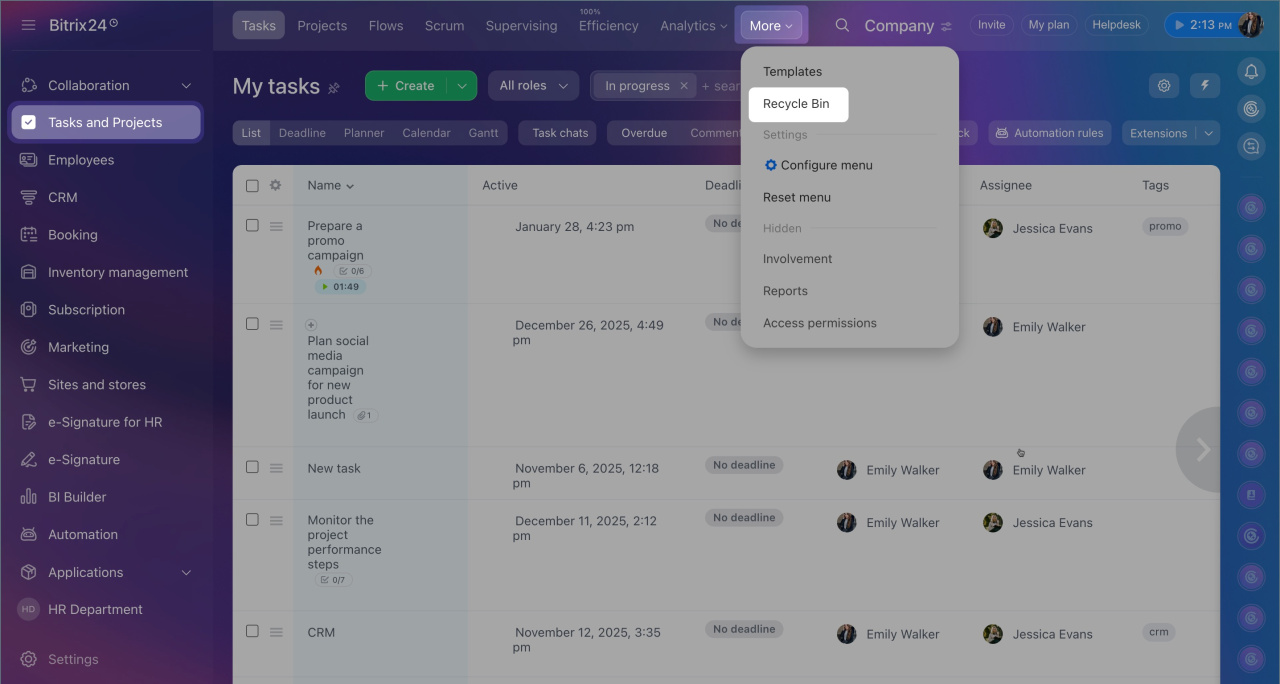
1. Go to Tasks and projects > More > Recycle bin. A list of tasks will appear, showing who deleted them and when.
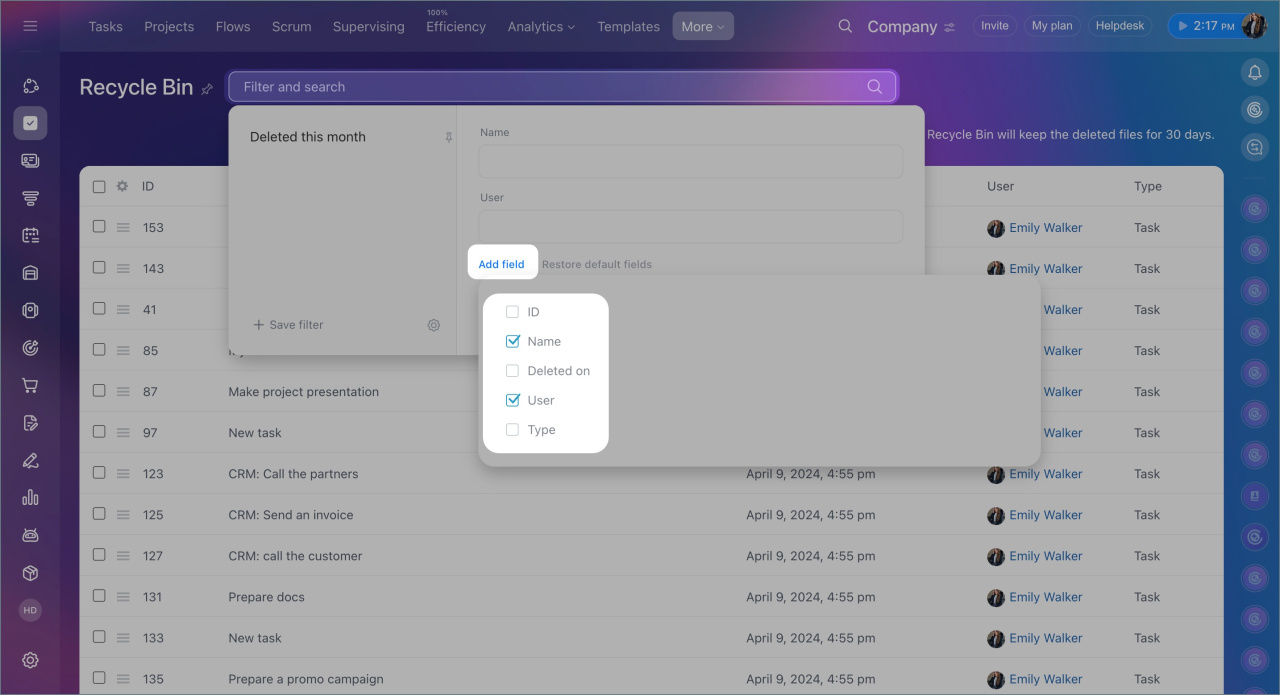
2. To quickly find specific tasks, click Filter + Search. You can search tasks by name or filter them by various parameters, such as the deletion date.
3. If you are a Bitrix24 administrator, you can find deleted tasks of a specific employee using the filter: add the User field and select the desired person.
Recover or delete tasks from the recycle bin
Each user can only restore or delete tasks they deleted. A Bitrix24 administrator can recover or delete tasks of all employees.
1. Go to Tasks and projects > More > Recycle bin.
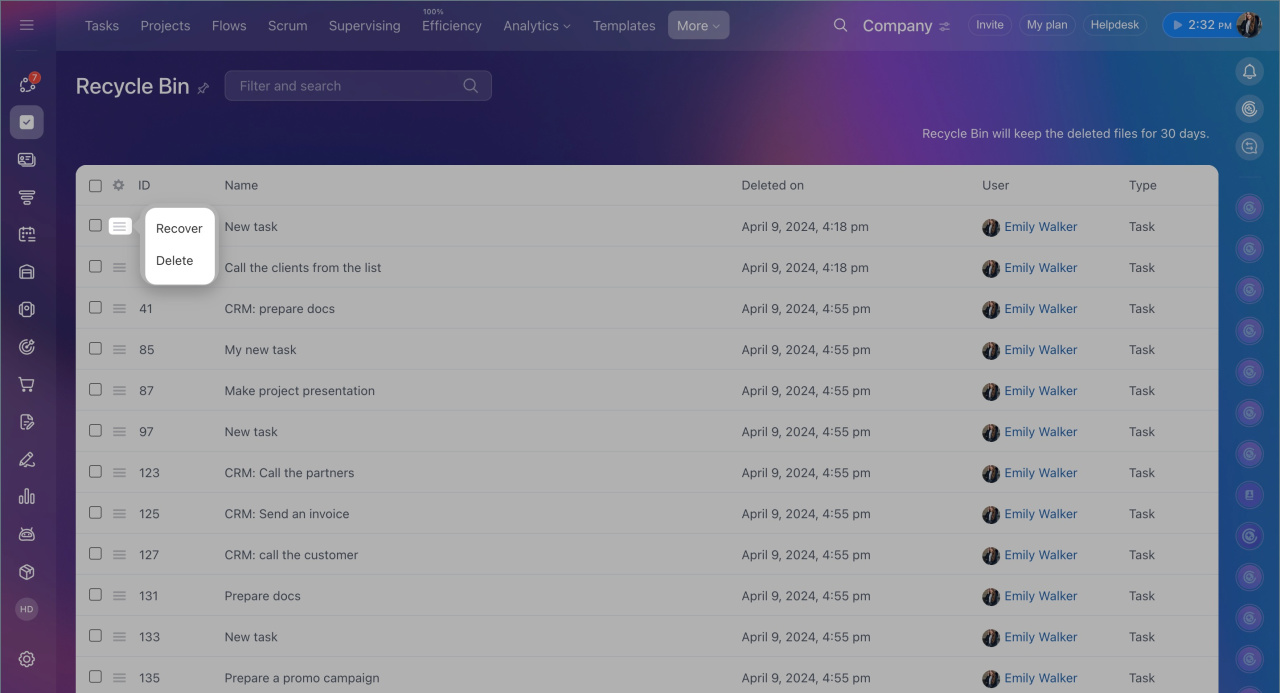
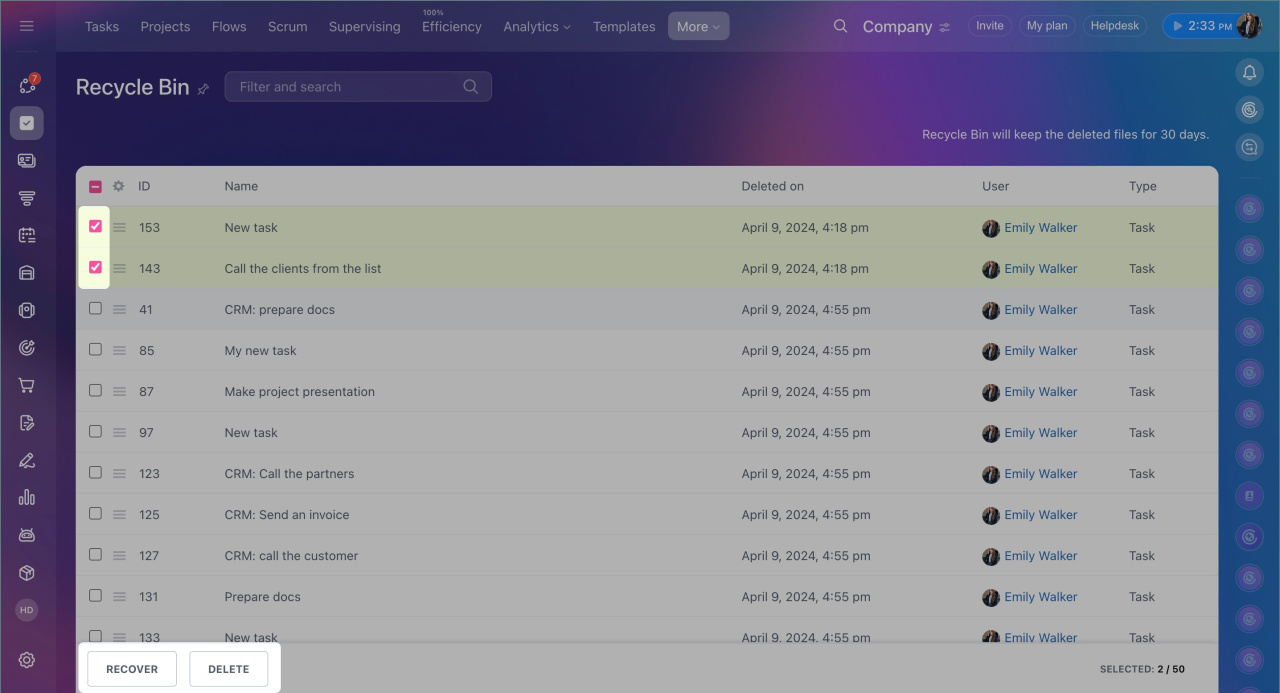
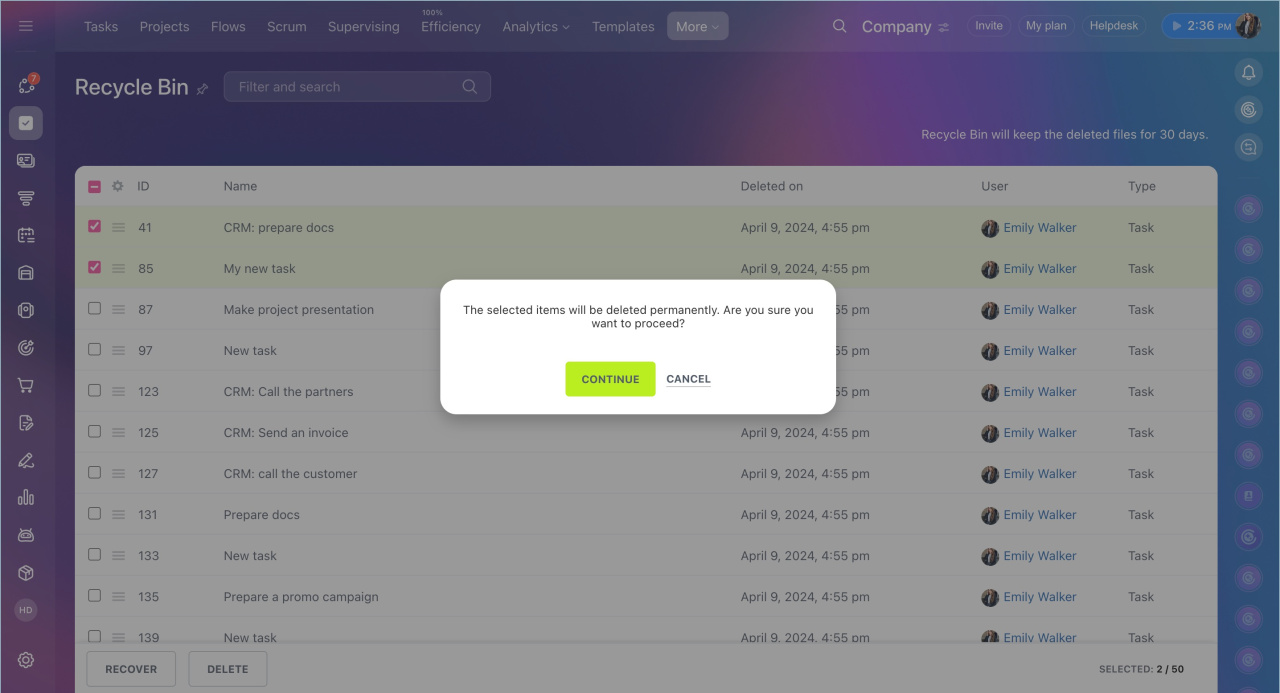
2. Select one or more tasks and choose the desired action: recover or delete.
3. Confirm the action.
In brief
- In Bitrix24, deleted tasks are first moved to the recycle bin.
- Tasks can be restored or permanently deleted from the recycle bin within 30 days. After that, they are automatically removed.
- Deleted tasks can be found in Tasks and projects > More > Recycle bin.
- Each user can see only the tasks they deleted.
- A Bitrix24 administrator can view deleted tasks of all employees.
- Tasks deleted from the recycle bin cannot be recovered.
