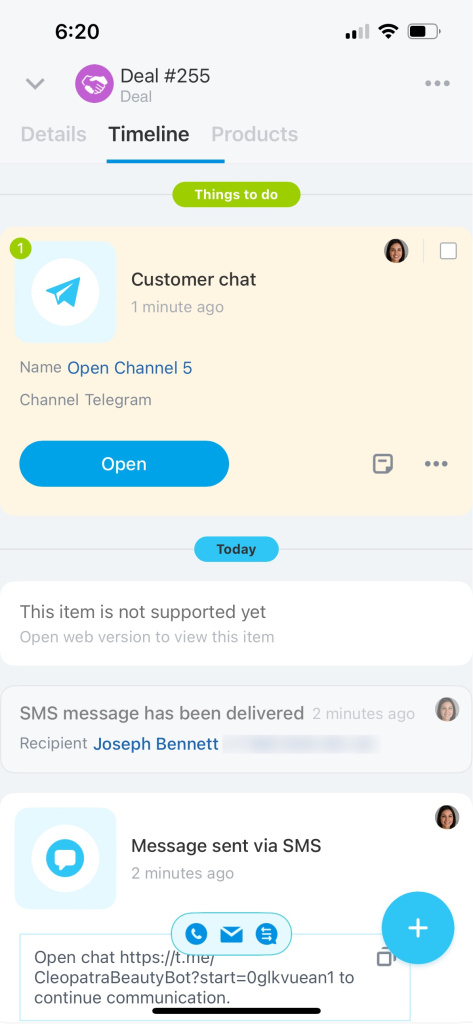
You can invite a customer to Telegram directly from a CRM item form. After following the link, the conversation will continue in Telegram, and all correspondence will automatically be saved in the CRM timeline.
This allows you to communicate with the customer in their preferred messenger while keeping the chat history intact. The invitation is sent to the customer via SMS, which includes a link to the Telegram chat.
Get access token to connect Telegram bot
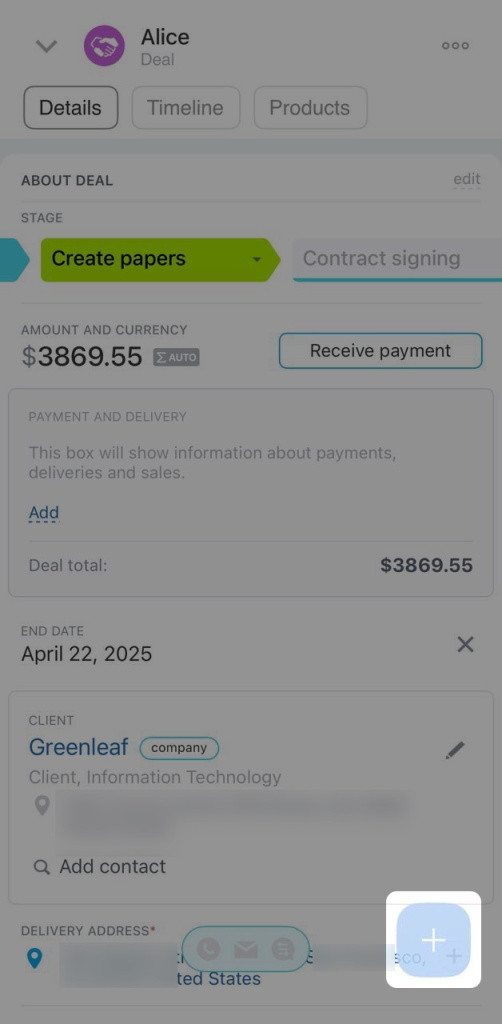
1. Open the CRM item form and click Plus (+).
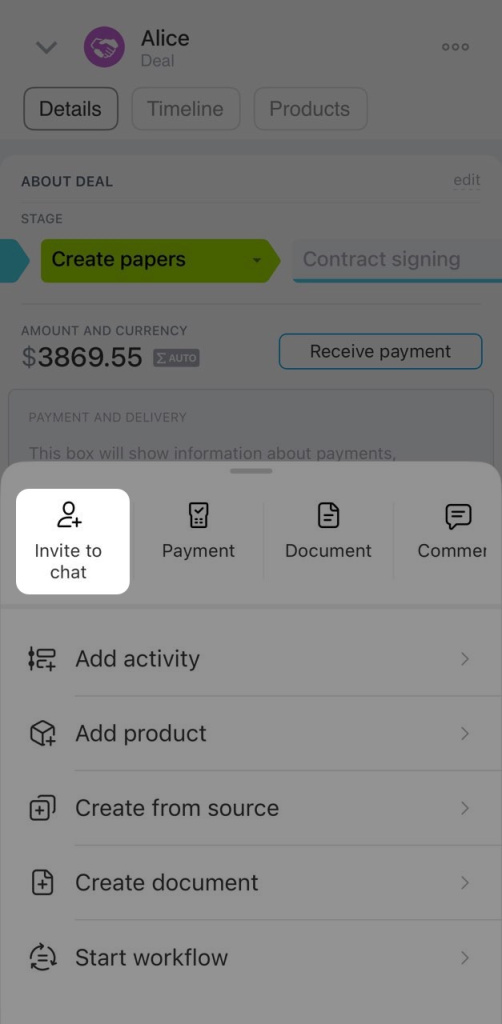
2. Select Invite to chat.
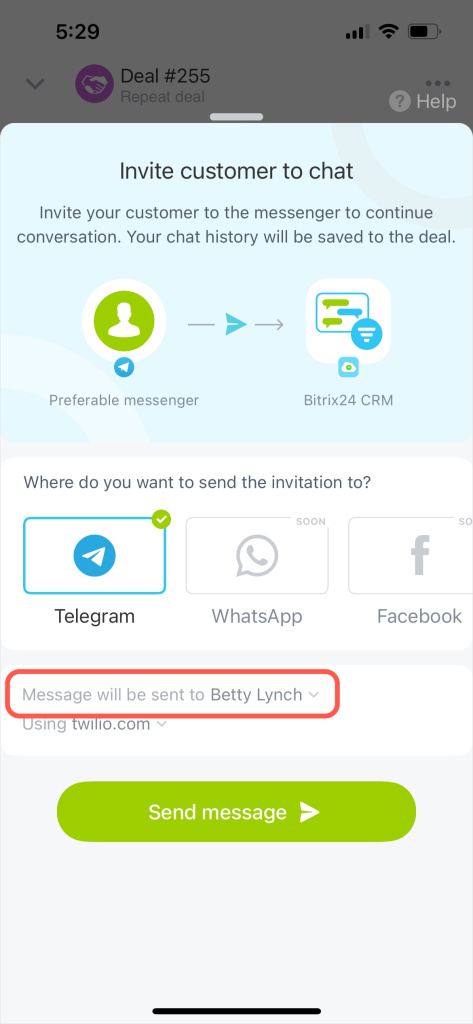
3. Select the customer you want to invite to the chat in the Message will be sent to field.
4. Choose the service to send the invitation, such as Bitrix24 or another SMS provider.
5. Click Send message.
6. The customer will receive a message with a link to the Telegram chat.
7. Once the customer follows the link, the conversation will appear in the CRM item timeline. Click Open to message the customer.