
You can export tasks from Bitrix24 to an .xls file. This is useful when you need to save a task list as a separate file, create a report, or share task data with someone who does not use Bitrix24.
By default, all employees can export tasks. A Bitrix24 administrator can limit this permission in the access settings.
Prepare tasks for export
Before you export, set up the task list and fields so the file includes only the tasks and data you need.
Configure the task list.
1. Go to Tasks and open the List view.
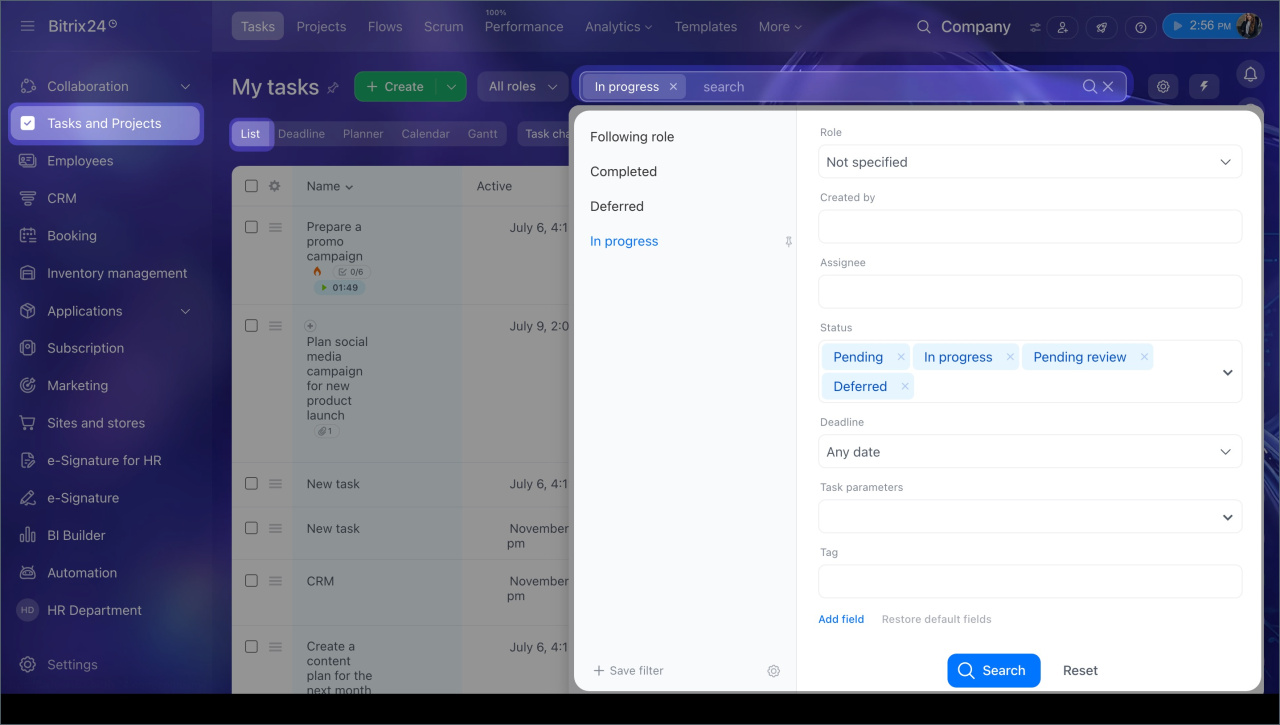
2. Click Filter + Search and enter search parameters or apply a preset filter. For example, to export only tasks that are in progress, click In progress.
3. Click Search.
Search and filters in Tasks
Configure task fields.
If you want to export specific task data, such as the modified date or assignee, add those fields to the list first.
1. Click Settings (⚙️) in the top-left corner of the table, next to the column headers.
2. Select the fields you want to add.
3. Click Apply.

Export tasks
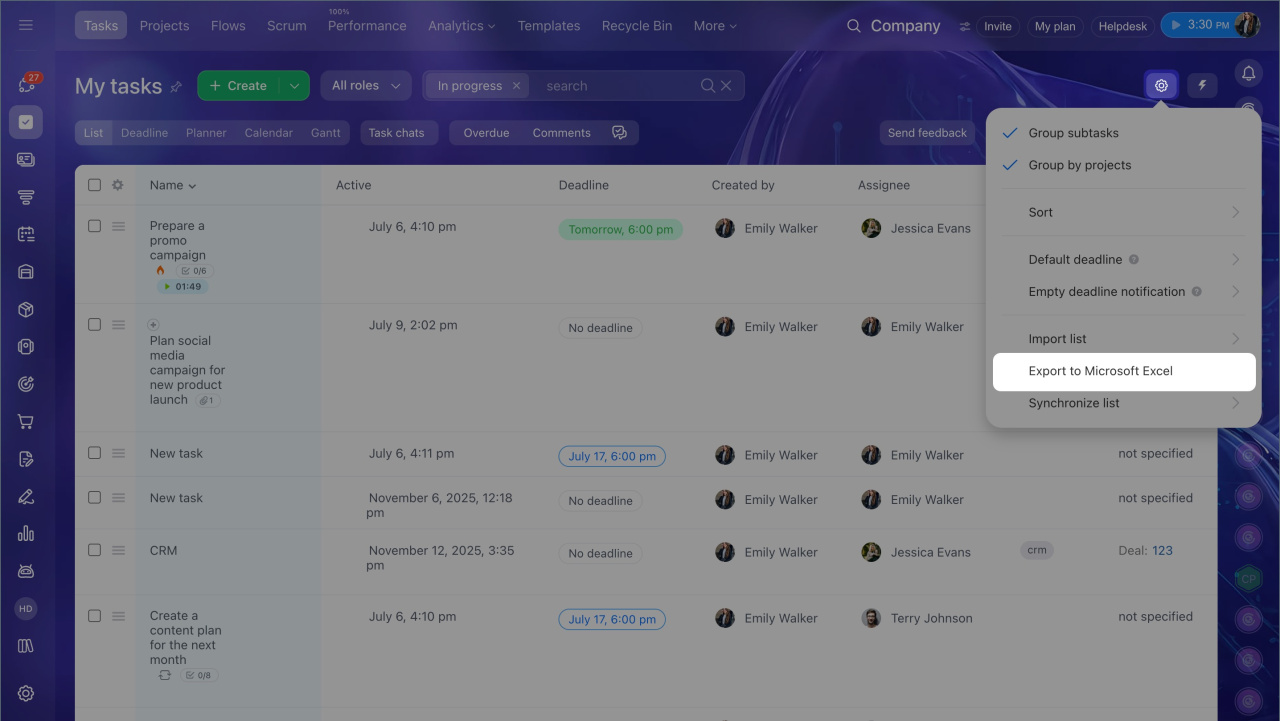
1. Open Settings (⚙️) > Export to Microsoft Excel.
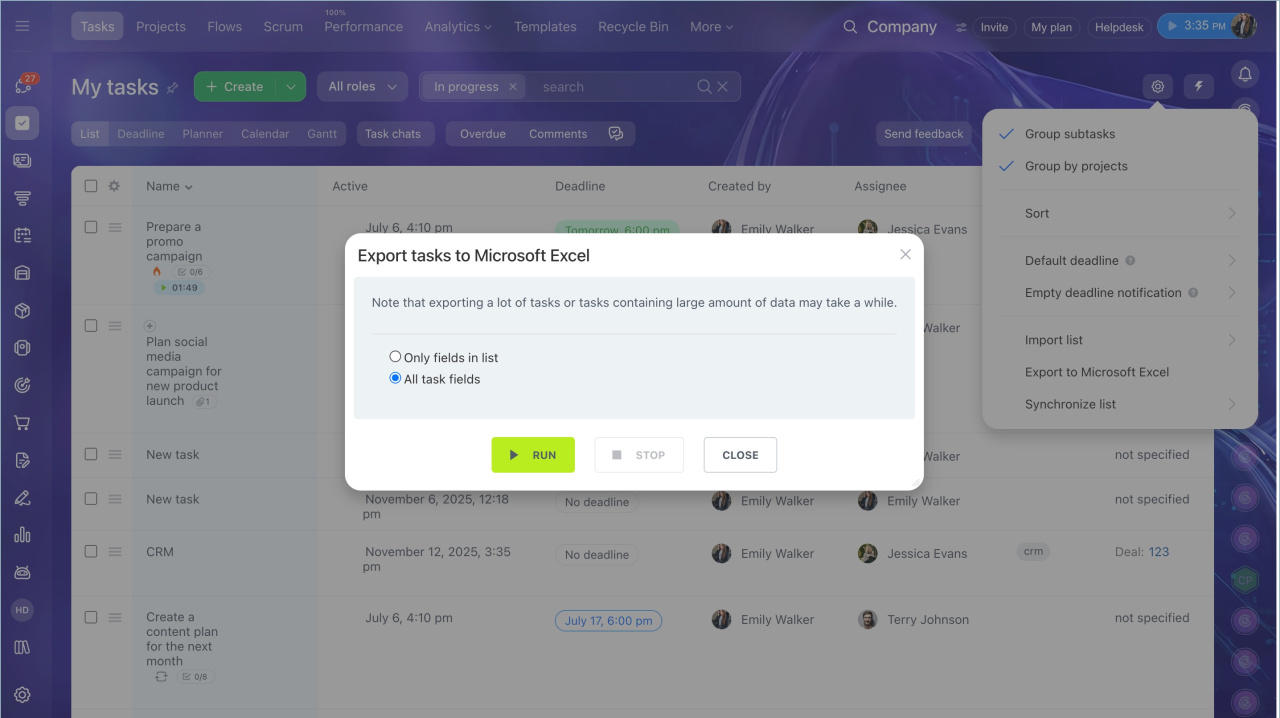
2. Choose which task fields to include in the file:
- Only fields in list — exports only the fields currently shown in the task list
- All task fields — exports all fields from the task card.
3. Click Run. Export time depends on the number of tasks.
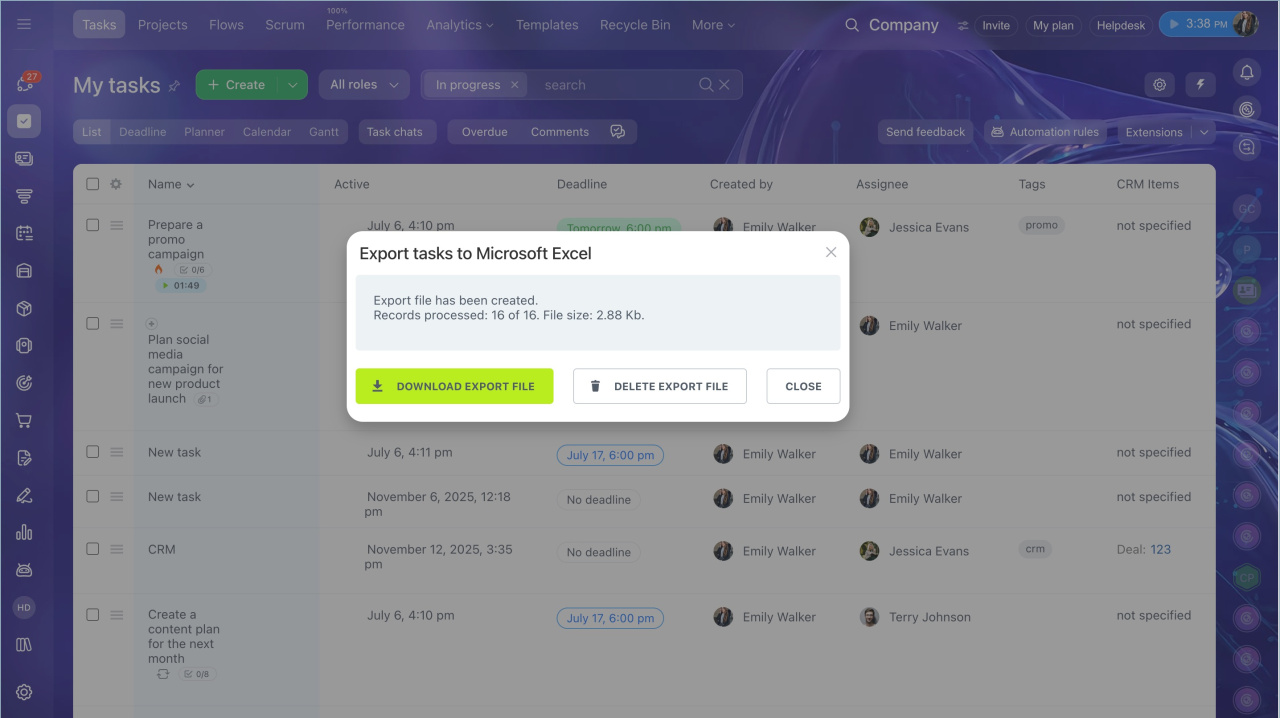
4. Click Download export file to save the spreadsheet to your computer.
In brief
- Go to Tasks and open the List view.
- If needed, filter the tasks you want to export and choose which fields appear in the table.
- In the top-right corner, open Settings (⚙️) > Export list to Microsoft Excel.
- Choose which task fields to export: only the fields shown in the list, or all fields.
- Click Run.
- When the export is ready, click Download export file.
