
All the CRM entities reports are available in the CRM Analytics section.
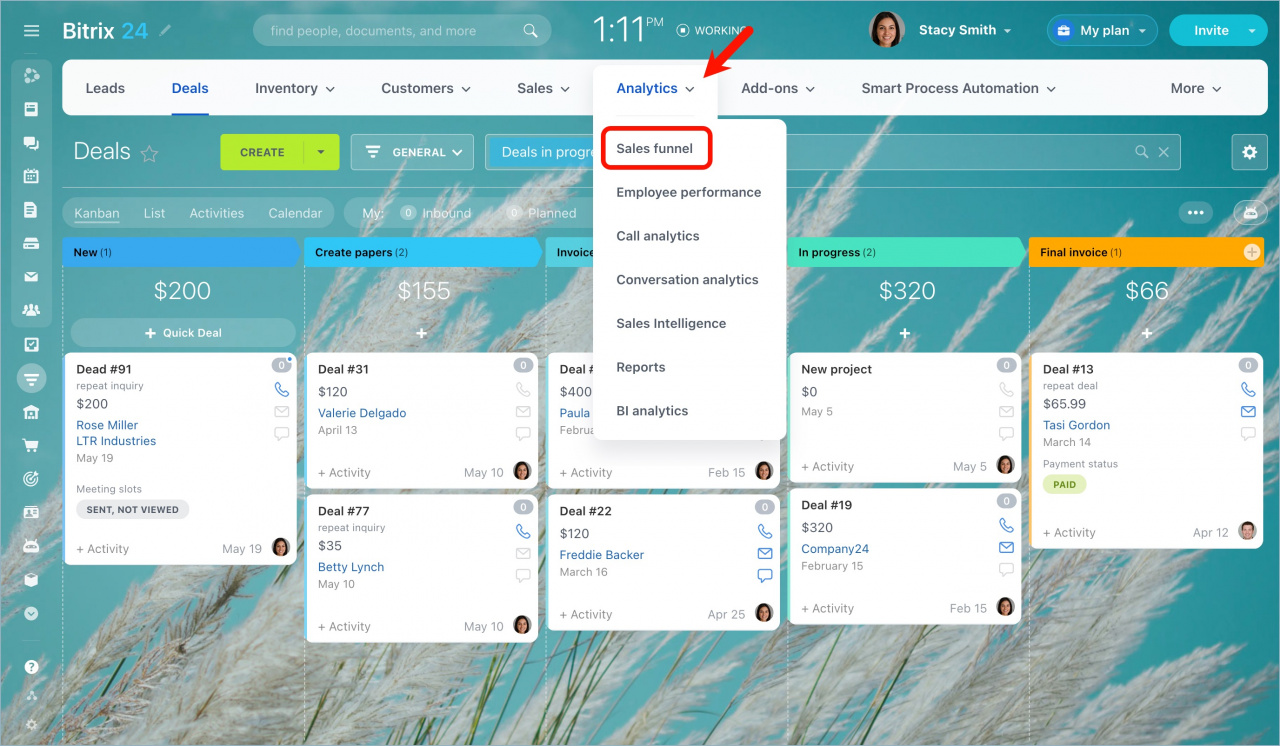
Go to CRM > Analytics > Sales funnel.
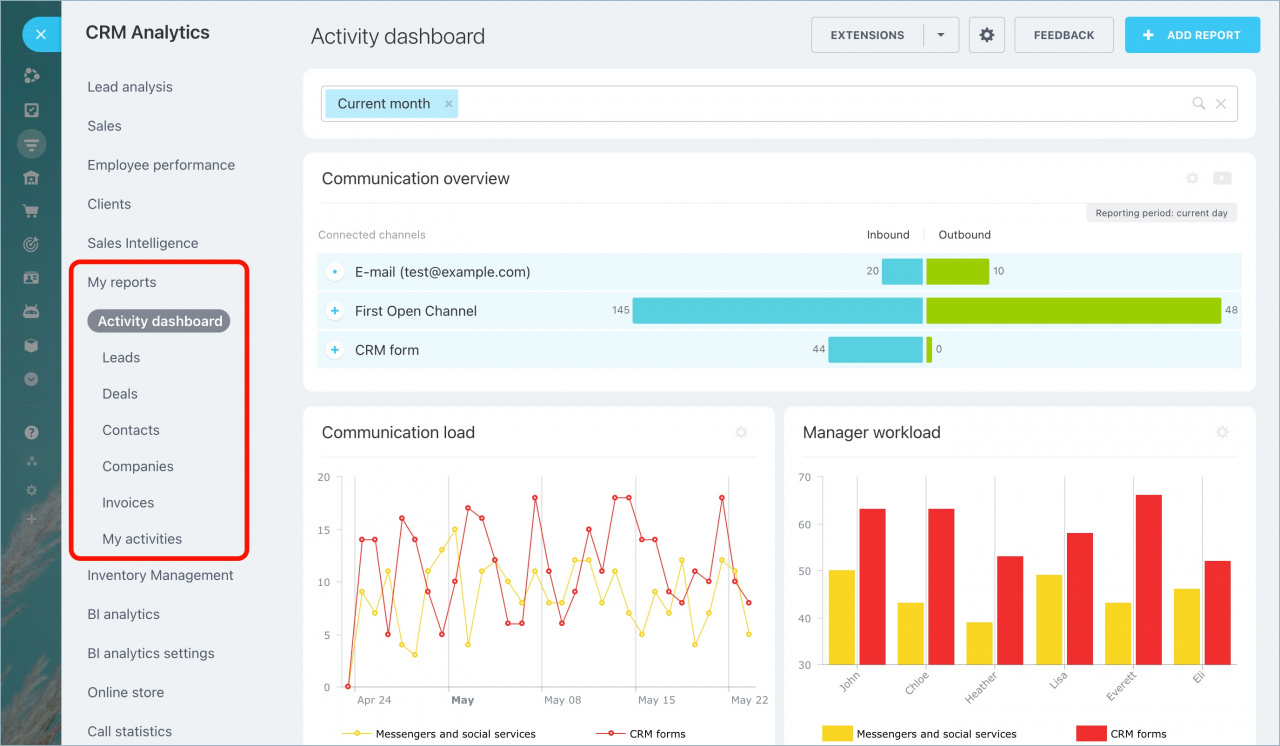
Select a CRM entity you want to see a report for.
You can read more about each report in these articles:
All the CRM entities reports are available in the CRM Analytics section.
Go to CRM > Analytics > Sales funnel.
Select a CRM entity you want to see a report for.
You can read more about each report in these articles:

Cookies: This website uses cookies for analytical and technical reasons. ‘Analytical Cookies’ are inserted by Google Analytics to help us understand which countries our visitors come from, which pages they visit and what actions they take on this site. ‘Strictly Necessary Cookies’, as the name implies, are a type of cookies that are required for proper functioning of certain features of this website, such as the ability to use live chat. Disabling these cookies will disable access to those features and degrade your website experience.
Cookies of both types can be enabled or disabled within this plugin.
More information about our Cookie Policy