Track employee productivity and customer communication to improve sales performance and support business growth.
Use the Activity dashboard to connect communication channels and monitor employee efficiency.
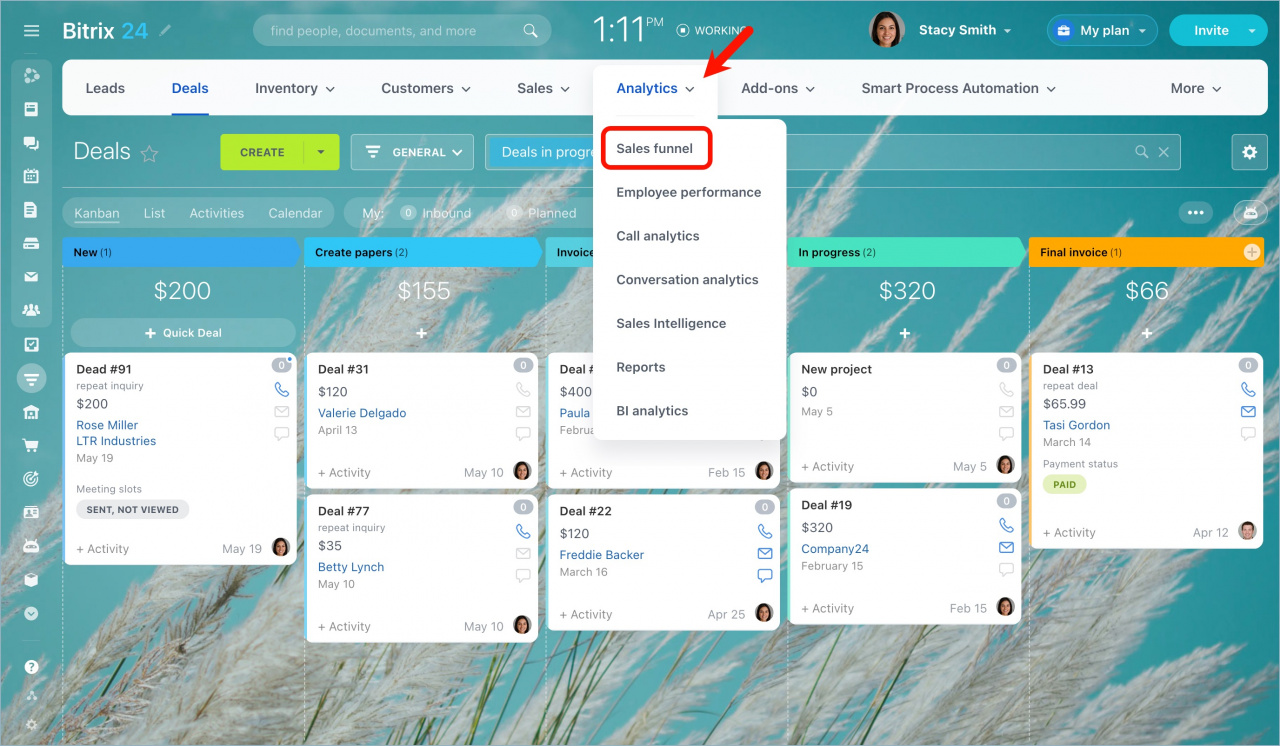
Go to CRM > Analytics > Sales funnel.
Activity dashboard reports
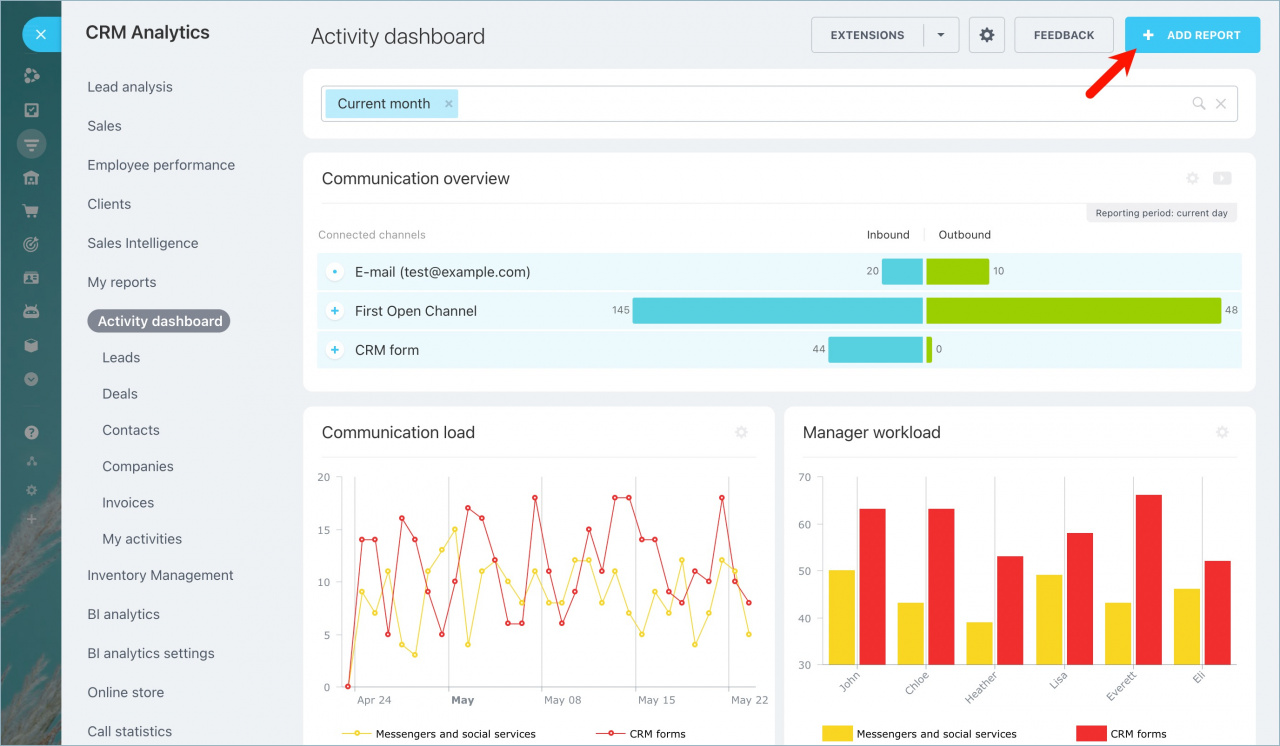
The top section of the CRM Start report shows the performance of each communication channel, including:
- Social media
- CRM forms
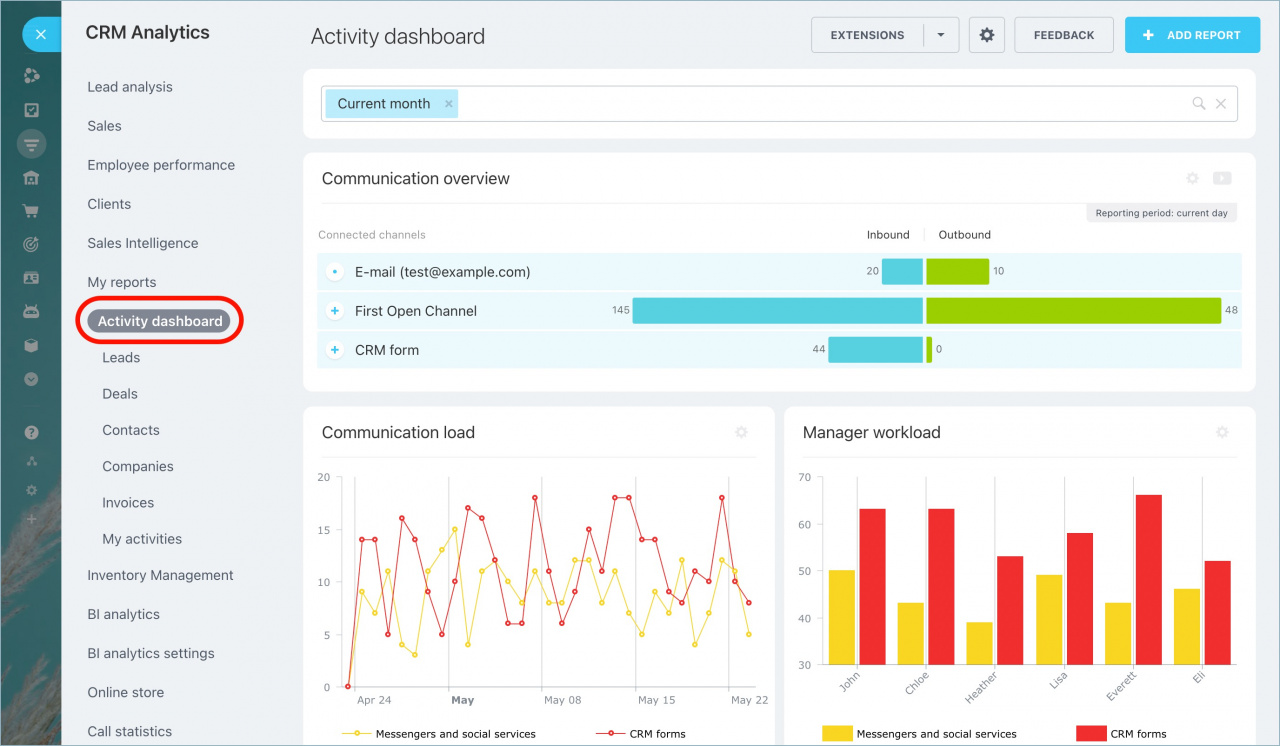
You can also review workload statistics for each manager.
Below this section, you’ll find analytical reports for sales and customers. Click any number in a report to open a detailed list of related records.
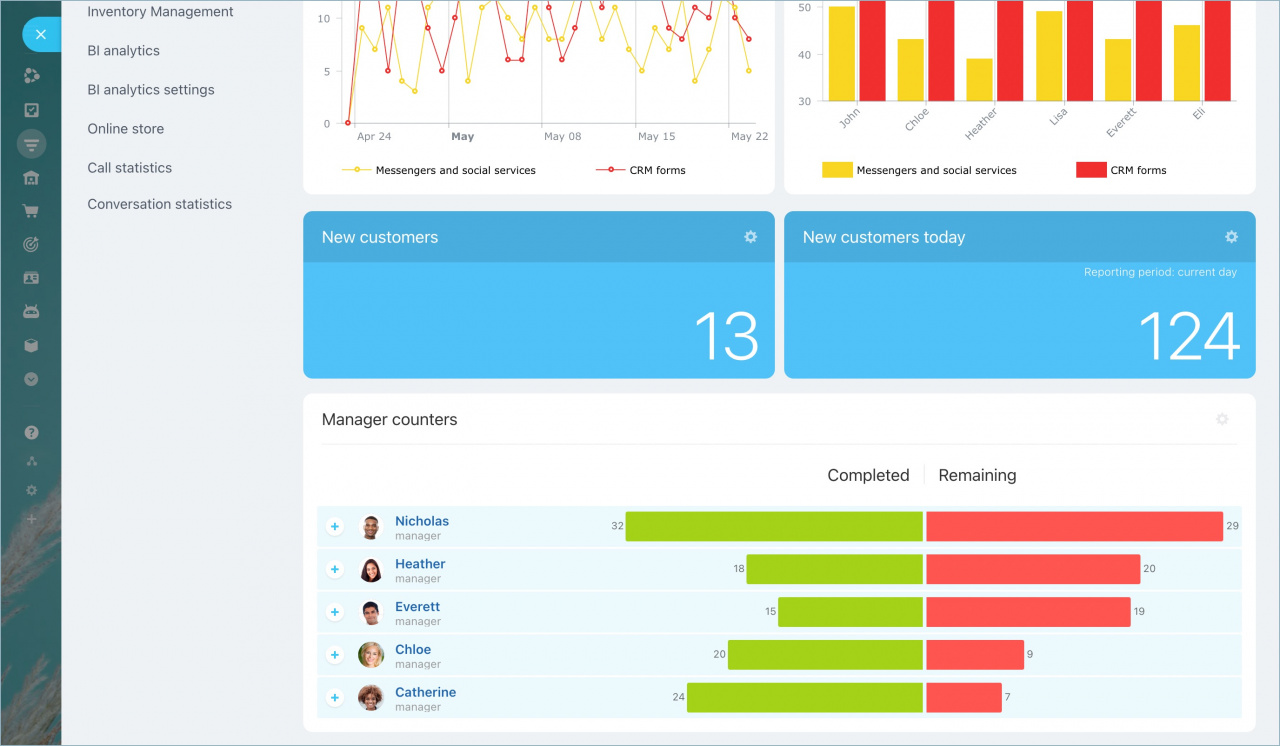
At the bottom of the page, you can see counters for all managers. These counters help you evaluate:
- Employee involvement in the sales process
- Overall performance
Add a custom report
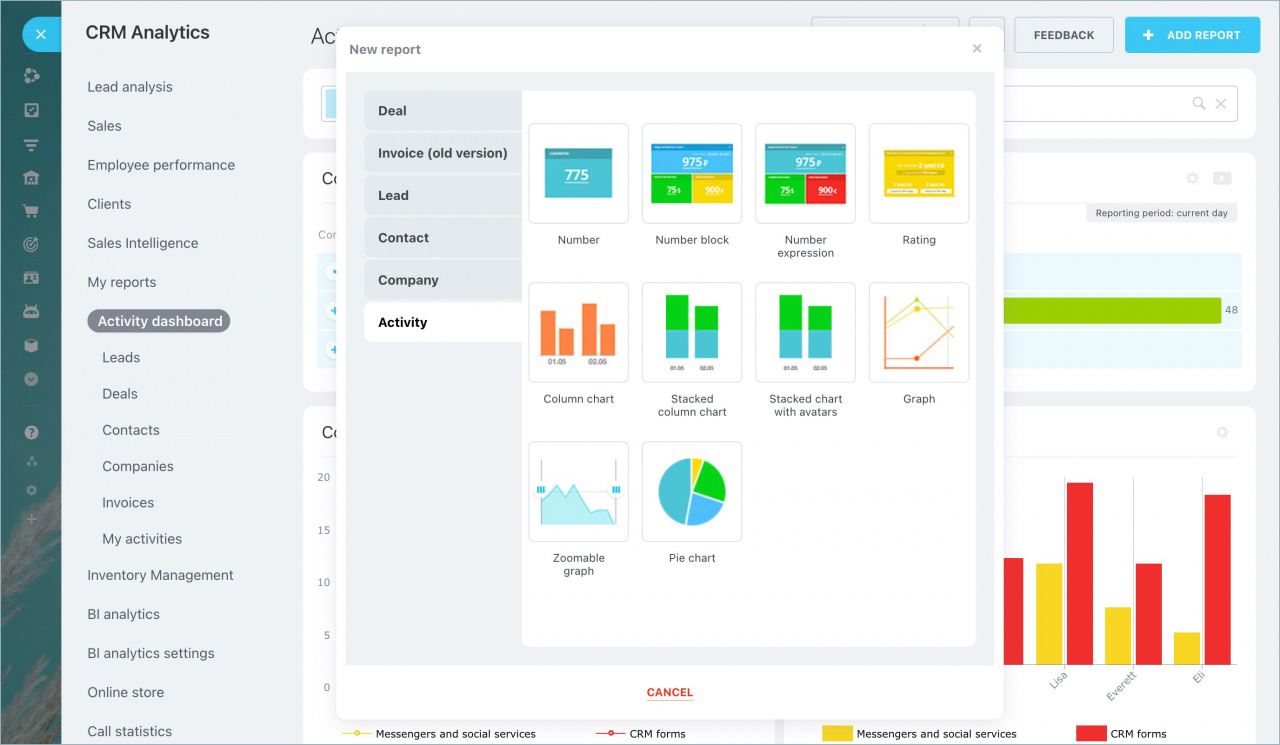
To create a new report, click Add report.
Select:
- The CRM record type for the report
- The report display format
Then configure the widget settings. The new report will appear in the Activity dashboard section.