Use SPA (Smart Process Automation) in the Bitrix24 mobile app. Create, edit, and organize SPA items with flexibility and ease.
You can create and set up SPAs only in the web version. In mobile CRM, you can create and manage SPA items.
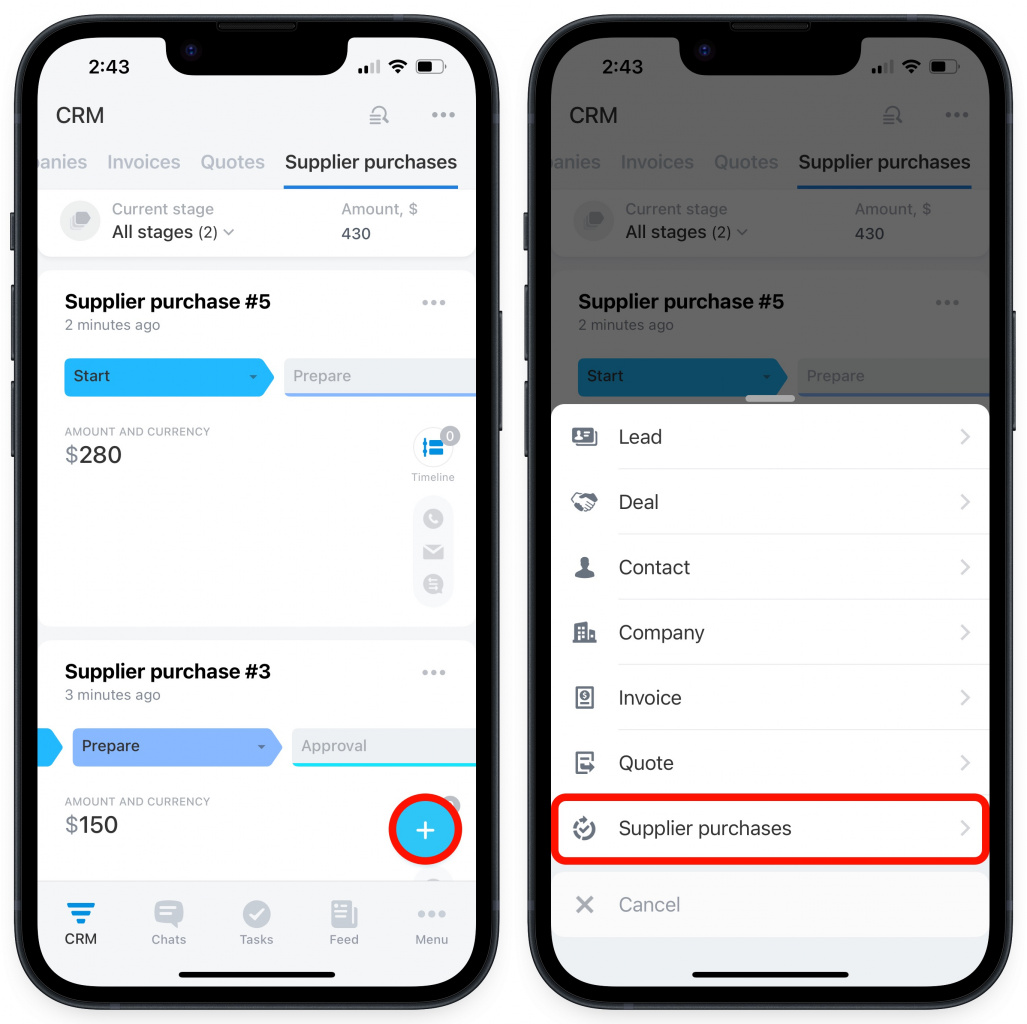
To add a new SPA item,
-
Navigate to CRM.
-
Tap "+" in the bottom-right corner.
-
Select your SPA from the list.
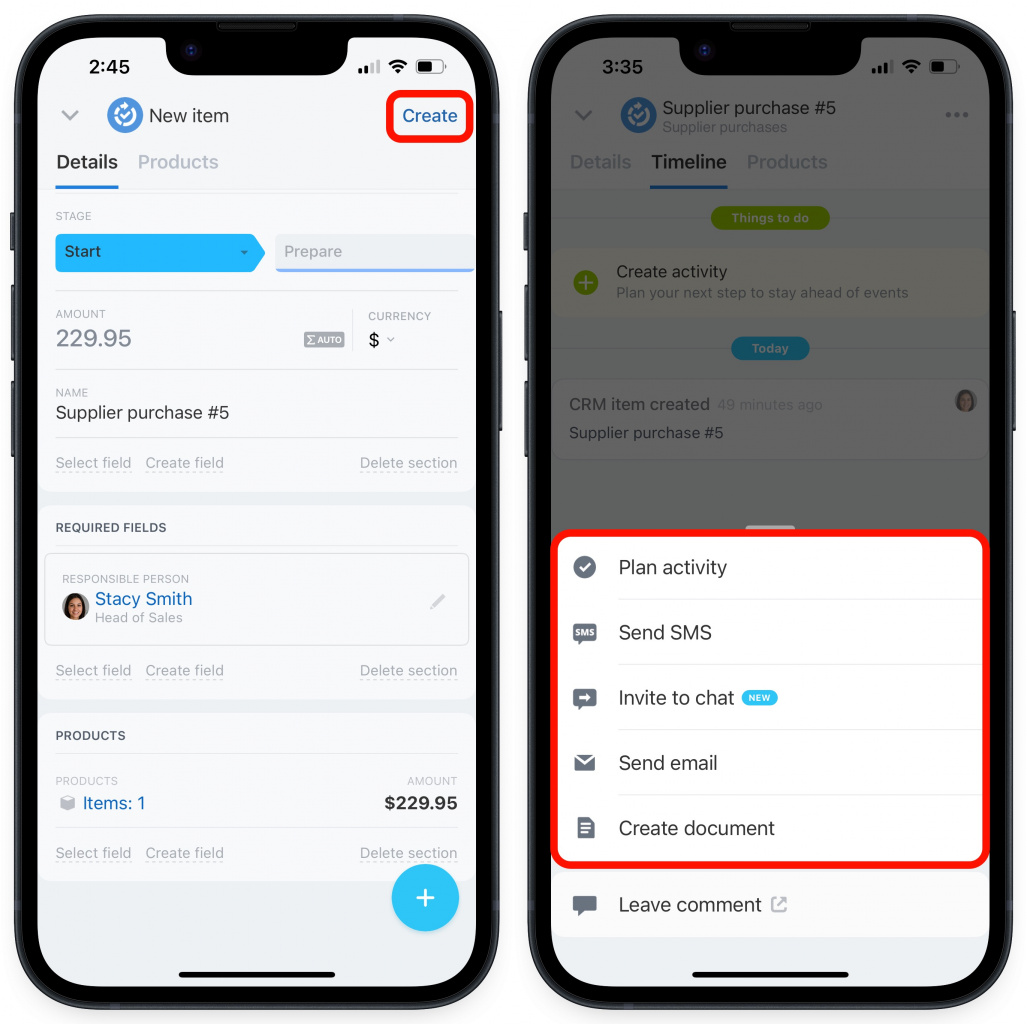
Then complete the form and tap Create in the top right corner.
Also, you can plan activities and send emails or SMS to clients.
-
Switch to the Timeline tab.
-
Tap "+" in the bottom-right corner.
-
Select the needed action from the list.
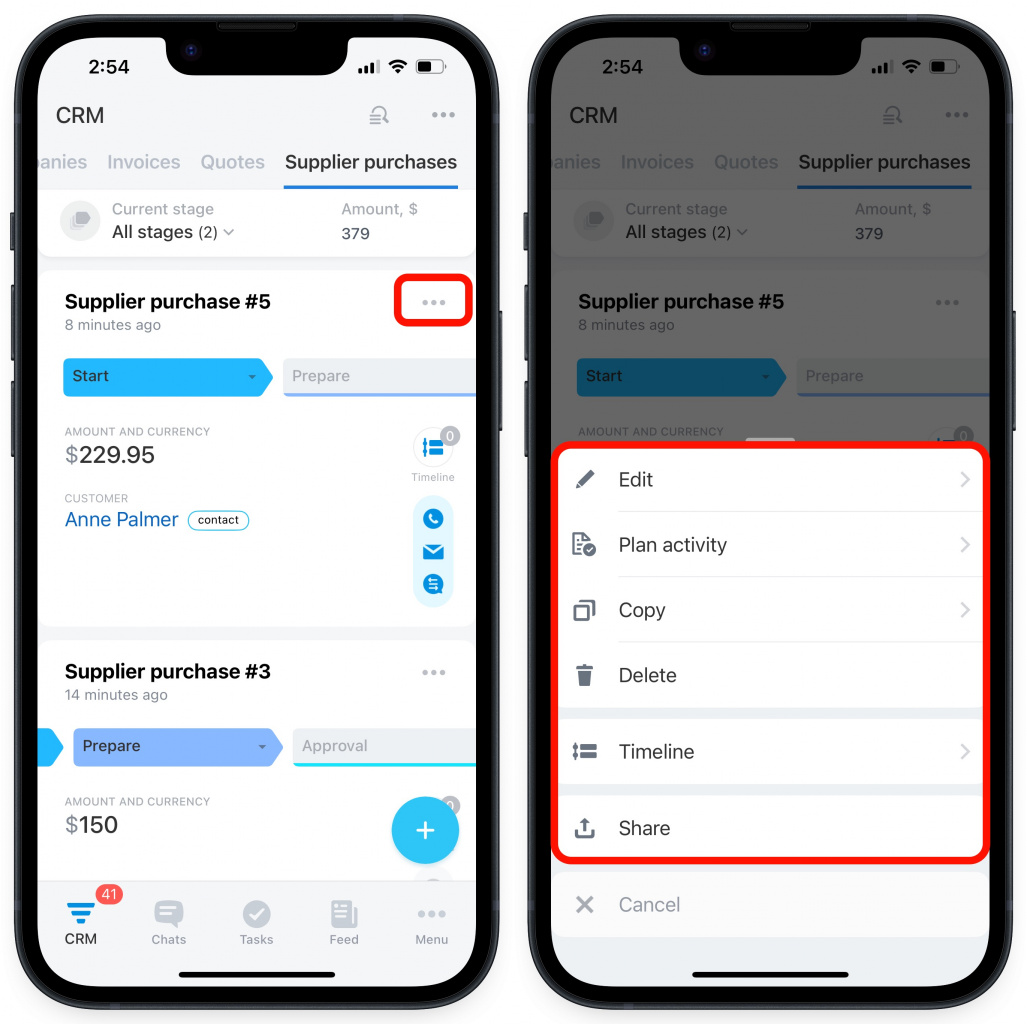
To edit, delete, or share an item,
-
Tap the three dots next to the item's name.
-
Then select the needed action from the list.