
You can share files from your personal Drive with colleagues. Set permissions for individual users, departments, or groups. If you don’t want to share your entire Drive, grant access to specific files or folders. Use advanced permissions for more control.
Set access permissions
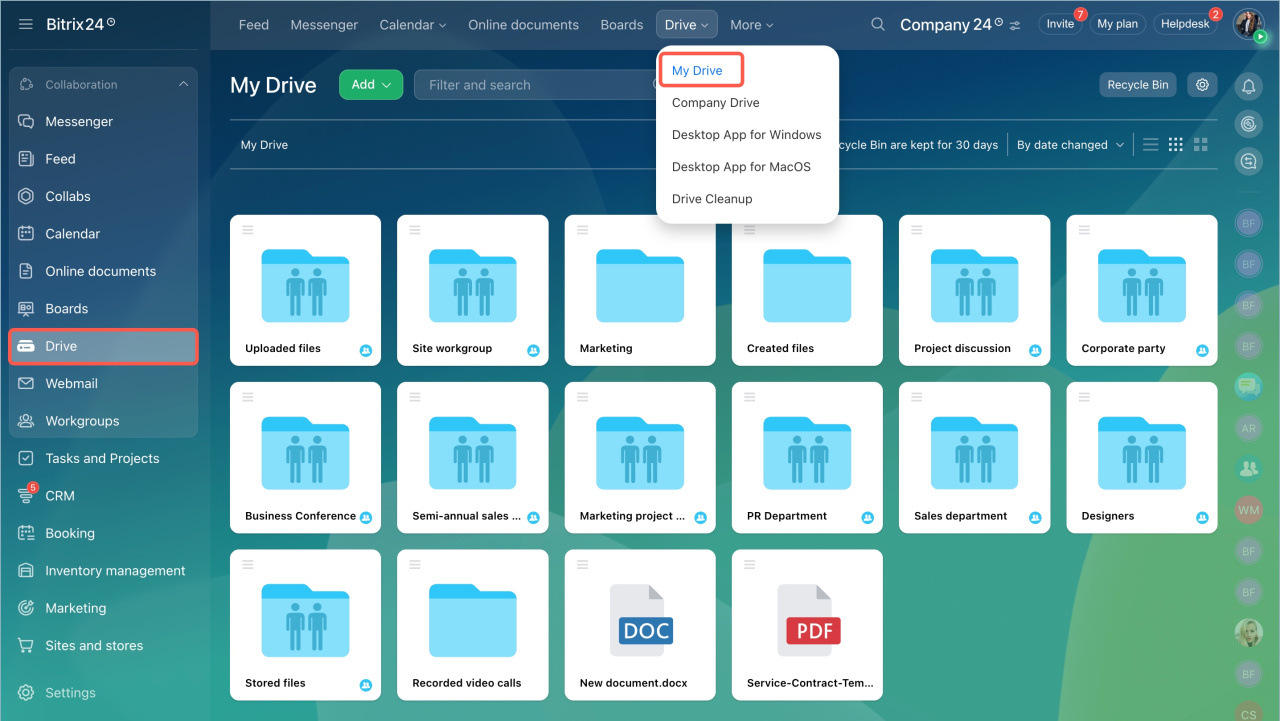
- Go to Drive > My Drive.
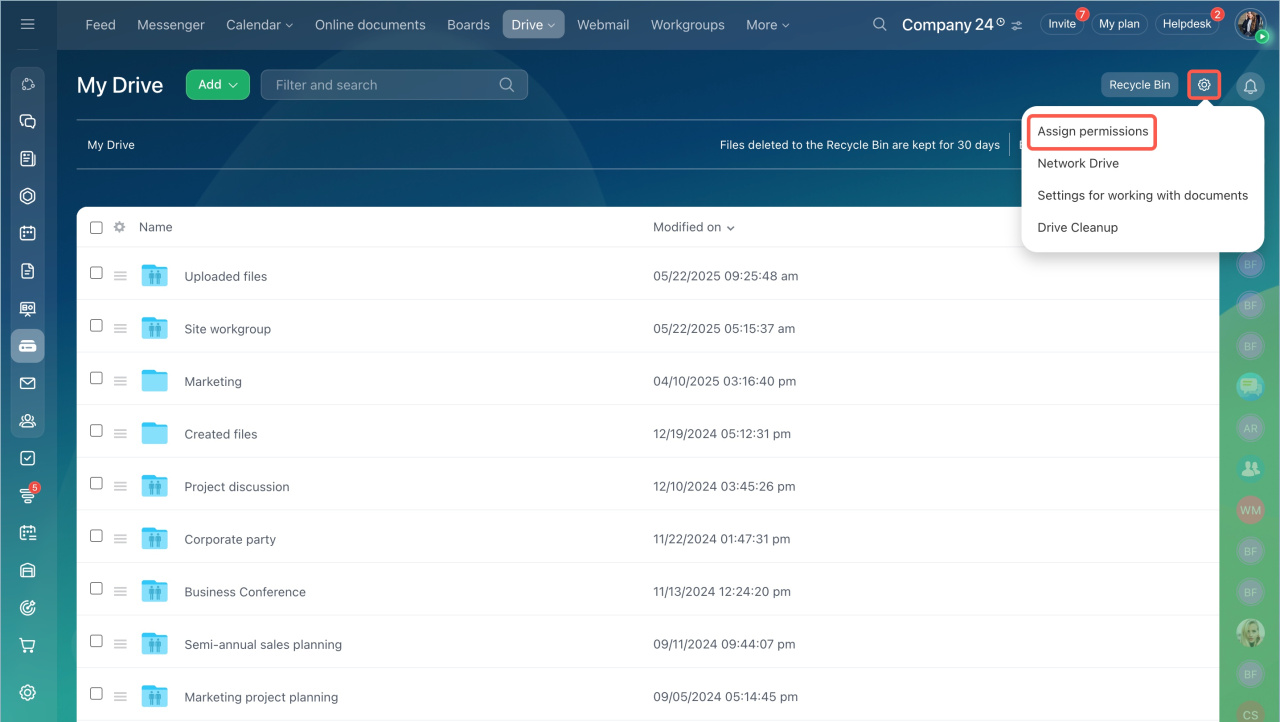
- Click Settings (⚙️) and select Assign permissions.
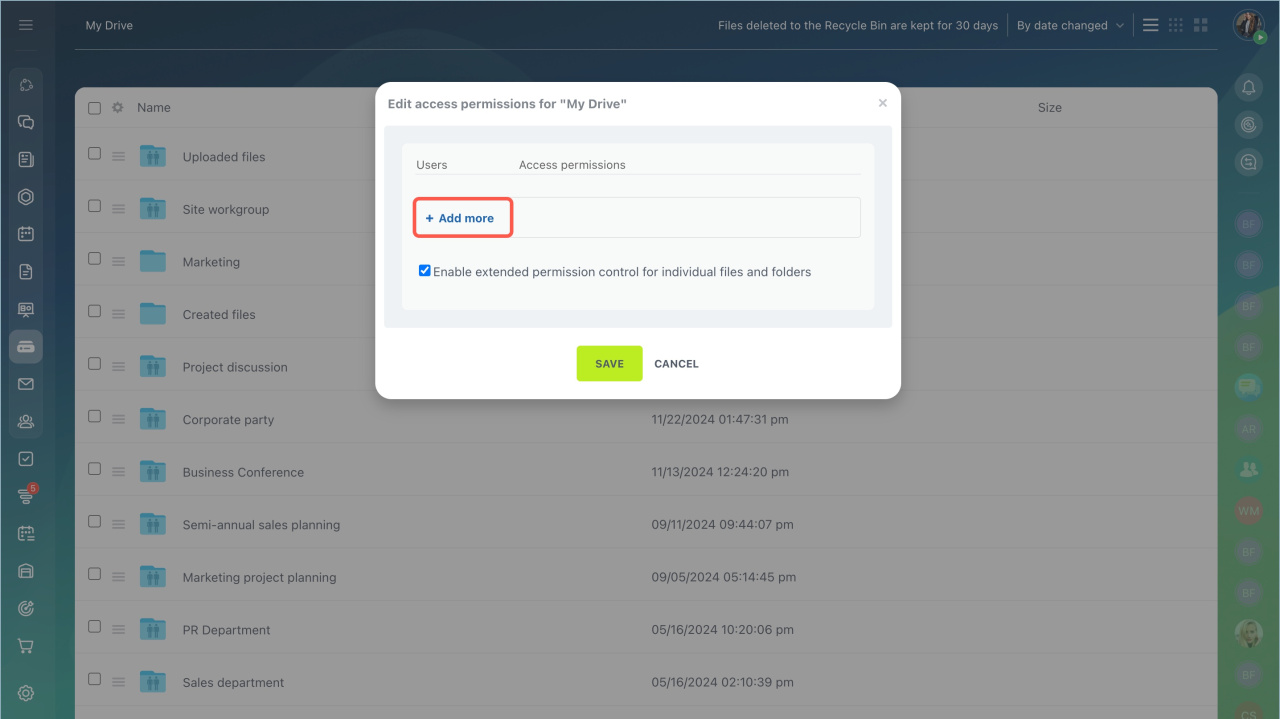
- Click + Add more to choose who can access your Drive.
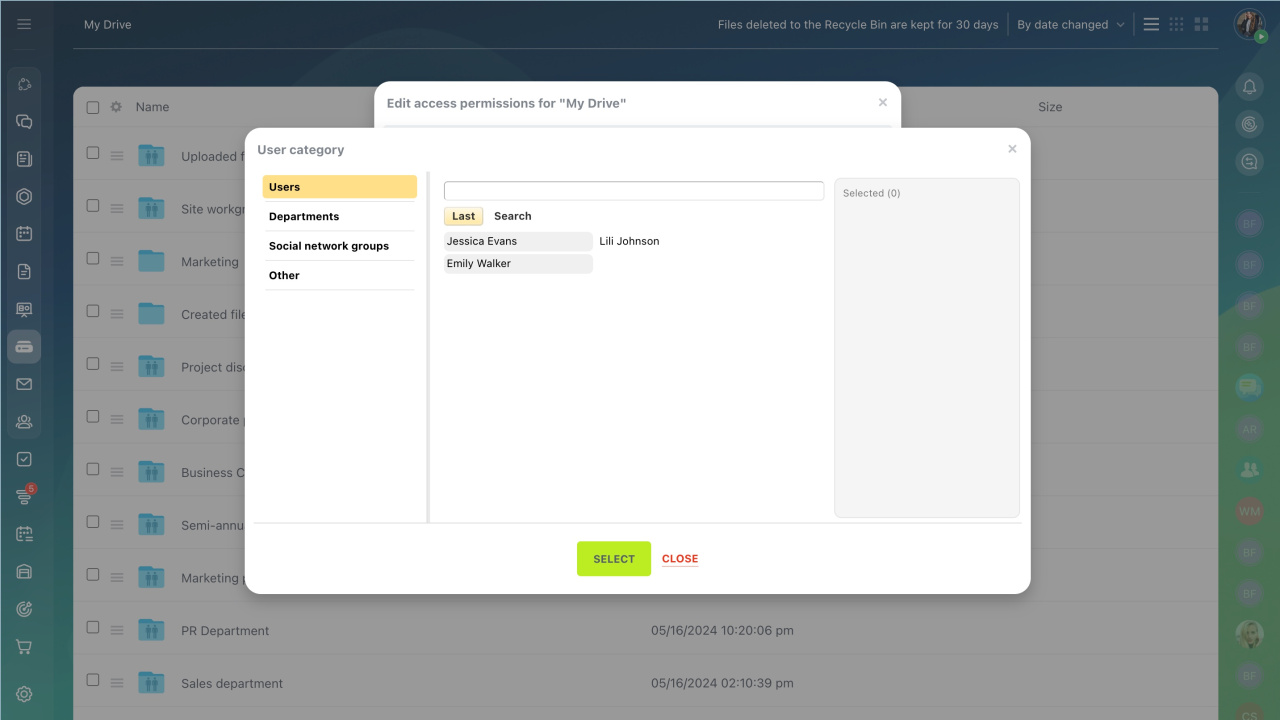
You can assign access to these groups:
- Users: Select any employee. Search by name or login.
- Employees and departments: Grant access to teams or subdepartments.
- Social network groups: Share with groups, their owners, or moderators.
- Other: Grant access to external users or all authorized users.
Extranet users in Bitrix24
Share specific files or folders
If you want to keep your Drive private, share only selected items.
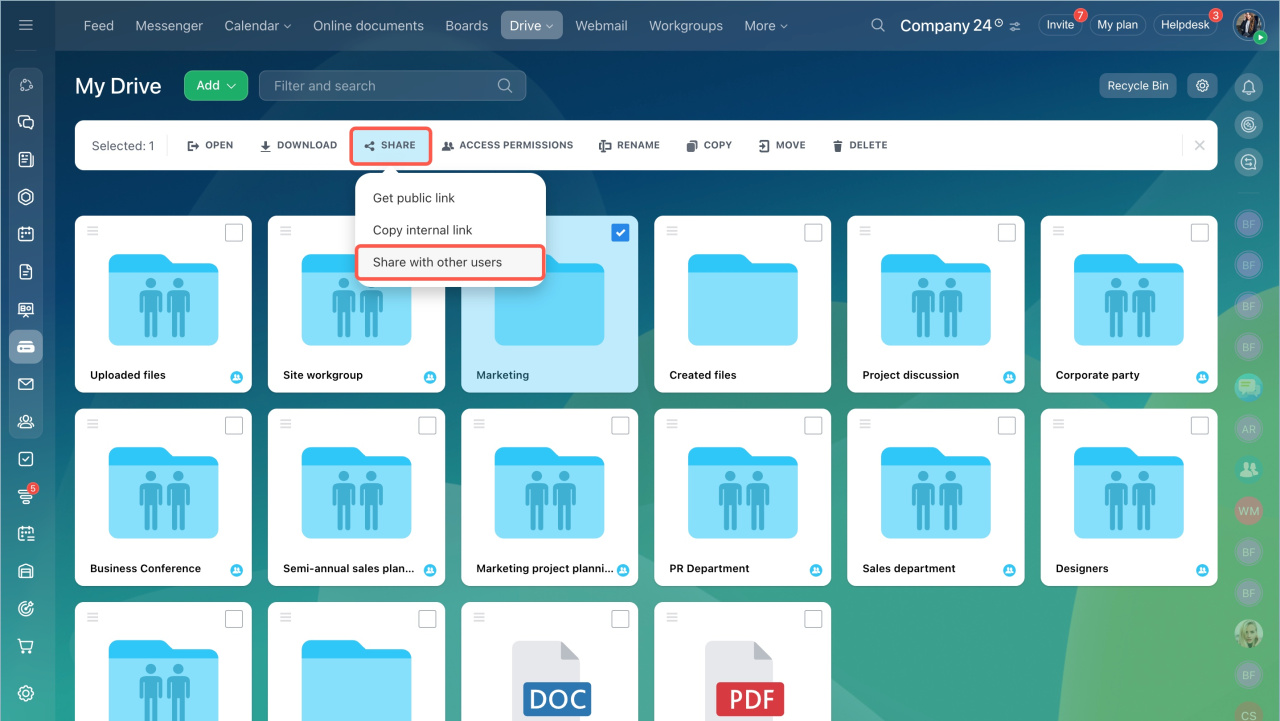
- Select a folder.
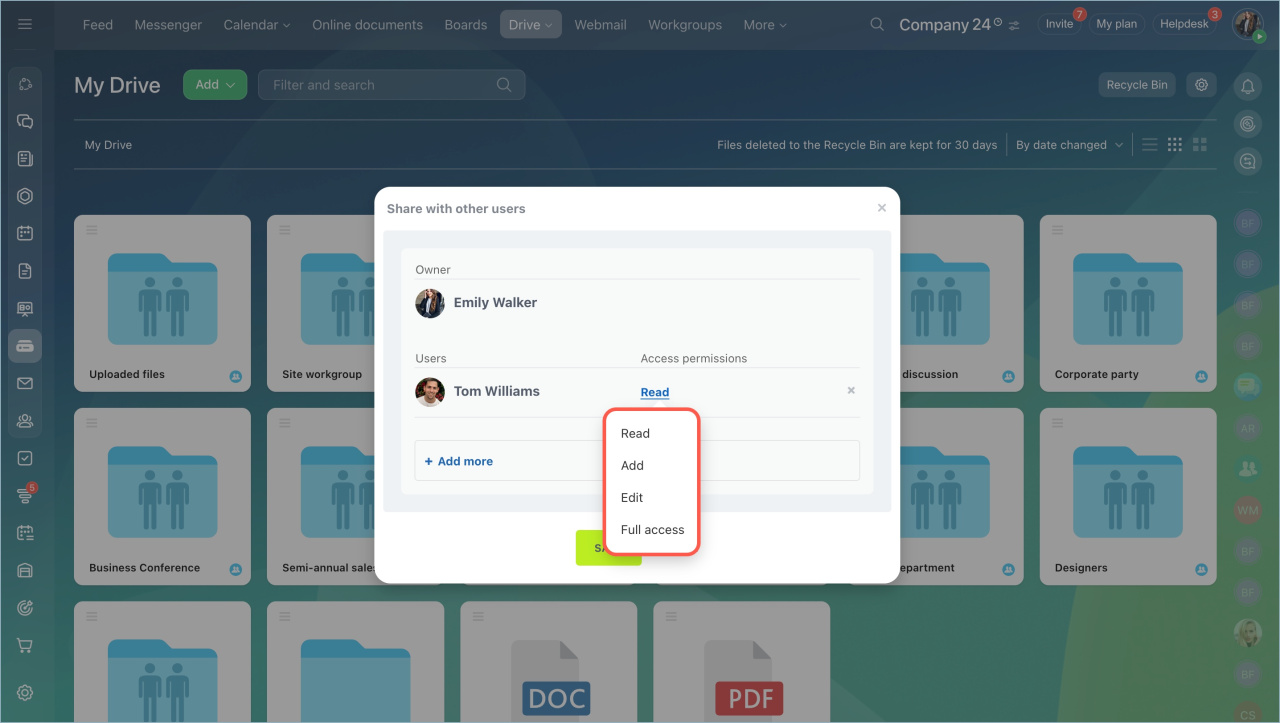
- Click Share > Share with other users.
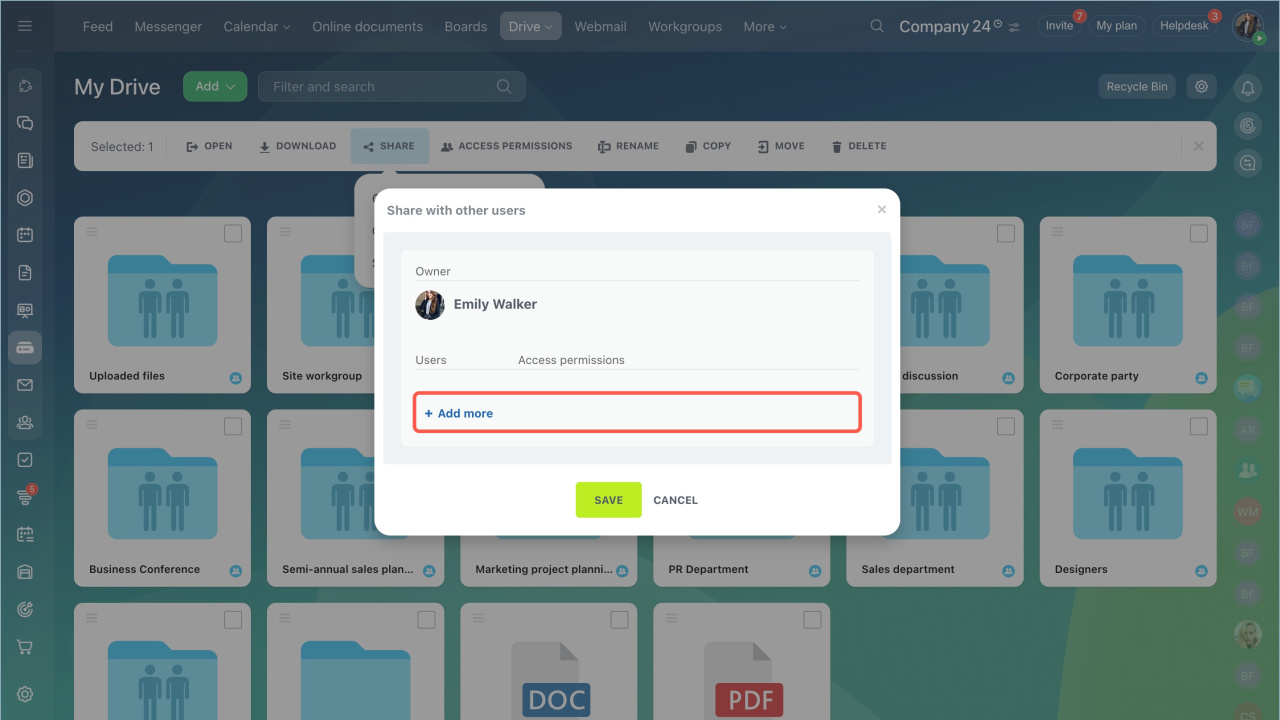
- Click + Add more to select users and set permissions.
- Save the changes.
The shared folder appears in the selected users’ personal Drives.
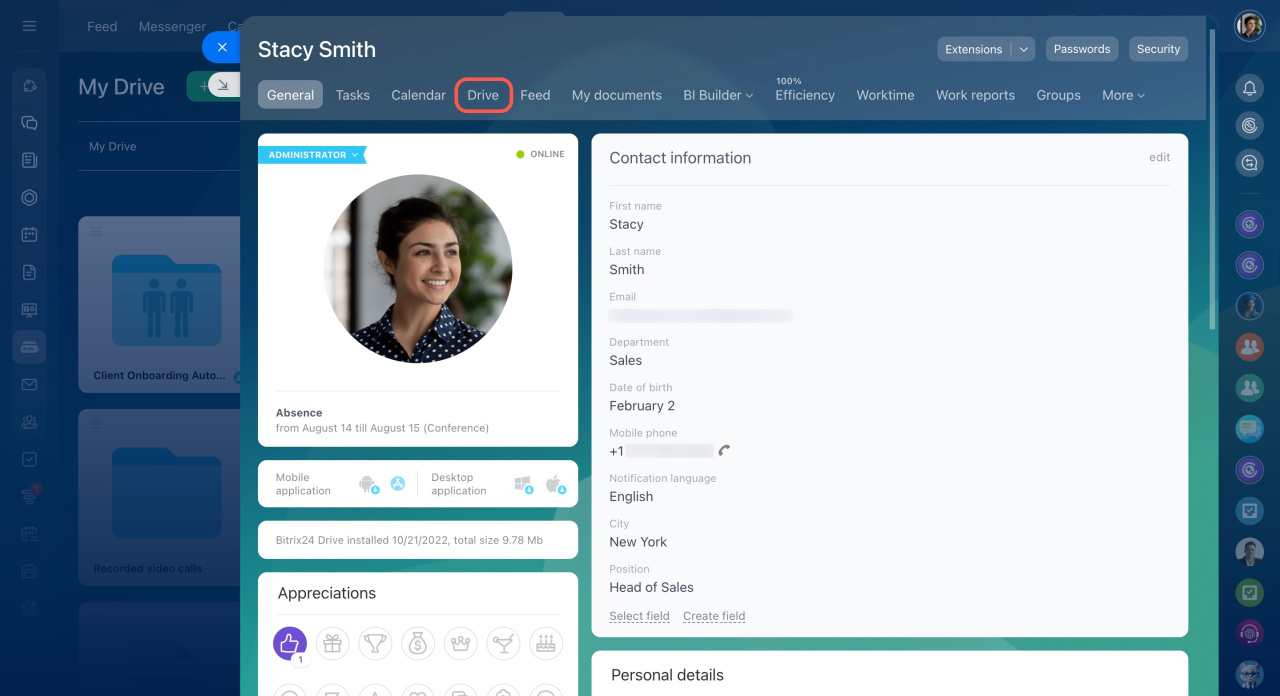
If you grant access using Access permissions the file does not appear in their Drive. They need to open your profile and go to Drive to view it.
- You can’t reconfigure or review Drive permissions on lower plans.
- Default permissions cannot be restored.
Bitrix24 plans and pricing
Permission levels
You can assign different levels of access:
- Read. View files only.
- Add. View and upload files.
- Edit. Manage files, but not settings or permissions.
- Share. Share files with others.
- Full access. Full control over files and settings.
Extended permissions
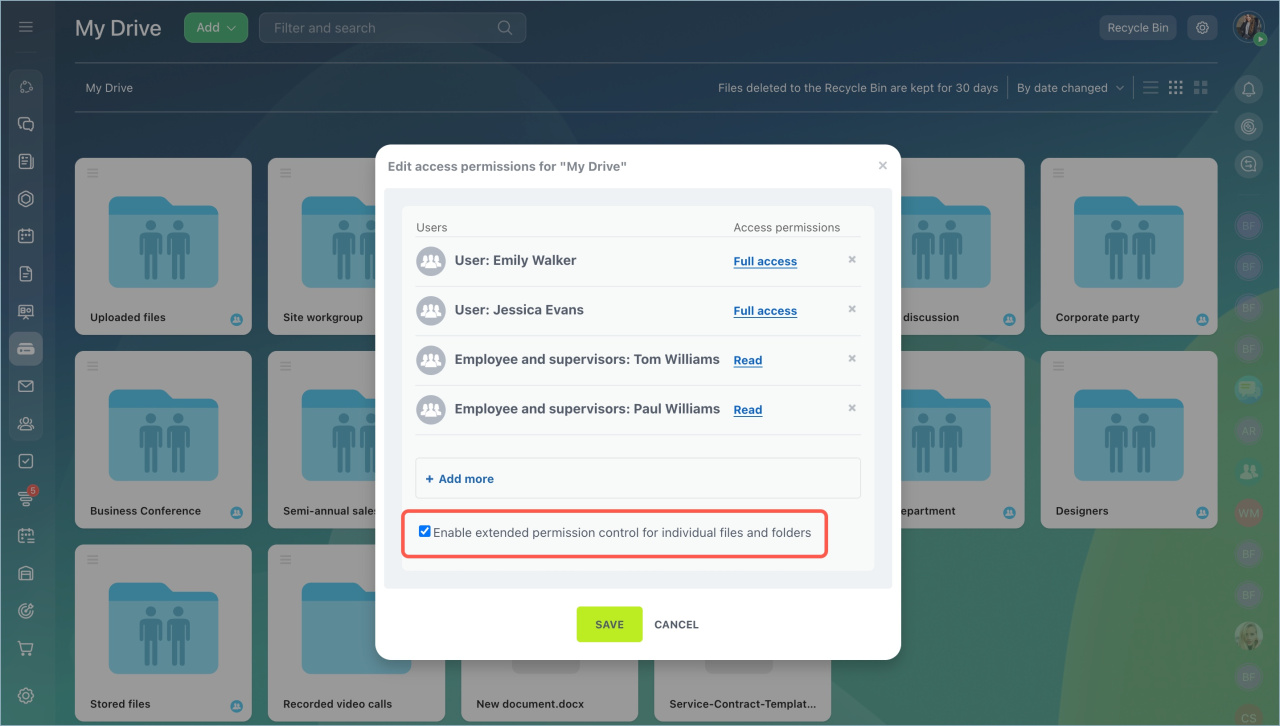
Use extended permissions to control access to specific files or folders.
- Open access settings.
- Activate Enable extended permission control for individual files and folders.
- Save the changes.
Bitrix24 plans and pricing
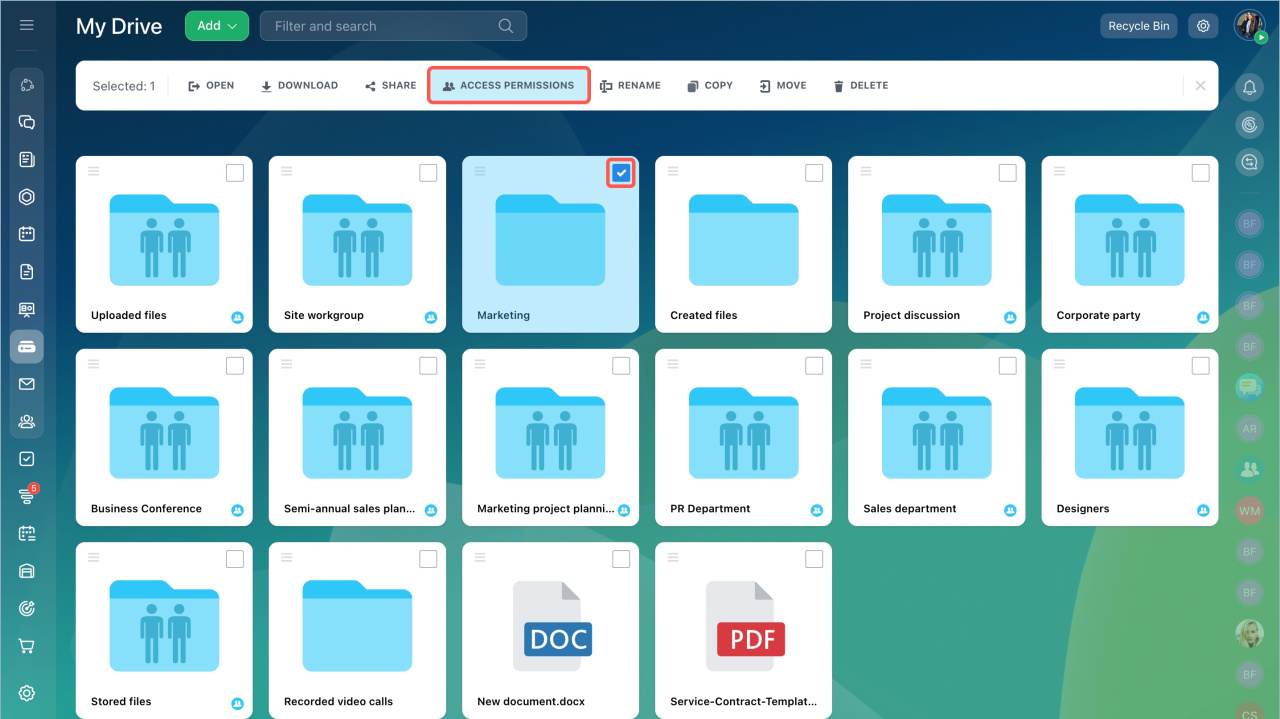
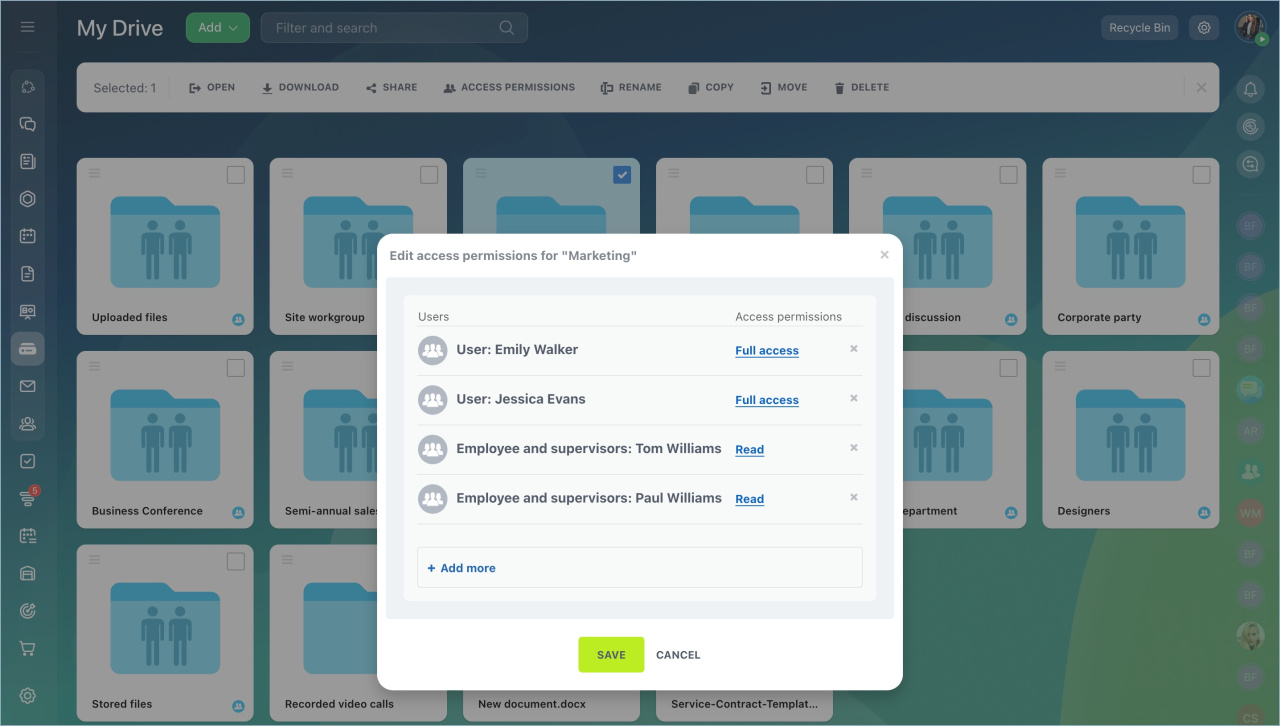
To set permissions for a specific item:
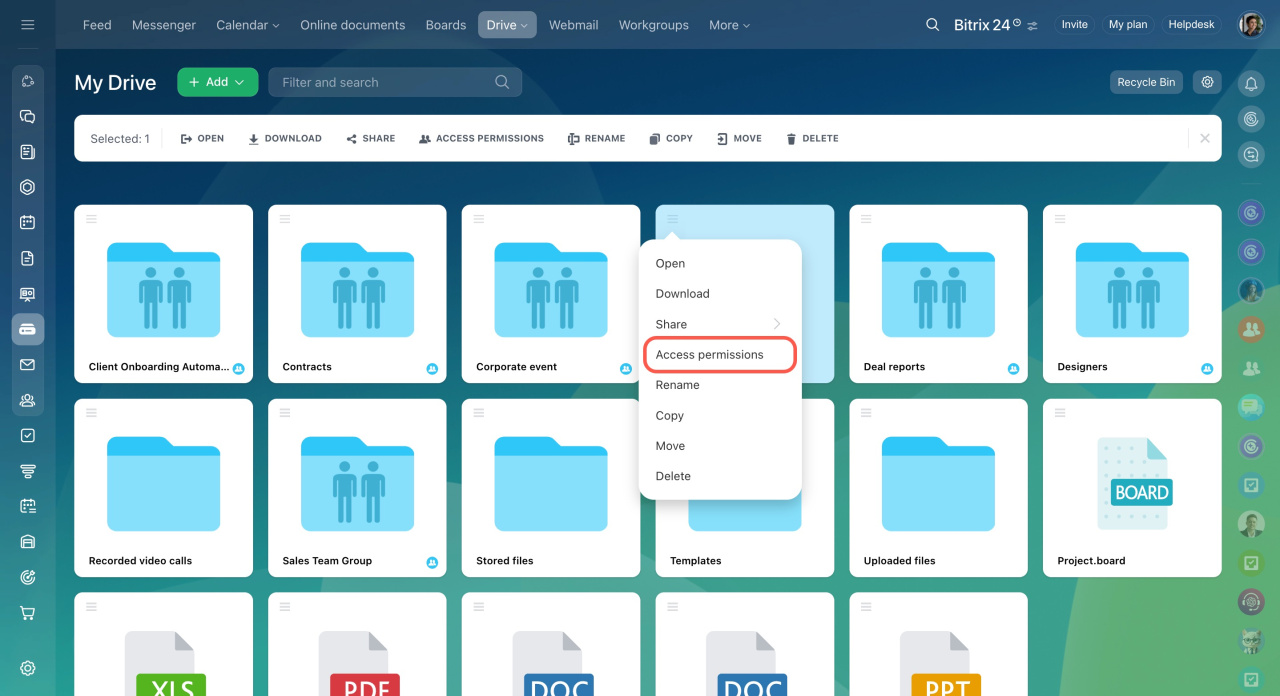
- Select a folder.
- Click Access permissions in the top menu.
- Choose users and set their access level.
In brief
- You can set access permissions for your personal Drive.
- Users with any permission level can download files.
- You can assign permissions to users, departments, and groups.
- Extended permissions for files and folders are not available on some plans.