
Use Google Docs to create, view, and edit documents in Bitrix24. Work with your team in Drive, Feed, and tasks.
Create documents
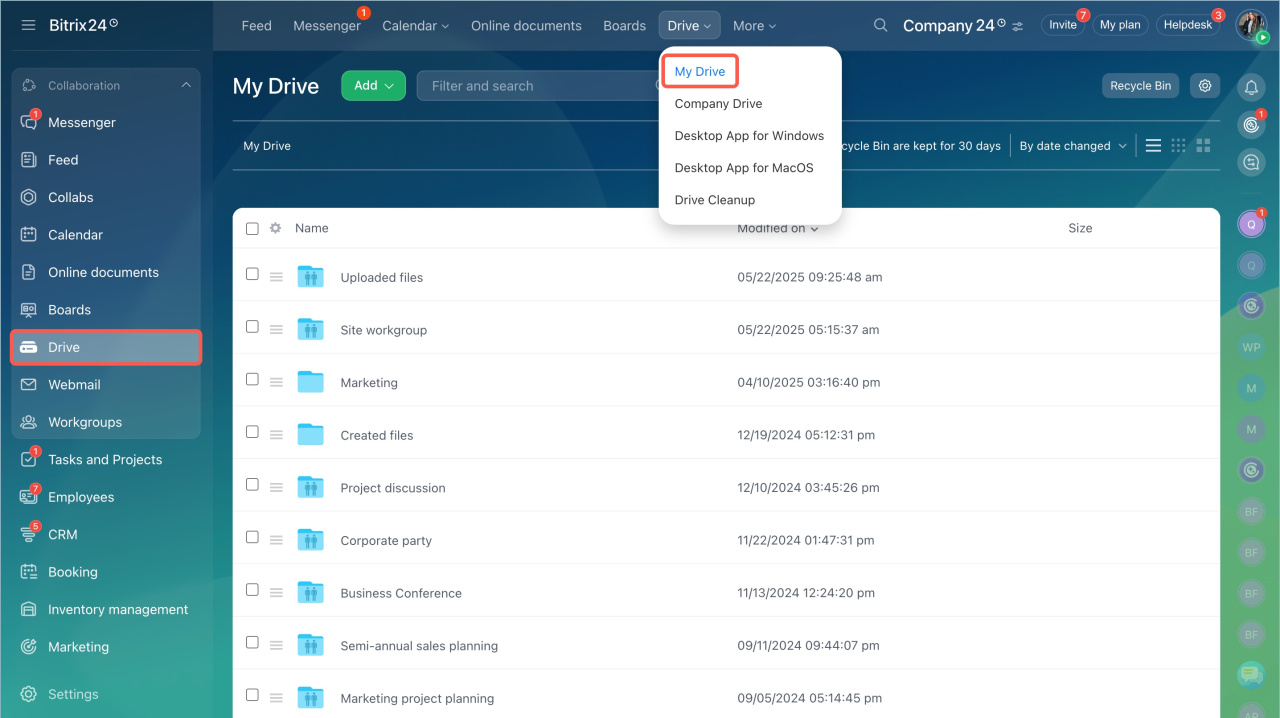
- Go to the My drive page.
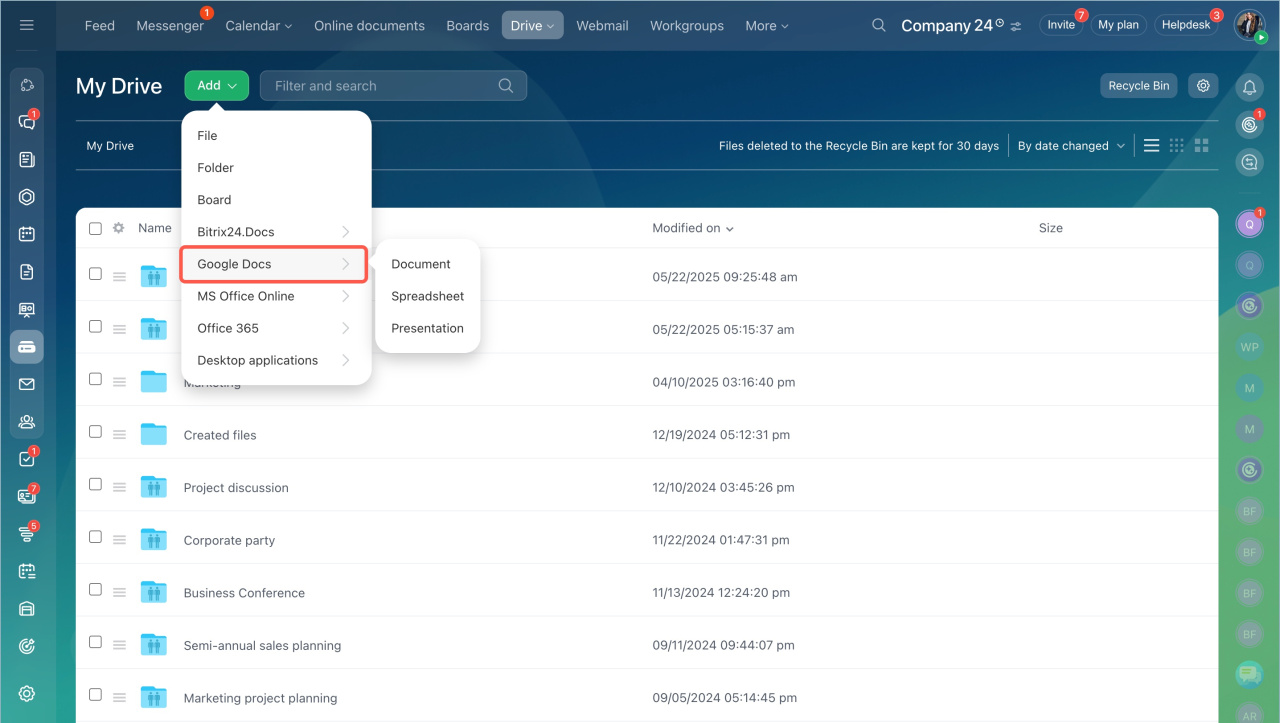
- Click Add > Google Docs.
- Select a document type.
View documents
Bitrix24 administrators set the service used to open documents.
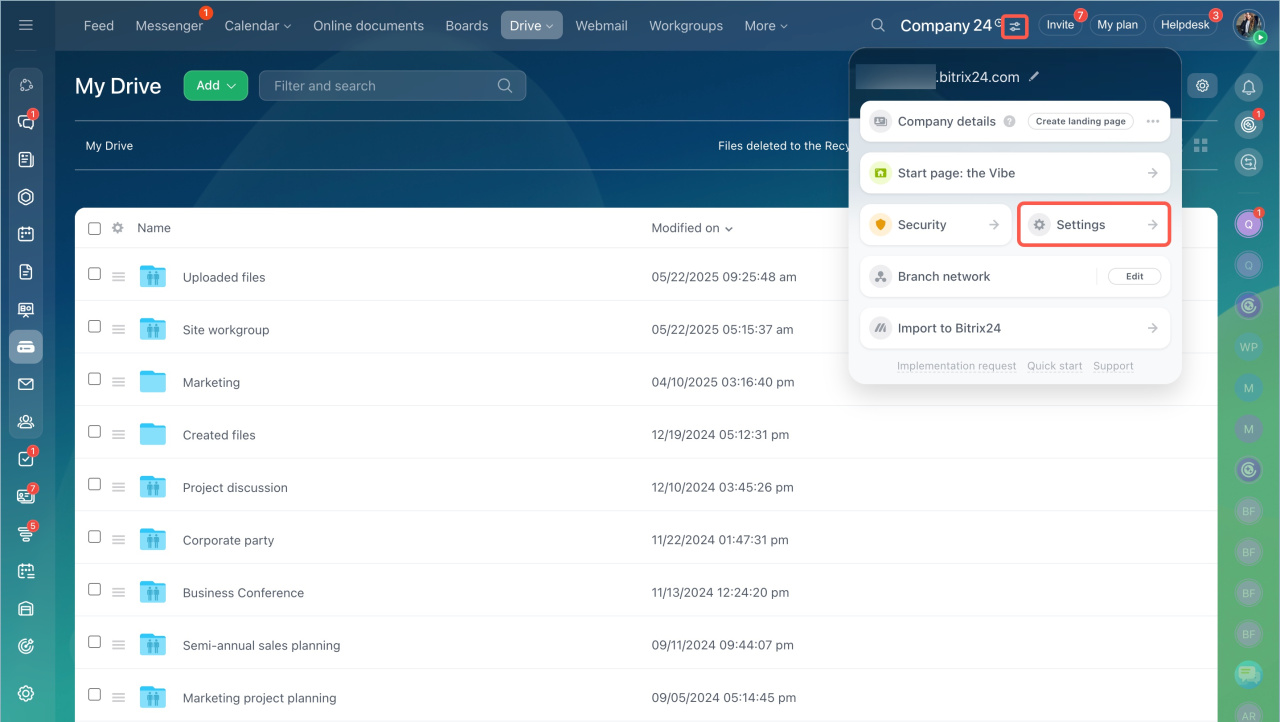
- Go to the account settings.
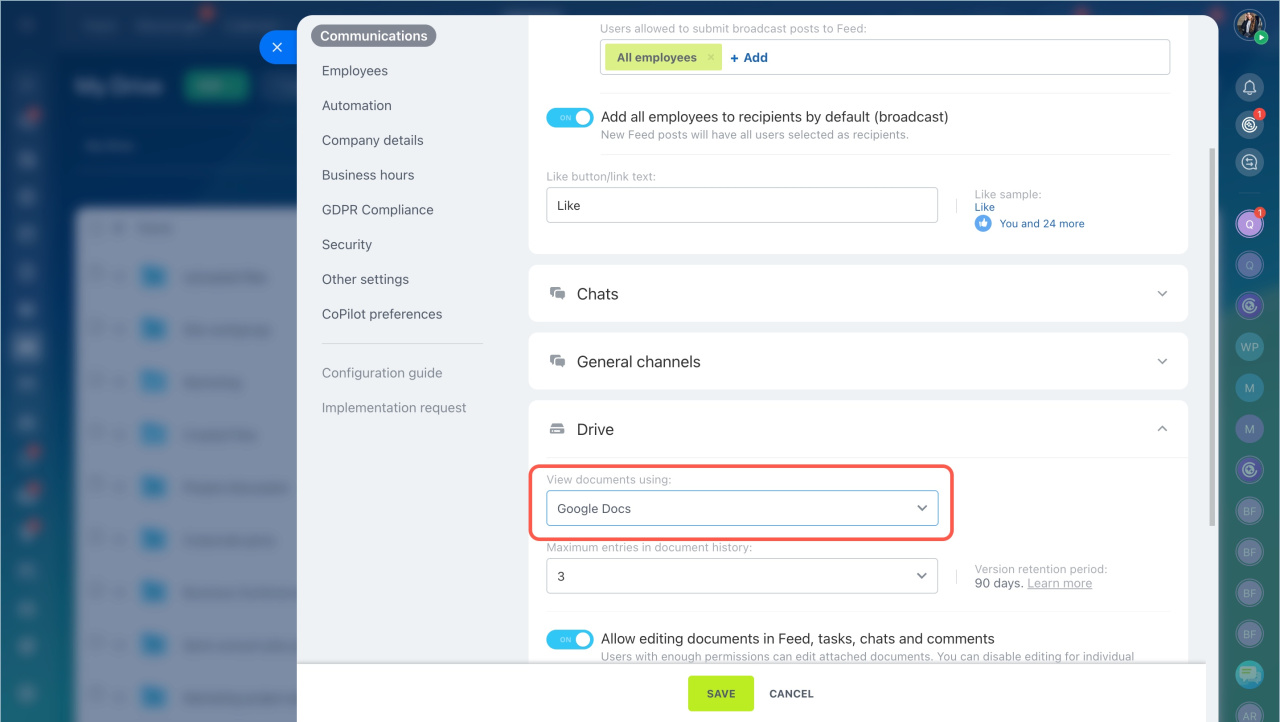
- Open Communications > Drive.
- Enable View documents using Google Docs.
- Save the changes.
After that, all documents open in Google Docs by default.
View documents
Each employee can choose how to edit documents.
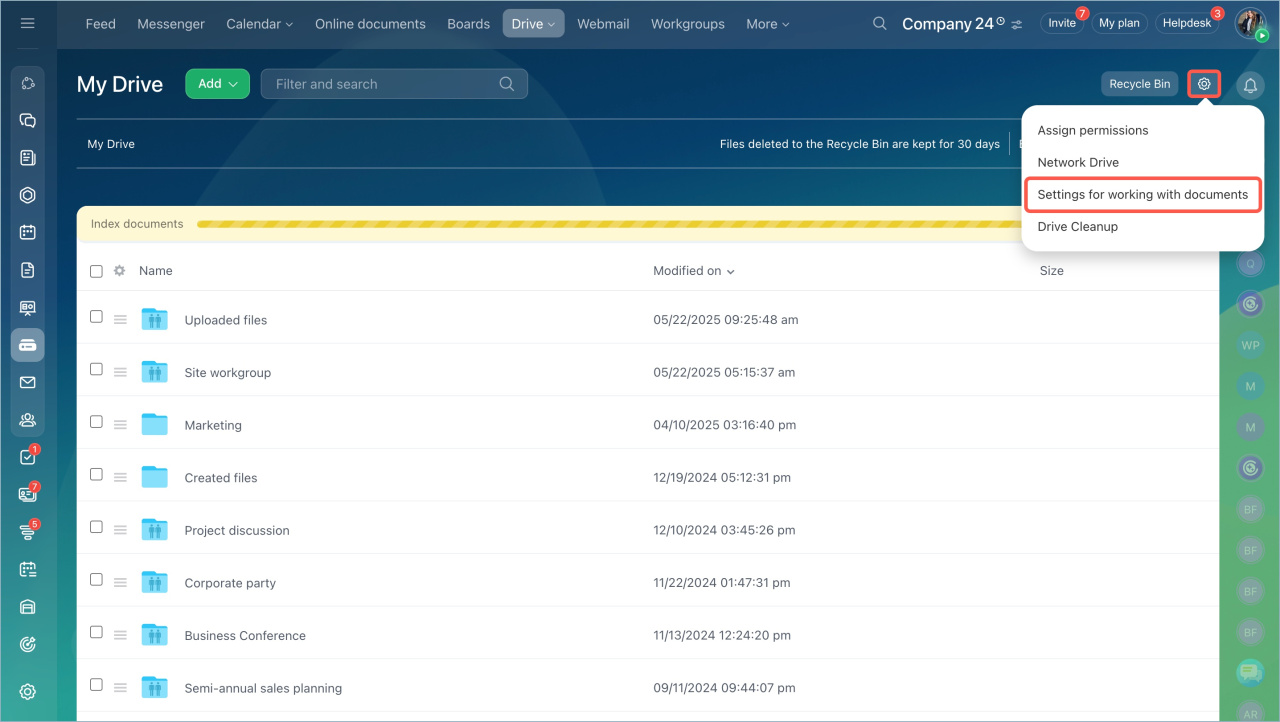
- Open the My Drive page.
- Click on the settings icon.
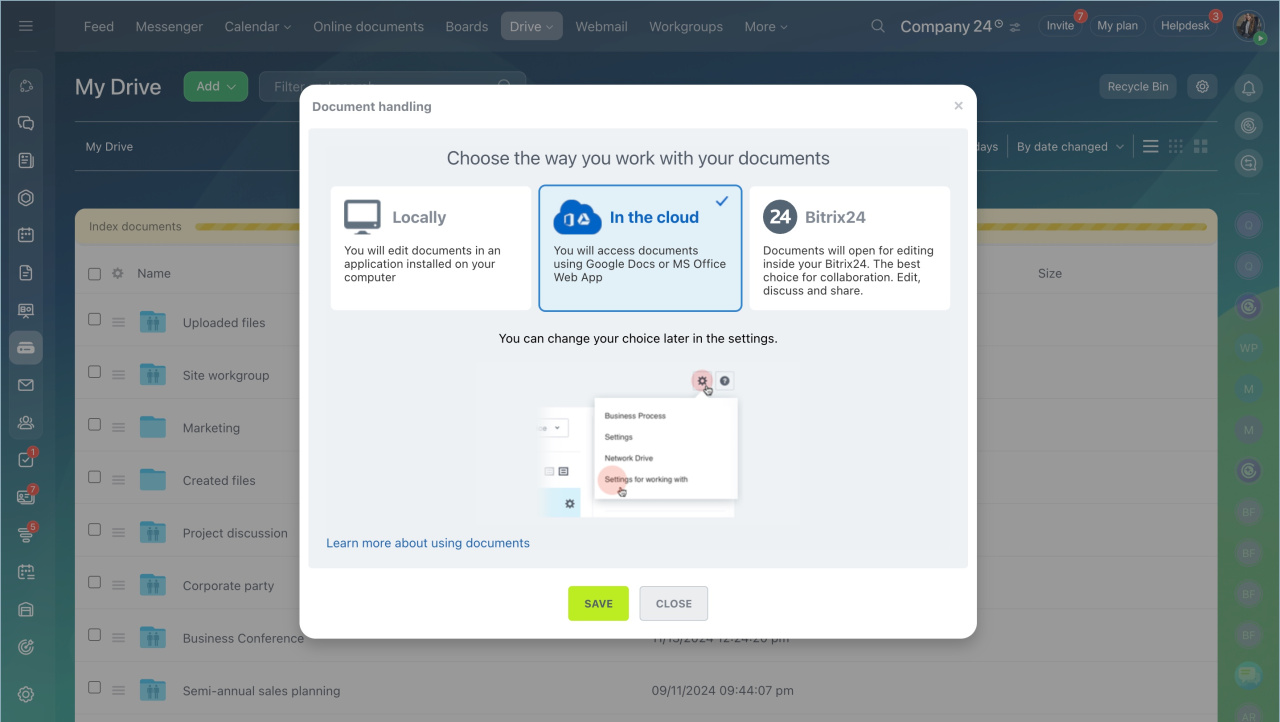
- Select Settings for working with documents.
- Choose In the cloud.
- Save the changes.
To edit a document:
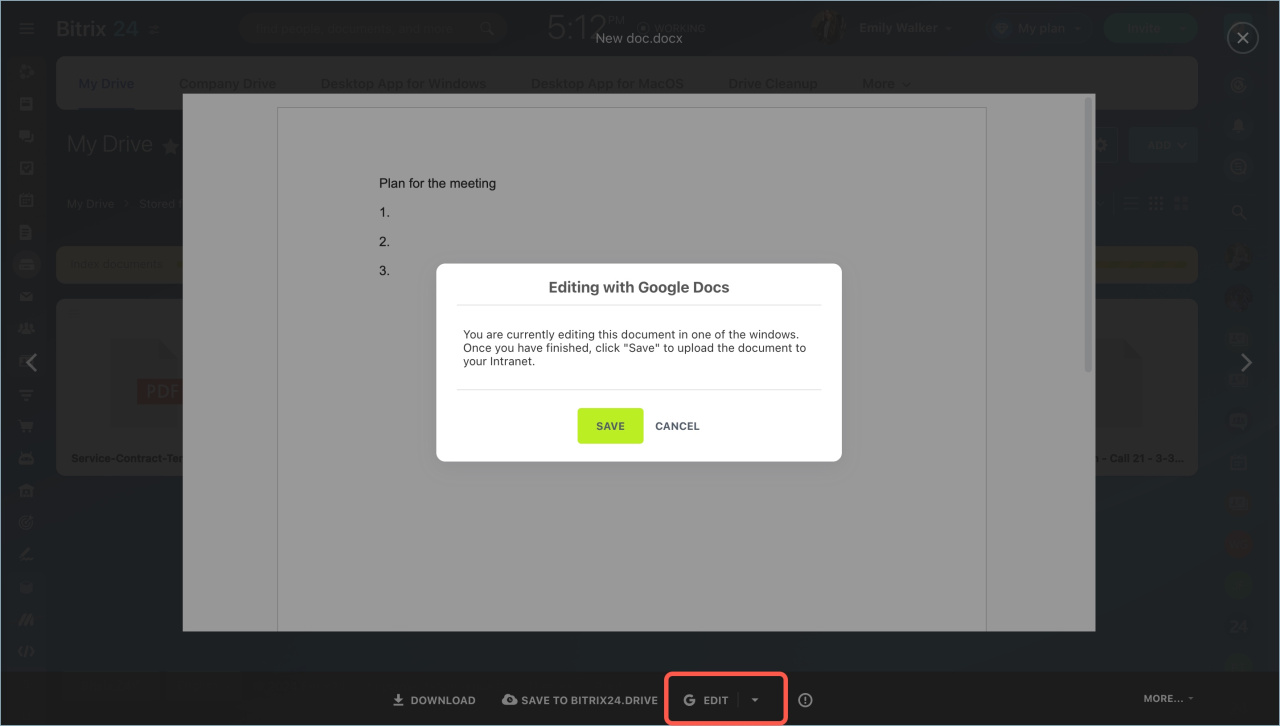
- Open the file and click Edit.
- Sign in to your Google account.
- Allow access to the Bitrix24 Connector app.
- Make your changes and save the document.
In brief
- You can use Google Docs to work with documents in Bitrix24.
- Bitrix24 administrators set the service for viewing documents.
- Each employee can choose the service for editing documents in Drive settings.
- Sign in to your Google account and allow access to the Bitrix24 Connector app.