
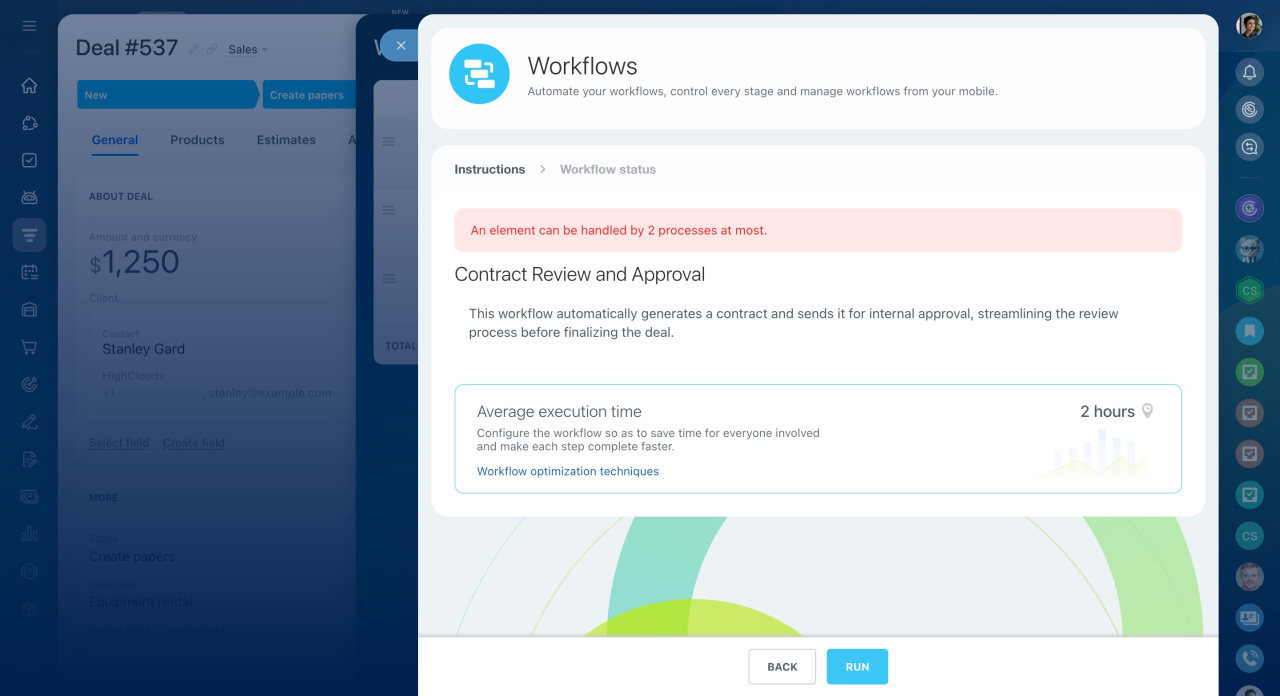
Bitrix24 limits how workflows start in CRM. You can run up to two workflows at the same time for one itemIn Bitrix24, a CRM item can be a lead, deal, contact, company, invoice, estimate, or SPA item..
For example, if two workflows are already running in an Equipment purchase deal, a third workflow starts only after one of the current ones finishes.
This limit helps keep your Bitrix24 stable. It applies to all cloud plans.
Sales automation in CRM
How the limit works
-
Workflows with Autorun enabled start one by one. The template with the lowest ID runs first.
-
If workflows do not include waiting steps (like Pause Execution or Employee working day pause), they all start in sequence. For example, when you update a deal, five workflows can start one after another.
-
If two workflows with waiting steps are already running, the next workflow waits until one of them finishes.
-
If one workflow with waiting steps is running, other workflows without waiting steps can still run. For example, when you create a deal, one workflow with waiting steps starts, and several others without waiting steps run in sequence.
Keep track of how many workflows run for the same CRM item. Set priorities and prepare templates in advance. This helps avoid delays and keeps your processes running smoothly.