Use tags in Bitrix24 workgroups to organize your projects. Tags help you quickly filter and find the workgroups you need.
To add tags:
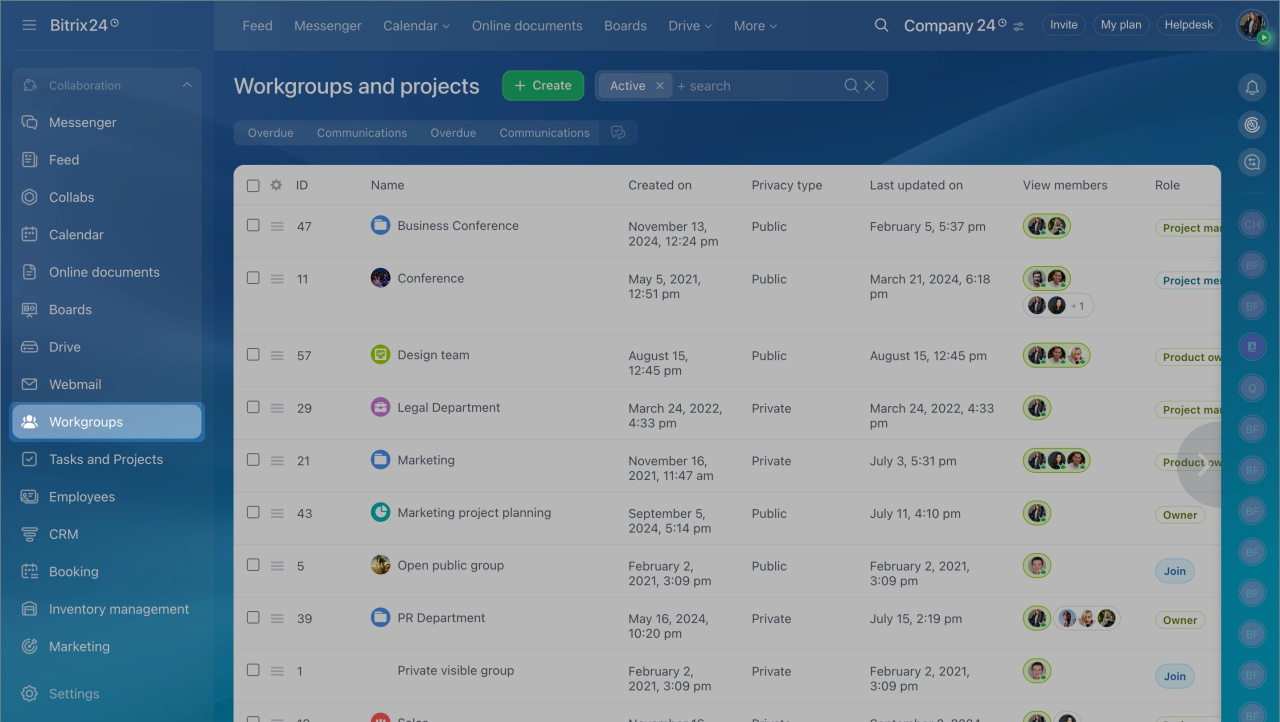
- Go to Workgroups and projects and open a workgroup or project.
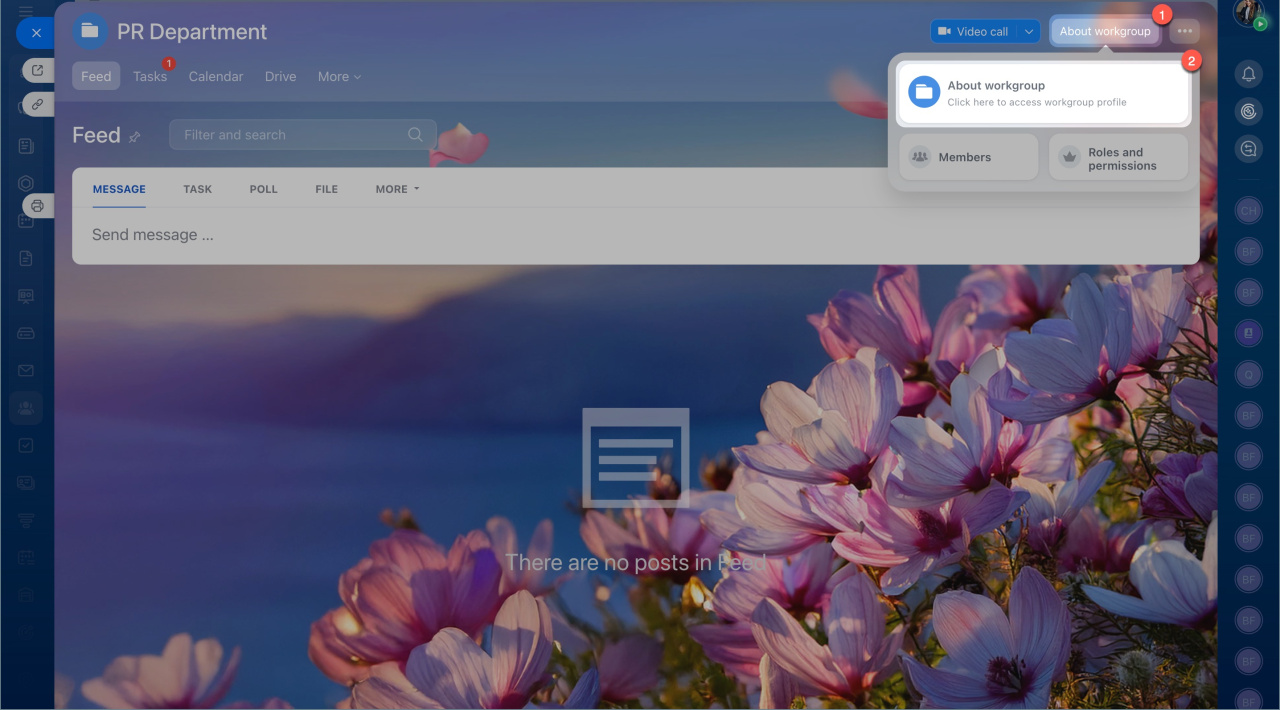
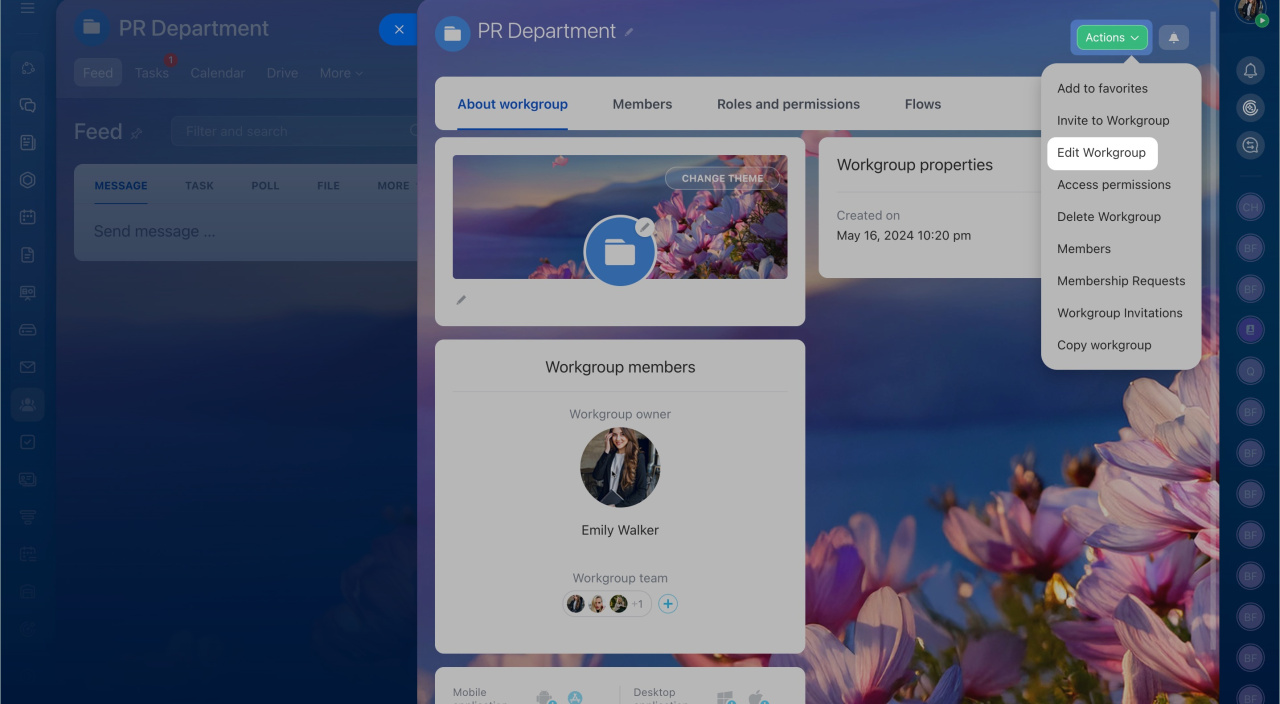
- Click About project, then select Edit project from the Actions menu.
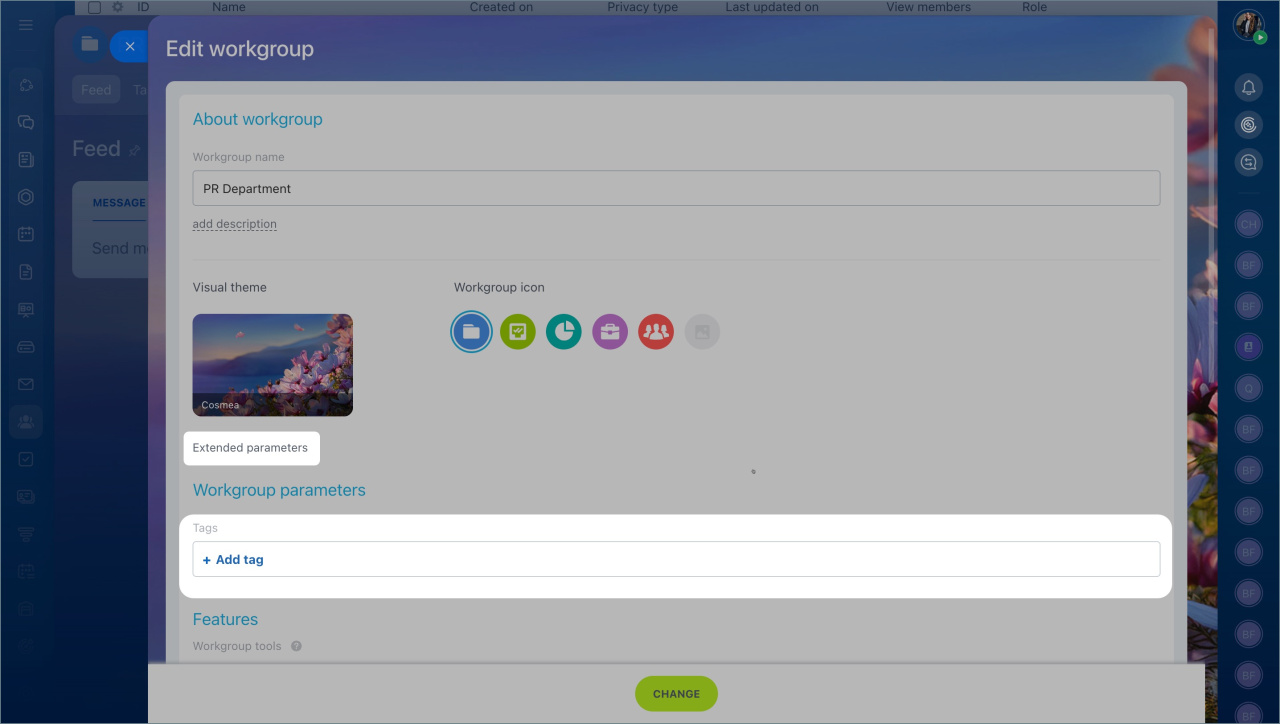
- In Extended parameters, find the Tags field.
- Enter a tag, then click Create and Change. You can add multiple tags at once.
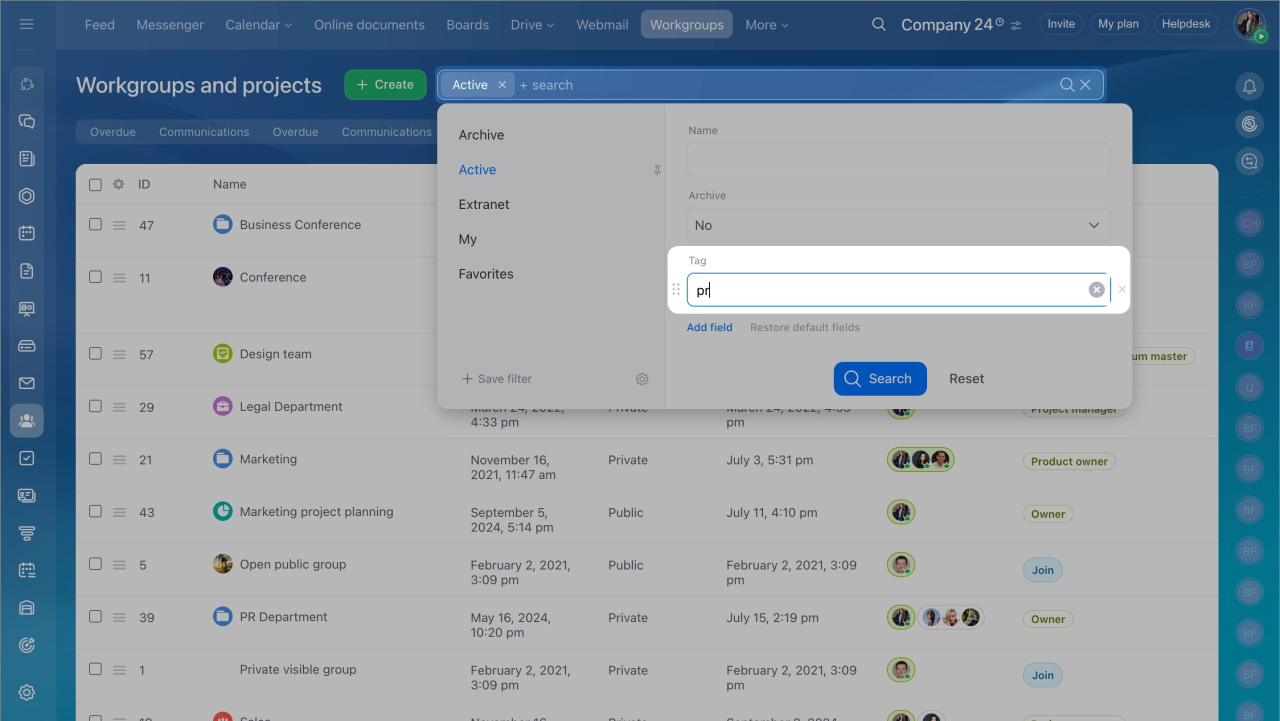
To find workgroups by tag:
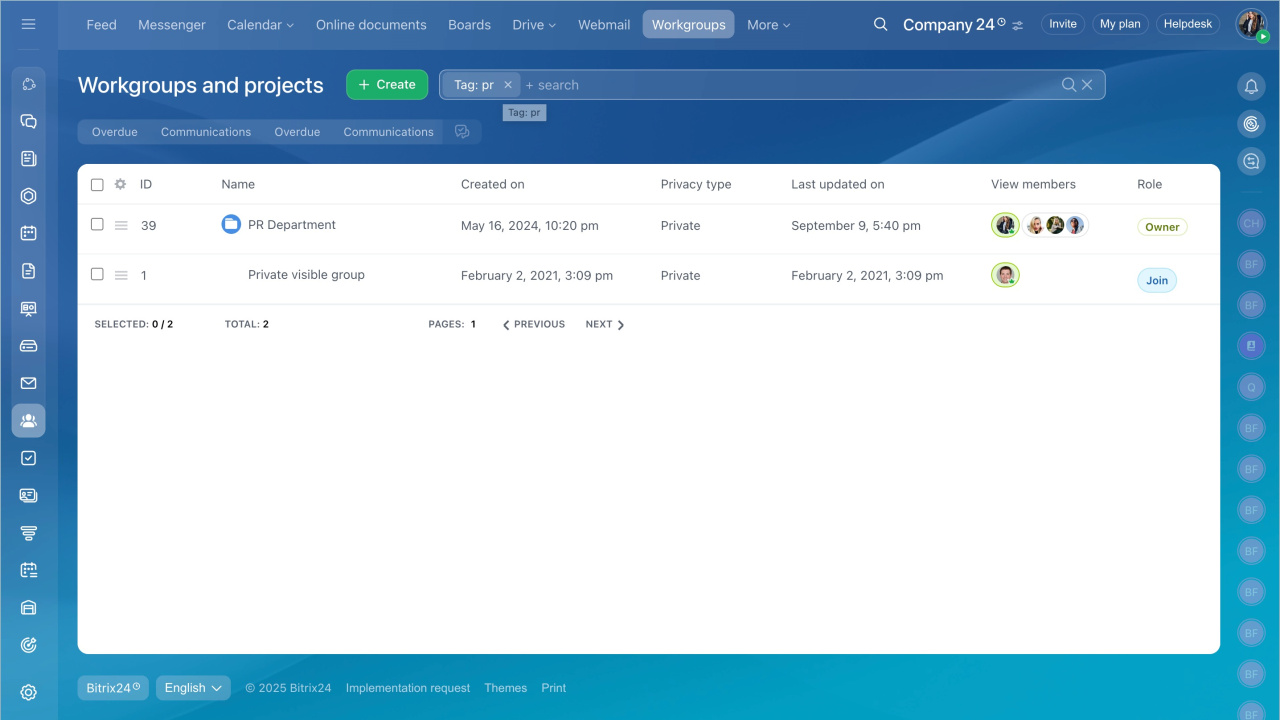
- Use the search bar.
- Enter the tag.
The system shows all workgroups with that tag.