
In Bitrix24 workgroups and projects, you can use tools like tasks, Drive, and the knowledge base. Access permissions let you control what users can do in each tool. For example, all members can create tasks, but only the owner can delete them.
Group owners and Bitrix24 administrators can configure access permissions.
Open access settings
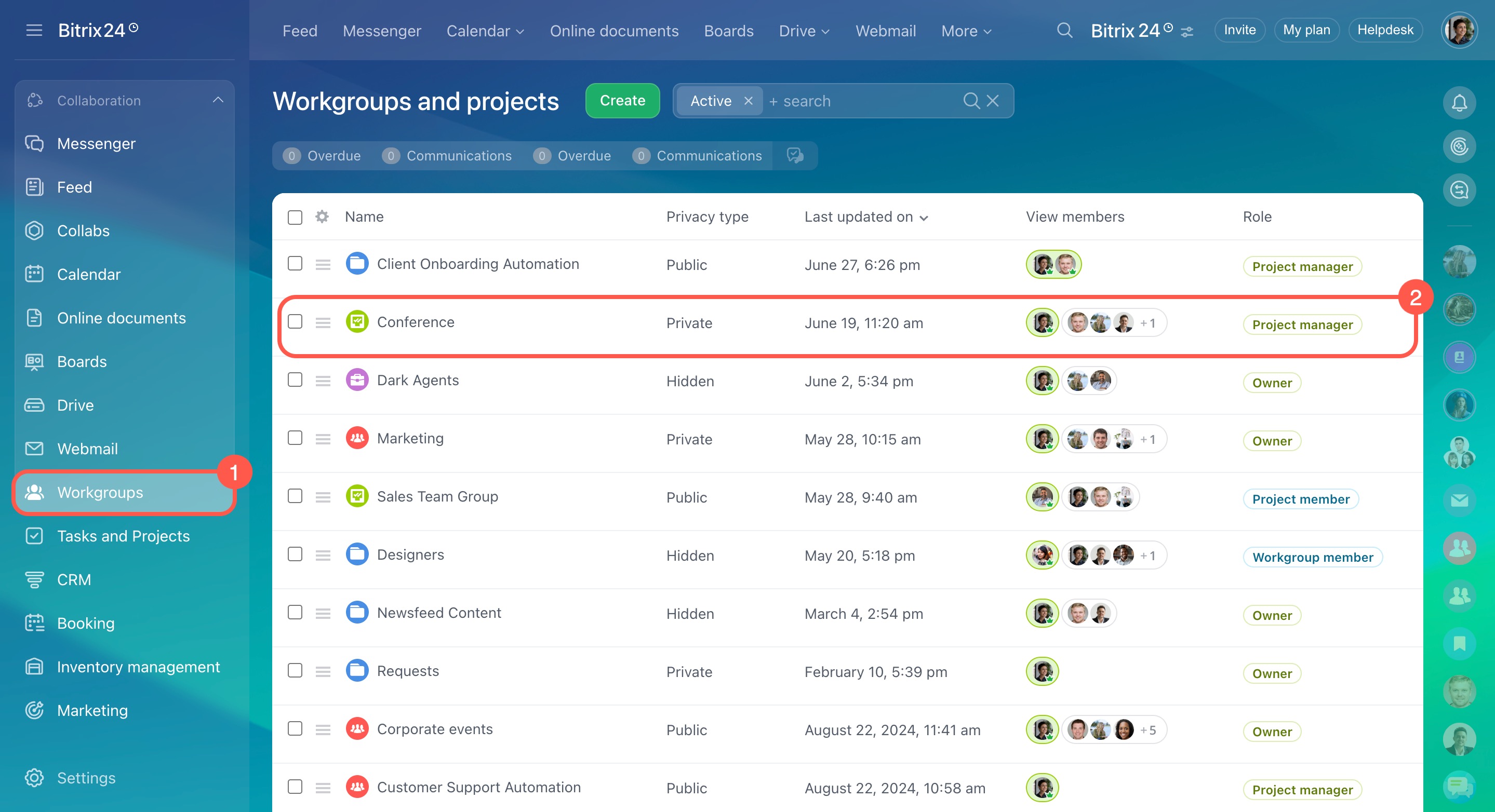
- Go to Workgroups.
- Select a workgroup.
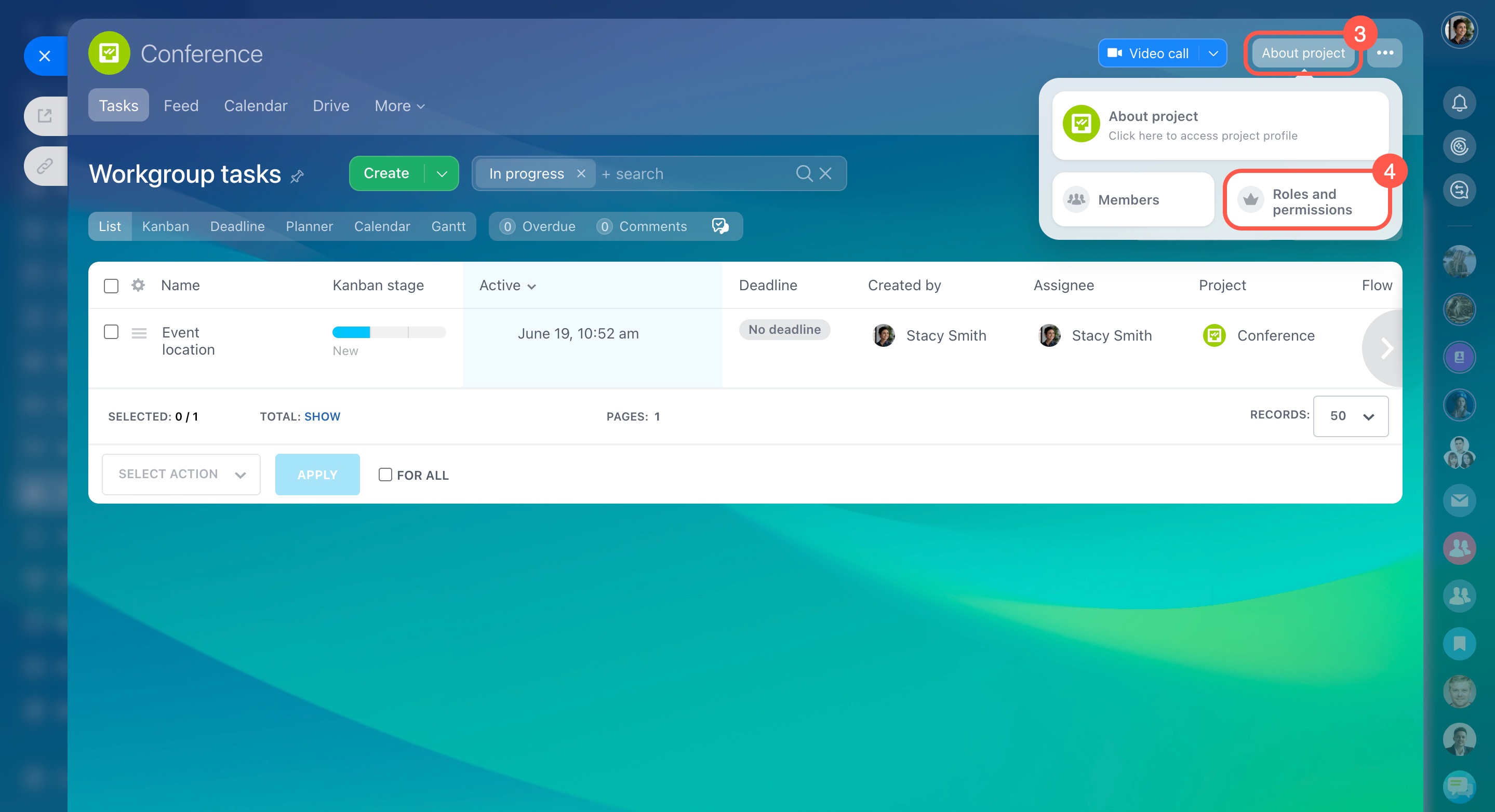
- Click About workgroup > Roles and permissions.
Set access by role
You can assign permissions to these roles:
- Group owner only
- Group owner and moderators
- All group members
- Authorized users (all Bitrix24 users)
Assign admin permissions
Configure permissions for tools
Workgroup members
Choose who can invite users:
- Owner only
- Owner and moderators
- All members
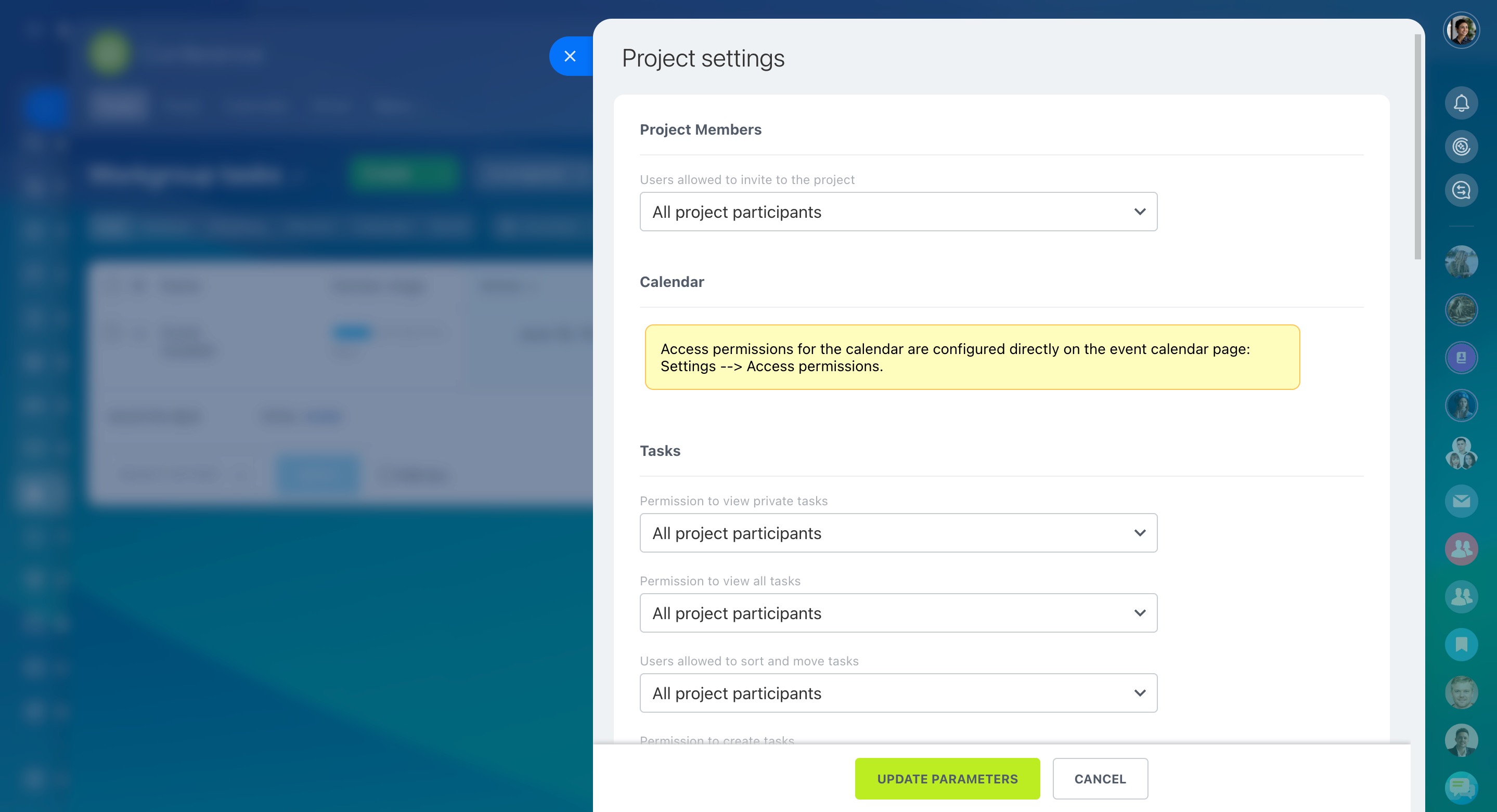
Conversations
Choose who can:
- View posts
- Add posts
- Edit posts and comments
You can also enable pre-moderation and select who reviews posts before publishing.

Knowledge Base. Specify who can view, edit, and delete the knowledge base.
Workgroup knowledge base: Access permissions

When you have configured the access permissions, click Save.
To configure access permissions to the calendar and workgroup drive, go to the settings of these tools.
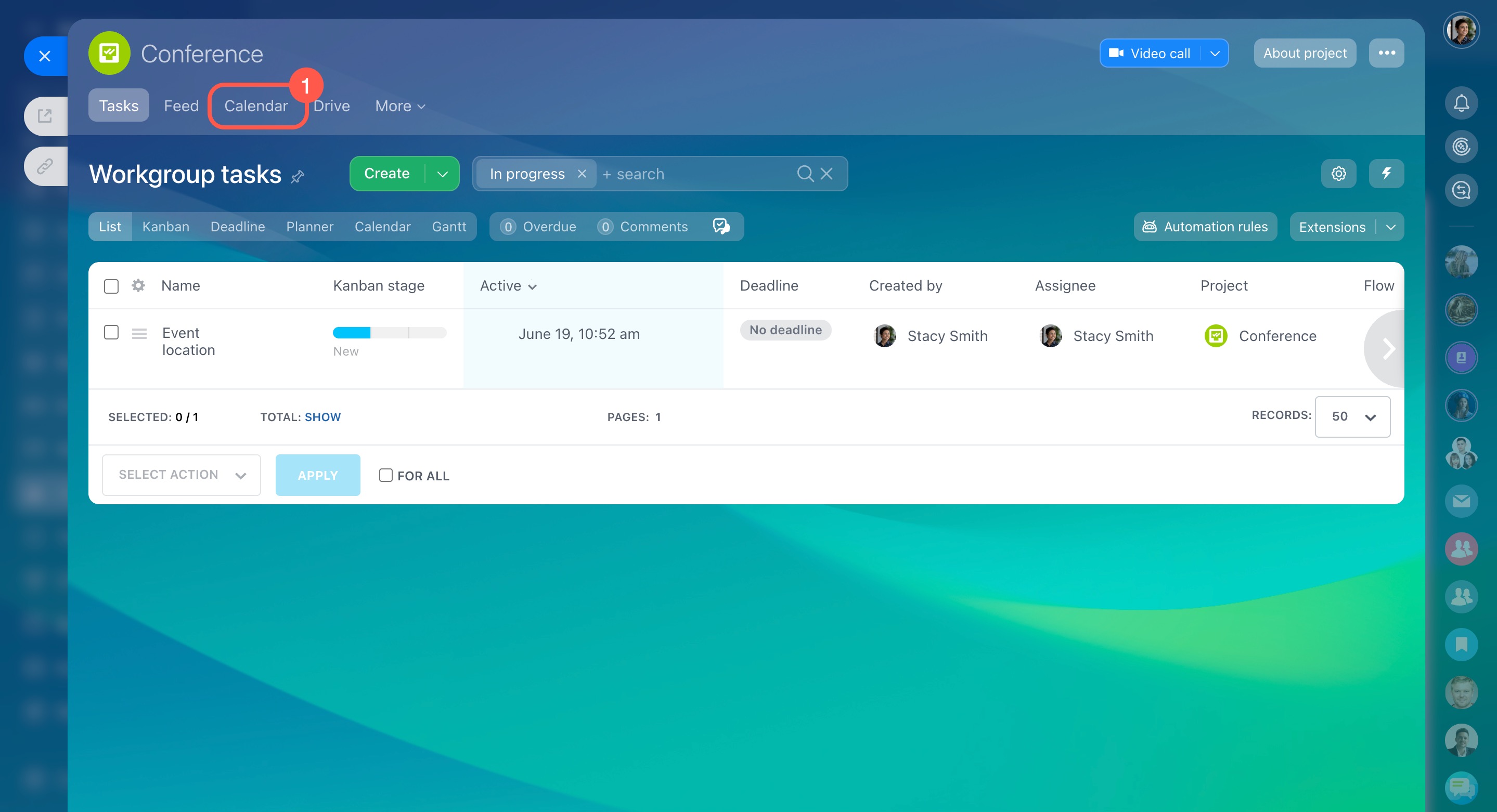
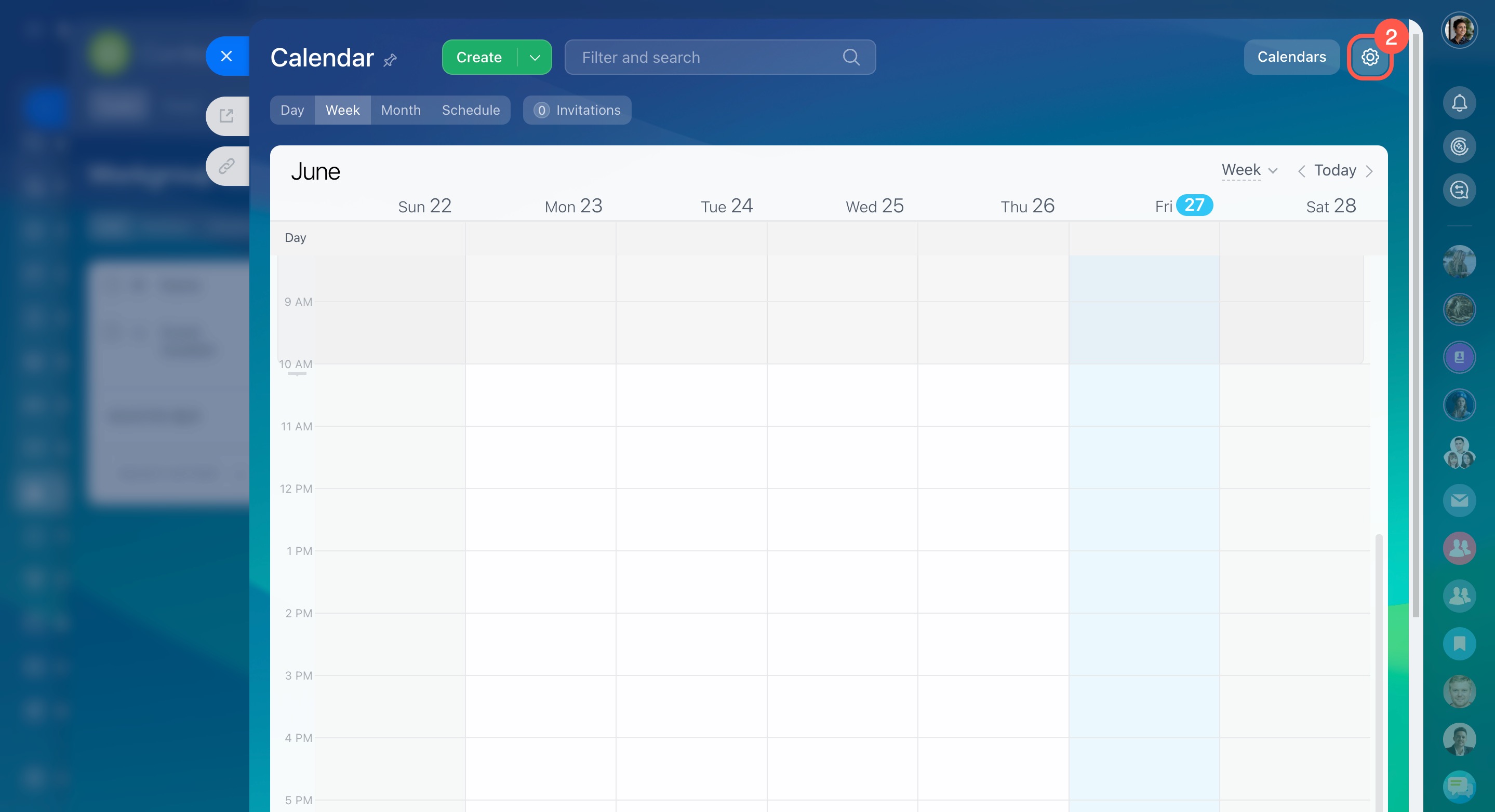
Configure Calendar permissions
- Open the group calendar.
- Go to Settings.
- Set access permissions for users.
- Save changes.

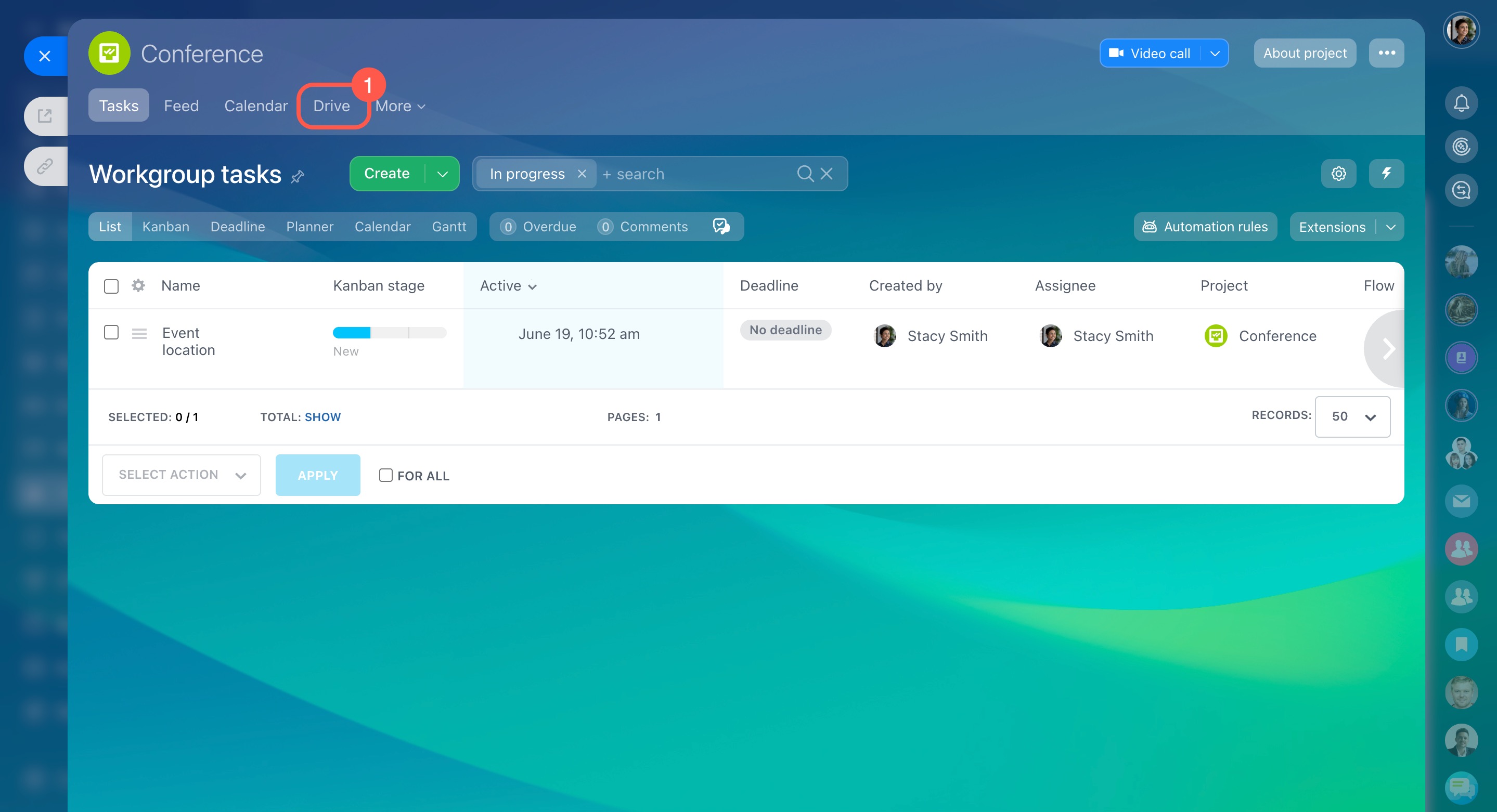
Configure Drive permissions
- Go to Drive.
- Open Settings > Assign permissions.
- Select roles and set permissions.
- Save changes.

In brief
- Workgroups include tools like tasks, Drive, and knowledge base.
- Permissions control what users can do in each tool.
- Owners and administrators manage access.
- You can assign permissions by role.
- Open About workgroup → Roles and permissions to configure access.
- Configure Calendar and Drive permissions in their own settings.