
The SIP connector routes outgoing calls and handles call forwarding from Bitrix24 to your SIP PBX.
Incoming calls work automatically and do not require setup. To make outgoing calls or forward calls, you need an active SIP connector license.
You can use the SIP connector to connect both cloud and office PBXs.
Connect a PBX
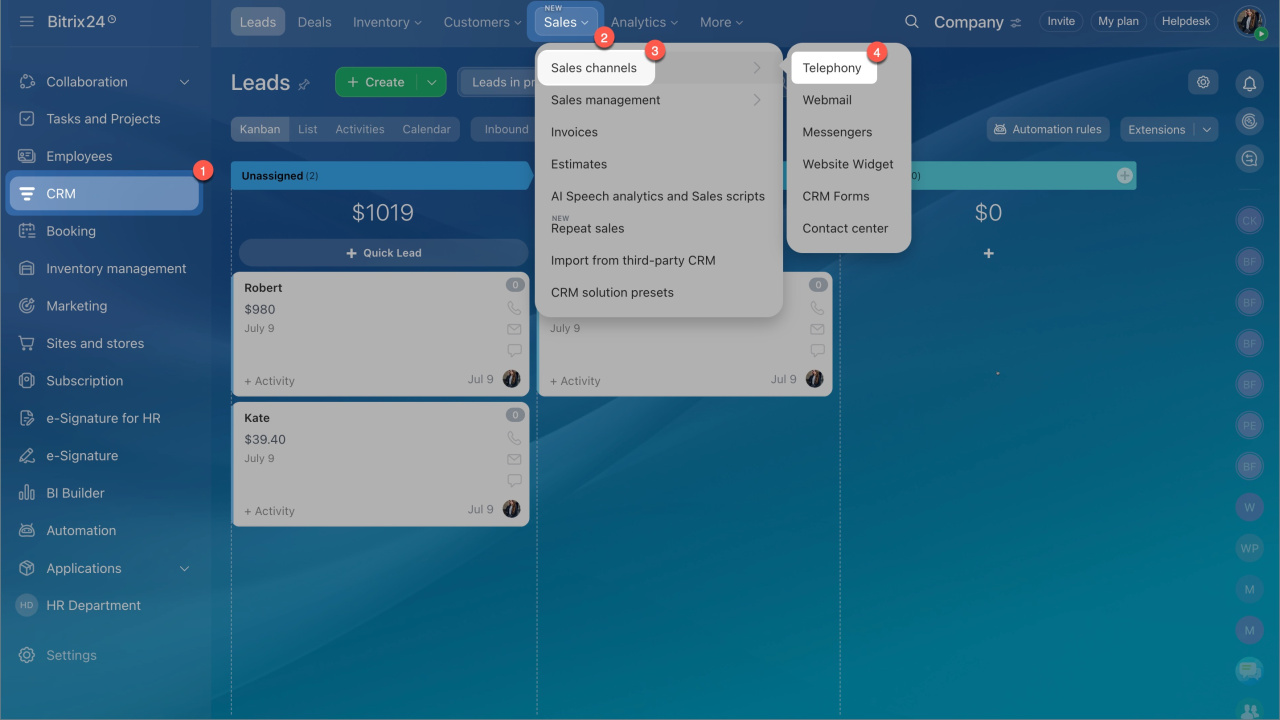
- Go to CRM > Sales > Sales channels > Telephony.
- Click Connect.
- Choose your PBX type and complete the setup:
Choose the type of PBX and connect it to Bitrix24
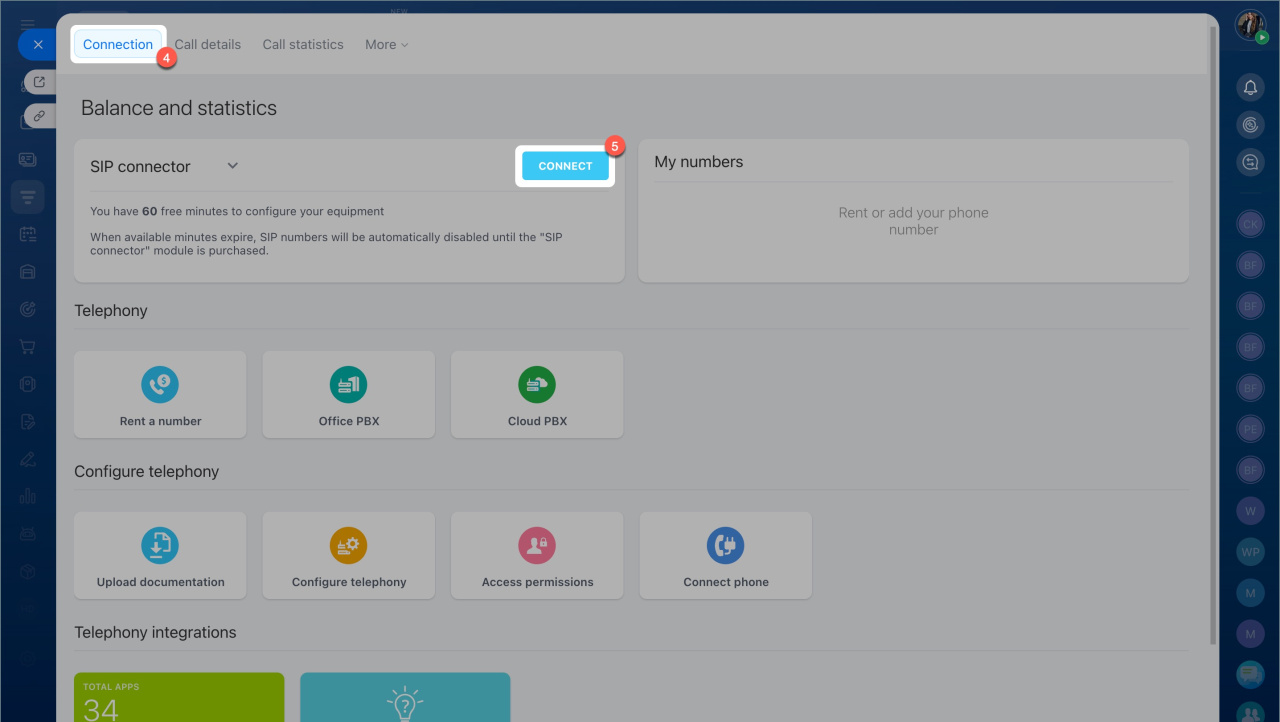
You get 60 free minutes to test the connection and configure your equipment. After the free minutes expire, Bitrix24 disables SIP numbers until you purchase a license.
Buy a license
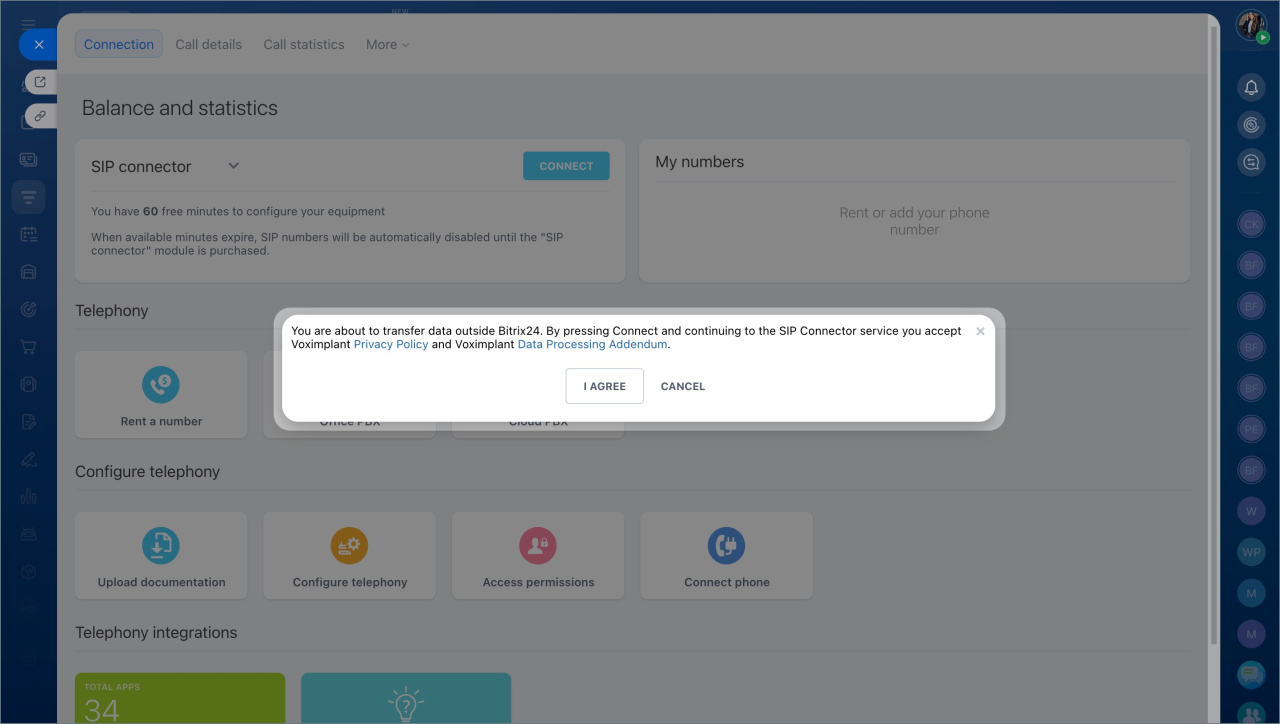
- Agree with the Voximplant Privacy Policy and Voximplant Data Processing Addendum.
- Purchase the SIP Telephony subscription (1 month).
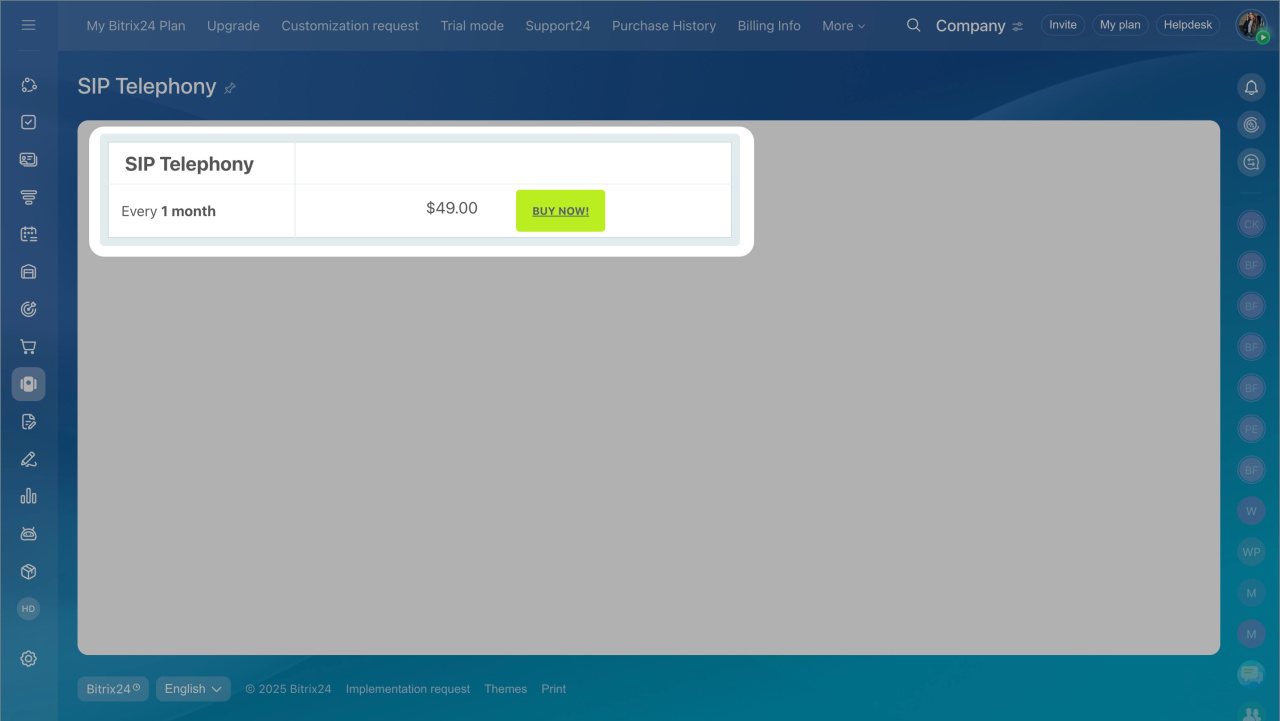
How licensing works
One license covers all SIP numbers in your Bitrix24 account. You do not need separate licenses for multiple connections.
The SIP connector is a separate product. It is not tied to your Bitrix24 telephony balance. You cannot use telephony balance funds to pay for the SIP connector.
For Bitrix24 On-Premise, you must activate a valid license key for the SIP connector to work.
Bitrix24 On-Premise with an expired maintenance subscription
In brief
- The SIP connector handles outgoing calls and call forwarding.
- Incoming calls work without additional setup.
- You need a license for outbound calls and forwarding.
- You get 60 free minutes to test the connection.
- The license is separate from your telephony balance and covers all SIP connections.