
When an employee leaves the company, the mailbox remains active in Bitrix24 for 30 days. During this period, email synchronization continues, and you can transfer the mailbox to another employee.
Seven days before the mailbox is disconnected, the Bitrix24 administrator receives a notification. If you do not transfer the mailbox to another employee, it will be disconnected automatically.
Connect mailboxes to Bitrix24
Only an administrator can assign a new owner for a corporate email mailbox.
Configure access permissions to Bitrix24 Mail
To transfer a mailbox from a former employee:
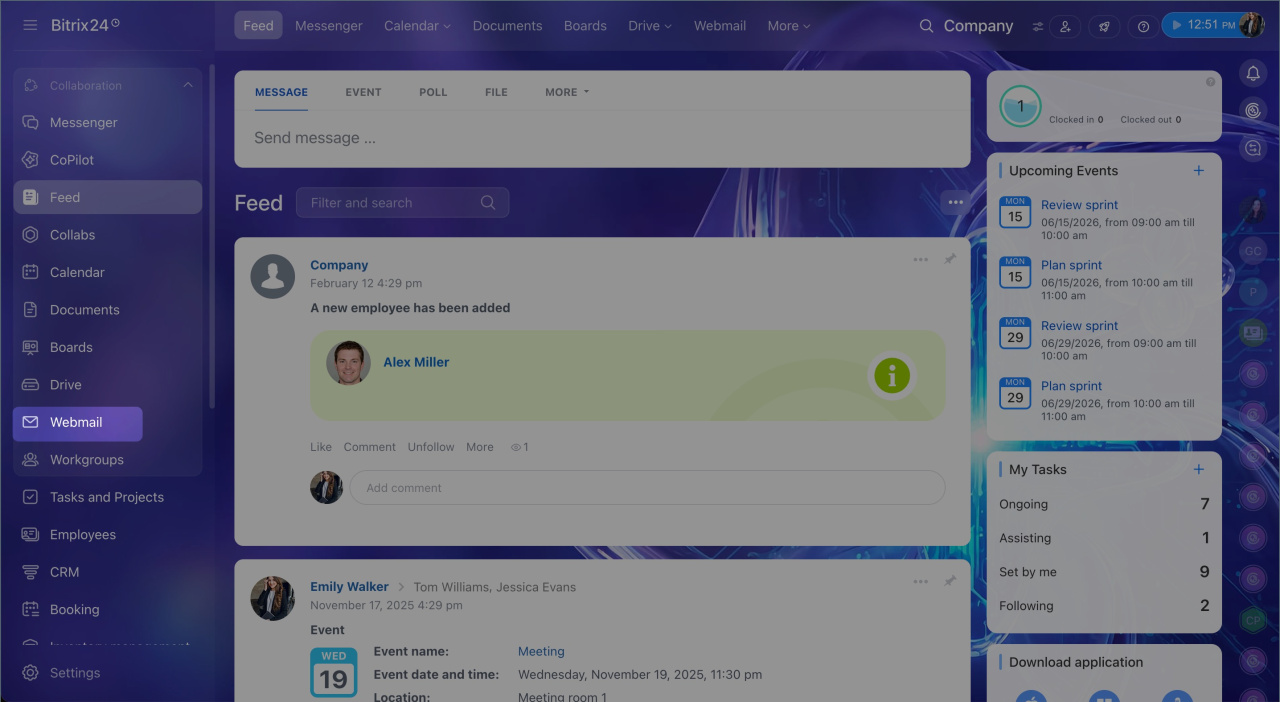
1. Go to the Webmail section.
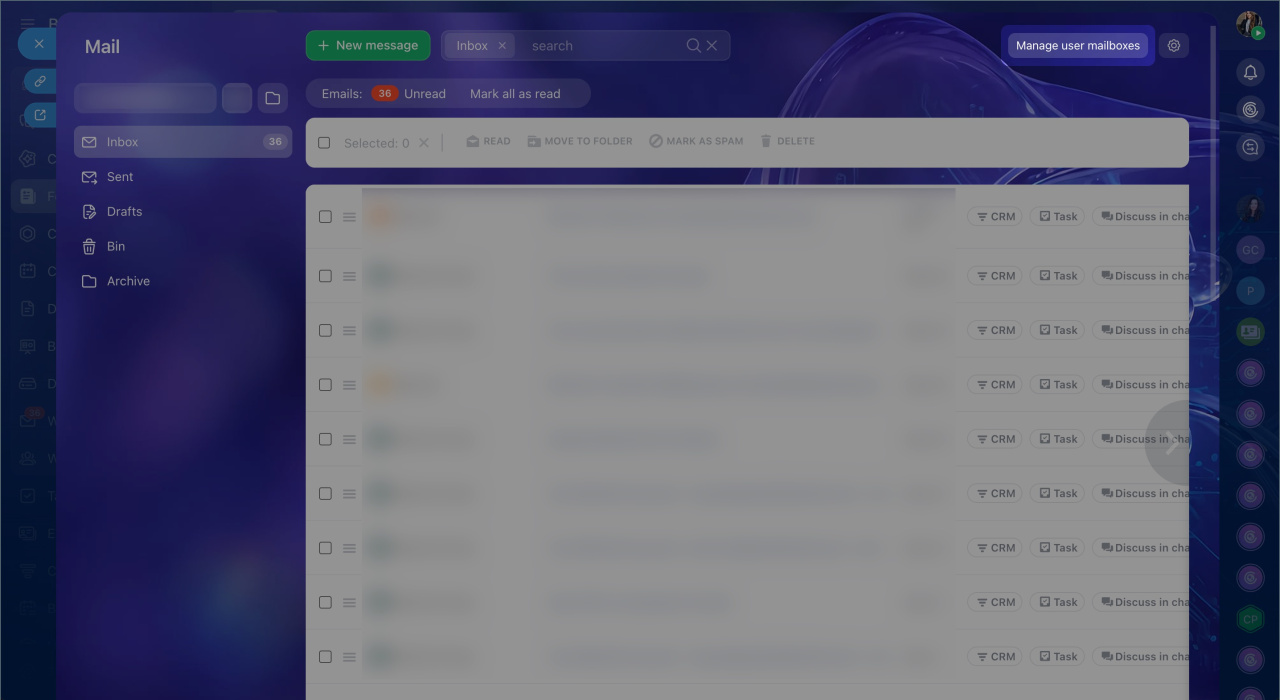
2. Select Manage user mailboxes.
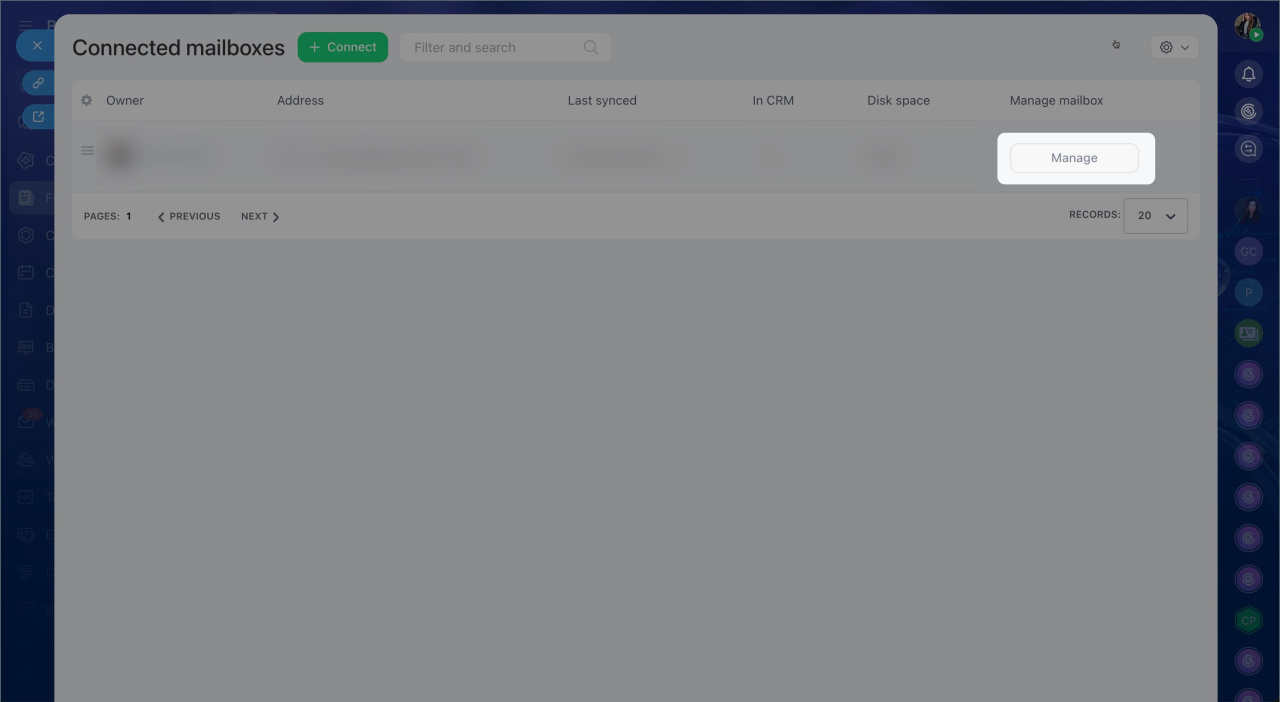
3. Click Manage next to the user's name.
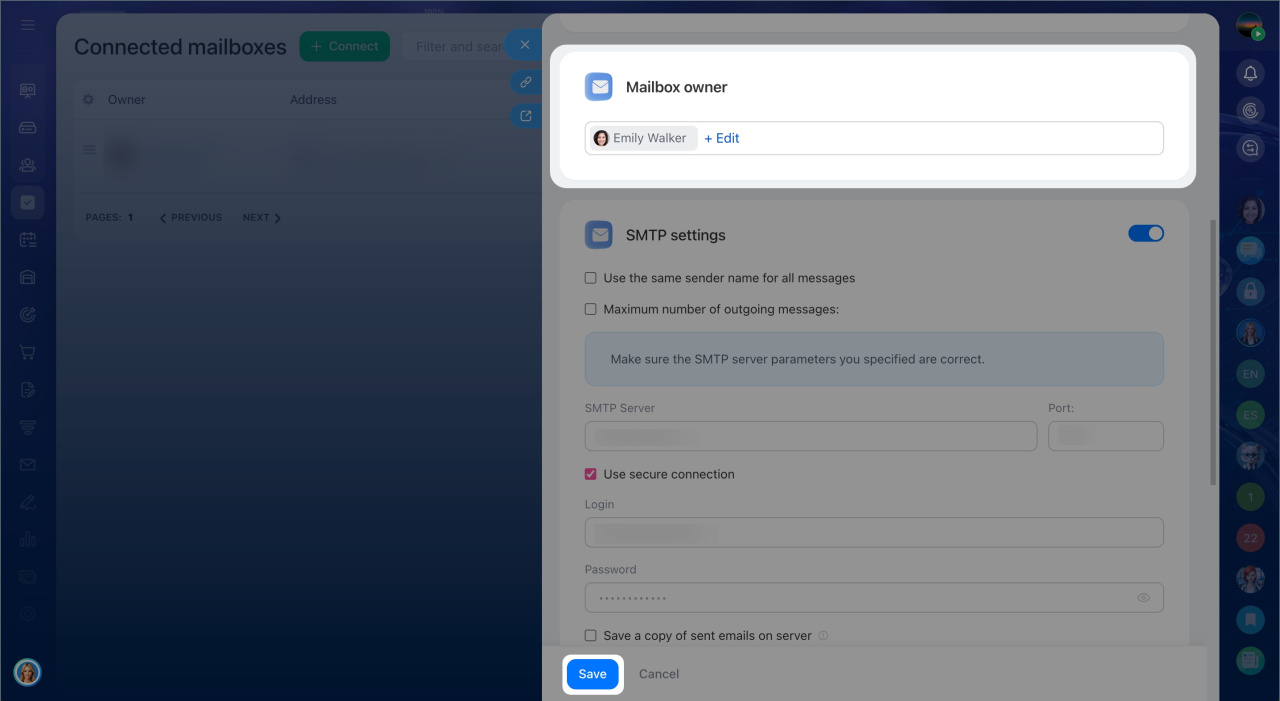
4. Click Edit in the Mailbox owner section.
5. Select the new employee who will receive the mailbox.
6. Save the changes.
The new mailbox owner will receive a notification and will be able to work with emails and the conversation history.
In brief
- When an employee leaves the company, the mailbox remains active in Bitrix24 for another 30 days.
- Seven days before the mailbox is disconnected, the Bitrix24 administrator receives a notification. If the mailbox is not transferred to another employee, it is disconnected automatically.
- You can change the owner only for mailboxes connected through corporate email.
- To change the mailbox owner, go to Webmail > Manage user mailboxes and click Manage next to the former employee's name.