
Bitrix24 limits how many mailboxes each user can connect. The limit depends on your Bitrix24 plan.
If you reached the limit and plan to downgrade, disconnect some mailboxes first. If you don’t, Bitrix24 will automatically disconnect the most recently connected mailboxes after the downgrade.
Only the user who connected a mailbox can disconnect it.
To disable a mailbox:
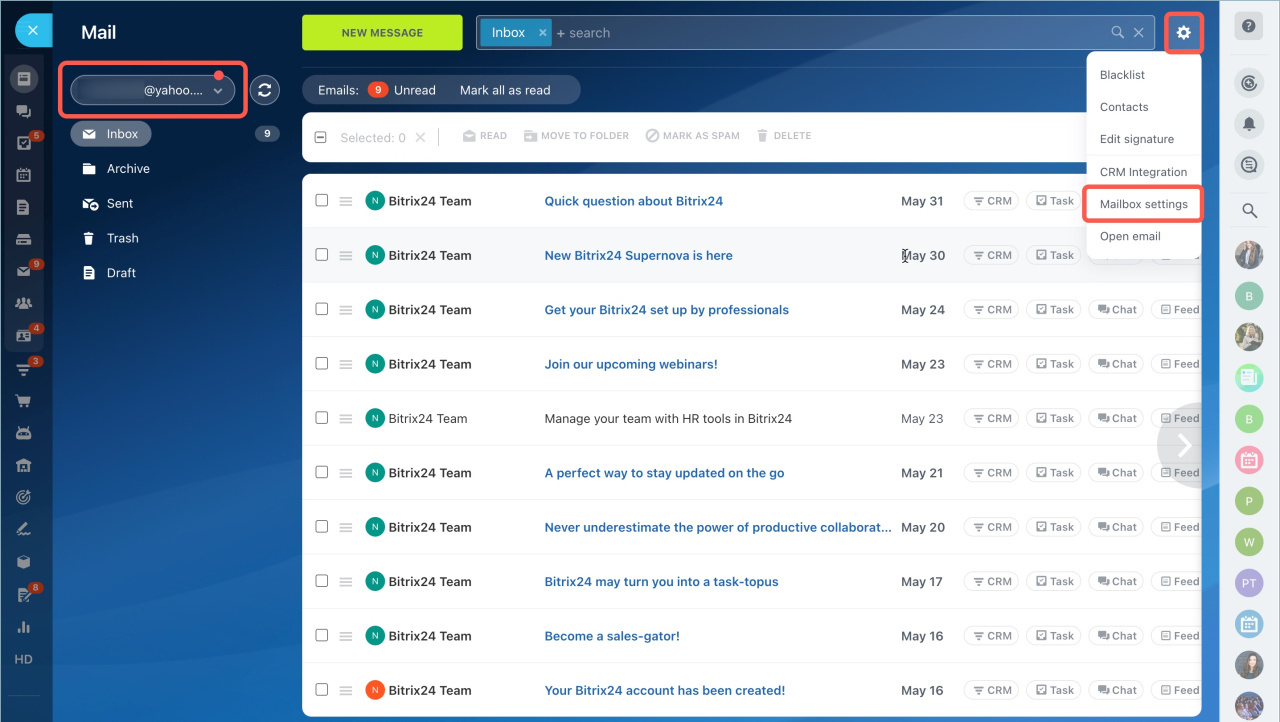
- Go to the Webmail section.
- Select the mailbox.
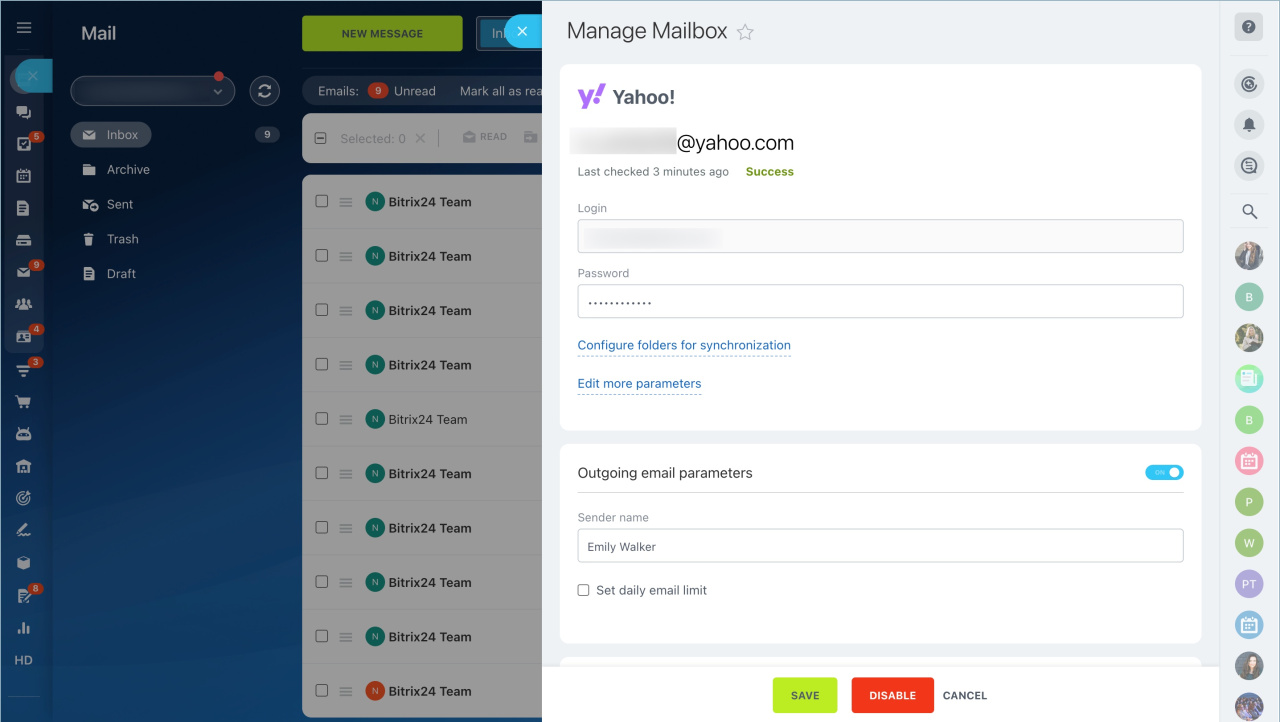
- Click the settings icon and choose Mailbox settings.
- Click Disable and confirm.
If a mailbox was disconnected automatically, you can reconnect it. Make sure you stay within your plan limit.
Connect mailboxes to Bitrix24