
A system user is a service account that Bitrix24 creates automatically.
Bitrix24 creates a system user in these cases:
- When you install an app from Bitrix24 Market
- When an employee with active webhooks is dismissed and the administrator decides to keep the webhooks
Apps and integrations continue to work even when employees change or collaboration with a partner ends.
A system user does not have a login or password. You do not need to set it up, add it to subdepartments, or delete it.
When a system user is created
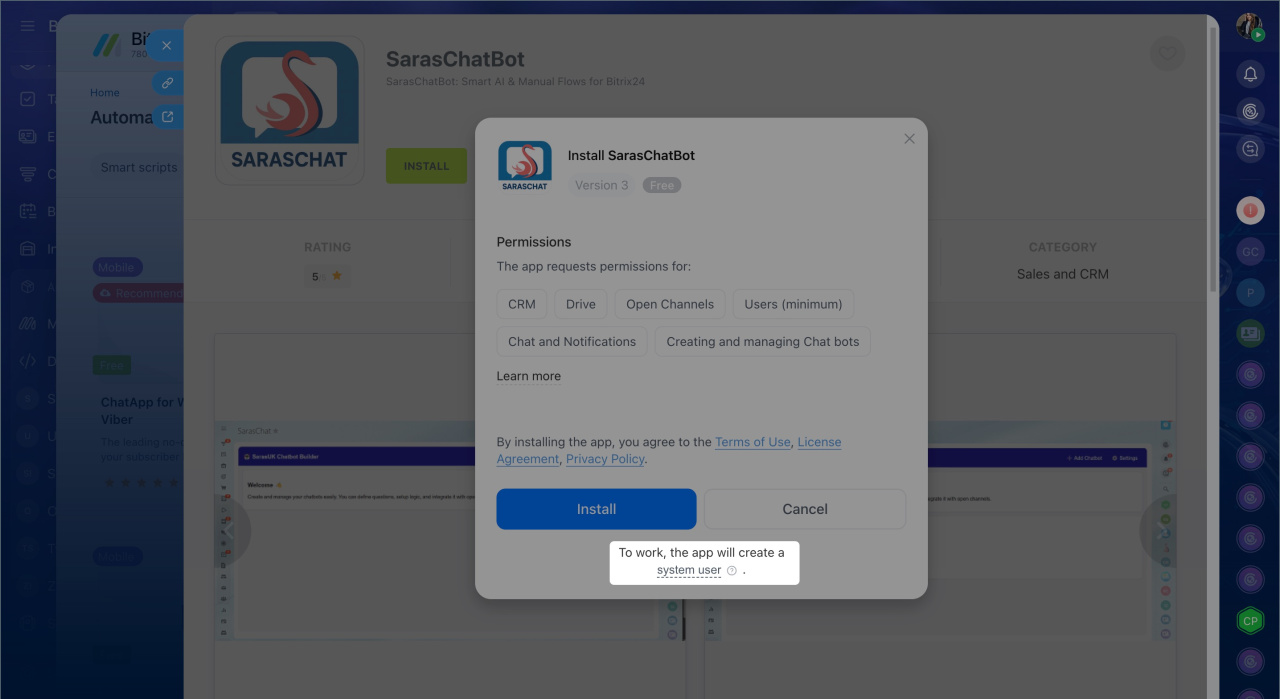
When you install an app from Bitrix24 Market. Bitrix24 creates a system user so the app can access Bitrix24 data, such as CRM, Tasks, and other sections you approved during installation. The app continues to work even if the employee who installed it is dismissed.
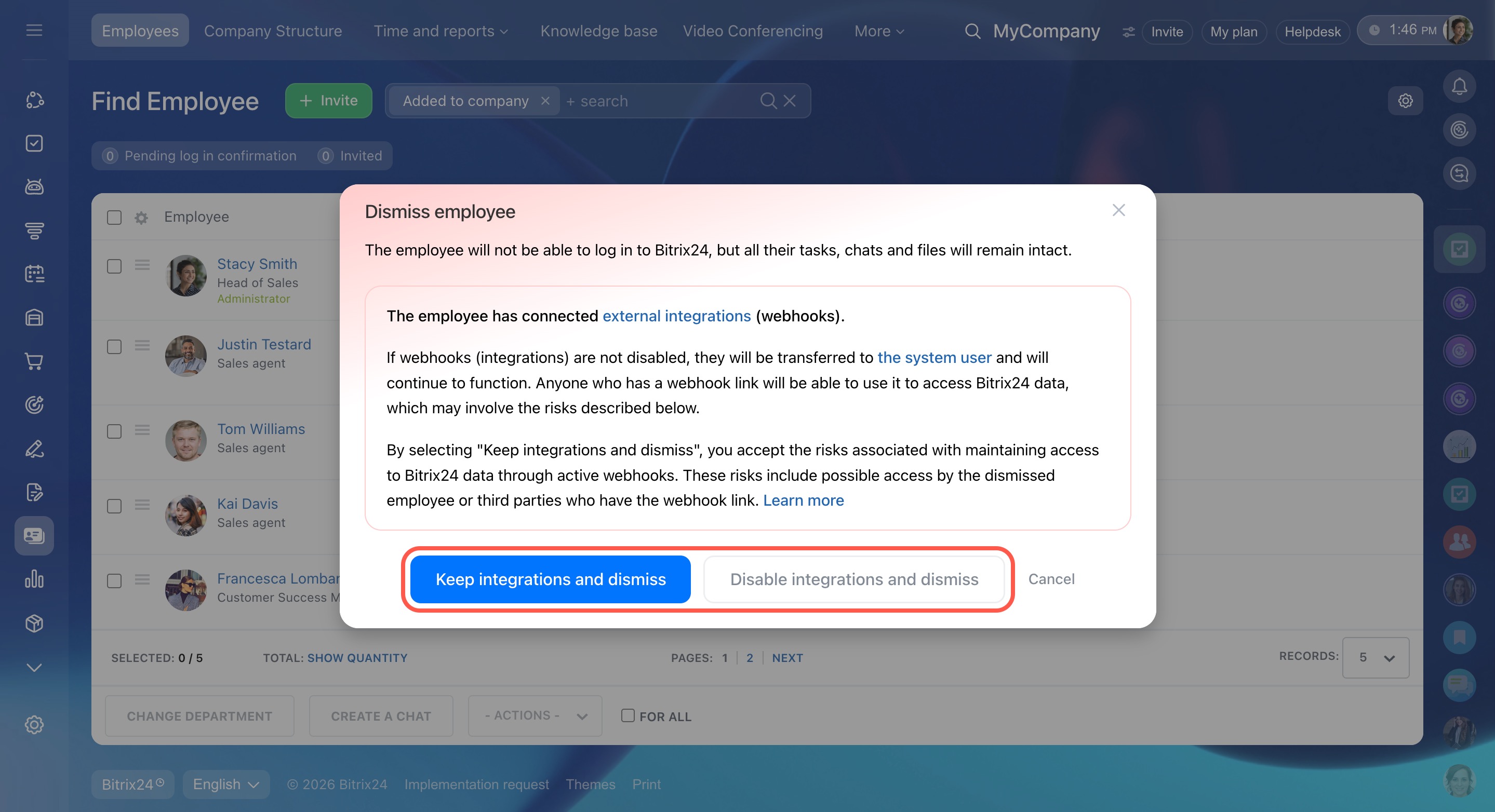
When an employee with active webhooks is dismissed. The administrator chooses whether to keep or disable the employee's webhooks. If the administrator keeps them, Bitrix24 automatically creates a system user with the necessary permissions, and the webhooks continue to work after the employee is dismissed. If the administrator disables them, the webhooks stop working.
Dismiss an employee with active webhooks
How to identify a system user
A system user is different from a regular employee account in a few ways:
- It has no profile photo
- It uses a technical address like
dn3qusuumhbxtqdk06prx62l55d41c@bitrix.restinstead of a regular email address - It has no job title
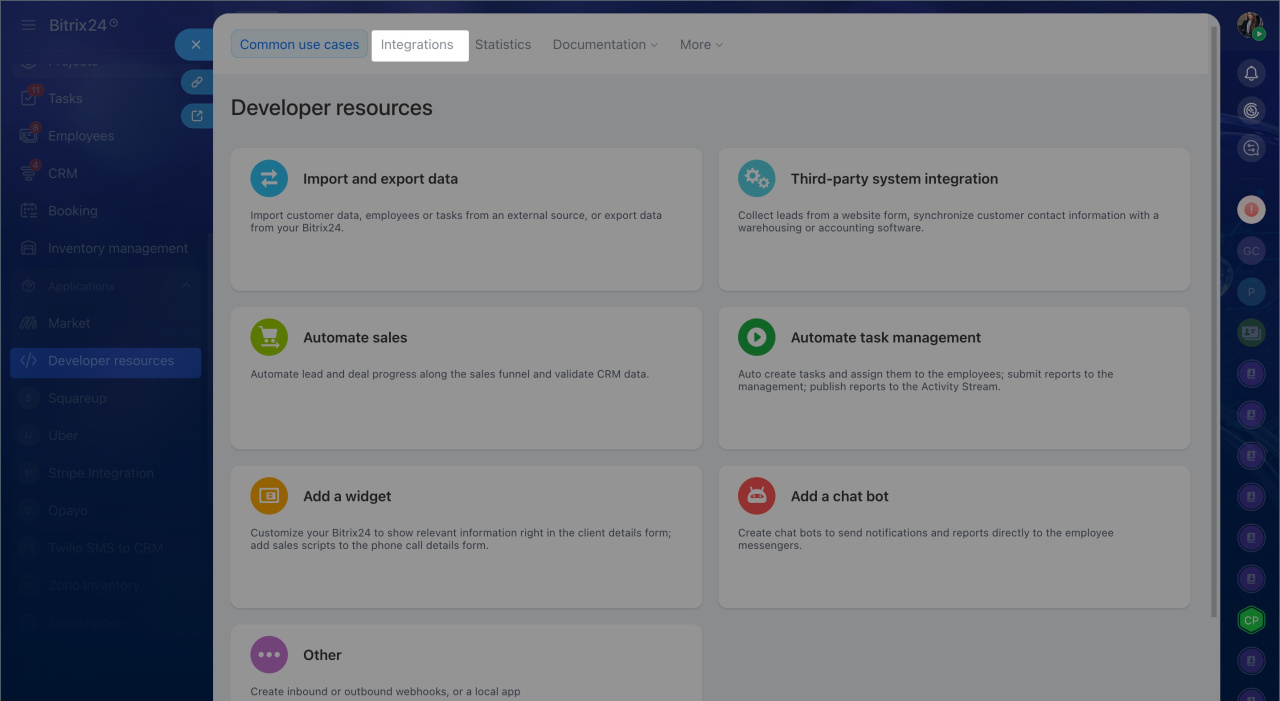
To see which integrations run through a system user, go to Developer resources > Integrations.
In brief
- A system user is a service account. It appears automatically when you install an app from Bitrix24 Market or when an employee with active webhooks is dismissed and the administrator decides to keep the webhooks.
- A system user has no login or password. You do not need to configure it, add it to subdepartments, or delete it.
- To see which integrations run through a system user, go to Developer resources > Integrations.