
The General Requests workflow is a simple request form in Bitrix24 that lets you send requests to any employee.
Bitrix24 pricing page
How to configure the General Requests workflow
Bitrix24 administrators can use the Settings option for workflow configuration.
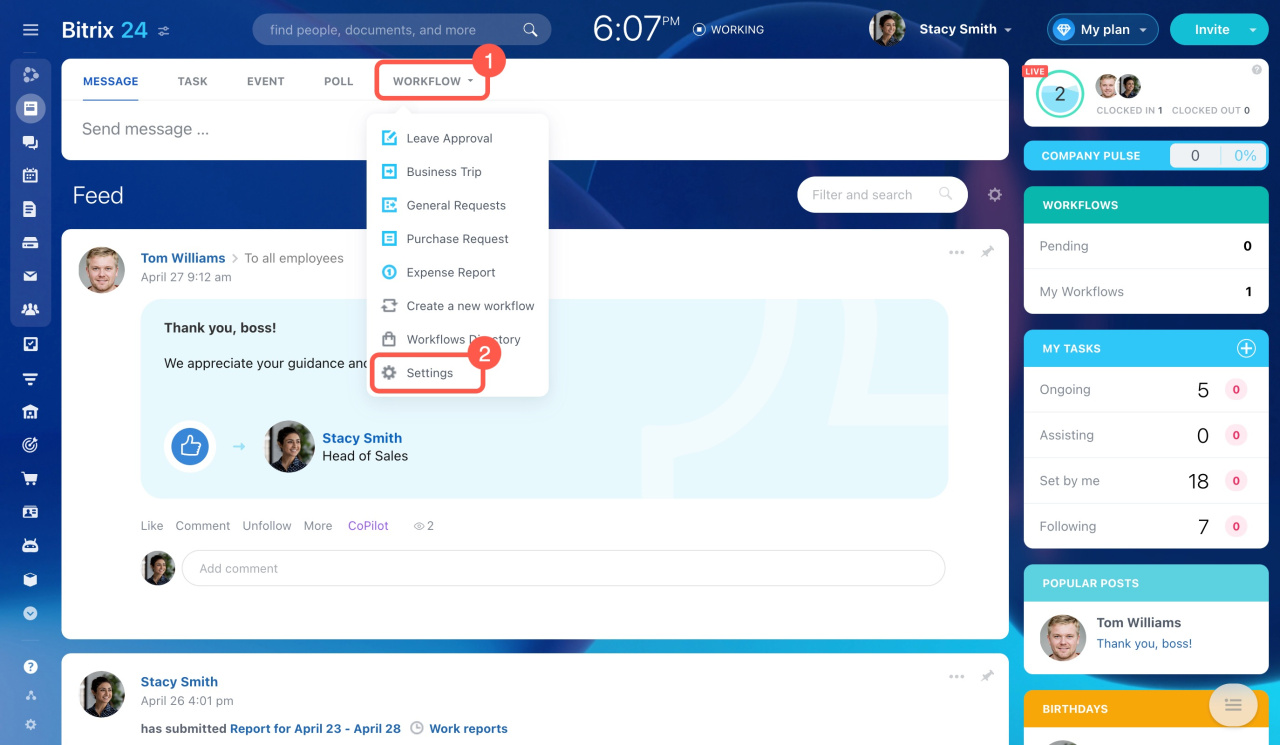
Decide if you want the General Requests workflow to be shown in Feed.
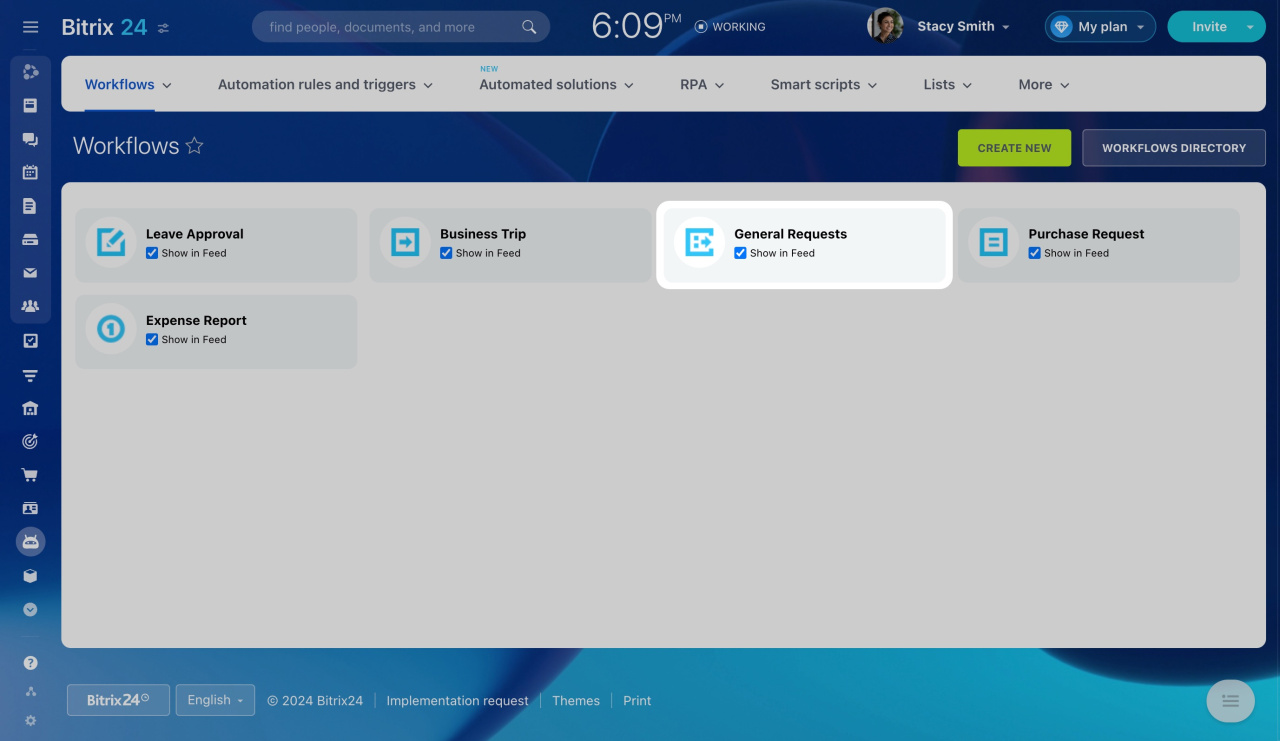
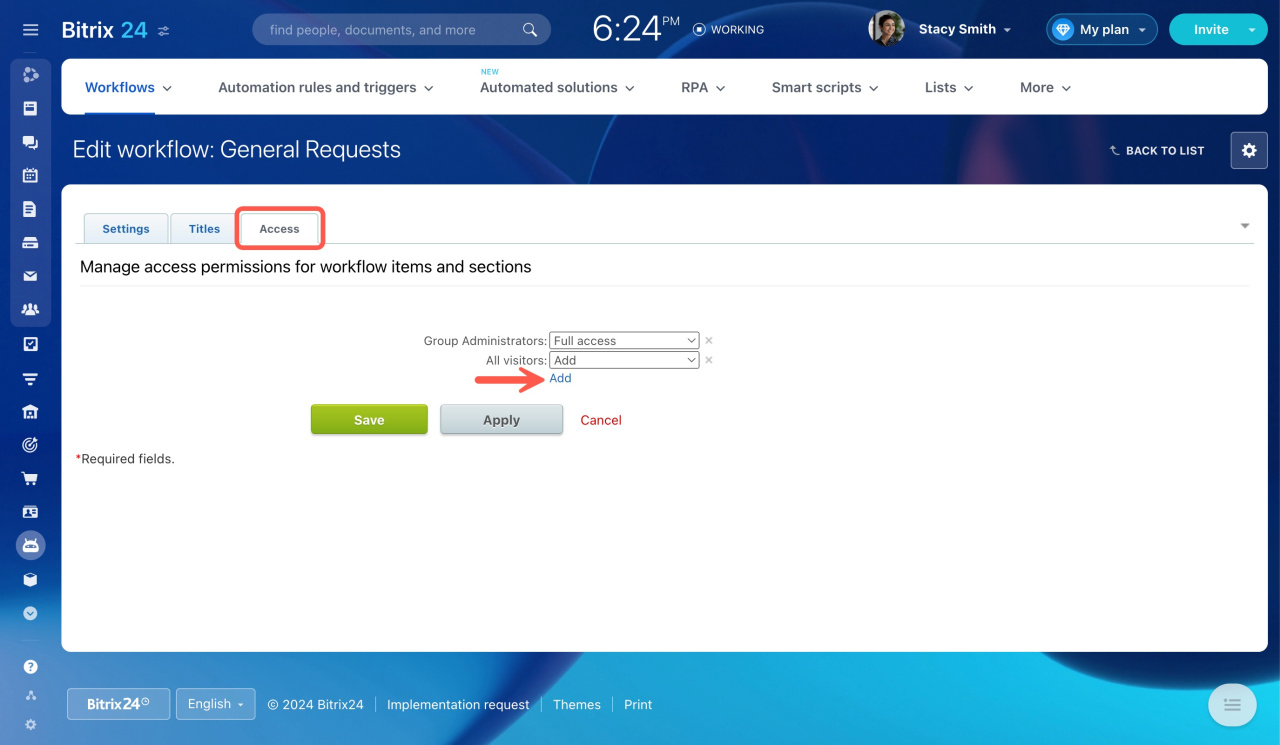
To set who can use it, click on the workflow name, then the gear icon (⚙️), and select Change workflow preferences.

On the Edit Workflow page, go to the Access tab and edit access permissions.
Workflow preferences
Also, you can add new fields to the workflow. Click the gear icon (⚙️) and select Configure workflow fields.
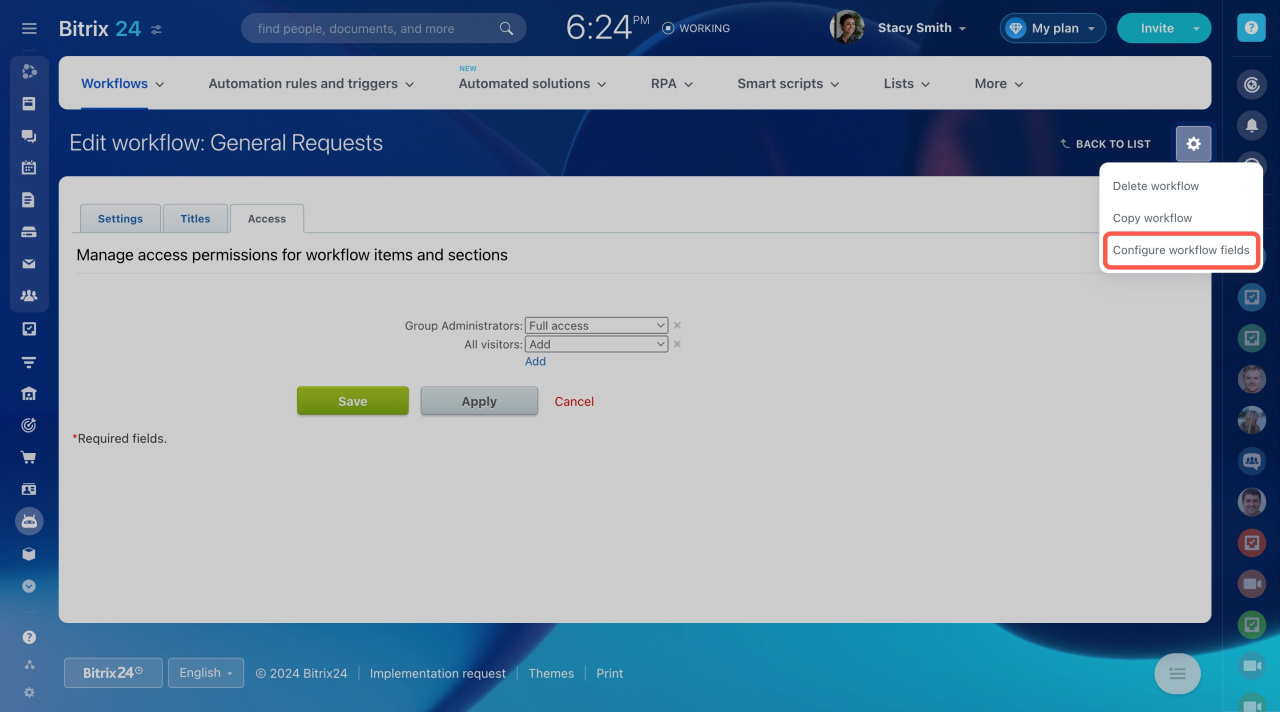
Here, you can edit existing fields or add new ones.
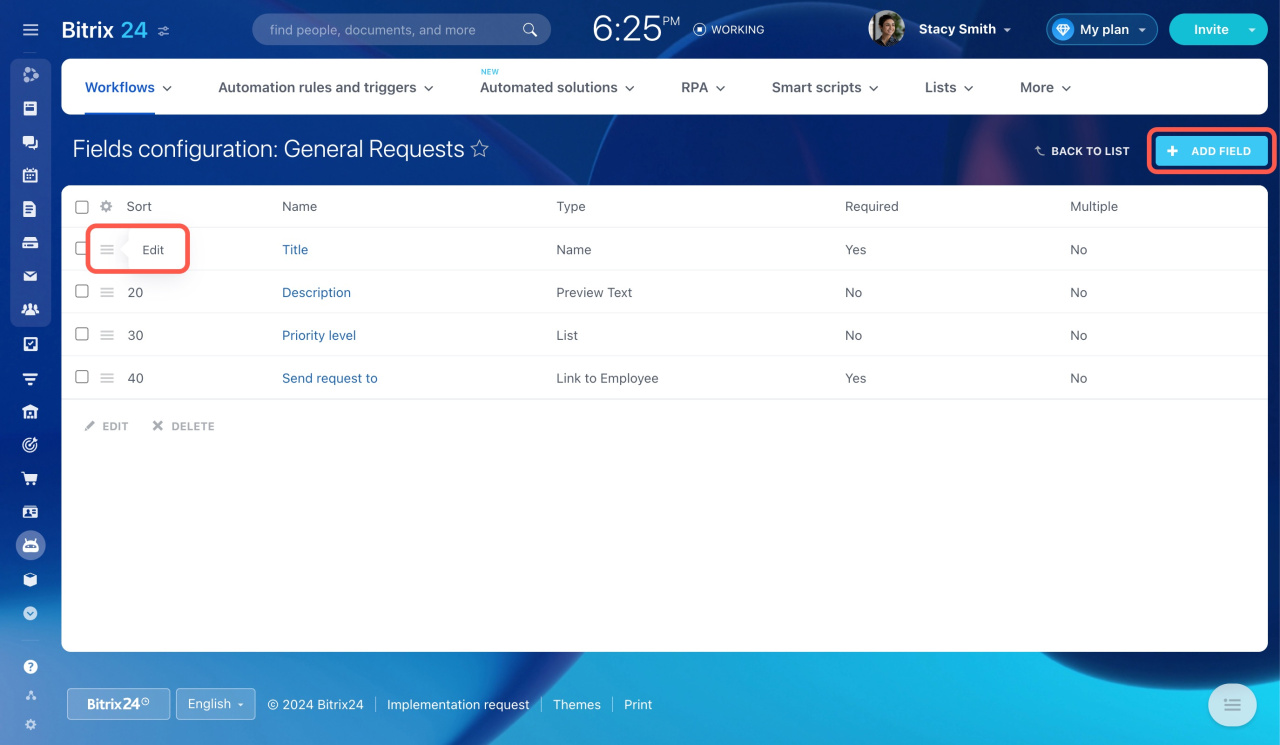
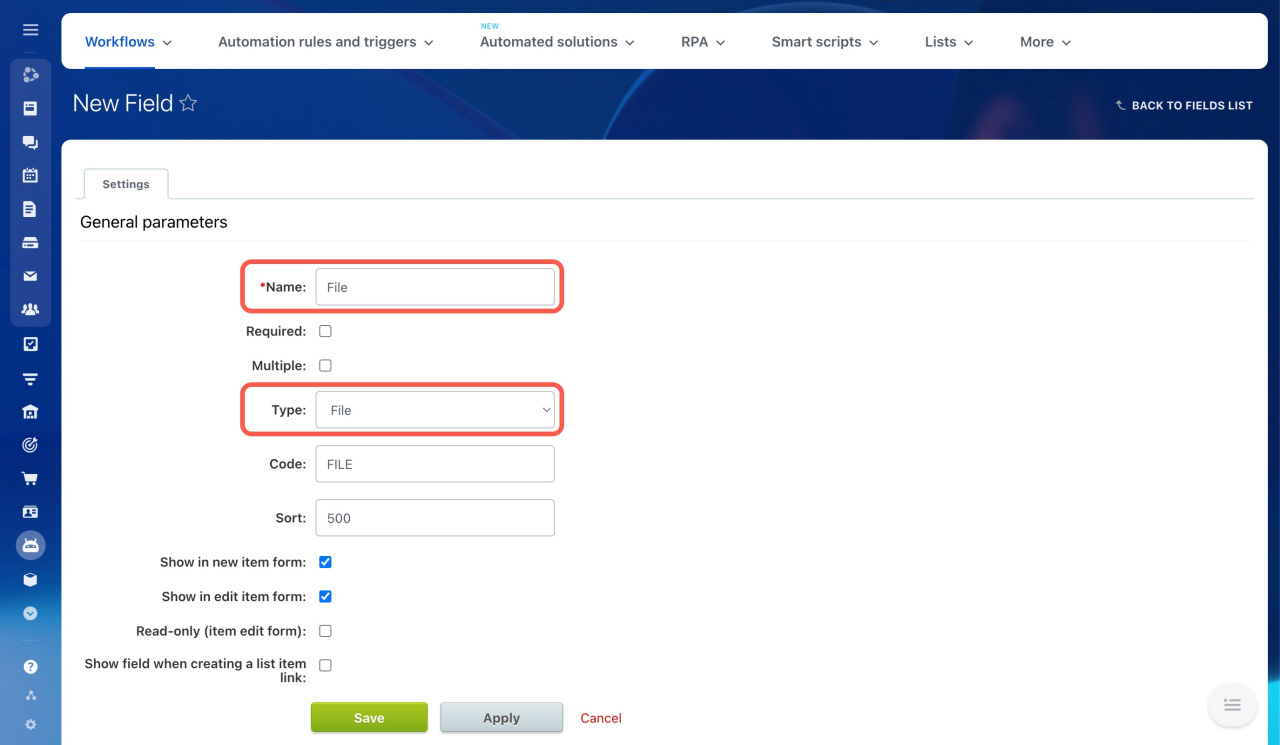
For example, you can add a new File type field to the General Requests workflow to attach files when sending a request.
Add a new workflow field
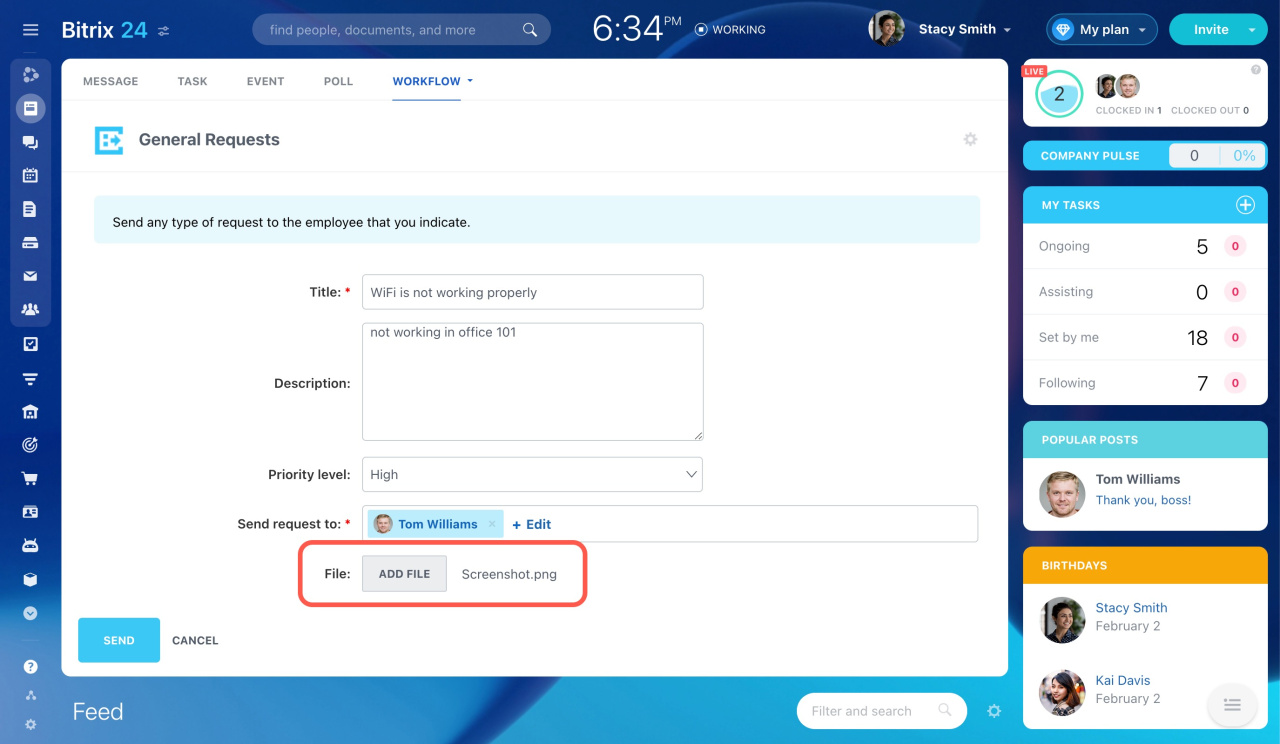
After the new field is added, it will appear in the request form.
To customize the workflow template, open it in the Workflow Designer.
Workflow Designer
How to use the General Requests workflow
Go to Feed and select General Requests in the list of workflows. Fill in the following required fields: Title and Sent request to. You can also add a description and set a priority.
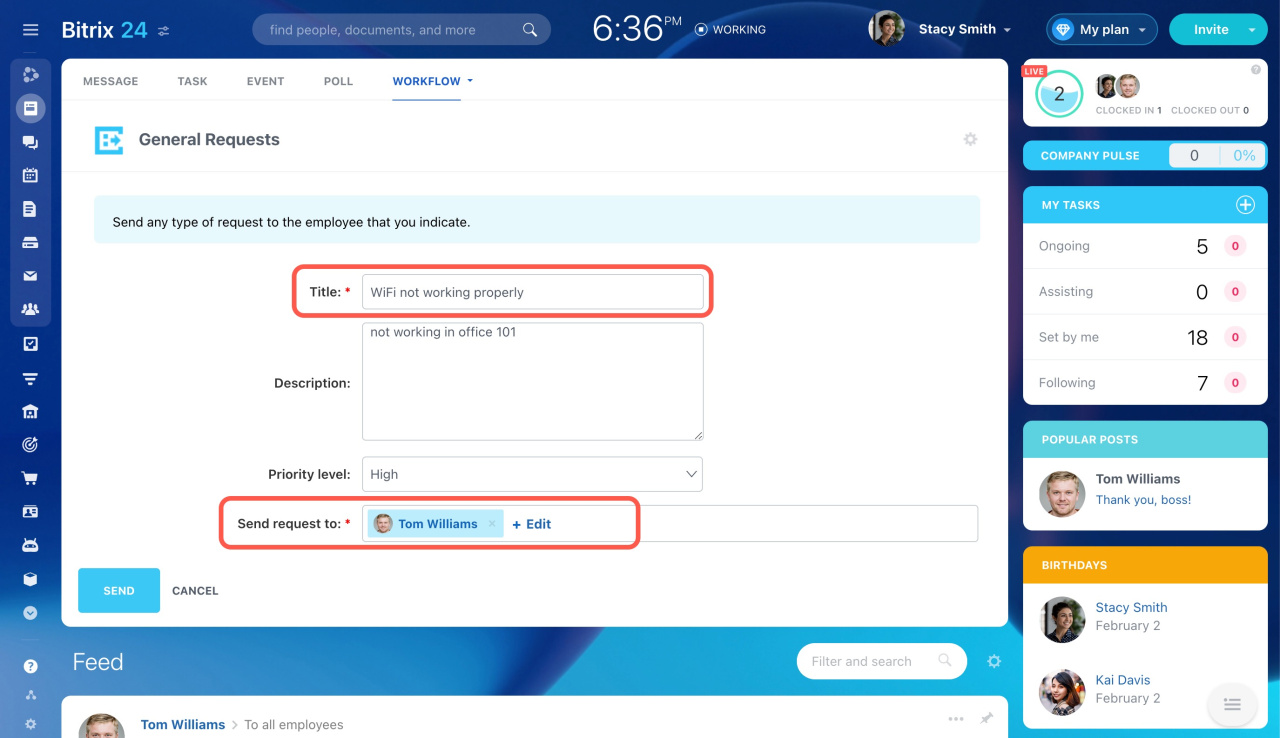
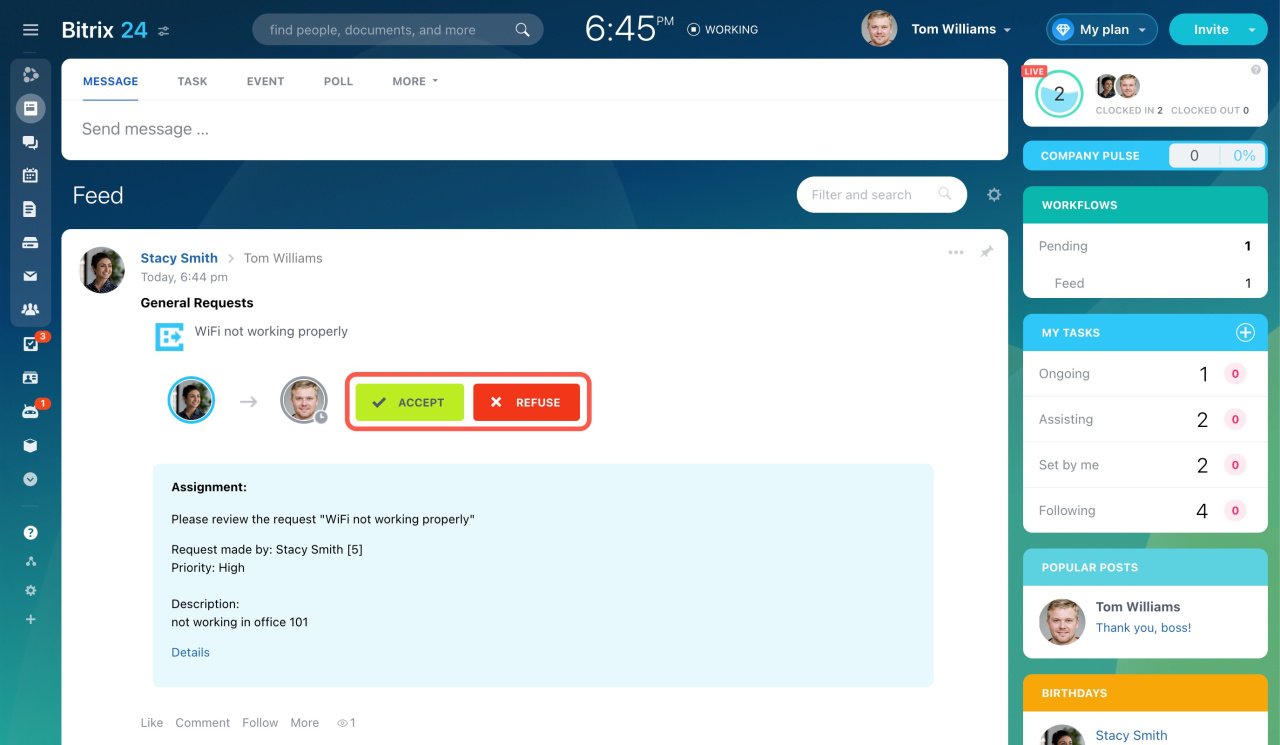
The recipient gets your request instantly and can accept or refuse it.
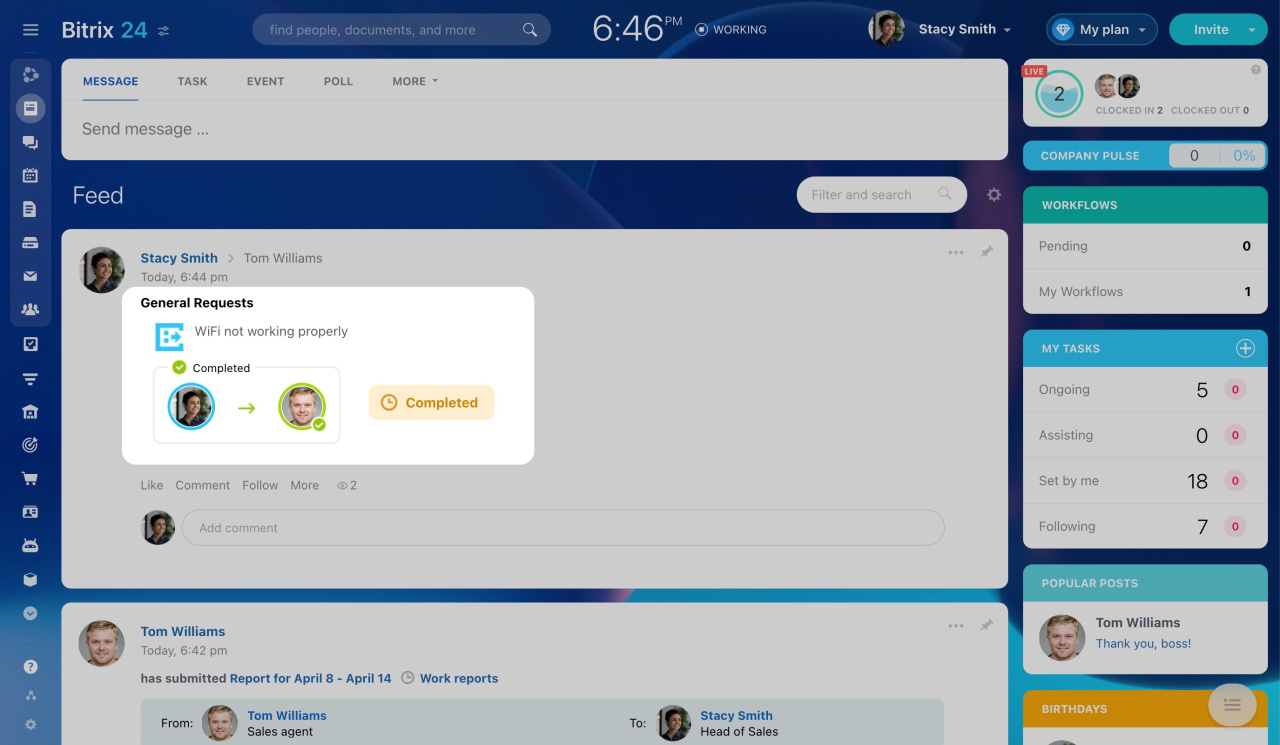
When the request is accepted, its status updates to Completed in the Feed.
Limit on workflows initialization