
Bitrix24 campaigns let you send messages to groups of customers in messengers and social networks like Telegram and WhatsApp. Use campaigns to share promotions, discounts, and product updates.
Bitrix24 plans
You can only send campaigns to customers who have already contacted you through a messenger. If a customer has used multiple messengers, the campaign goes to the one they used first. For example, if the first message came from Telegram, the campaign will be sent to Telegram.
You will learn:
Create a campaign
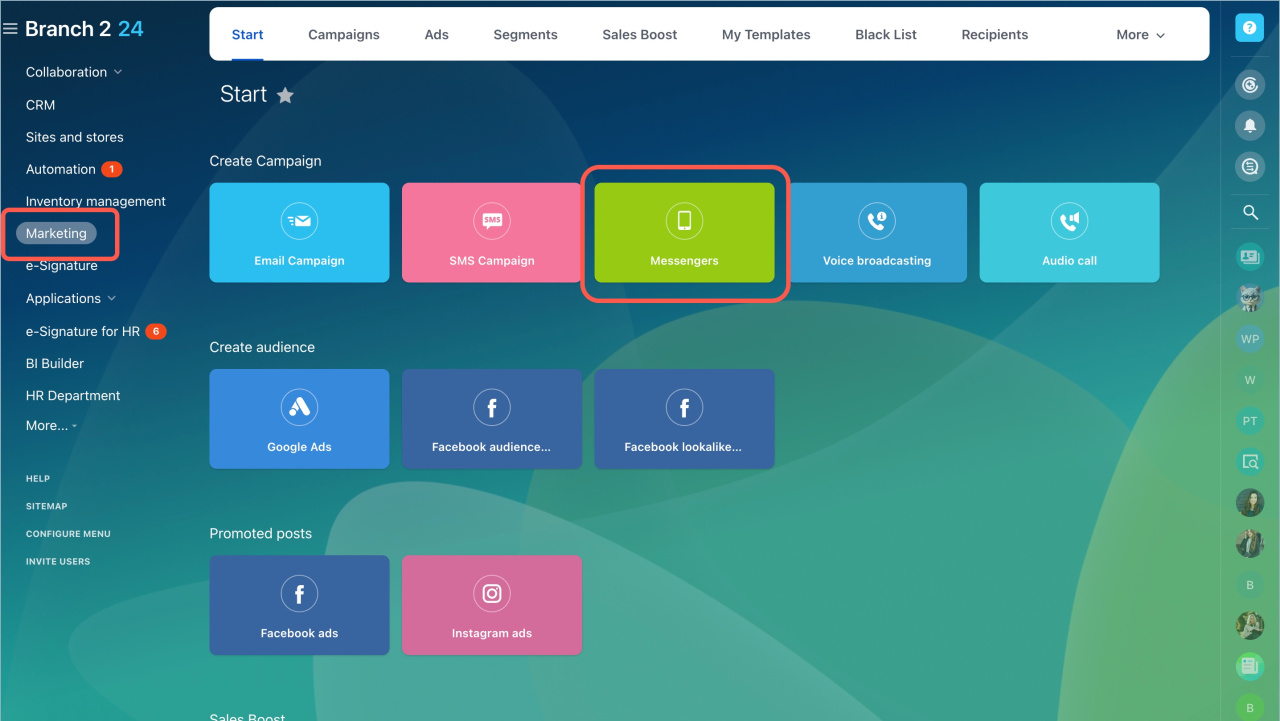
Go to Marketing > Start > Messenger and choose a template.
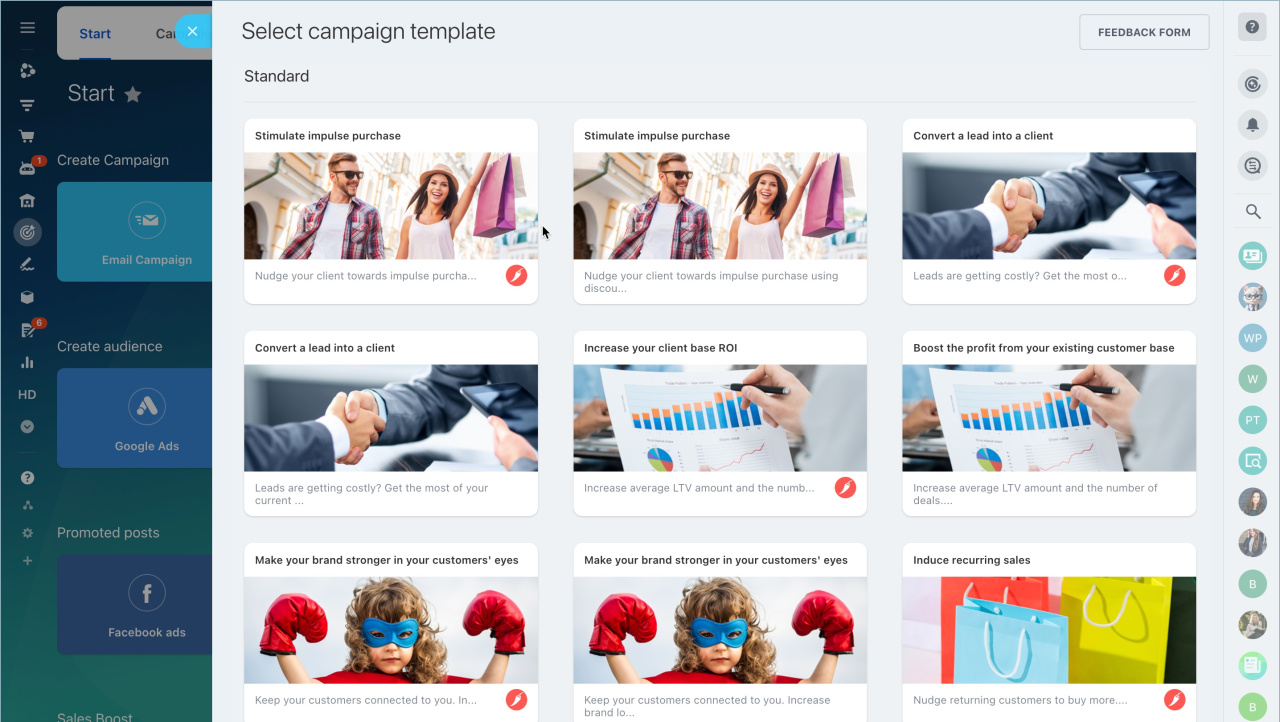
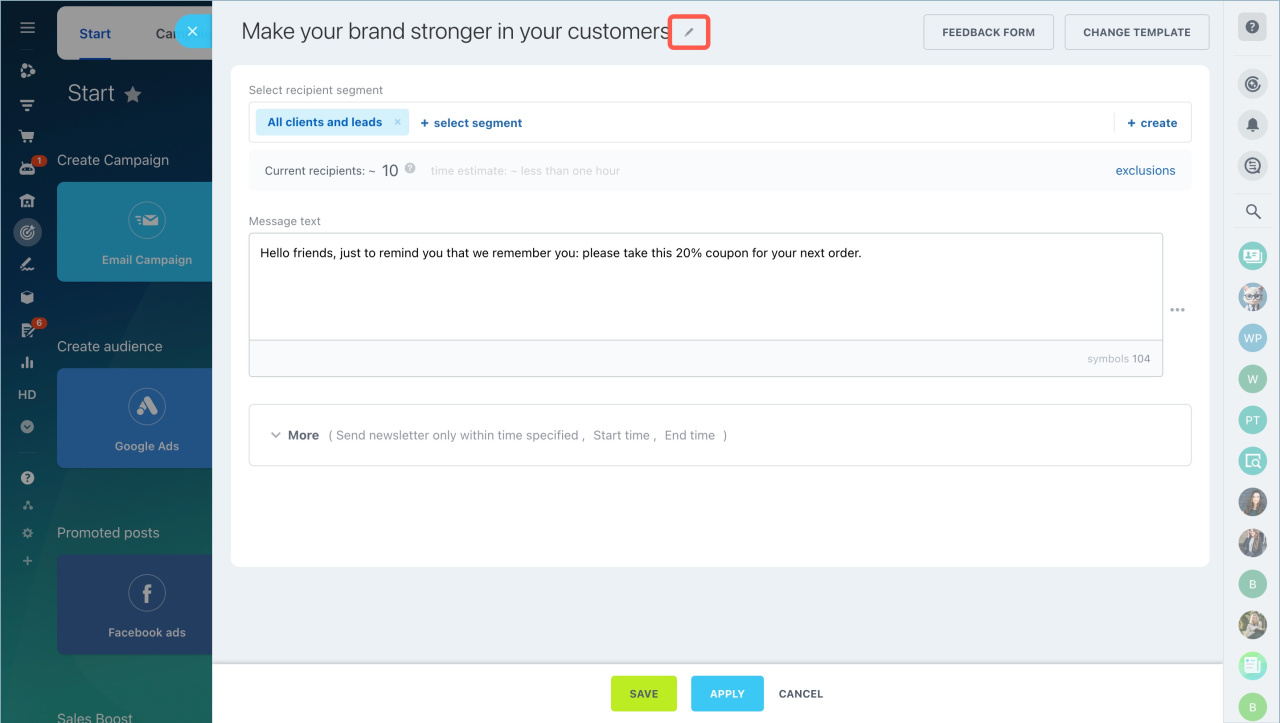
To make campaigns easier to find, rename them:
- Click the pencil icon
- Enter a new name
This name is only visible inside Bitrix24.
Select recipients
In Bitrix24, recipients are called segments. A segment is a group of customers with shared attributes, such as age, location, or purchase history.
Create customer segments for marketing campaigns
Select a segment. Click Select segment and choose a preset or existing segment.
If you don’t have a suitable segment, click Create and set up your recipient list.
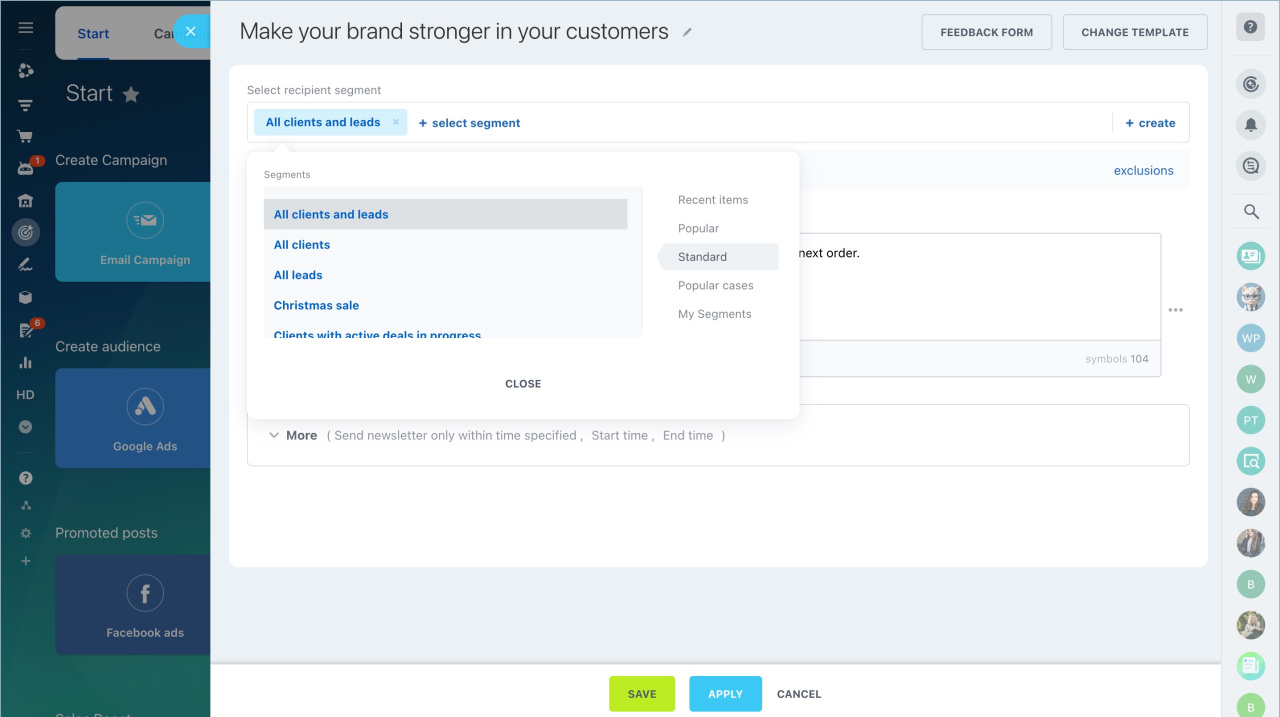
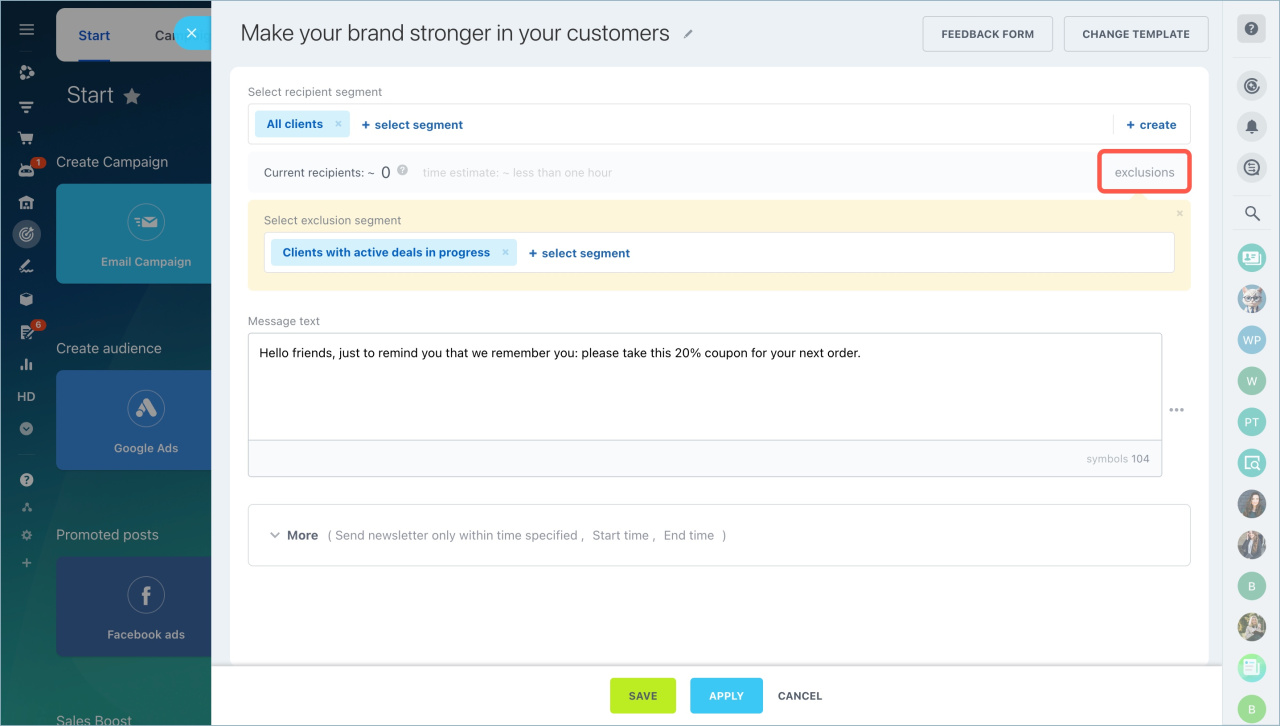
Exclude a segment. You can exclude specific customers from the campaign.
Example: send a promotion to all customers except those already planning a purchase. Click Exclusions, choose a segment to exclude, and click Apply.
Add a message
You can use the template message or write your own.
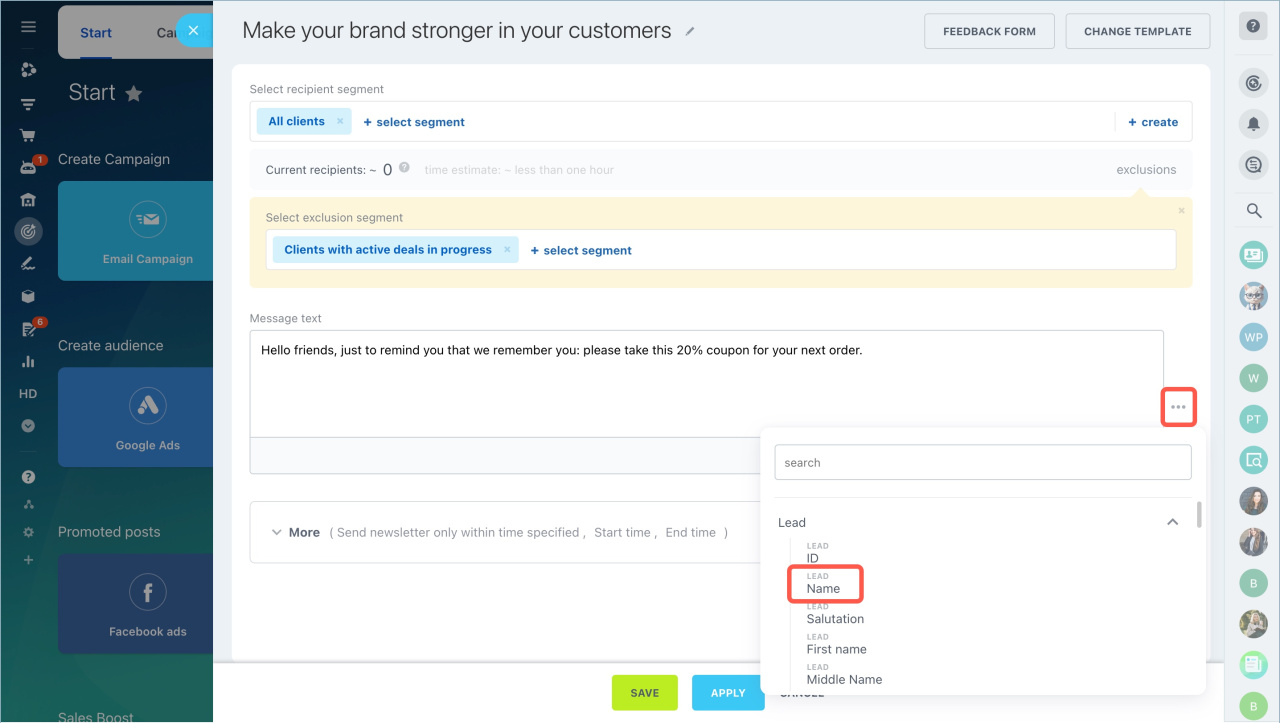
To personalize messages, insert CRM field values:
- Click the three dots.
- Select Lead > Name.
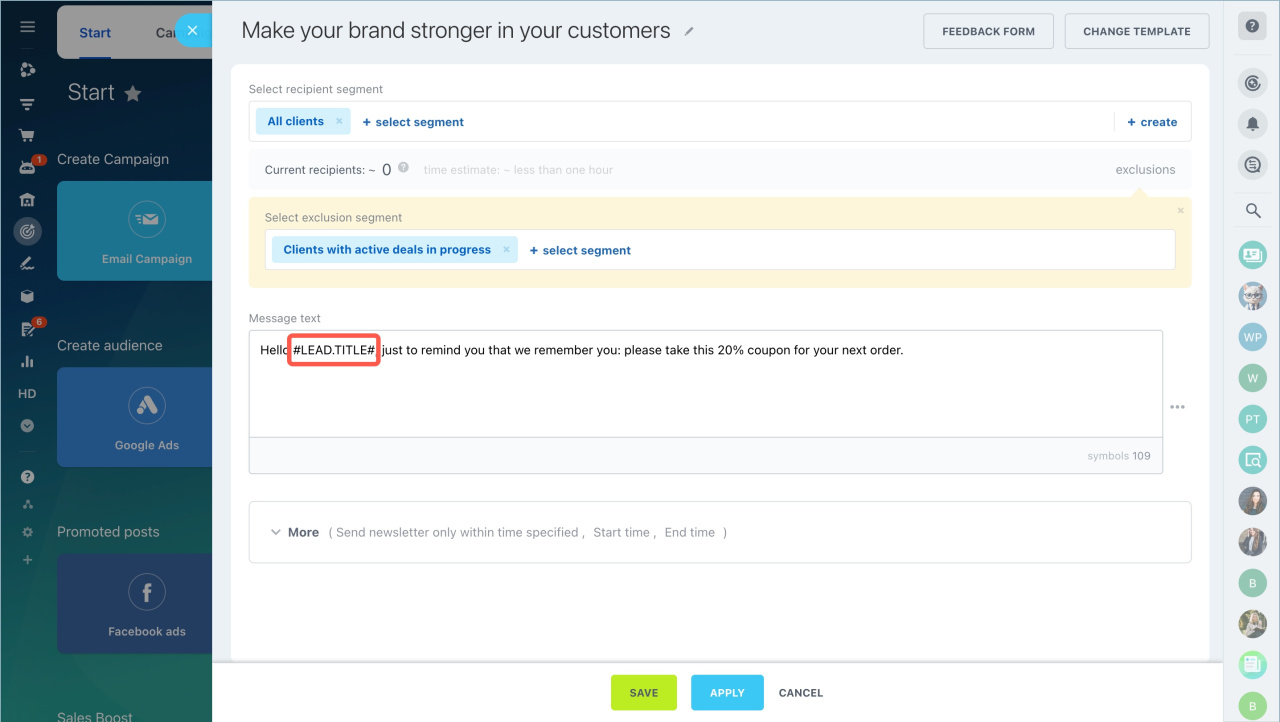
- The variable is added to the text.
When the campaign is sent, the system replaces the variable with the customer’s actual name.
Configure campaign settings
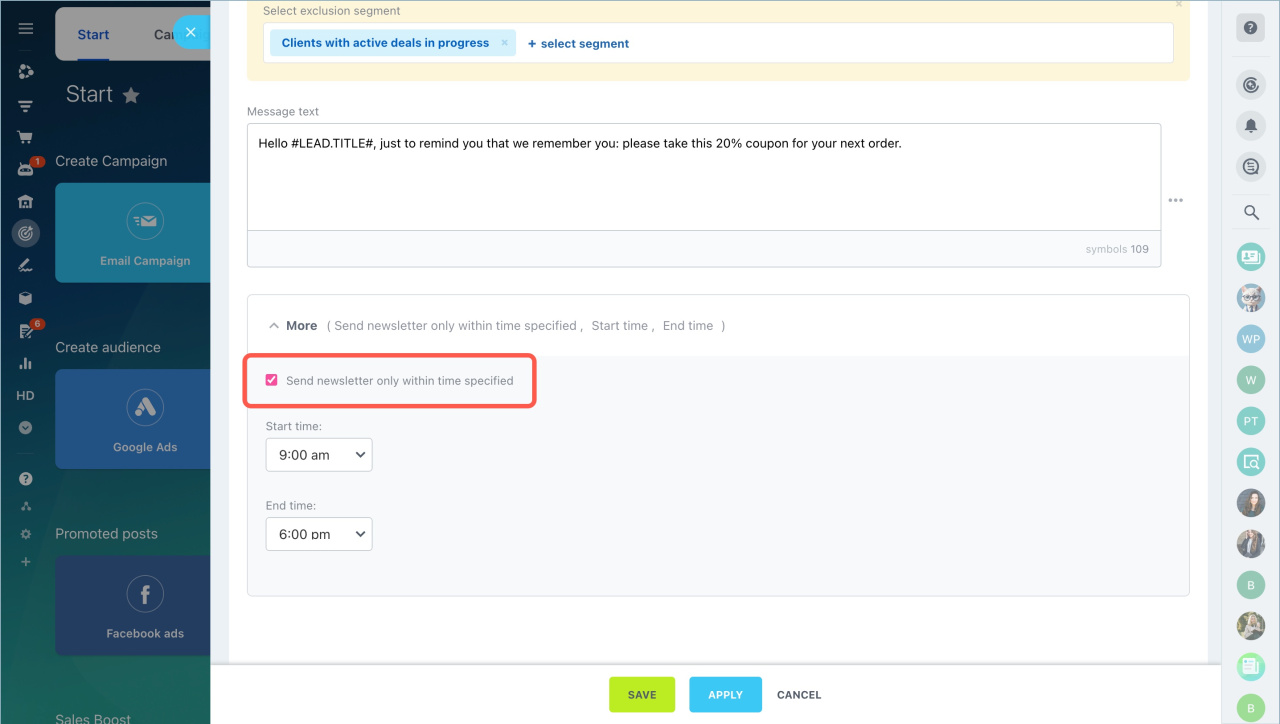
Set the delivery time in the More section.
For example, schedule messages for non-working hours when customers are more active in messengers.
Choose a time and click Apply.
Send a campaign
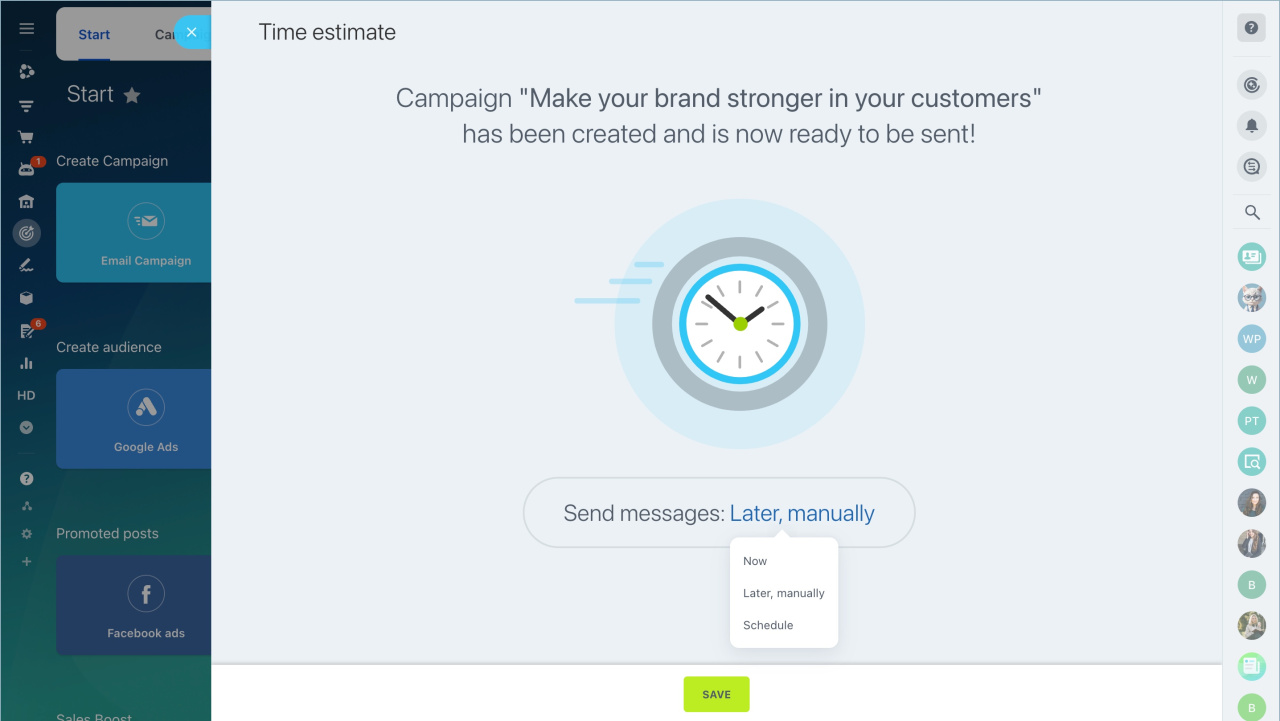
Choose when to send the campaign and click Save:
- Now — send immediately.
- Later, manually — send anytime from Marketing > Campaigns.
- Schedule — set a specific date and time.
In brief
- Bitrix24 campaigns let you send messages to customers in messengers and social networks.
- You can only send campaigns to customers who have already contacted you.
- If a customer used multiple messengers, the campaign goes to the first one they used.
- Use templates to create campaigns faster.
- Only dynamic segments are supported for messenger campaigns.
- Personalize messages using customer data from CRM.
- Schedule delivery time in the More section.