
In Bitrix24, all incoming and outgoing calls from CRM are automatically saved as events in an employee's calendar. This helps track how many calls a manager makes in a day.
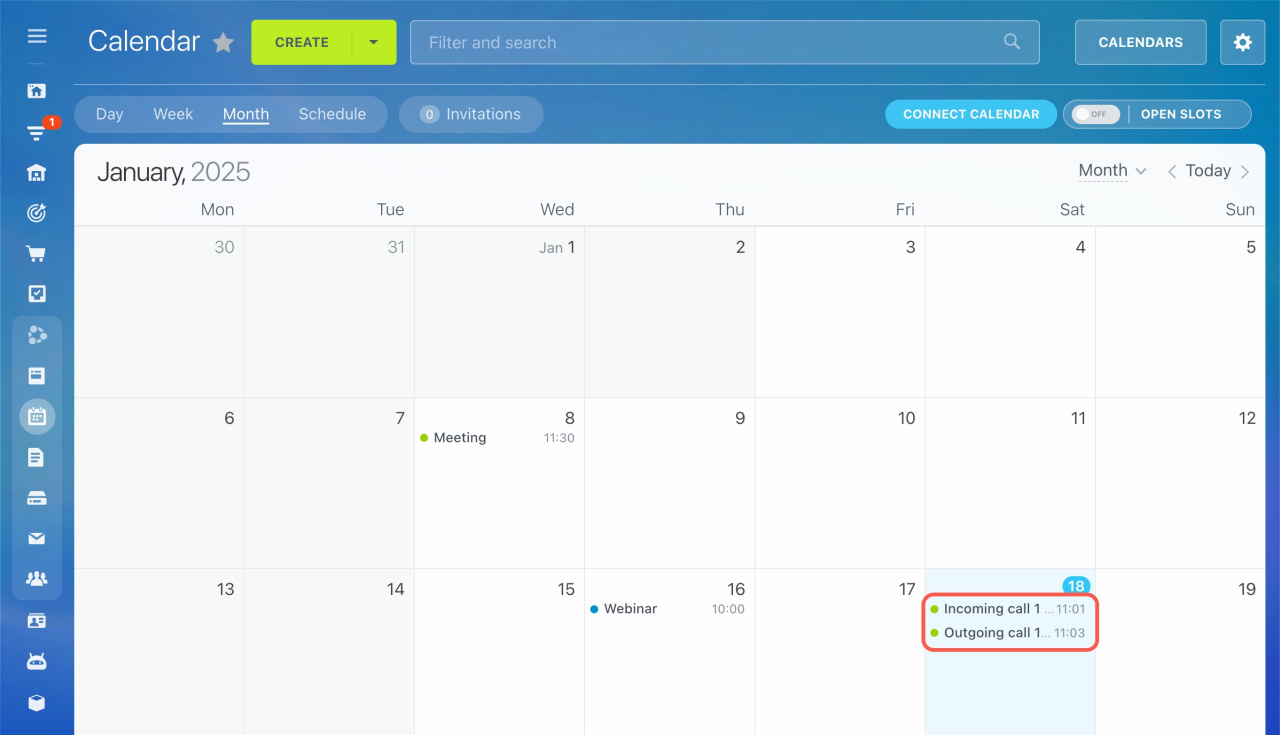
To stop calls from creating calendar events, follow these steps:
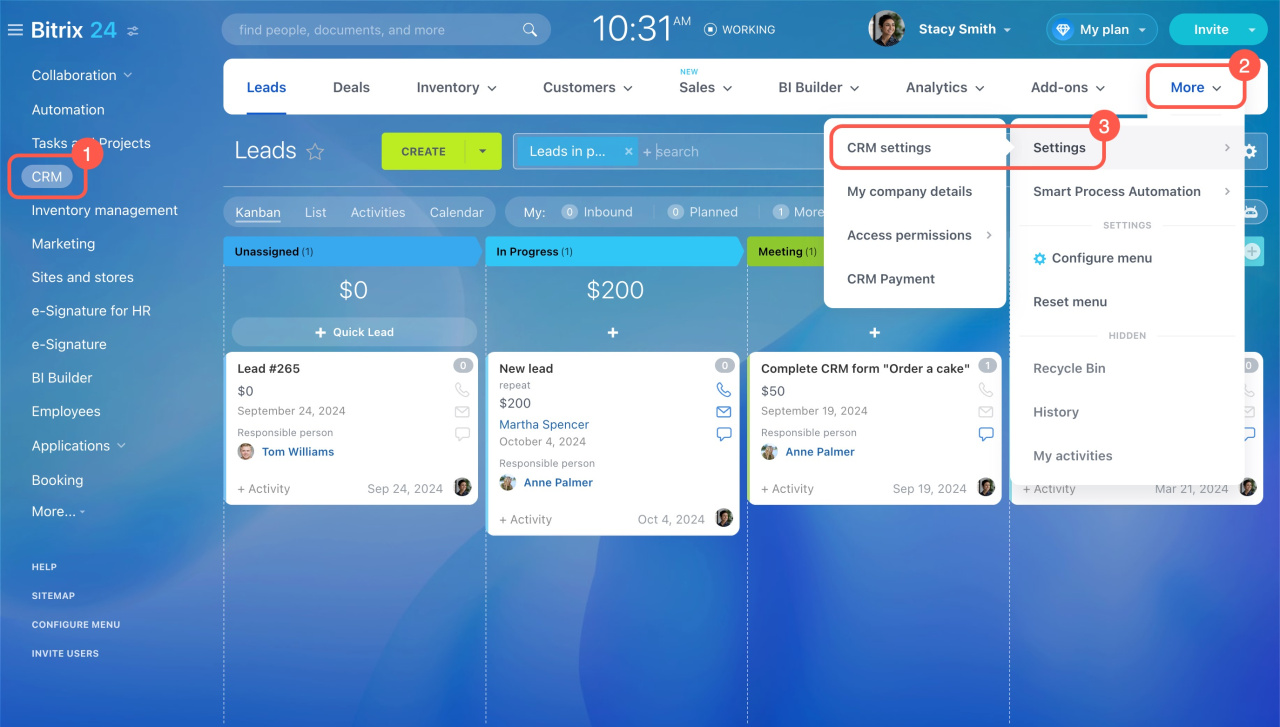
- Go to CRM.
- Expand More.
- Click Settings and select CRM settings.
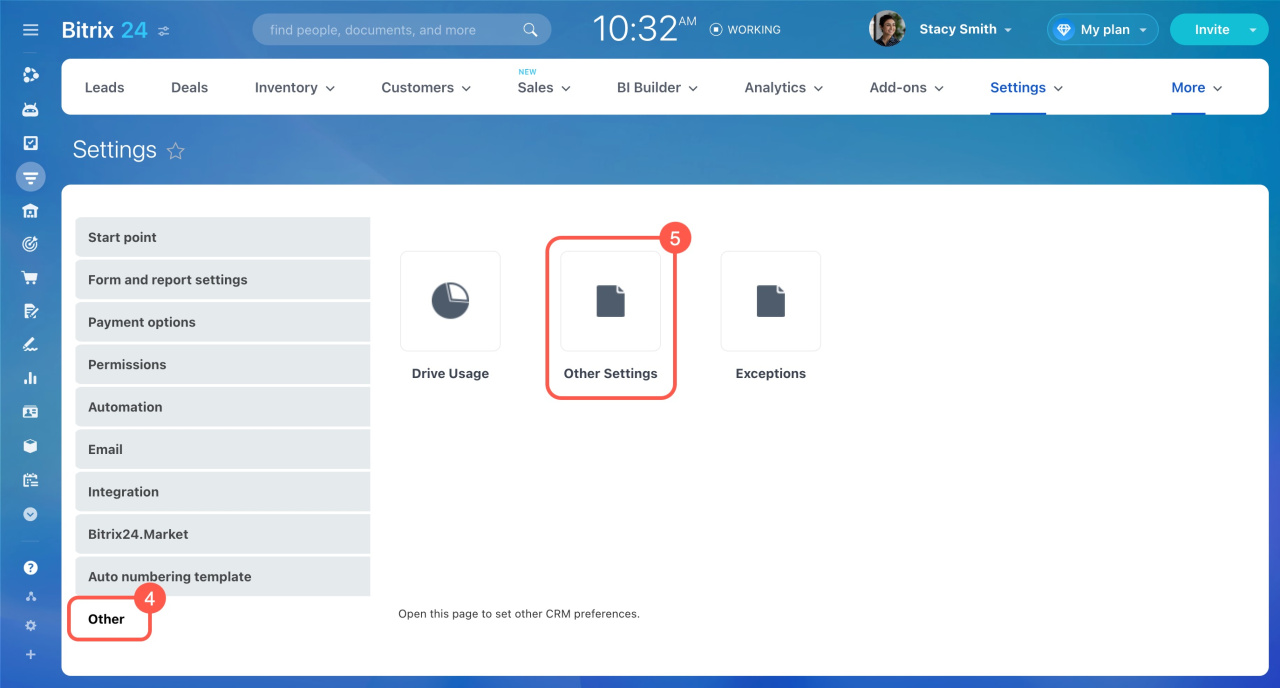
- Open the Other tab on the left.
- Select Other Settings.
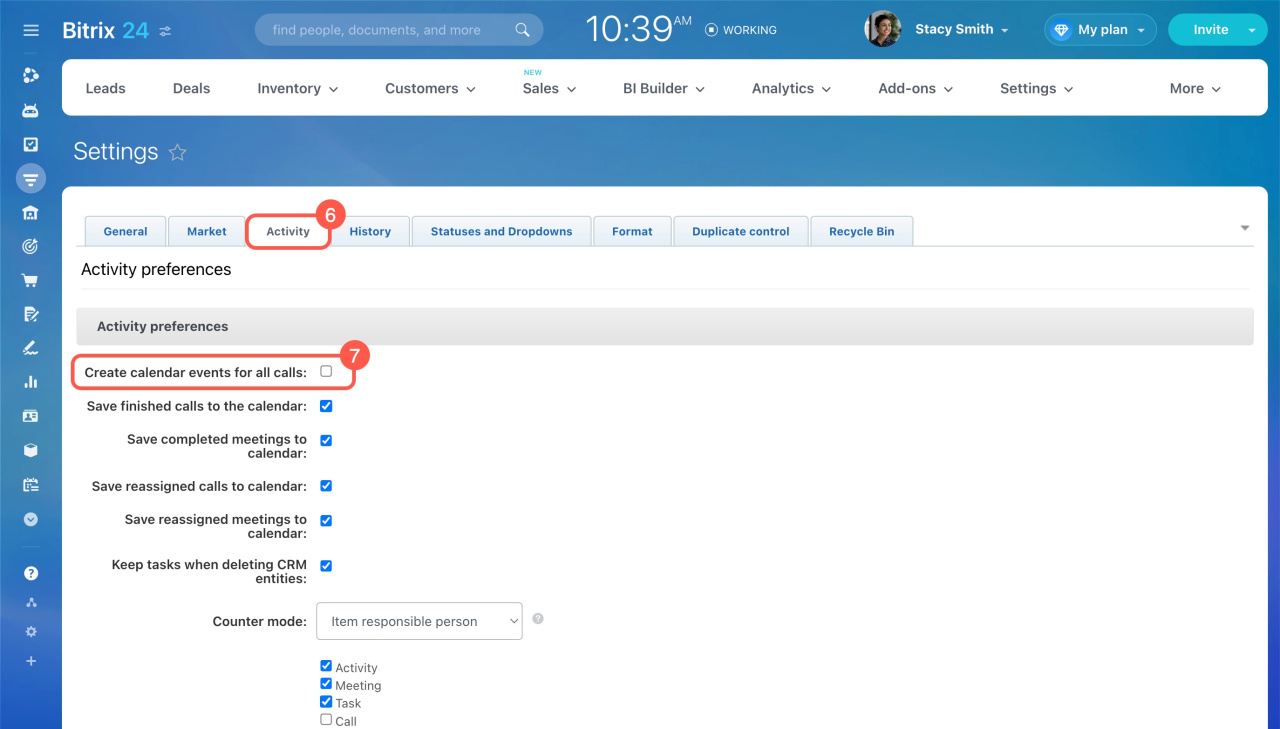
- Open the Activities tab.
- Disable the Create calendar events for all calls option.
- Click Apply at the bottom.
Keep only the events in your calendar that are important for your work.