
In Bitrix24, you can create a chat for each workgroup or project. All members of the workgroup or project are added to the chat automatically.
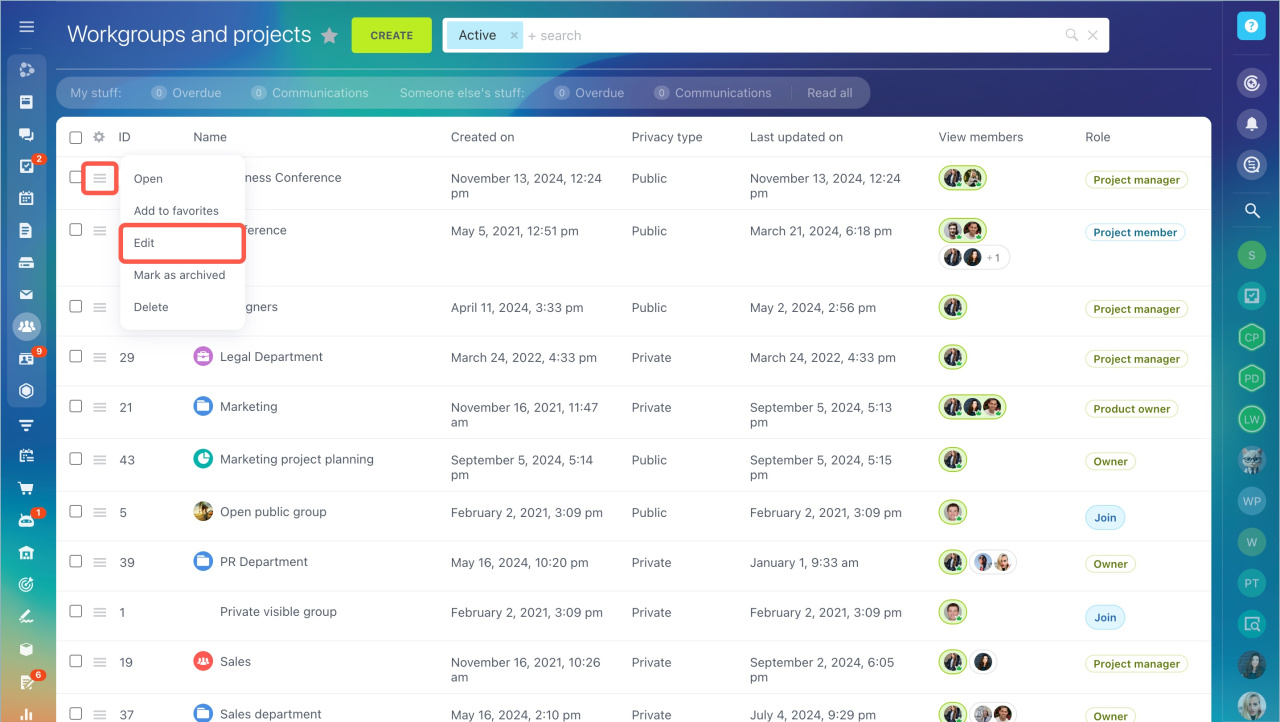
- Go to the Workgroups section. Select a workgroup and click Edit in the menu.
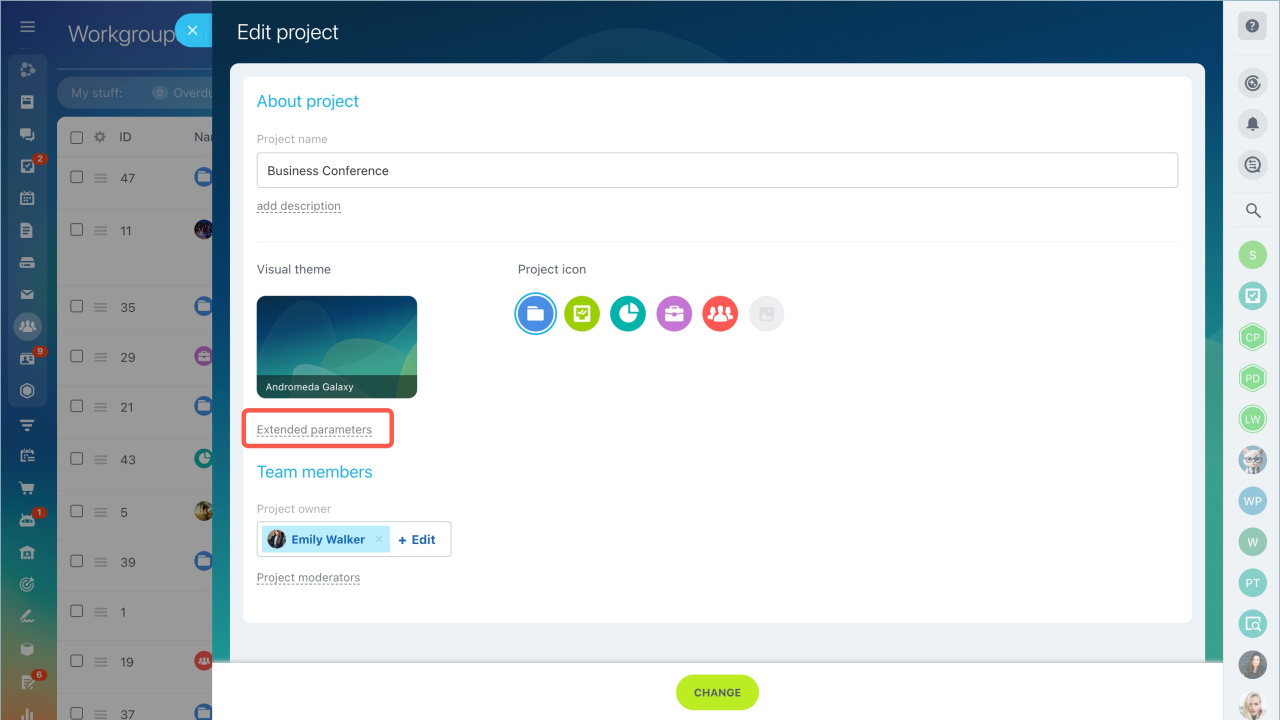
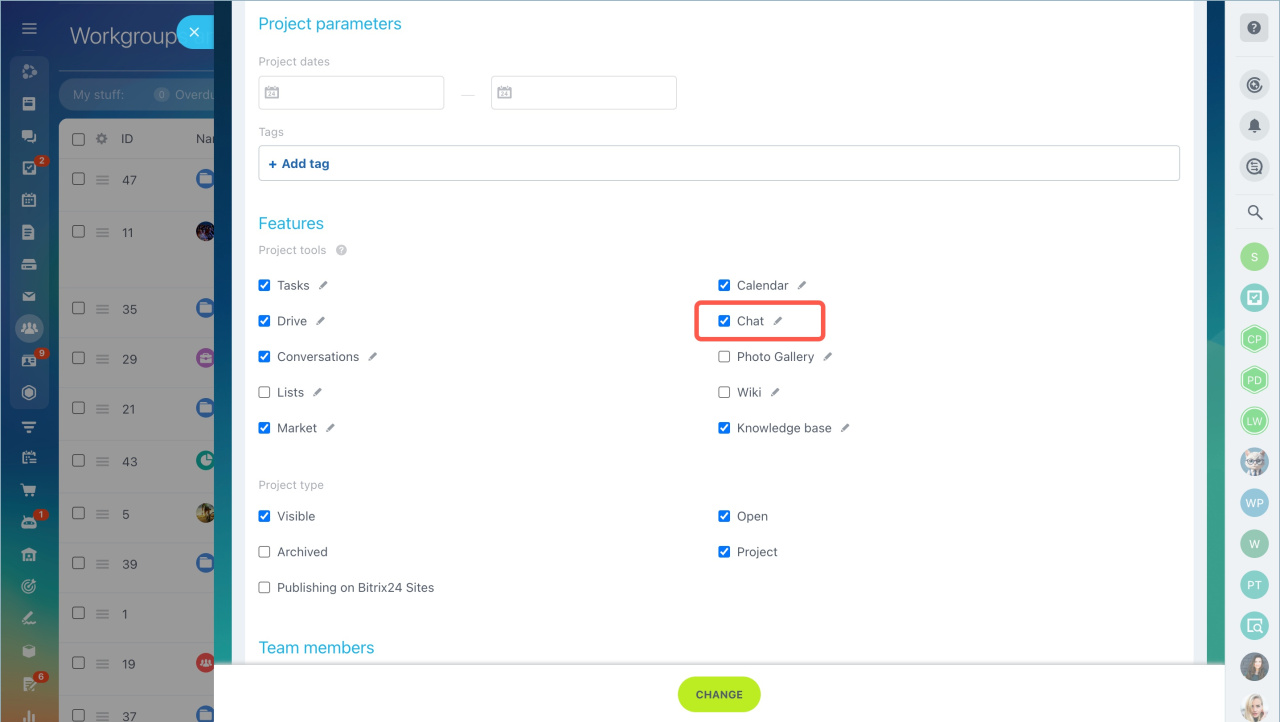
- Open Extended parameters and select the Chat checkbox.
The chat button appears in the workgroup menu. All members are added to the chat automatically.
To invite new users to the chat, add them to the workgroup.
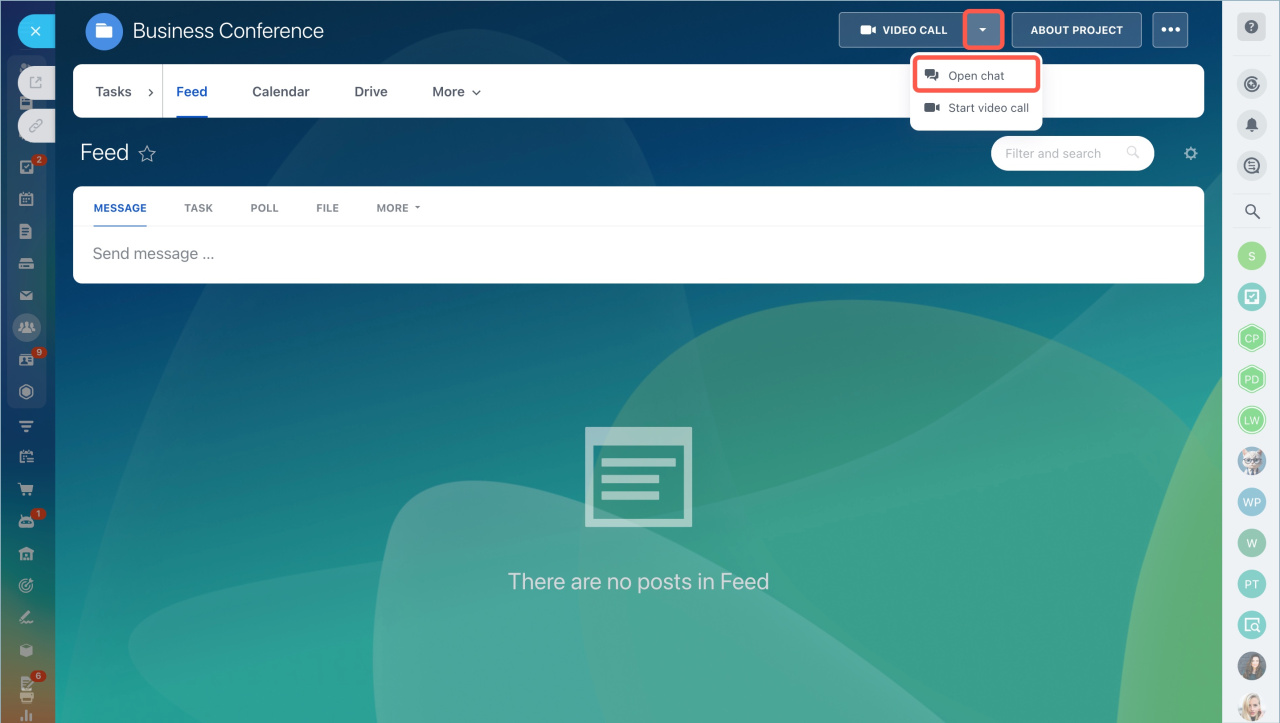
You cannot leave a workgroup chat. You can only turn off notifications. To disable the chat, use the same steps in the workgroup settings. Only the workgroup owner can disable the chat.
When you disable the chat, you will see a notification that it is no longer linked to the workgroup. The chat becomes a regular private chat. You can leave it or remove users.
In brief:
- You can create a chat for each workgroup or project in Bitrix24.
- Go to the Workgroups section, select a workgroup, and click Edit.
- Open Extended parameters and select the Chat checkbox. The chat button will appear in the workgroup menu, and all members will be added automatically.
- You can disable the workgroup chat the same way in the workgroup settings.
