
A project in Bitrix24 is a shared workspace for your team. You can create and complete tasks, share files, and store documents in a shared drive.
If you copy an existing project, you can create a new one faster. You can transfer tasks, automation rules, and project members, then update the settings as needed. This works well for similar projects, such as work for new clients or recurring events.
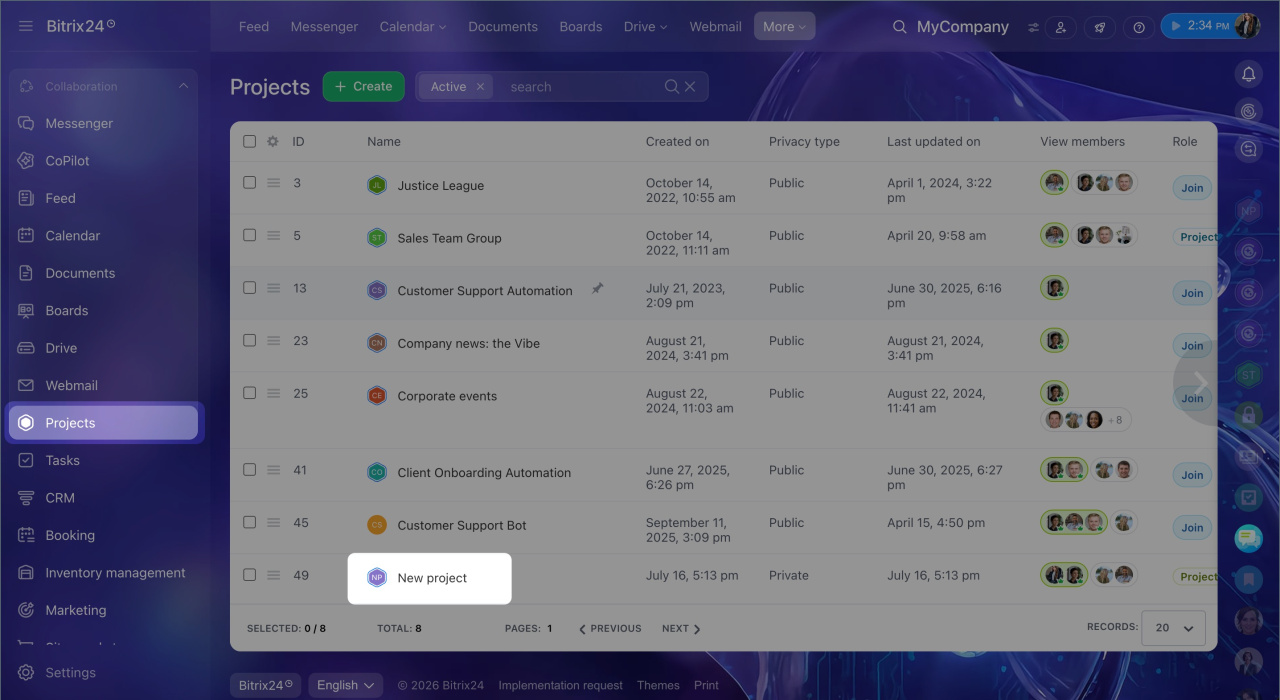
1. Go to the Projects section and open the project you want to copy.
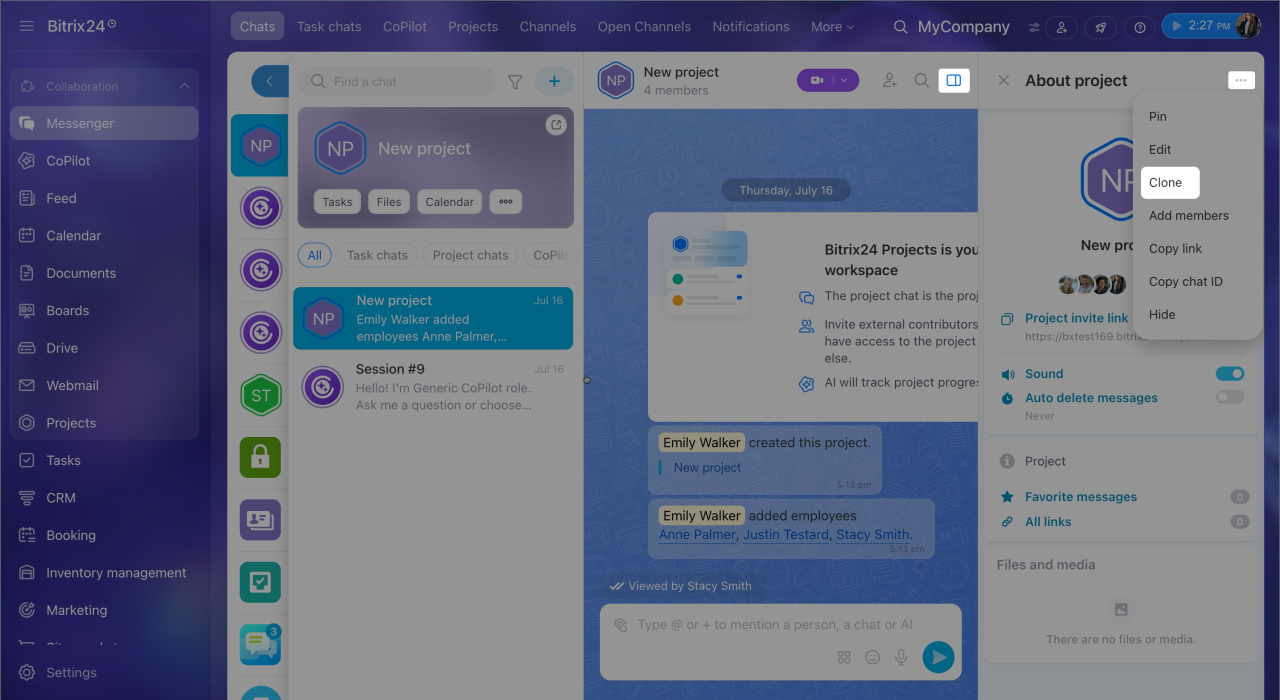
2. Open the project's main chat. It is pinned in the chat list and marked with a color.
3. Click the sidebar icon, then click Three dots > Clone.
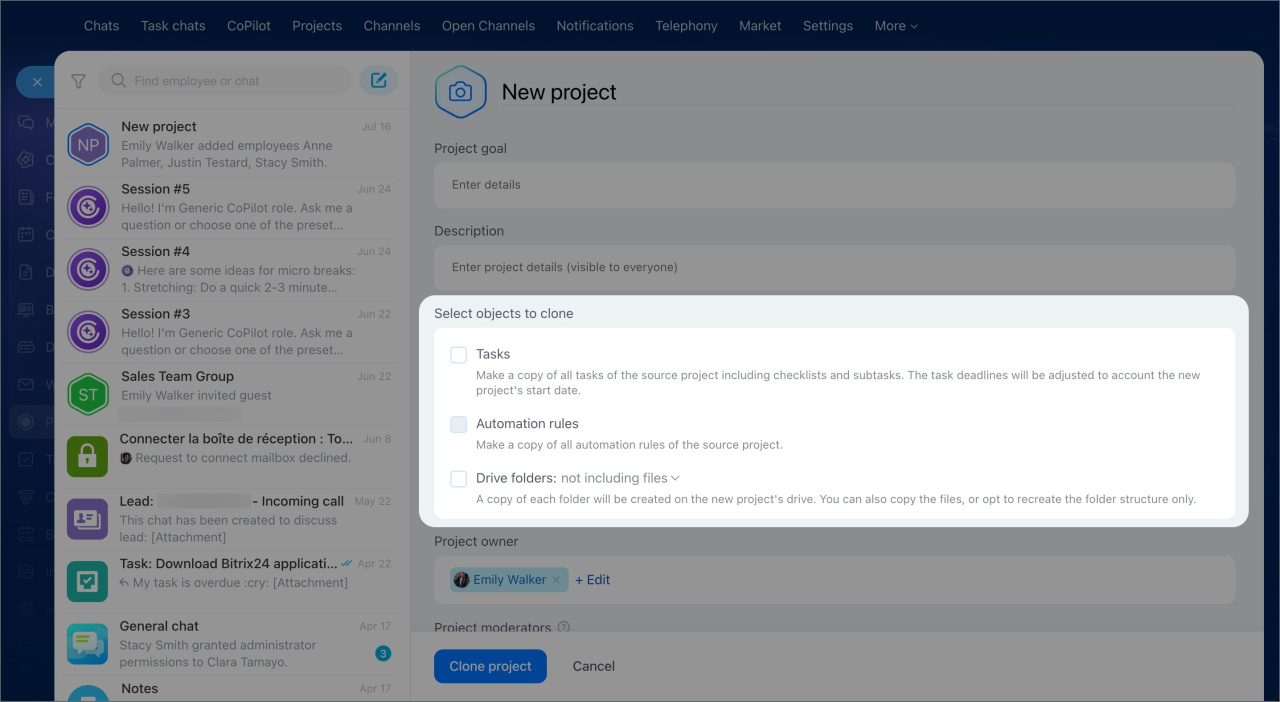
The new project form opens with the source project details already filled in. You can change them if needed. For example, you can update the company name or add employees for a client website project.
In the What to copy to the project section, choose what to transfer:
- Tasks — copies tasks together with checklists, subtasks, and due dates. Dates stay the same as in the original project, so review and update them after you create the project.
- Automation rules — keeps all automation settings from the source project.
- Drive folders — adds copies of the folders to the new project's drive.
Complete the remaining fields the same way you would when creating a new project. When you finish, click Create project. The new project appears in the list.
In brief
- Copying a project helps you launch a new one quickly, for example for a client, a subdepartment, or a one-time event.
- Only the project owner can copy a project.
- To copy a project, open the sidebar in the project's main chat and click Three dots > Clone.
- In the form, choose what to transfer to the new project: tasks, automation rules, or drive folders.
- You can keep the source project settings or set up the new project from scratch.