Quick answer
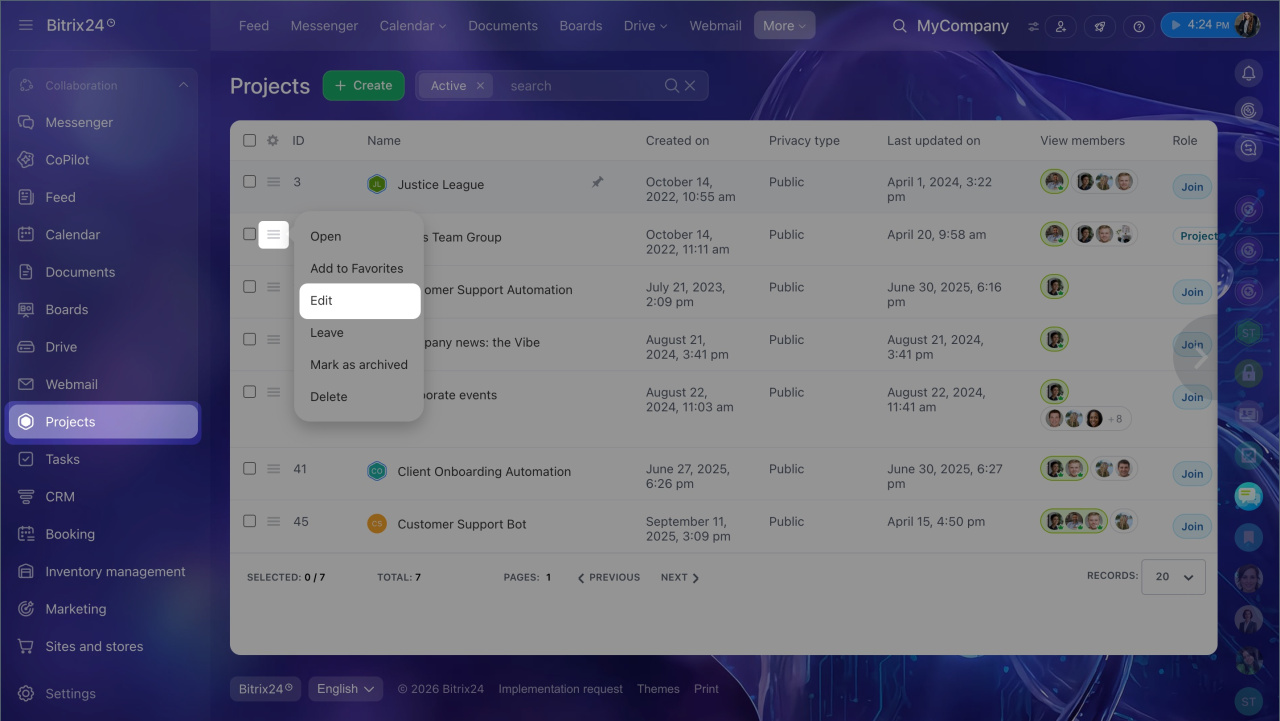
1. Go to Projects and click Menu (≡) next to the project and select Edit.
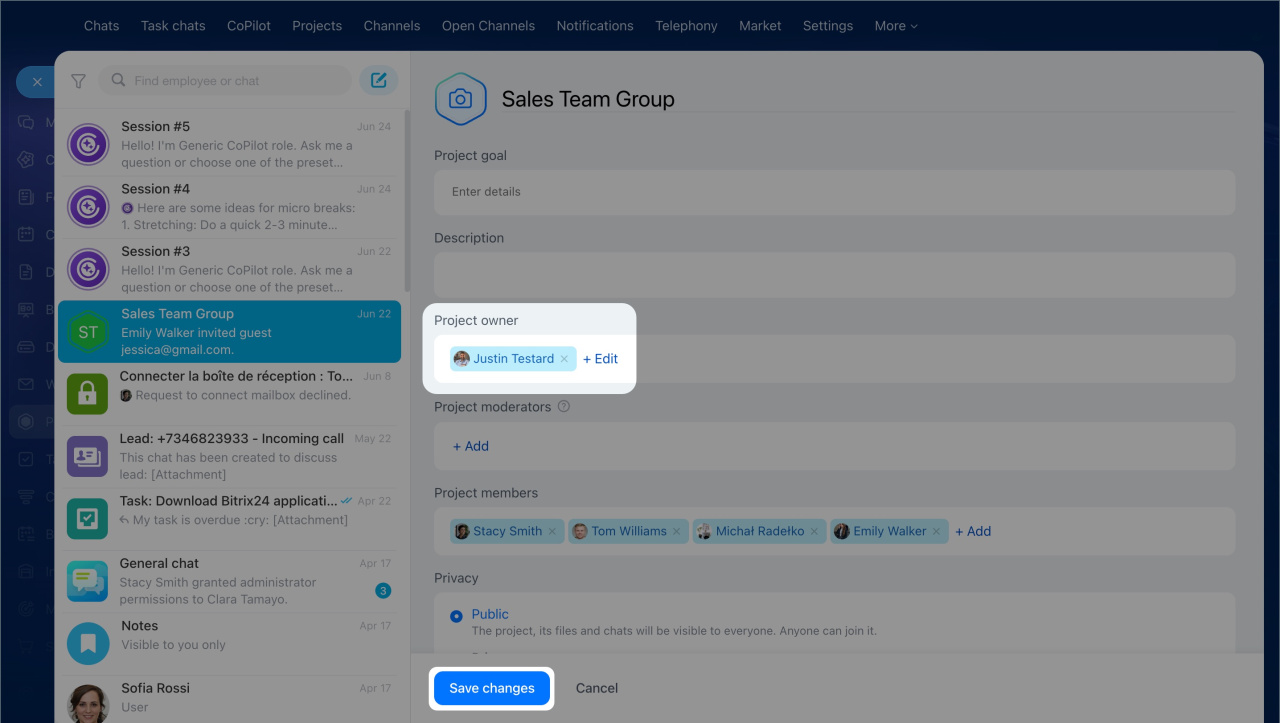
2. In the Project owner field, click Edit and select a new employee.
3. Click Save changes.
Detailed answer
The project owner is the main person responsible for the project who can edit the project, choose moderators, and use all project tools.
You may need to change the owner if the current owner leaves the company, goes on leave, or the project moves to another team. You can do this in the project settings.
Assign admin permissions
In the project list, click Menu (≡) next to the project and select Edit.
In the Project owner field, select a new employee and click Save changes. The new owner will get full access to the project. If needed, you can also assign moderators in the settings. They help manage the project.