
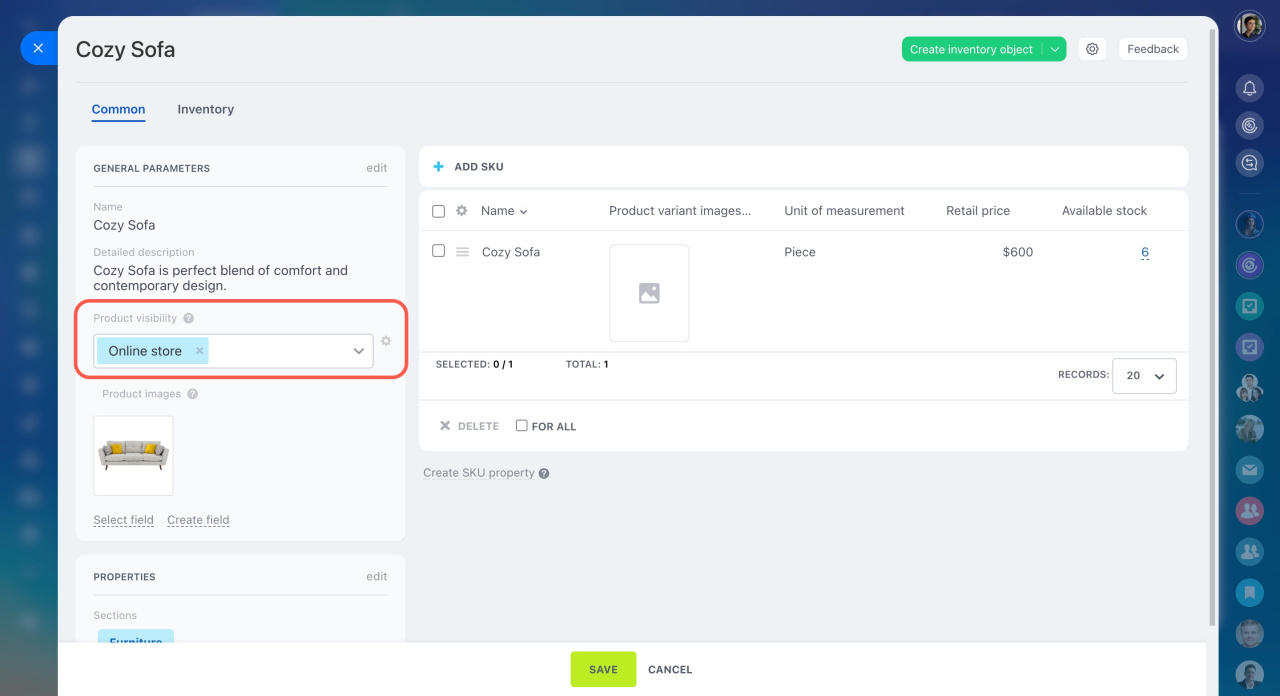
In the product form, you can choose whether a product is visible in your online store or hidden from customers.
This is useful for items like test products, discontinued models, or products that aren't ready for sale yet. Only employees with the appropriate permissions can control this setting and decide if a product should be public.
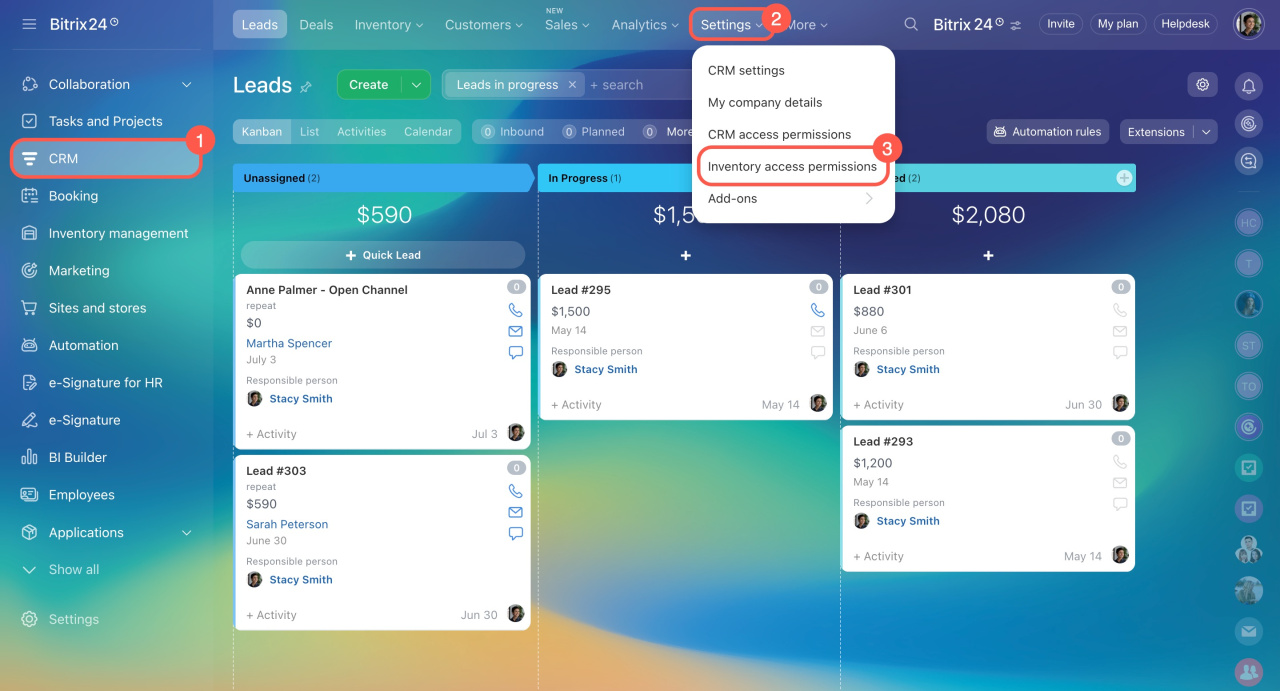
Go to CRM > Settings > Inventory access permissions. To let an employee change product visibility, ensure they have these permissions:
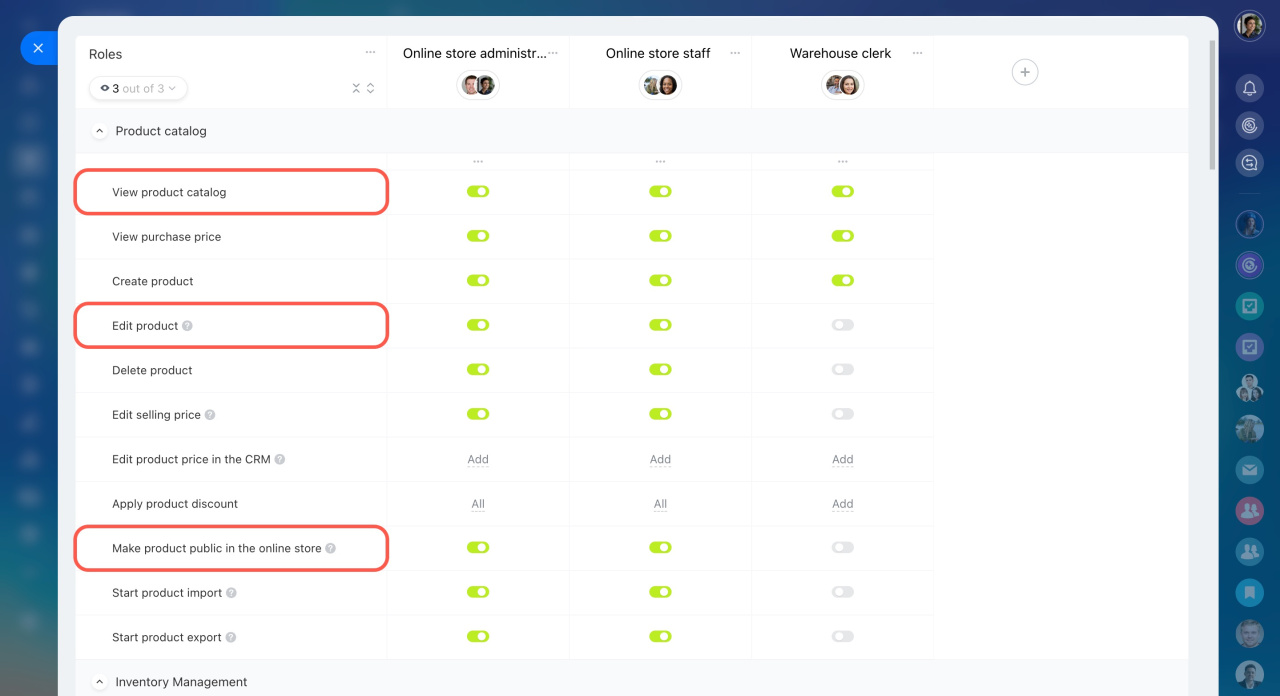
- View product catalog
- Edit product
- Make product public in the online store
You can set up these permissions only in Bitrix24 Cloud accounts. This option isn't available in the On-Premise version yet.
Once you save the settings, the employee will be able to control whether products are shown in the online store.
Inventory access permissions
Hide certain products from the public part of the Online store