
We introduced a new feature — Bitrix24 Channels. Use channels to share updates, exchange knowledge, and connect employees across a department or the entire company. Channels are available to all employees.
Channel features
Bitrix24 Channels are built into company workflows. This makes them different from standard messengers.
- Add participants quickly. Add an entire department or the whole company at once. You don’t need to invite employees one by one.
- Automatic subscription and removal. When you add a department, new employees join automatically. When users leave the company, the system removes them from all channels and revokes access to Bitrix24.
- Access permissions. Control who can manage participants and publish posts.
- Centralized discussions. Each post has its own comment thread. You can easily return to discussions and find information.
- Statistics. Track likes and comments on posts.
Channels help keep everyone informed. To support this, a company-wide channel is available by default.
The option to add an entire department or company to a channel is currently available only in Bitrix24 cloud. Support for the On-premise version will be added soon.
Company News
Channels provide a simple way to share company updates. Bitrix24 includes a default Company News channel.
- Employees cannot leave this channel.
- New employees join automatically.
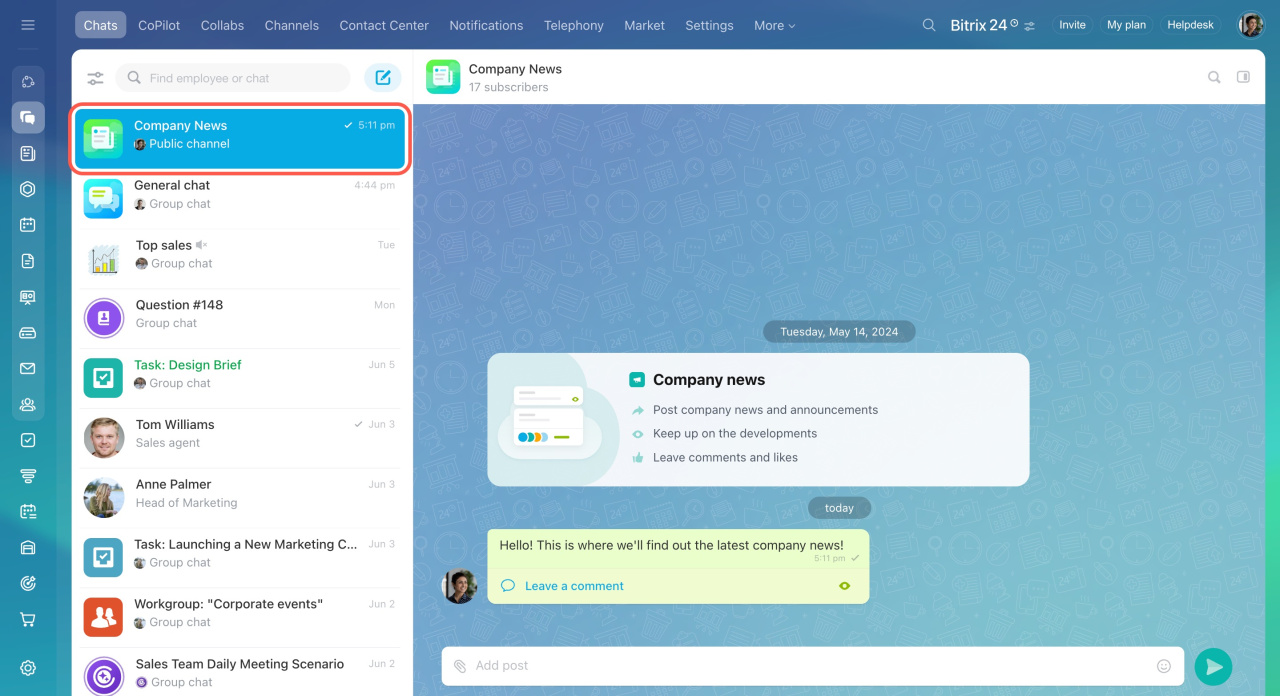
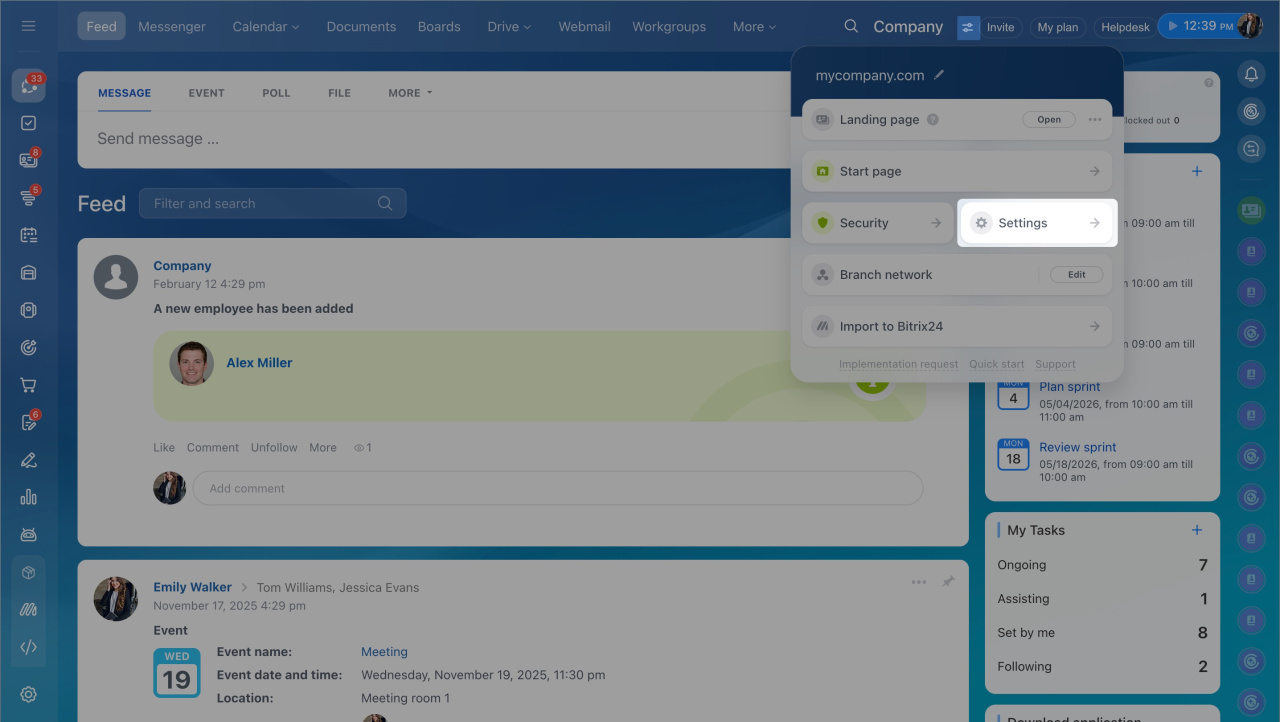
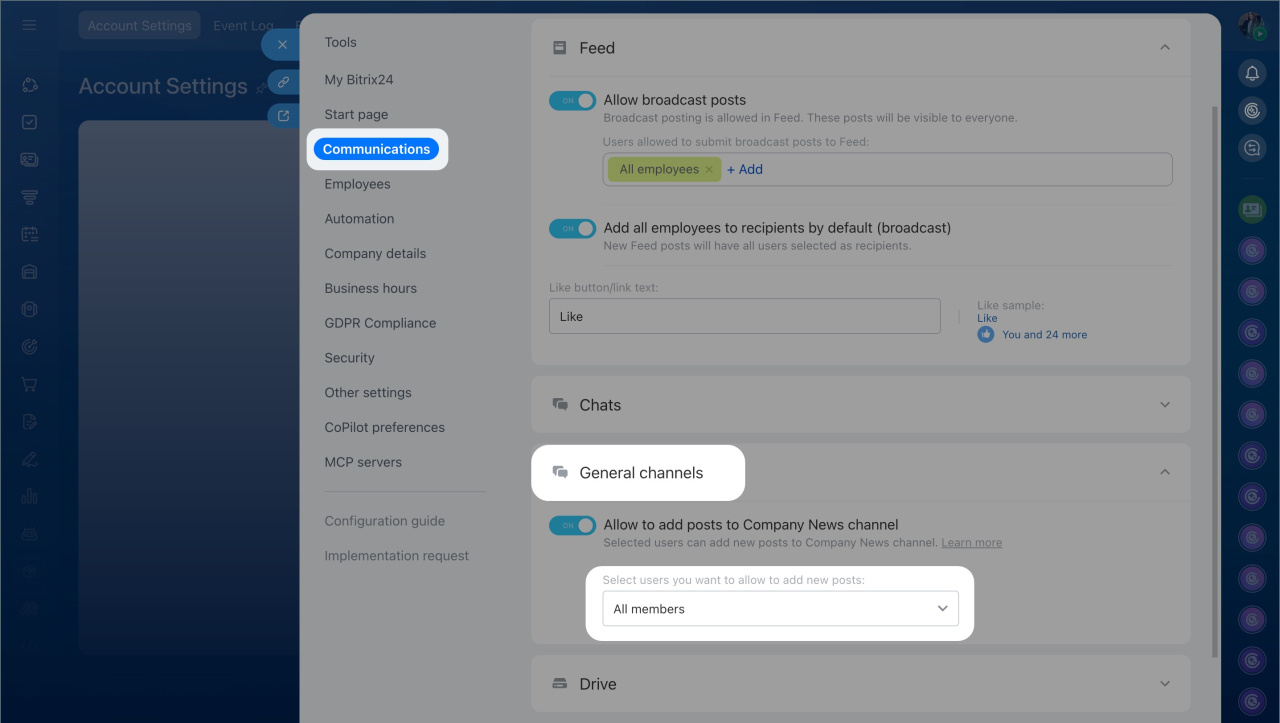
This is a system channel with limited settings. A Bitrix24 administrator can define who can publish Feed posts.
To configure permissions:
- Click the settings icon next to your Bitrix24 name.
- Open Settings (⚙️) in the widget.
- Go to Communications.
- Select General channels.
- Choose who can add posts.
- Save your changes.
Channels: use cases
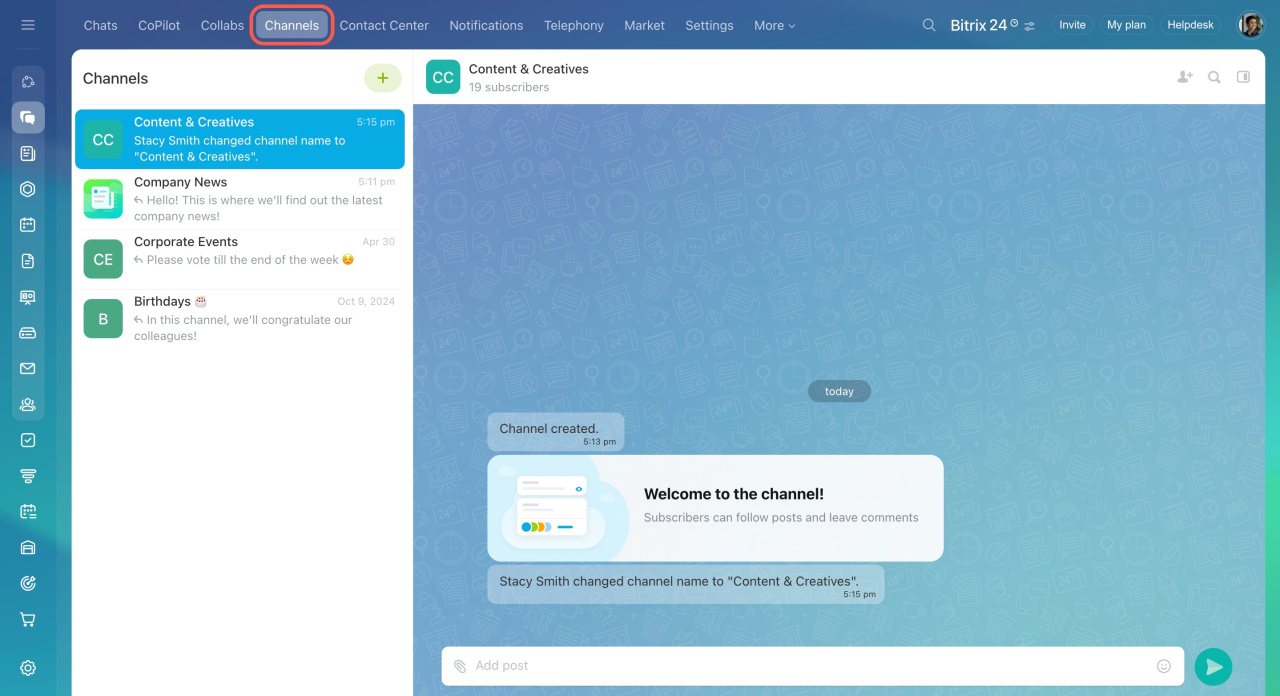
Employees can join open channels on their own.
Use channels to:
- Share reports. Managers can post weekly results and plans.
- Celebrate colleagues. Create a channel for поздравления, reactions, and comments.
- Support learning. Share courses and feedback.
- Run a personal blog. Share insights and exchange experience with colleagues.
In brief
- Use channels to share updates, onboard employees, and discuss work topics. All employees can access channels.
- Channels are part of company workflows. This sets them apart from traditional messengers.
- Company News is a mandatory channel for all employees. Users join automatically and cannot leave.
- Channels are useful for news, reports, recognition, and knowledge sharing.