
To use a new module in Bitrix24 On-Premise, install it manually.
Before you start, update your Bitrix24. Go to Marketplace > Platform Update section.
To install a module:
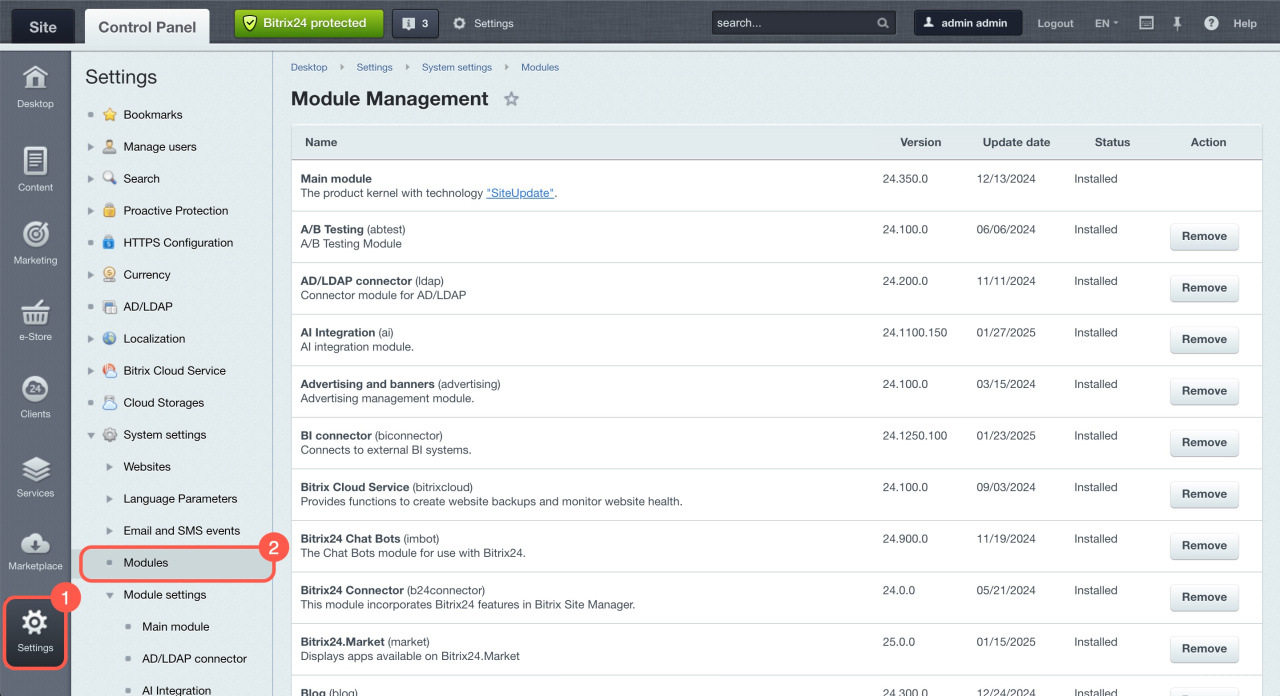
- Go to Settings.
- Expand System settings and select Modules.
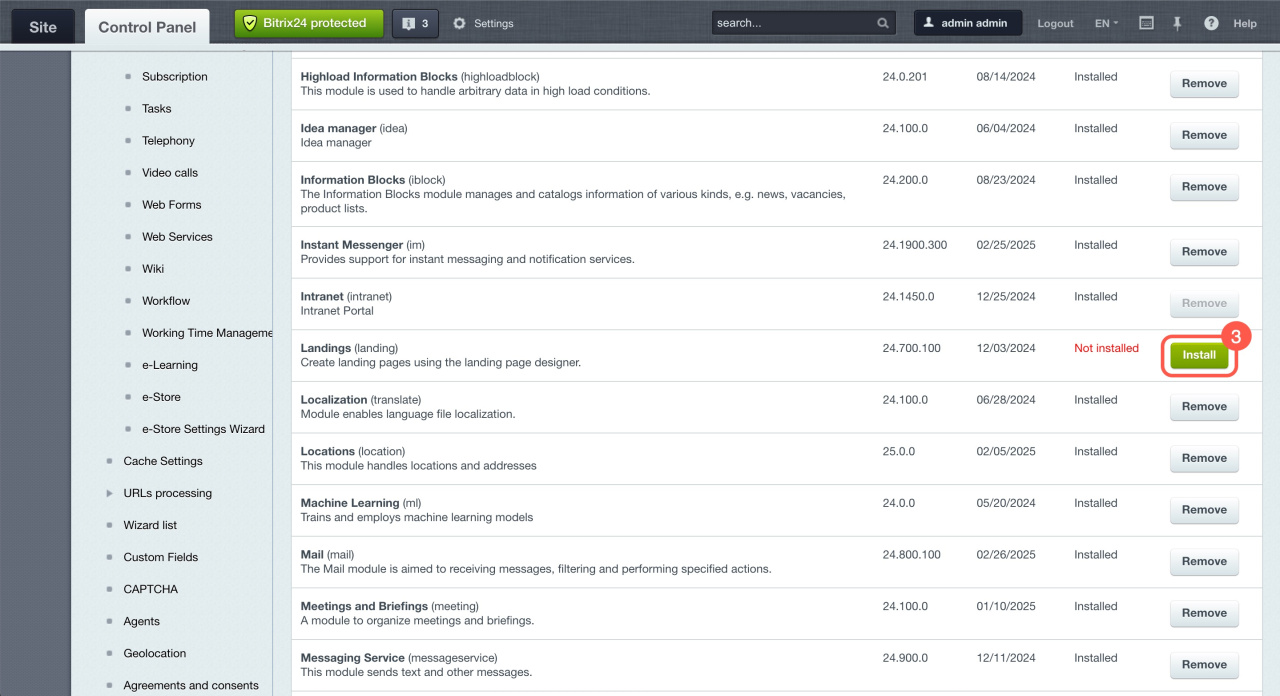
- Find the module you want to install.
- Click Install.
After installation, the module appears in the left menu and is ready to use.