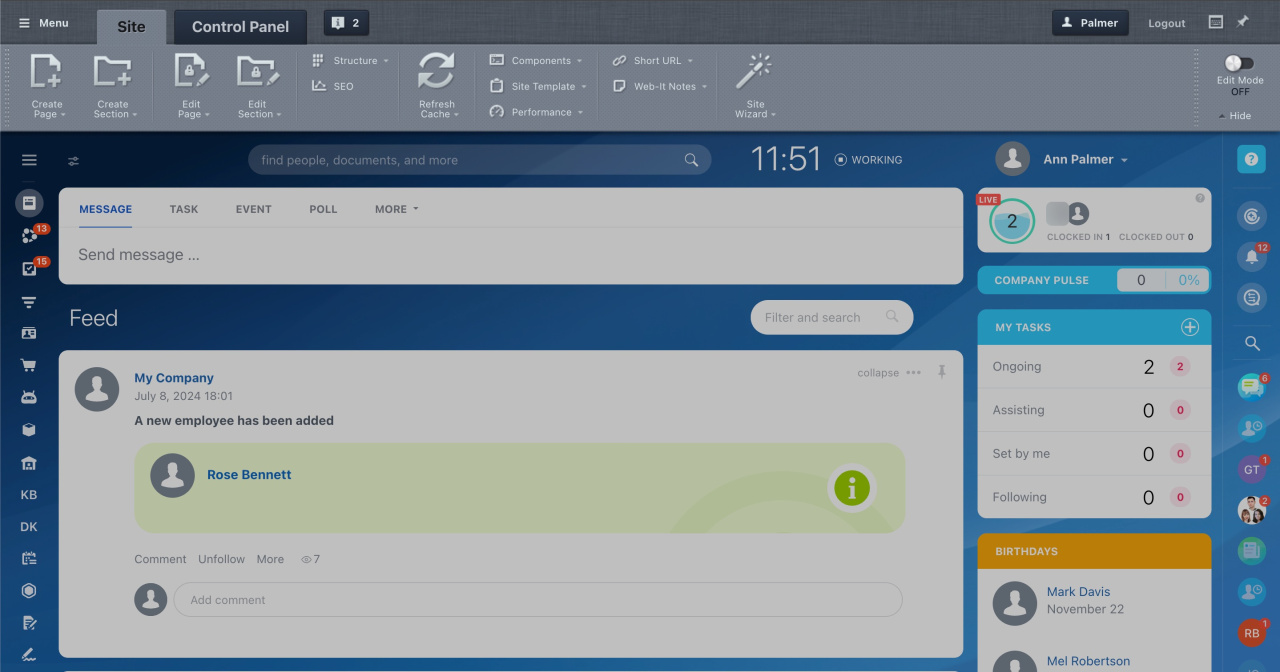
By default, the Control Panel is hidden for all users. To make it visible, update the system settings.
Only administrators can manage access to the Control Panel.
To show the Control Panel:
- Open the Control Panel:
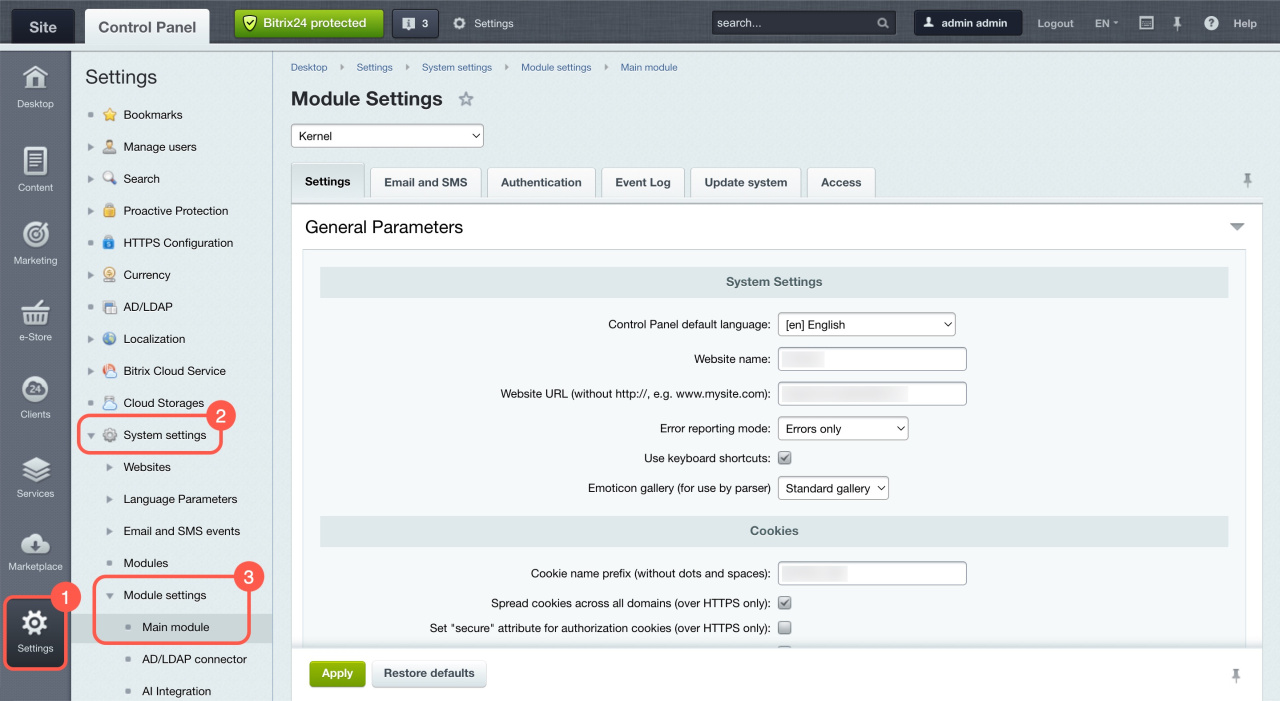
https://SITE_URL/bitrix/admin/. - Go to Settings > System settings > Module settings.
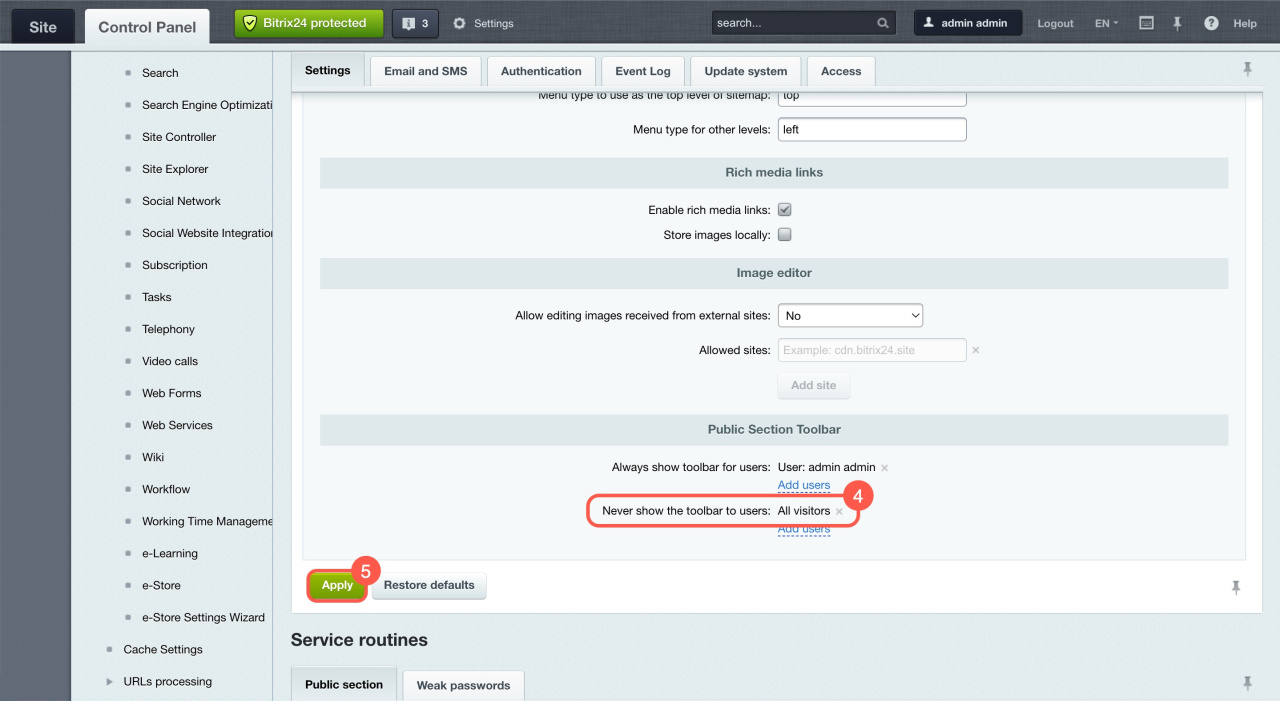
- Select Main module and scroll to the Public Section Toolbar section.
- Remove the All visitors group next to Never show the toolbar to users.
- Click Apply.
The Control Panel will now be visible in the public area for other account users.