
Teams now discuss work directly in chats more often. They coordinate tasks, plan next steps, and capture decisions there.
We redesigned tasks in Bitrix24 to match this workflow. A task is no longer just a form with fields and comments. It is now a single workspace for discussions, actions, and results. Task chat is now the main place for communication and process management. Teams can call each other, share files, and make decisions without losing context or switching tools.
We also redesigned the task form for this new way of working, where communication is the main way work gets done. Here is what changed and how it helps your team move faster.
New task form: everything in one place
The task form is now cleaner and easier to use. Information is grouped into sections such as description, participants, files, checklists, results, and more. This layout helps you quickly understand the task, review important details, and focus on the work.
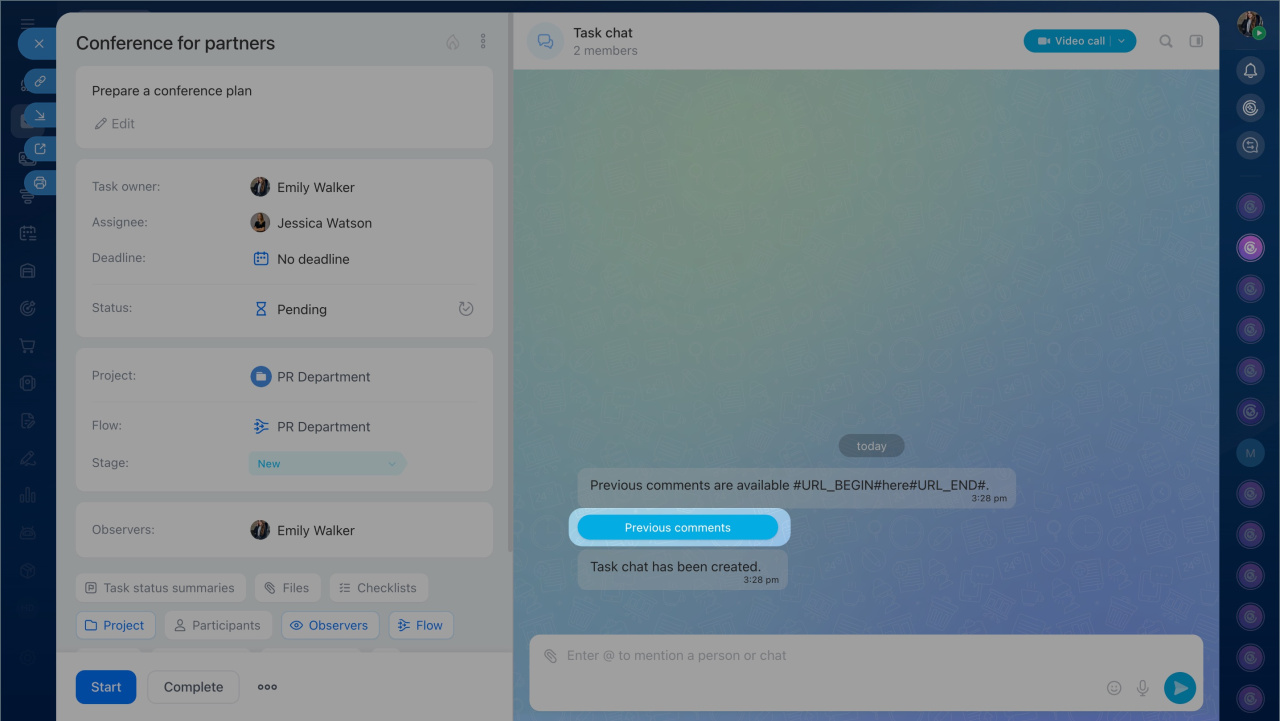
The form now includes a built-in chat that keeps the full discussion context. You can review recent changes, start a call, clarify details, and make decisions without leaving the task.
Chats in tasks
Benefits of the new task form:
- Create tasks faster. Add only the fields you need, such as a description, deadline, assignee, and checklist. Other sections stay hidden, so the form stays compact and easy to use.
- Use the same layout when creating and viewing tasks. The form looks the same in both cases, so you spend less time searching for fields.
- Communicate and make decisions faster. The task chat makes collaboration easier. Your team can discuss issues the same way they do in a messenger. Feedback comes faster, decisions happen sooner, and work keeps moving.
- Work with files together. Each task now has a dedicated area for documents. All participants can attach and view files there. Nothing gets lost, and you can quickly find and open any document right in the task. If you need a quick discussion, send the file to the task chat.
- Keep deadlines under control. By default, new tasks get a deadline five business days from the creation date, so nothing gets missed. The creator can also choose who can change the deadline and under what conditions, such as blocking postponements or requiring a reason.
- Track results and progress. The task now includes a dedicated Results section. You can add the final result and interim milestones during the work. This helps supervisors and teammates track progress and give feedback quickly.
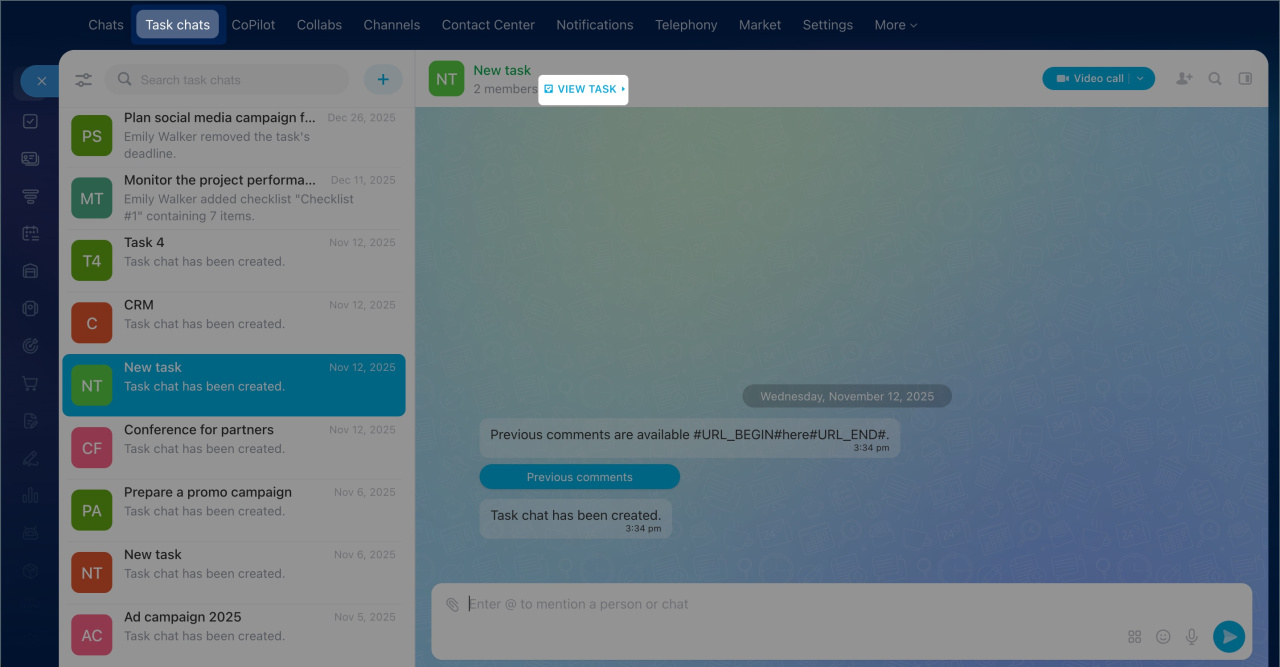
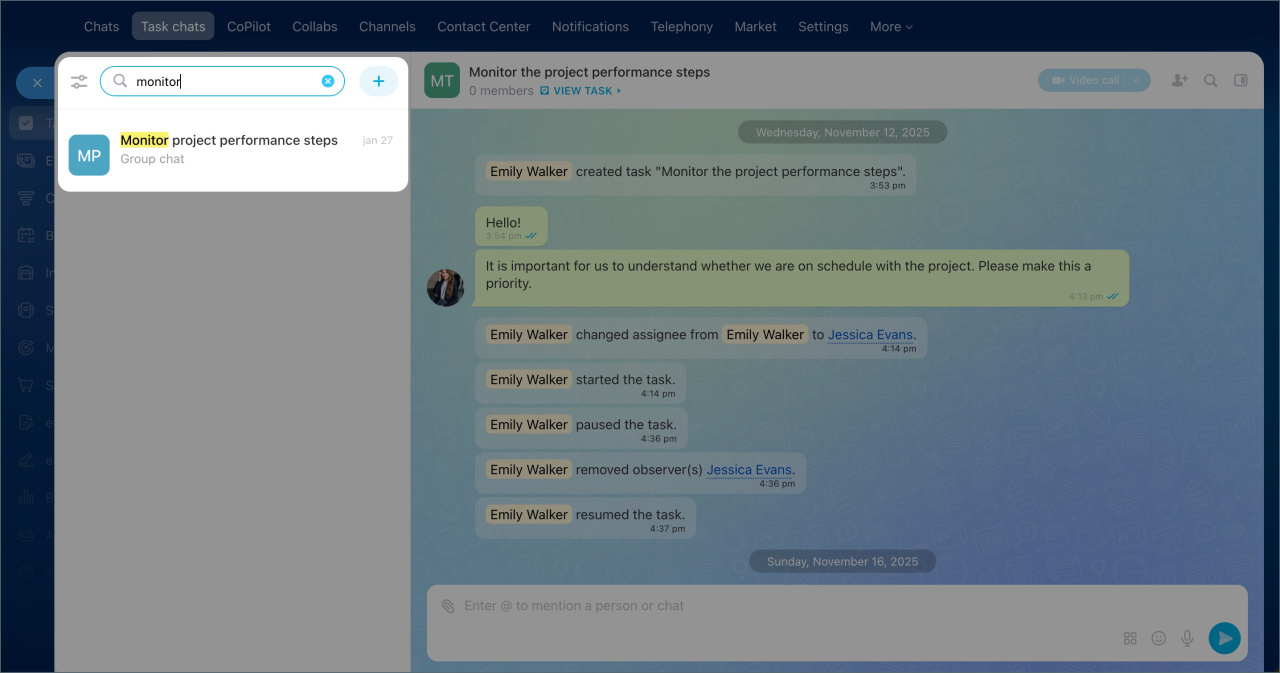
To quickly find the chat for a specific task, use the search bar.
- Click the search bar above the chat list and start typing the task name. As you type, matching results will appear in the task chat list.
- Select the desired chat from the search results.
Chats in tasks
Task chat is now the center of communication. Your team can discuss work, review results, see changes, and keep the full history of interactions in one place. Because the chat works like a familiar messenger, it makes task work faster and easier. Everything happens in one window, so there is no need to switch between tools.
In the task chat, you can:
- Discuss details. Talk with teammates directly inside the task instead of switching to separate chats or tabs. Ask questions, get answers, and agree on decisions in real time.
- Start calls. Launch audio or video calls right from the task chat to discuss issues and make decisions quickly. After the call, CoPilot Follow-Up creates a transcript and a short summary.
CoPilot Follow-Up: AI-powered speech analytics for video calls - Share files. Send documents, images, and other files so teammates get what they need right away.
- Track changes. Every update appears in the chat, including deadline changes and status updates. This makes it easy to see what changed and where the task stands.
- Highlight important information. Pin key messages or add them to Favorites so you can return to them quickly.
- Keep context. The full history of discussions, actions, and calls stays in one place, so your team always has the latest information.
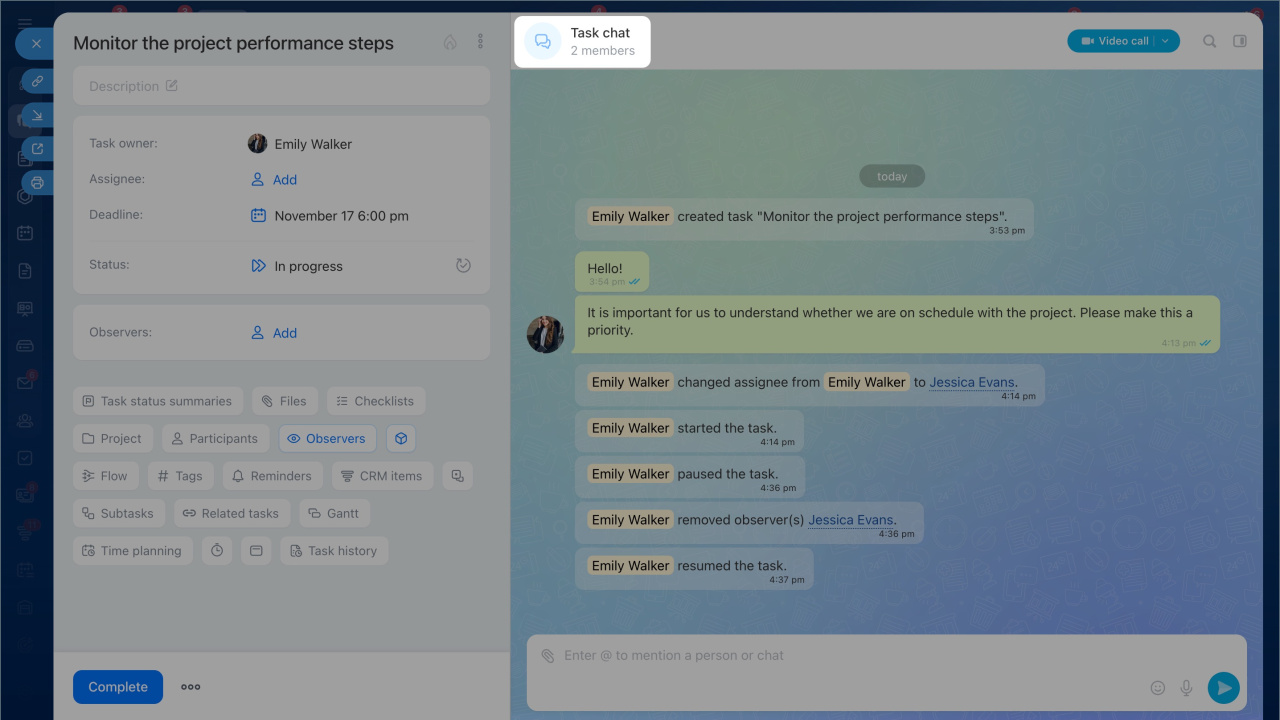
Comments from the previous task form are available in the chat in read-only mode.
All task chats in one list
We added a new Task Chats section. It is more than a list of chats. It is a simple way to communicate and manage tasks directly from Messenger.
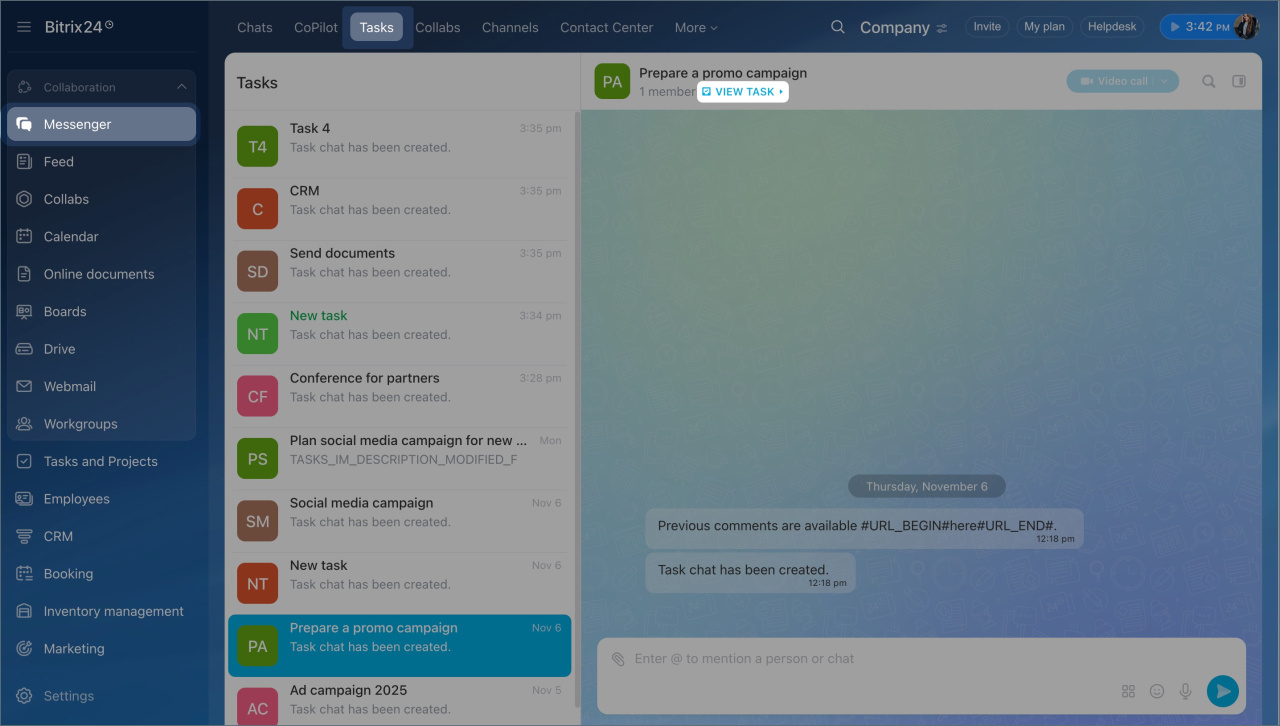
- Work in a familiar messenger layout. The list of task chats with the latest messages appears on the left, and the selected chat opens on the right.
- Reply faster. Discuss tasks directly in chat. New messages appear in the list right away, so you do not need to open every task to check for updates.
- Find the right task quickly. All active tasks you participate in are collected in one list. Chats with new messages move to the top, just like in a messenger, so you can quickly see where your attention is needed.
- Monitor progress. Assignees can track updates, supervisors can follow many discussions at once, and observers can stay informed about changes.
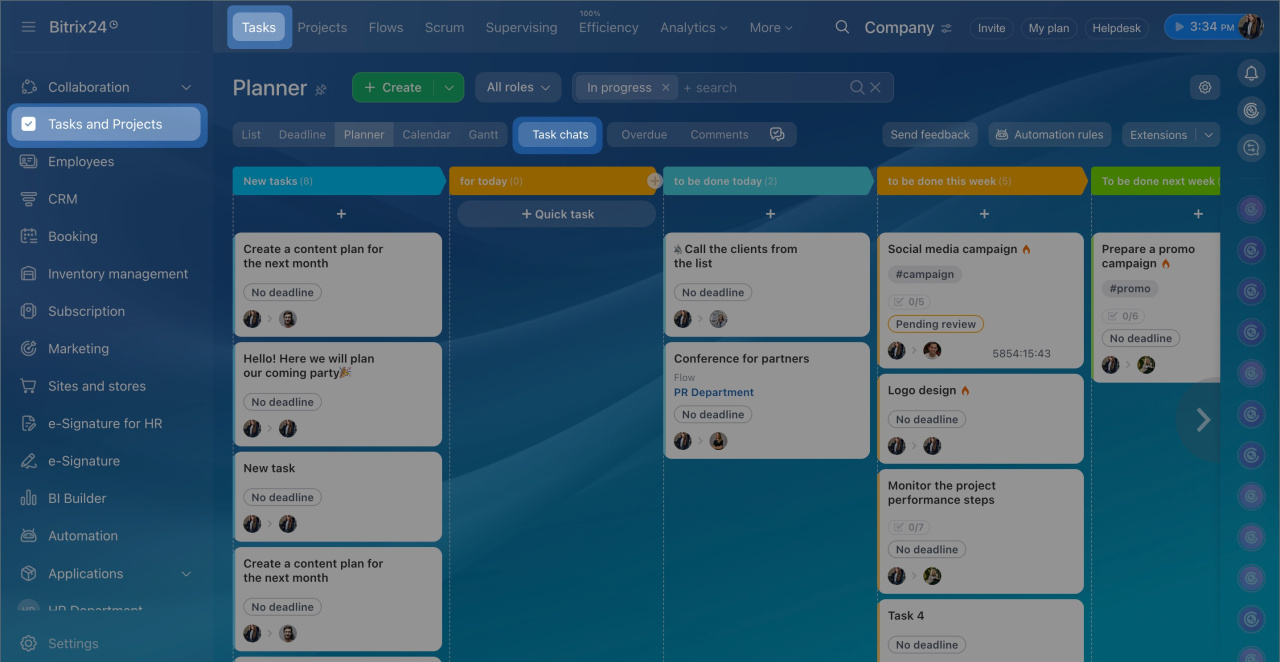
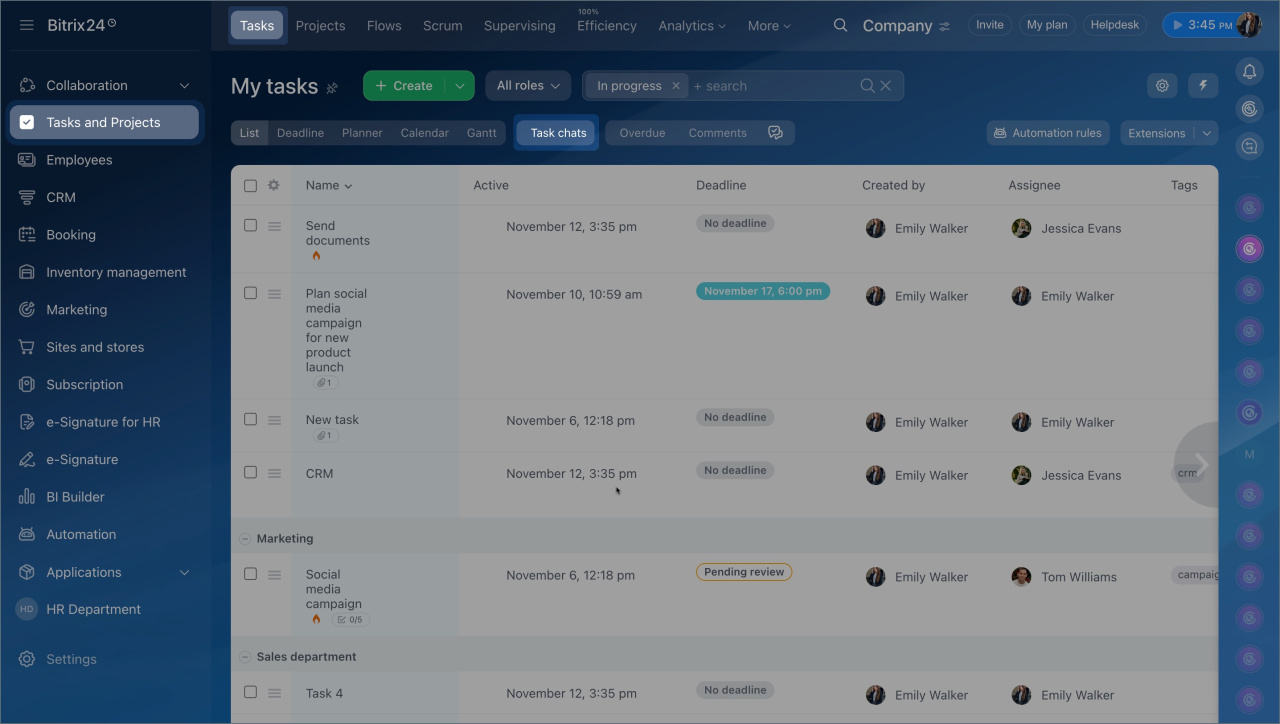
You can open the task chat list in Tasks and Projects > Task Chats and in Messenger > Task Chats. To open the task itself, click the link in the chat header.
 Task chats in the Messenger section
 Chats in the Tasks and Projects section
Counters and notifications: stay on top of changes
The new notification system combines task counters and chat notifications. It helps you track important events such as new messages, deadline changes, completed checklist items, and more.
When something changes in a task:
- A new message appears in the task chat, and you get a notification like in a messenger. A counter also appears in the chat list.
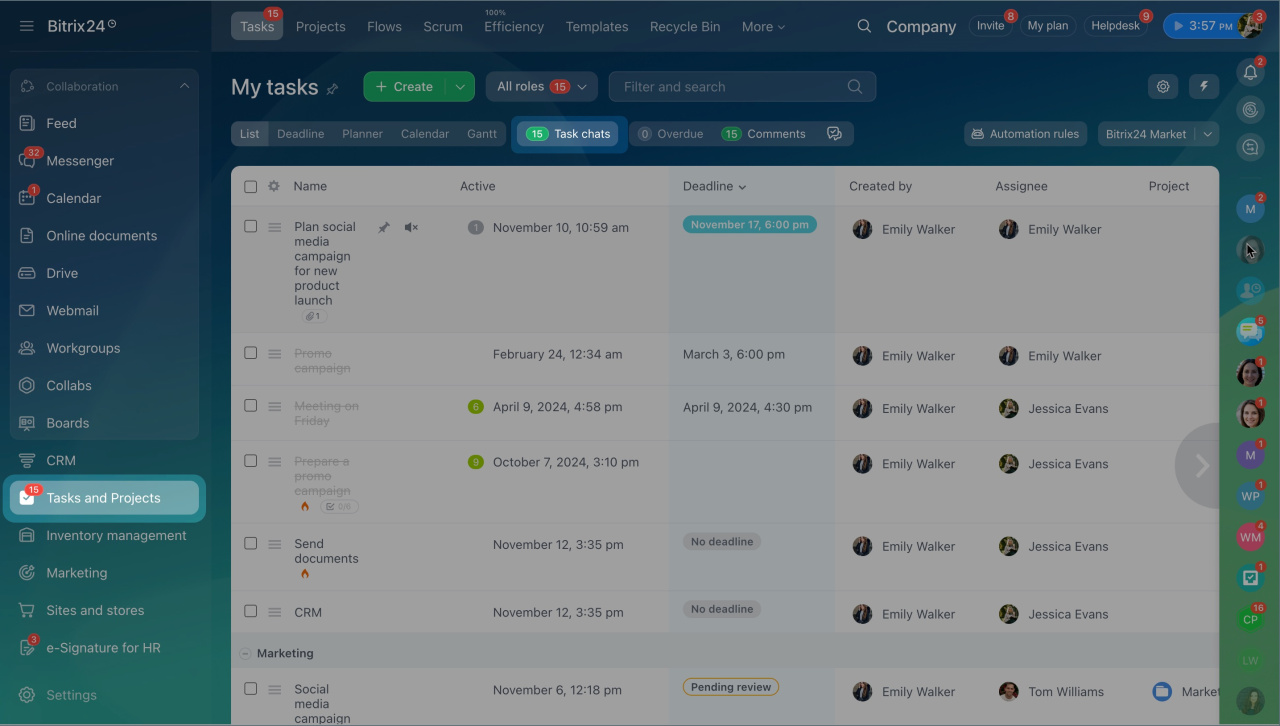
- A counter appears in the Tasks and Projects section to show where there are unread updates.
How to track changes:
- Watch the counters in Tasks and Projects or in Messenger on the Tasks tab. They show the total number of new events and highlight tasks with updates.
- Open the task chat list to review new messages and changes in order.
Each participant receives notifications and counters based on their role:
- Assignees and co-assignees get notifications for all changes in their tasks.
- Creators get notifications for key events, such as task completion, checklist completion, or a result being added.
- Observers get notifications about status changes, such as when a task is created or completed.
If someone is mentioned in the chat, they also get a notification and see a counter.
 Counters in the Tasks and Projects section
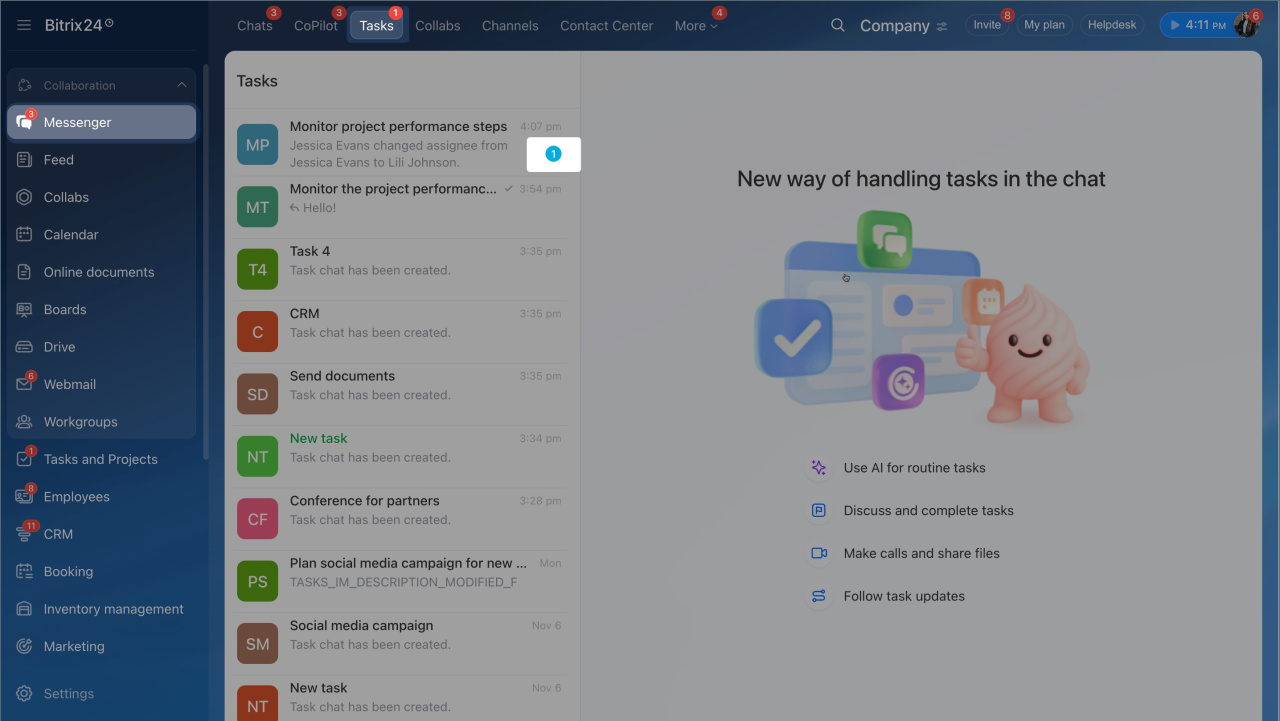 Counters in task chats
The new task experience is more than an update. It is a new way to work. Everything you need to complete a task is now in one place. Task chat is now the center of task management, where your team discusses details, makes decisions, and tracks changes in real time. Work moves faster, and Bitrix24 helps you bring tasks to completion.