
In contact and company forms, there is a Phone field. This field contains the customer's phone number, allowing employees to make calls quickly. The country code is automatically added to this field, so there is no need to enter it manually.
By default, the country code is determined based on your Bitrix24 domain zone. The country code can be changed or disabled.
Administrators can configure the default country code:
- Bitrix24 and CRM administrators can set it for all employees in the General form layout and layouts created for specific employees or departments.
- Employees can configure it only for themselves in their Personal form layout.
CRM item form layout
To configure the default country code:
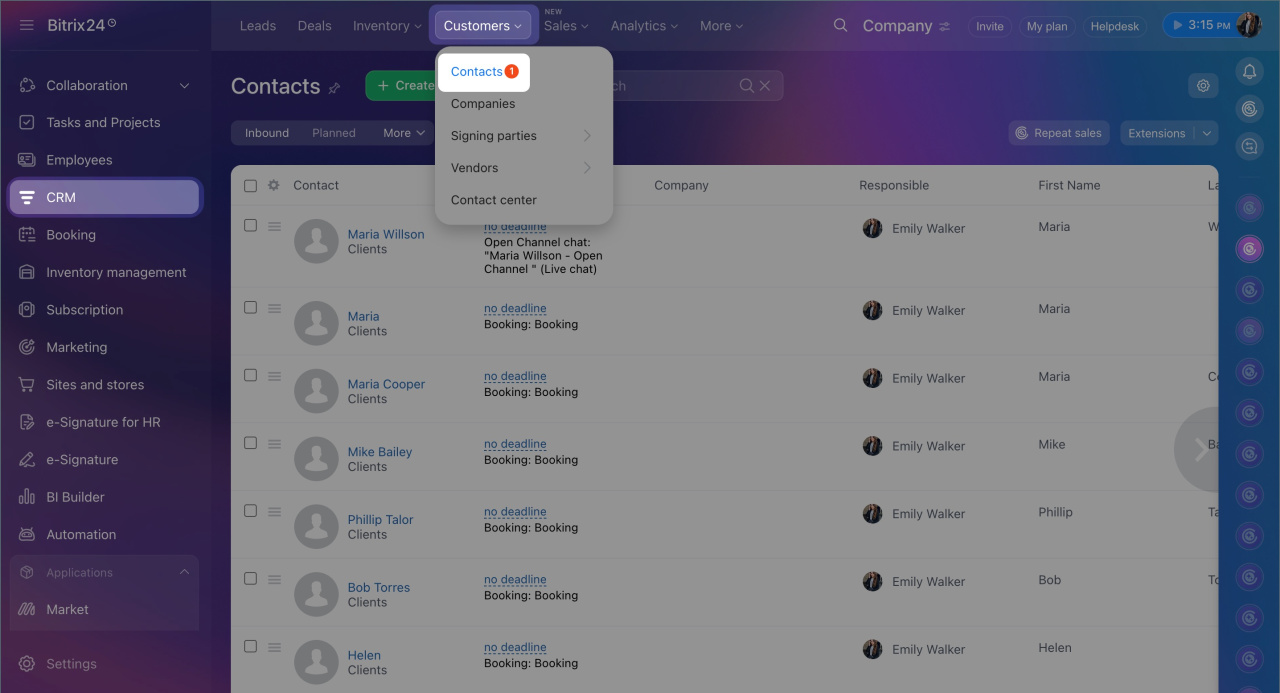
1. Go to CRM > Customers > Contacts or Companies and open the required form.
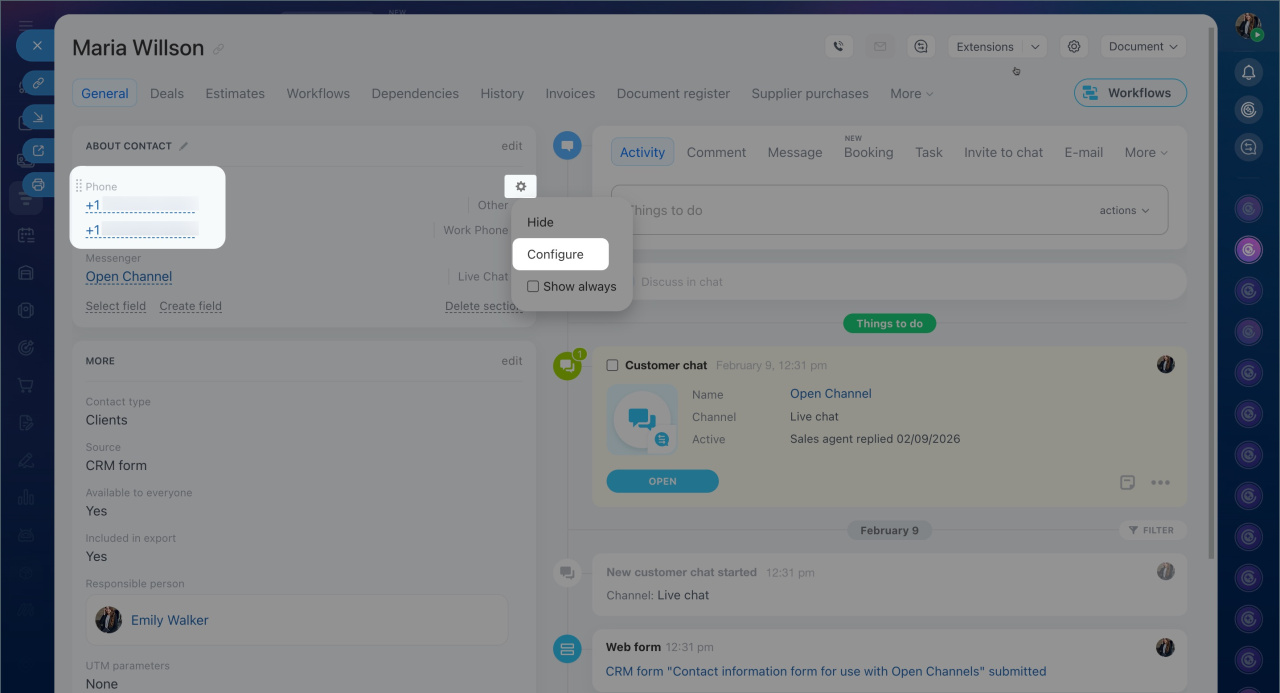
2. Click Settings (⚙️) next to the Phone field and select Configure.
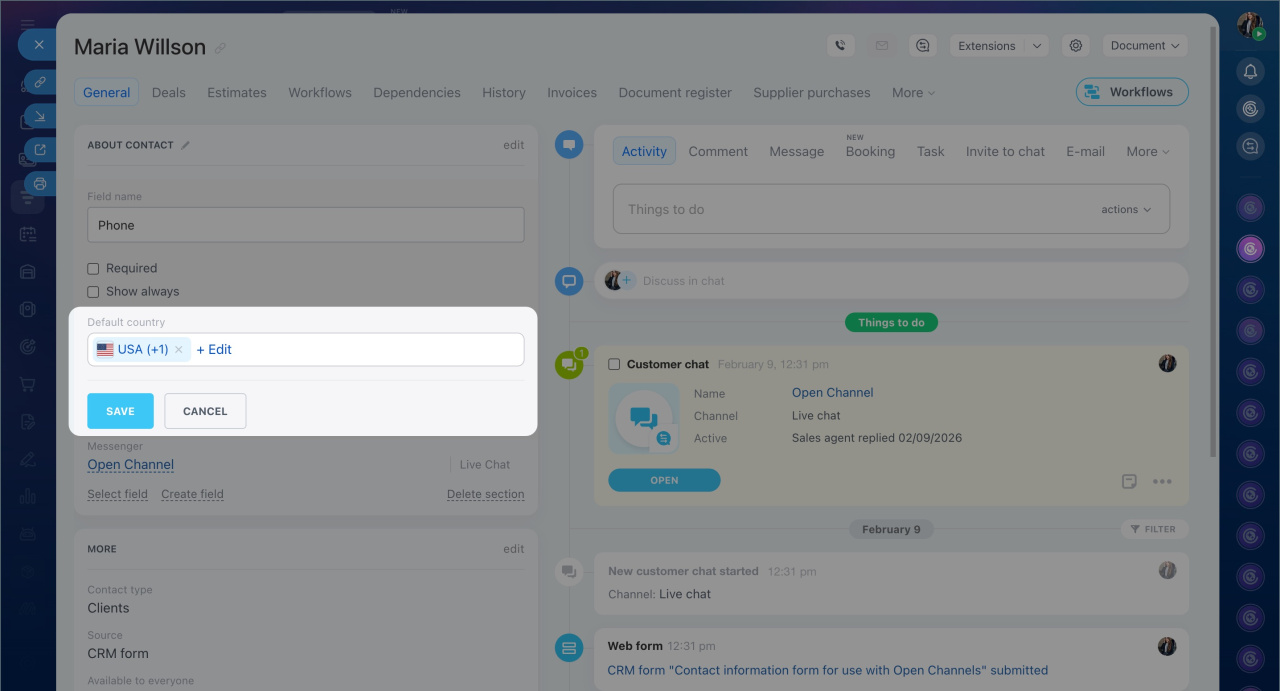
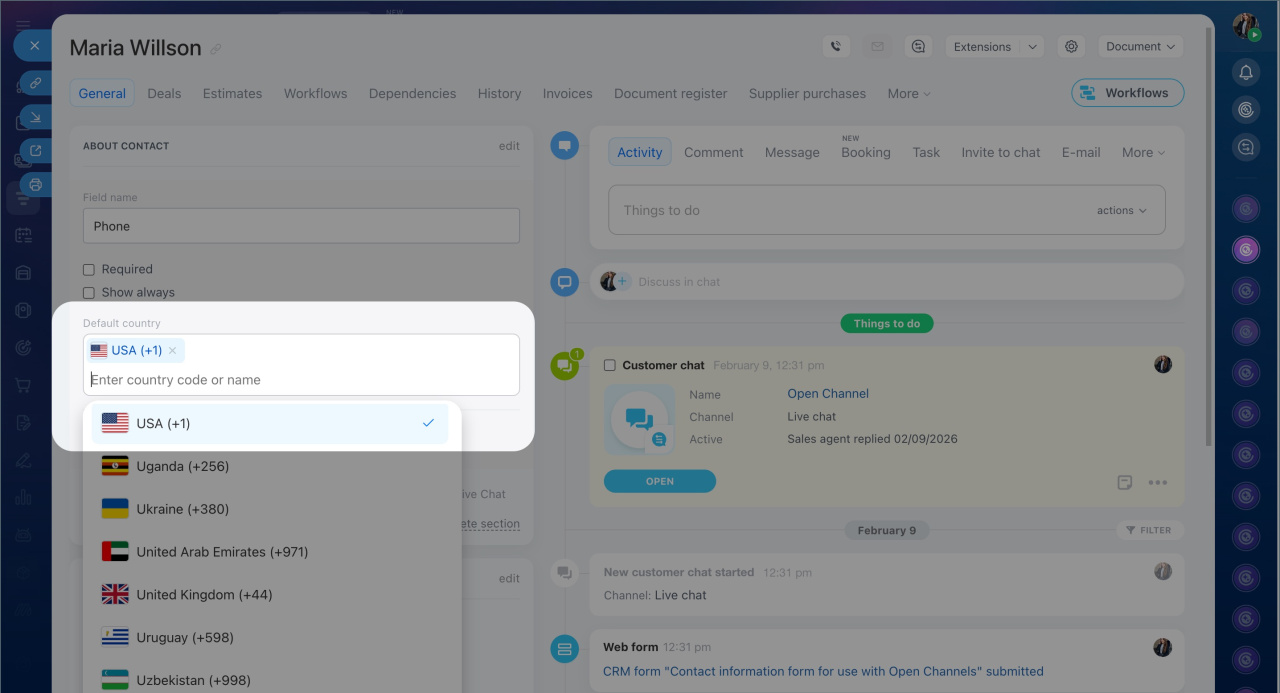
3. Find the Default country parameter and click Edit.
4. Configure the default country code:
- Select a country from the list. Its code will be automatically added to the field. This is convenient if the company operates in a single country.
- Select No default country. Instead of a flag, a globe icon will appear in the field, and the country code will need to be entered manually. This is useful when working with clients from different countries.
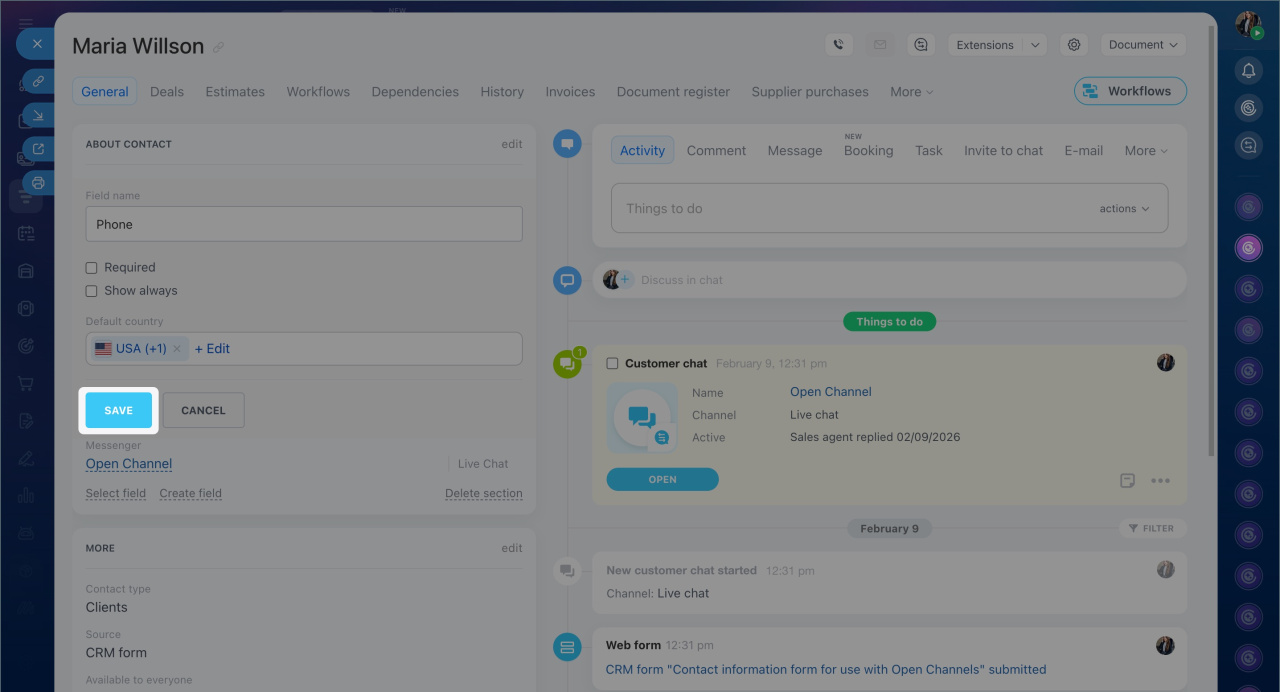
5. Save the changes.
If you rarely work with international clients, you can keep the default country code and select a specific code in the form of an individual client. Click the flag in the Phone field and select the required country code from the list. The selected code will only appear in this client's form.
In brief
- The Phone field in contact and company forms automatically includes a country code, determined by your Bitrix24 domain zone by default.
- You can change or disable the default country code.
- Go to CRM > Customers > Contacts or Companies and open the required form. Click Settings (⚙️) next to the Phone field and select Configure. In the Default country parameter, choose a country or select No default country. Save the changes.
- If you rarely work with international clients, you can keep the default country and select a code directly in the Phone field of a specific form by clicking the flag.
