
A waiting list helps you avoid losing clients when all available time slots are booked. If someone cancels, an employee can quickly offer the open slot to a client who joined the waiting list earlier.
A waiting list helps your business:
Retain clients. If no suitable time slots are available, a client may choose another salon or service provider. Add the client to the waiting list and save their contact information and preferences. When a suitable time opens up, you can contact them right away. For example, a client wants an appointment with a stylist on Friday, but all slots are booked. The employee adds the client to the waiting list. On Thursday, another client cancels, and the employee offers the newly available slot. The client accepts, so you keep the booking. Their information also remains in your CRM, so you can contact them with another offer later.
Keep resources busy. A last-minute cancellation can leave a specialist or piece of equipment idle. With a waiting list, you can quickly offer the open slot to another client. For example, if a client cancels a repair appointment, an employee can find someone on the waiting list with a similar request and offer them the available time. This helps keep the technician's schedule full and avoids lost revenue.
In this article:
Scenarios for using the waiting list
A waiting list is useful when demand exceeds your available capacity or when clients often cancel bookings. Instead of turning clients away, offer to add them to the waiting list. As soon as a time slot opens up, contact a client on the list. This works especially well during periods of high demand or frequent cancellations.
- Seasonal demand. When all time slots are booked, an administrator can offer to add the client to the waiting list. If someone cancels, the employee contacts the next client on the list and quickly fills the open slot.
- Frequent cancellations. At beauty salons, clients may cancel just a few hours before an appointment. To avoid downtime, an administrator can contact someone on the waiting list and offer the newly available time.
For example, a tire shop schedules appointments for tire changes. All morning and evening slots are booked for the next two weeks. Clients who can't find a convenient time are added to the waiting list. If someone cancels, the employee immediately offers the open slot to clients on the list. This helps the shop avoid downtime and lost revenue.
Use the waiting list in Booking
Working with the waiting list involves four steps: adding a client, tracking open time slots, booking an available slot for a client, and removing outdated entries.
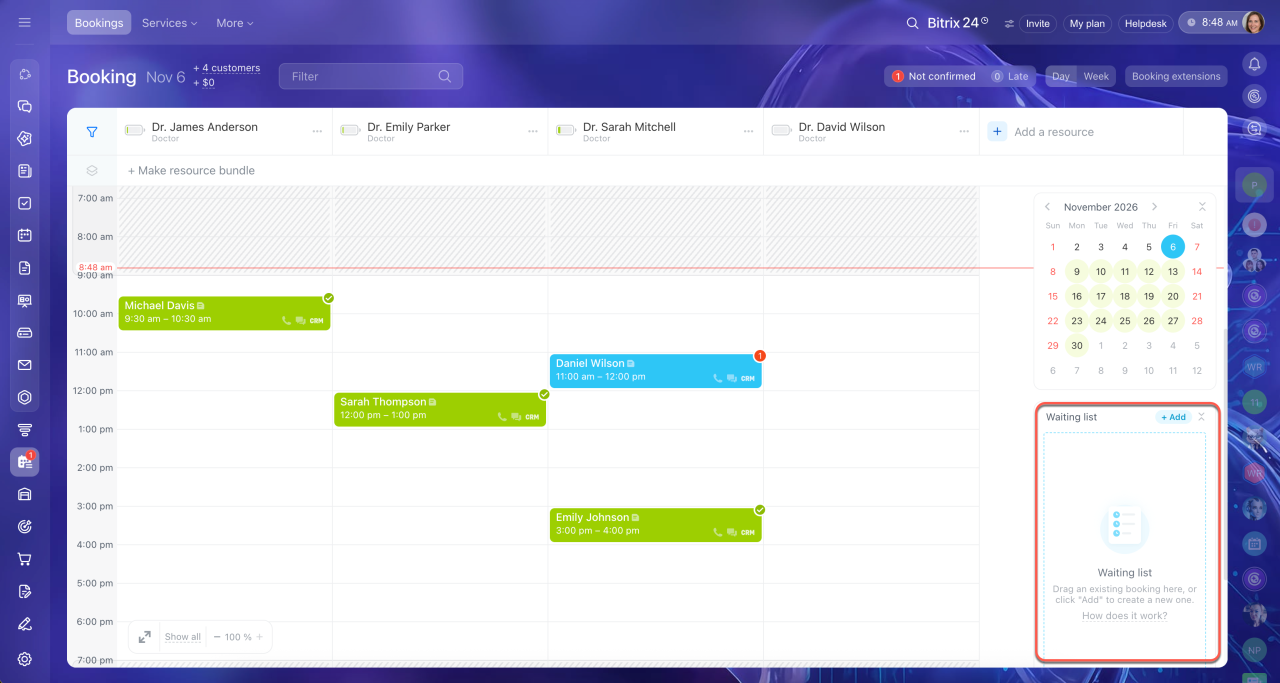
1. Add a client to the waiting list. In the Waiting list block, click + Add. Select a client from your CRM or create a new one, then specify the service and preferred date and time. Add a comment if needed, for example, if the client prefers a specific specialist. The client stays on the waiting list until a suitable time slot opens up.
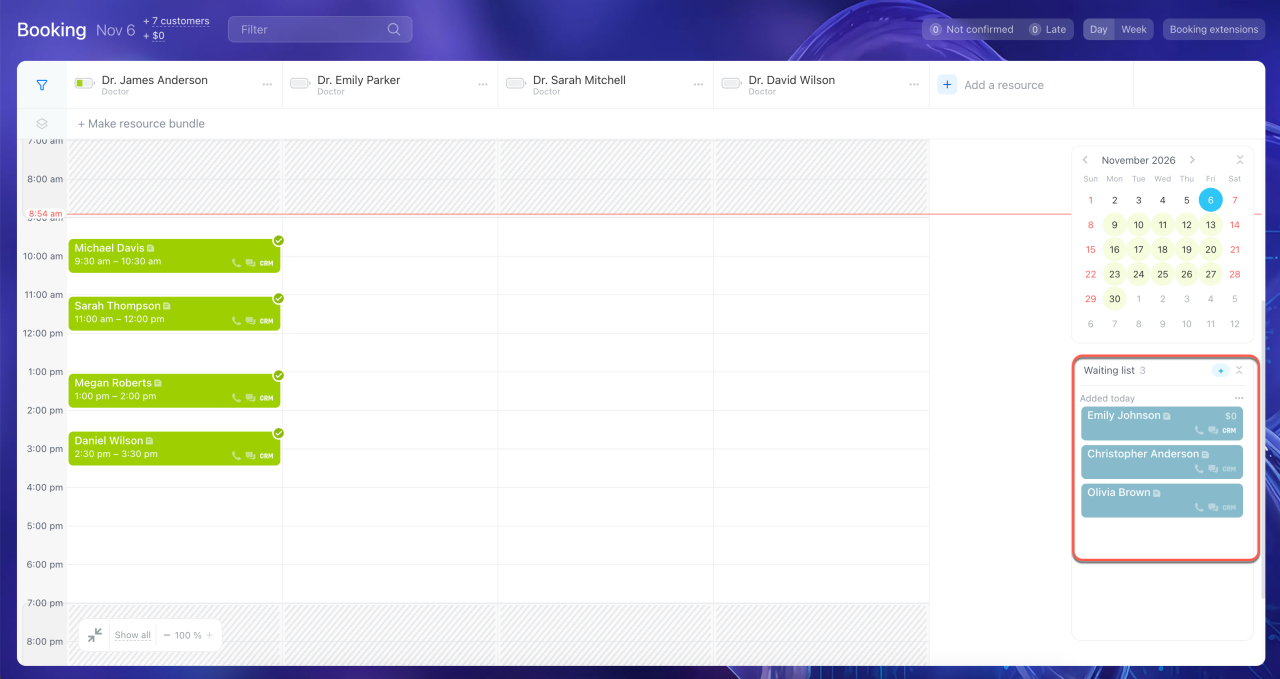
2. Check the waiting list. Review the waiting list regularly. Check it each morning and periodically throughout the day to see which clients are waiting for a booking. By default, the most recently added entries appear first, so review the entire list, especially clients who have been waiting the longest.
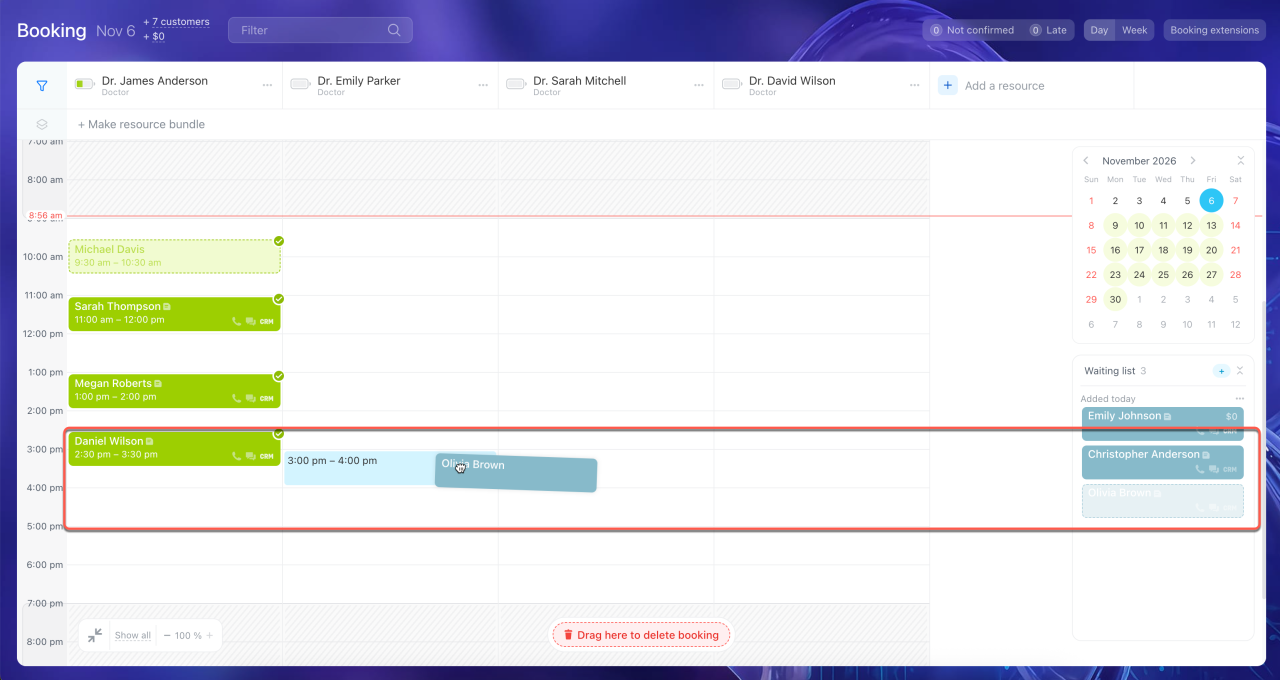
3. Schedule a client from the waiting list. When a time slot becomes available, drag the entry from the waiting list to the schedule. Bitrix24 schedules the appointment for that time and sends the client a notification.
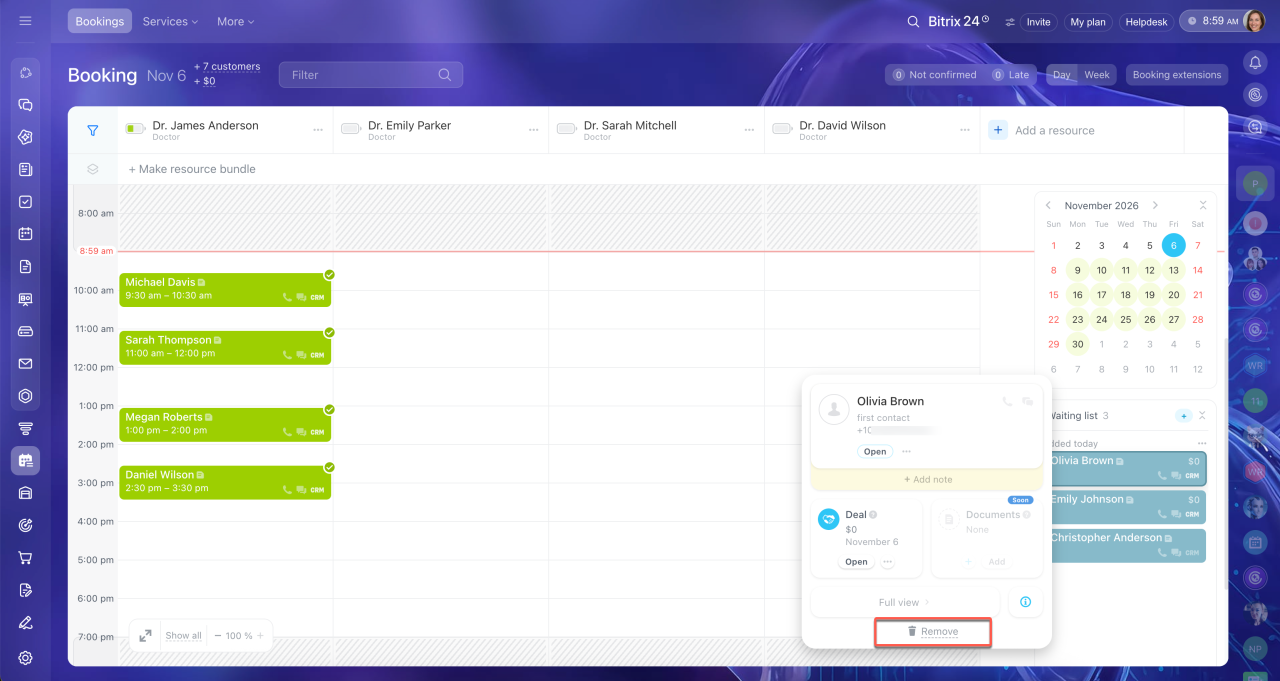
4. Delete outdated entries. If a client no longer needs the service, remove them from the waiting list. This helps keep the list up to date.
Bitrix24 Booking: put a client on the waiting list
In brief
- The waiting list in Bitrix24 helps you avoid losing clients when all time slots are booked. Instead of turning clients away, offer to add them to the waiting list. When a time slot becomes available, contact them.
- The waiting list is useful during periods of high seasonal demand or frequent cancellations. It helps you fill available time slots and prevent lost sales.
- Employees can add clients to the waiting list, monitor it, move entries to the schedule, and remove outdated requests.