
Marketing is a tool for managing your customer base. Use it to create campaigns and build audiences for ad platforms.
Marketing helps you:
- Attract new customers by running ads
- Increase repeat sales by reminding customers about your products and offering discounts
- Build loyalty by sending birthday messages and sharing bonuses or promotions
Bitrix24 plans and pricing
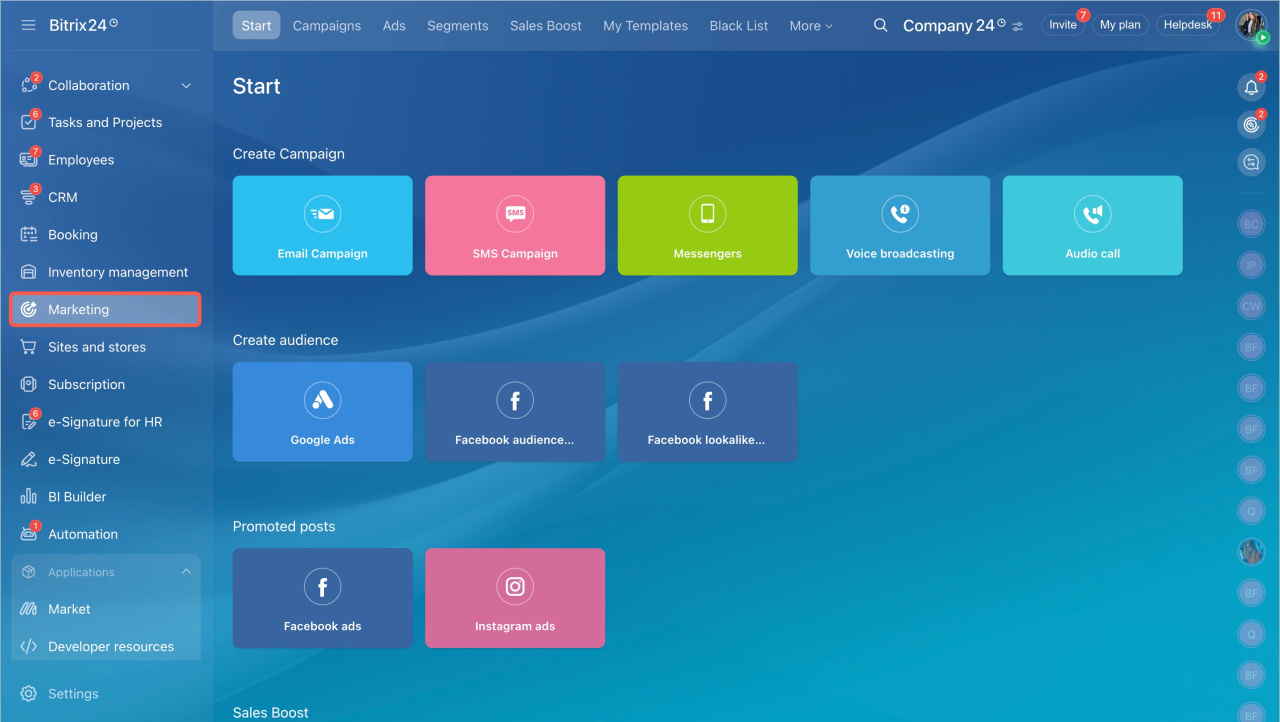
Configure the section
Before you start working in the Marketing section, configure it. Go to Settings.
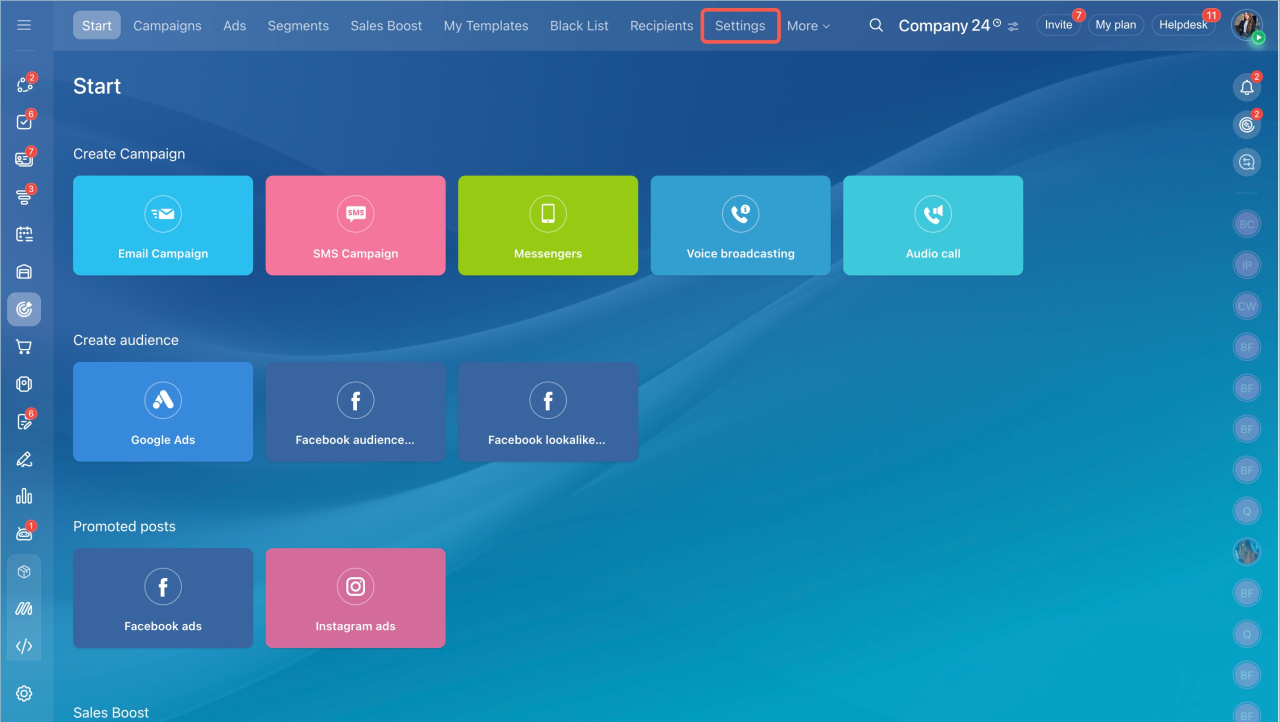
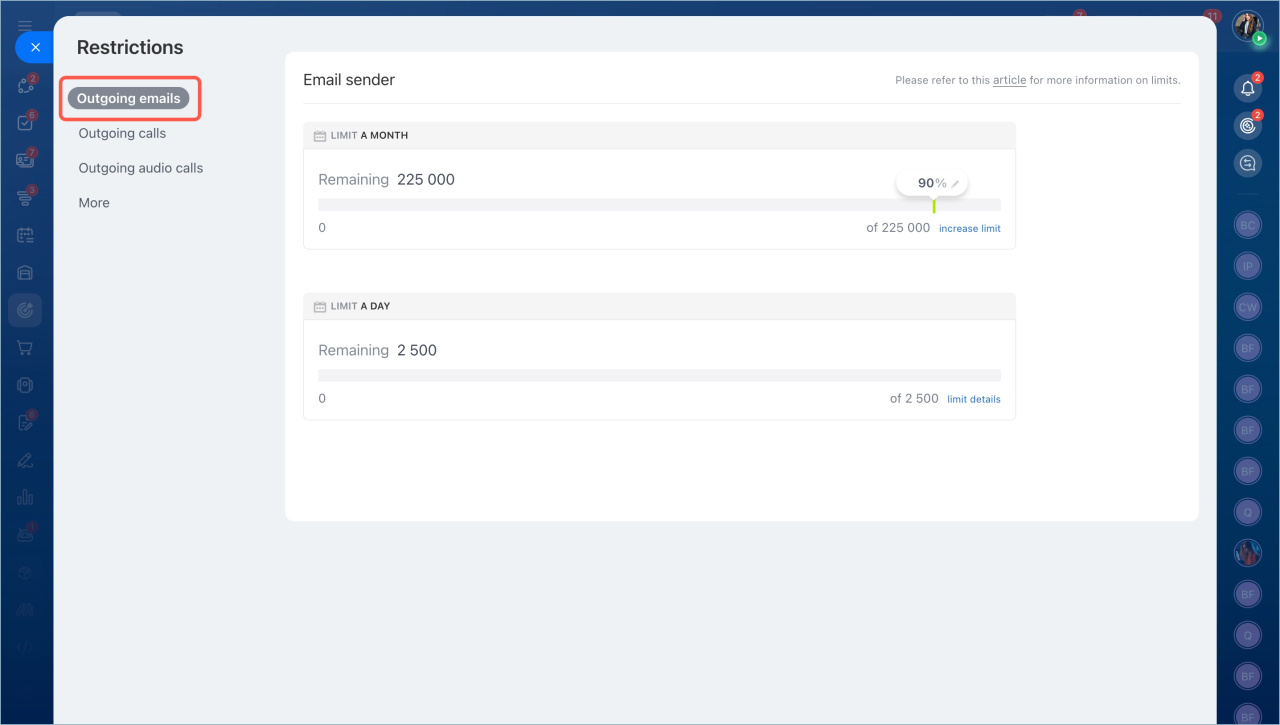
Outgoing email limits. Set monthly and daily limits. These limits apply to all Bitrix24 tools that send emails.
- Monthly limit. Define what percentage of the total emails can be used for campaigns.
- Daily limit. By default, you can send up to 1,000 emails per day. If recipients do not mark your emails as spam, the limit may increase. Otherwise, it may decrease.
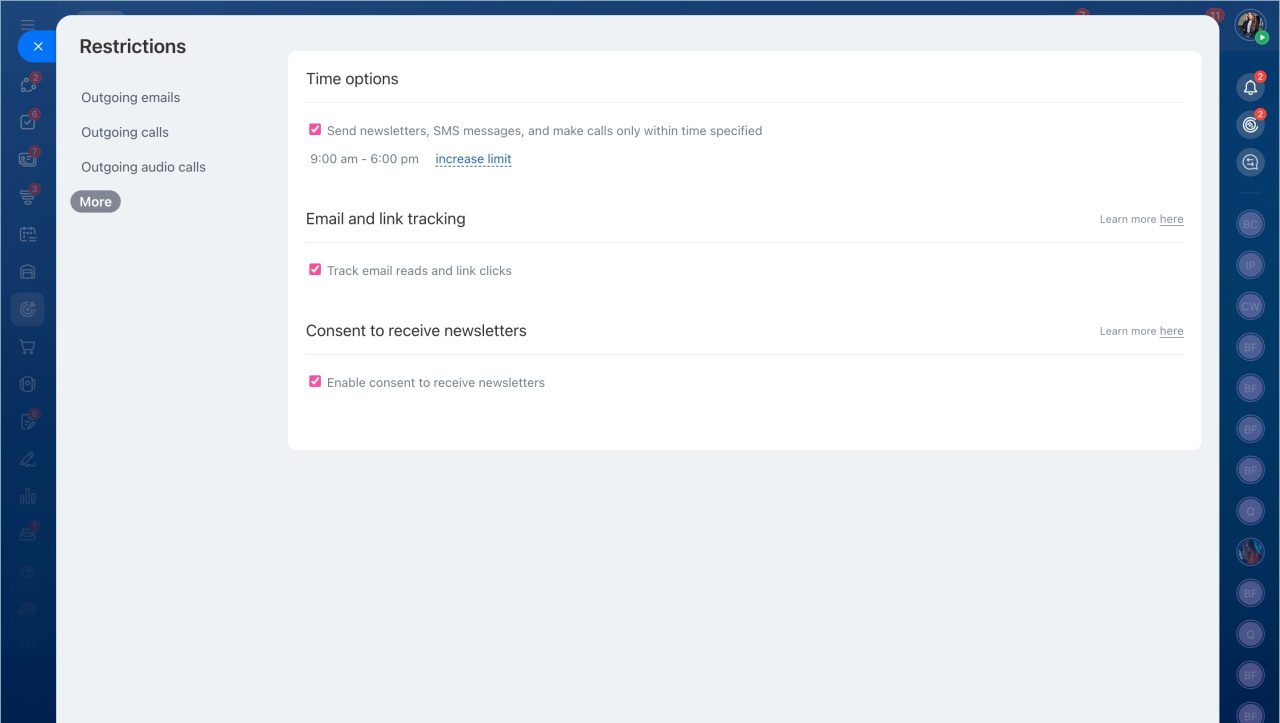
Campaign parameters. Set a sending time limit, enable email read tracking, and configure consent to receive campaigns.
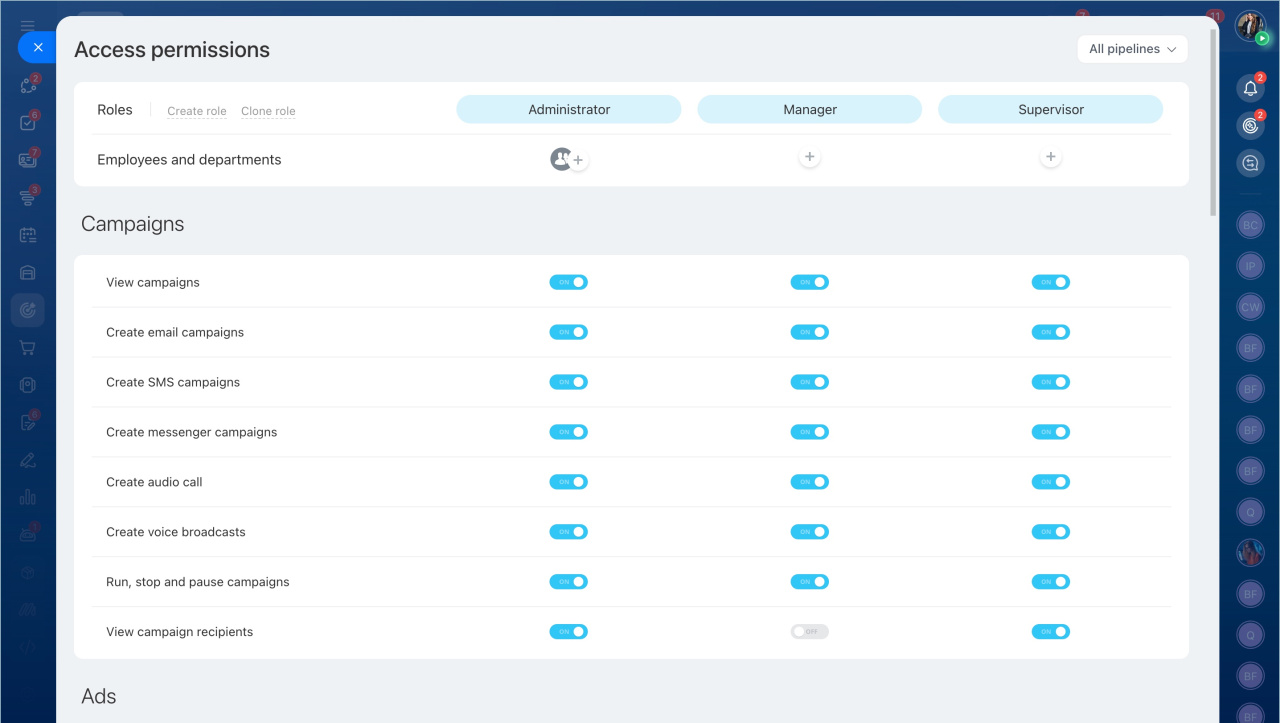
Access permissions. Grant access to the required employees.
How to set access permissions for Marketing
Phone number verification. To send campaigns, link and verify a phone number in Bitrix24 before creating your first campaign. This helps prevent spam and protects your account.
Bitrix24 account verification for using email campaigns and CRM forms
Create a campaign
In Bitrix24 Marketing, you can send different types of campaigns to inform customers about promotions, new products, and more.
Email campaigns. Send emails to a group of recipients.
Messenger campaigns. Send messages through messengers and social networks like Telegram and WhatsApp. You can only send campaigns to customers who have already contacted you through these channels.
SMS campaigns. Send text messages to a group of customers. Use them to share promotions, new products, or event reminders.
Create and send an SMS campaign
Informational and voice broadcasting. Informational calls are automated calls. Enter the text, and Bitrix24 converts it into a voice message and calls your contacts.
Voice broadcasting lets you make calls using a pre-recorded message.
Make voice broadcasting and audio calls from Bitrix24
Set up advertising audiences
Use advertising audiences to create personalized offers in Google Ads and Facebook.
Advertising audiences
Lookalike Audiences
Launch Sales Boost
Sales Boost automatically creates repeat leads and deals. Use it to work with your existing customers and drive repeat sales.
In brief:
- Marketing helps you manage your customer base. You can create campaigns and build audiences for ad platforms.
- Before you start, configure the section: set email limits, campaign parameters, access permissions, and verify a phone number.
- You can send email, SMS, and messenger campaigns, as well as make informational and voice calls.
- Use advertising audiences to create personalized offers in Google Ads and Facebook.
- Sales Boost creates repeat leads and deals automatically to increase repeat sales.