Use invoice reports to track paid and pending invoices, monitor debts, and analyze payments.
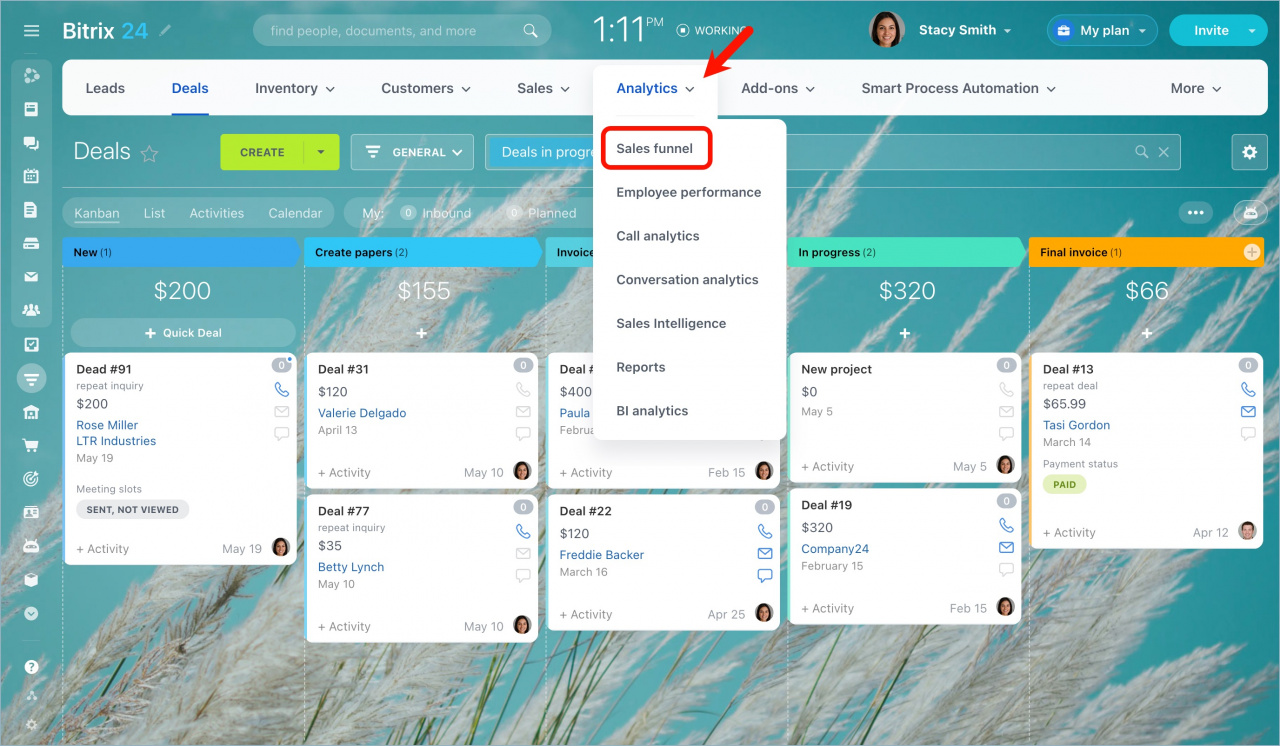
Go to CRM > Analytics > Sales funnel.
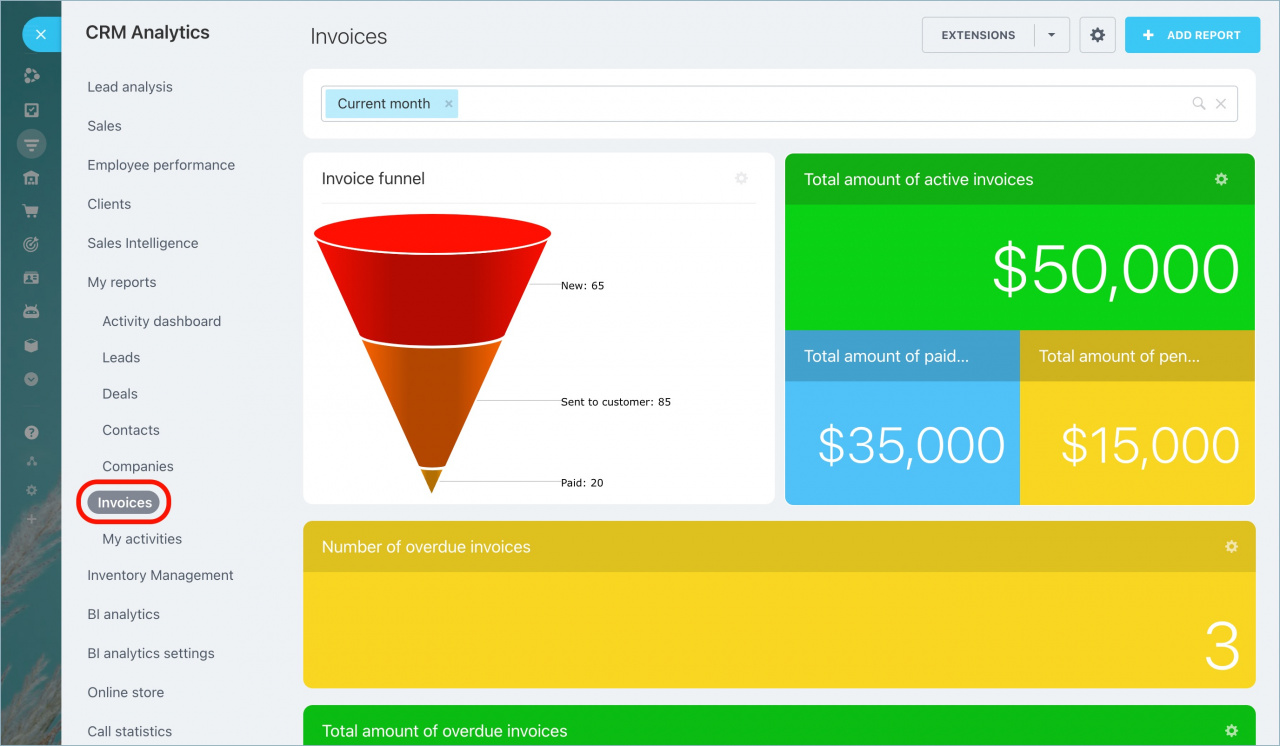
Expand the My reports section and select Invoices.
Use filters to change the reporting period. To create a new report, click Add report.
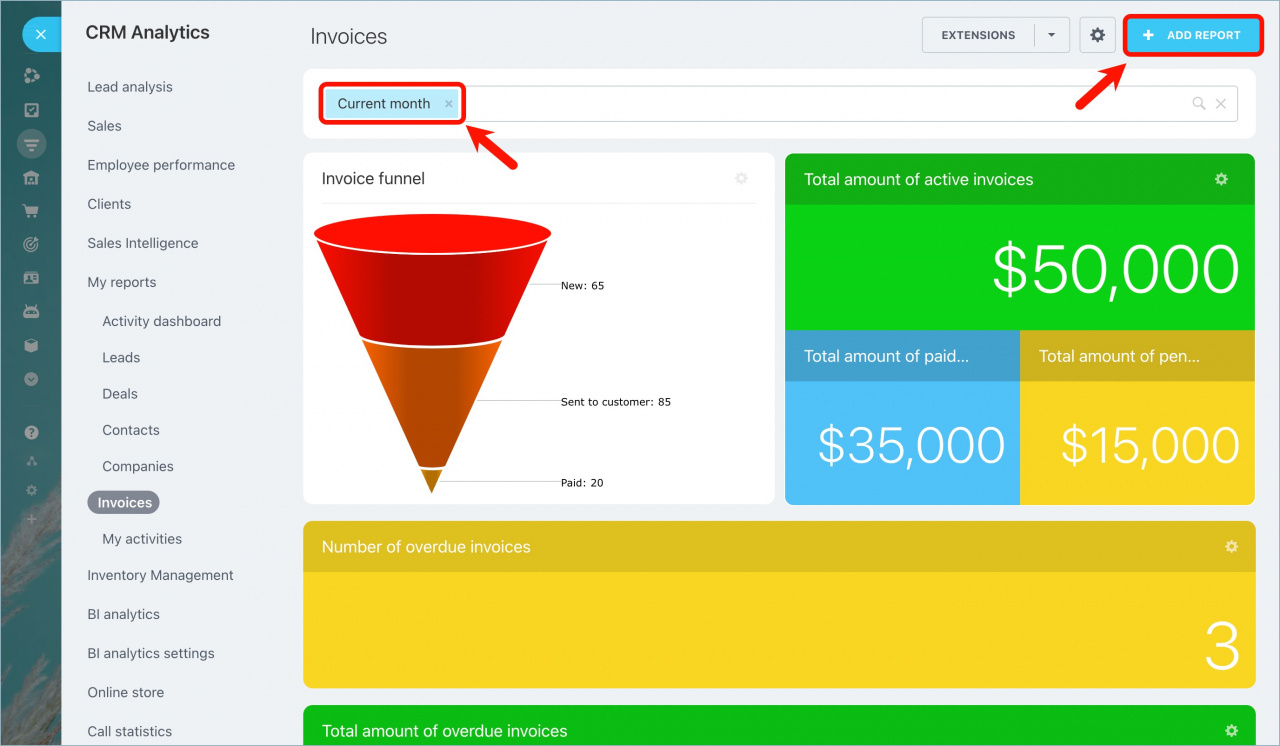
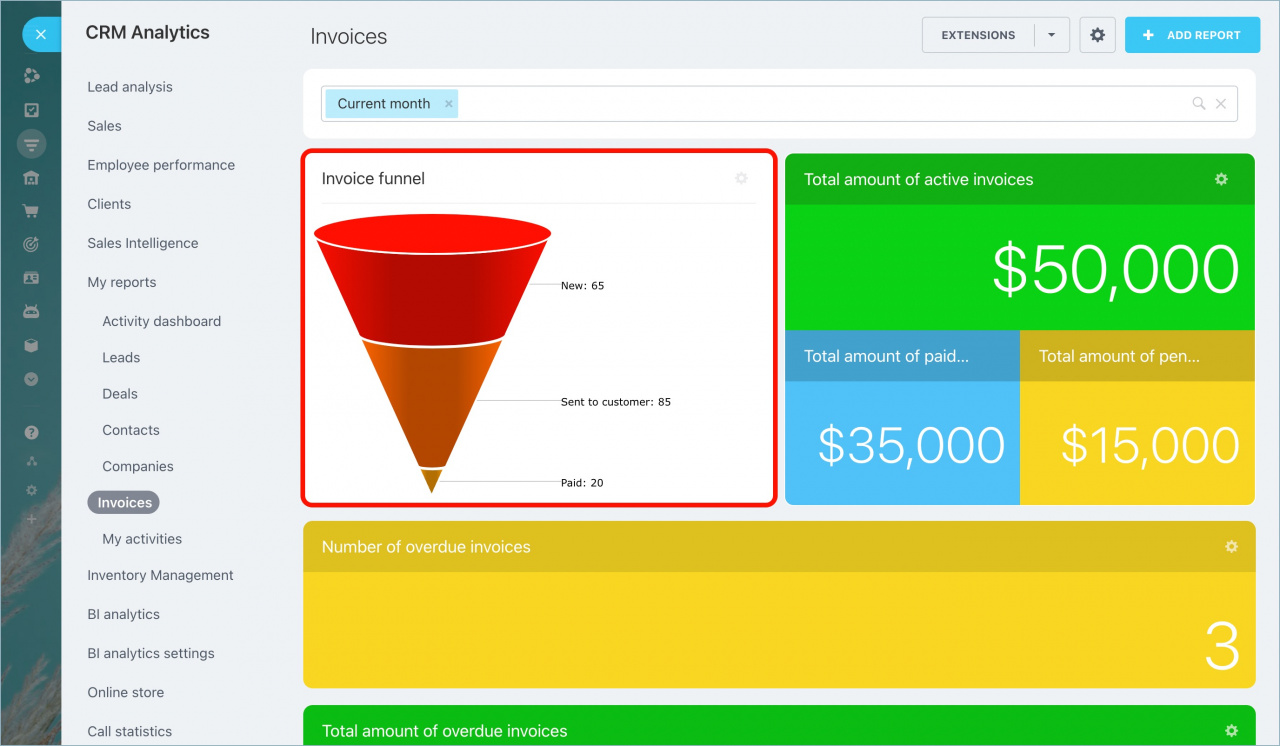
The Invoice funnel widget shows how invoices are distributed by status during the selected reporting period.
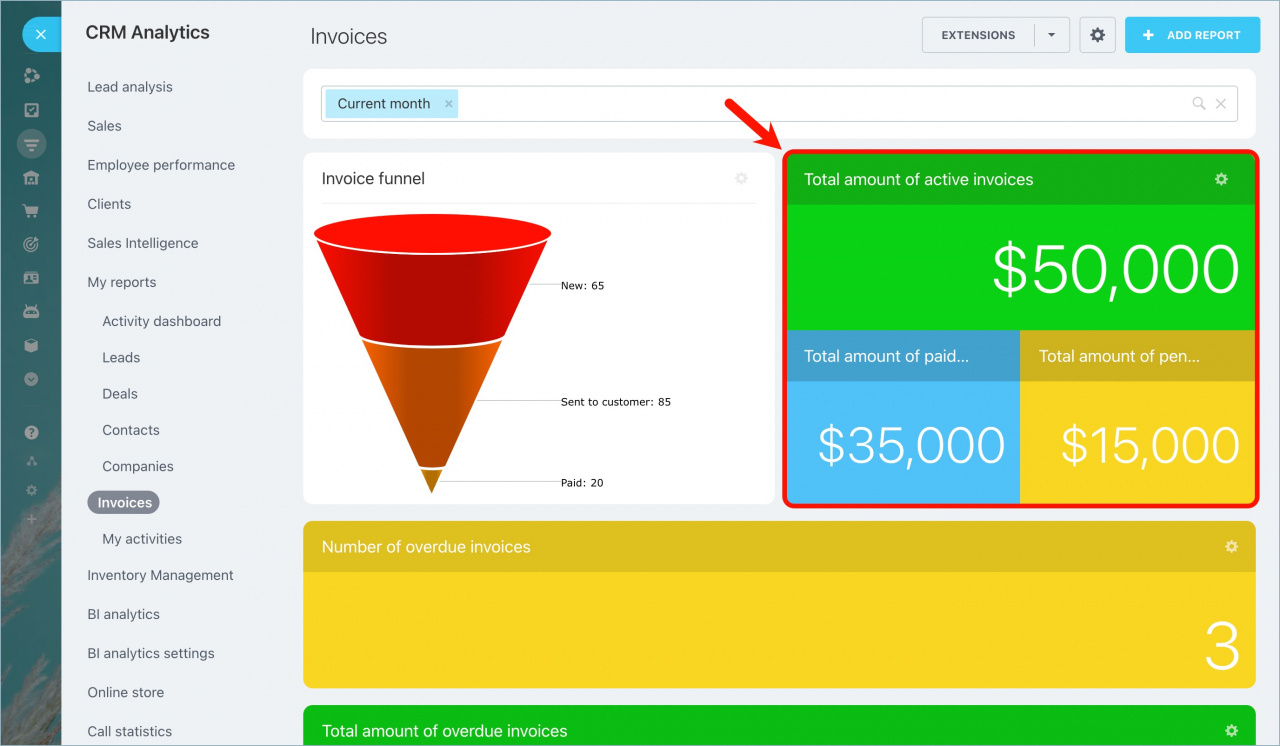
The Total amount of invoices widget includes:
-
Active invoices: Invoices your sales team worked on during the reporting period.
-
Paid invoices: Invoices paid during the reporting period.
-
Pending invoices: The difference between active invoices and paid invoices.
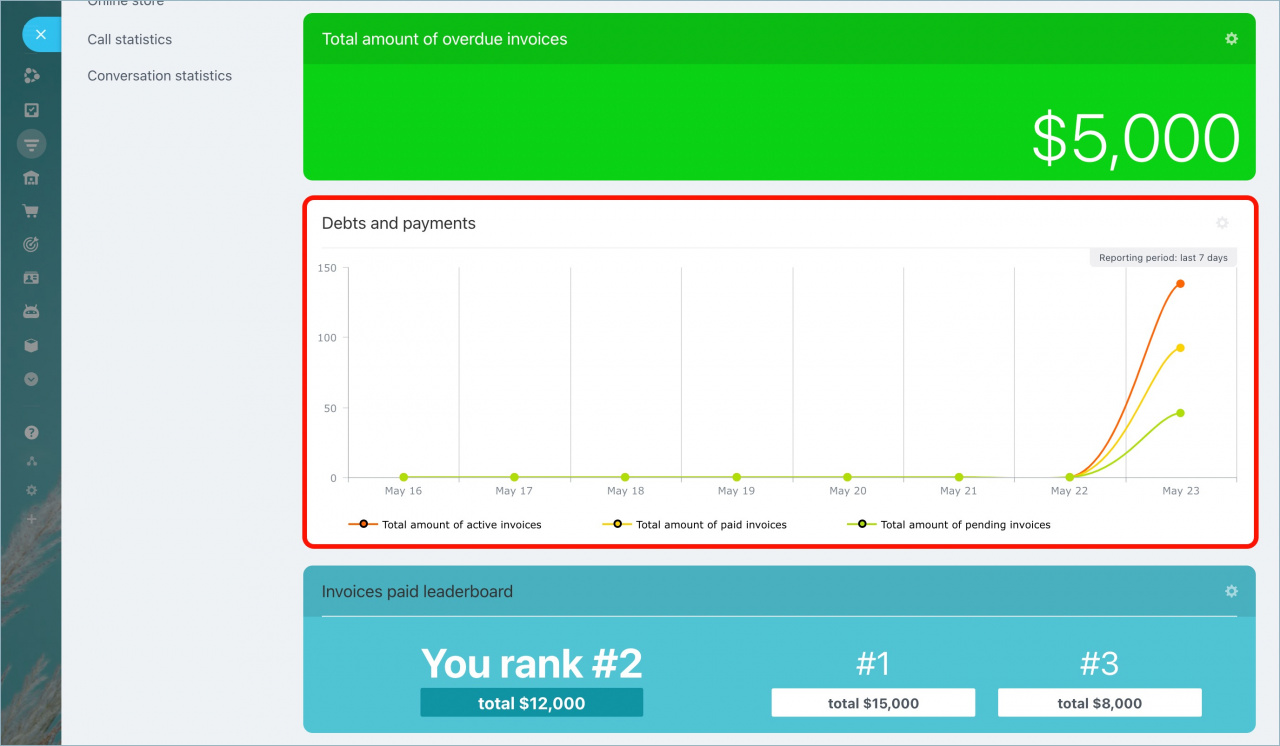
The Debts and payments chart shows how invoice statuses changed during the selected reporting period.
Use this report to track payment and debt trends over time.
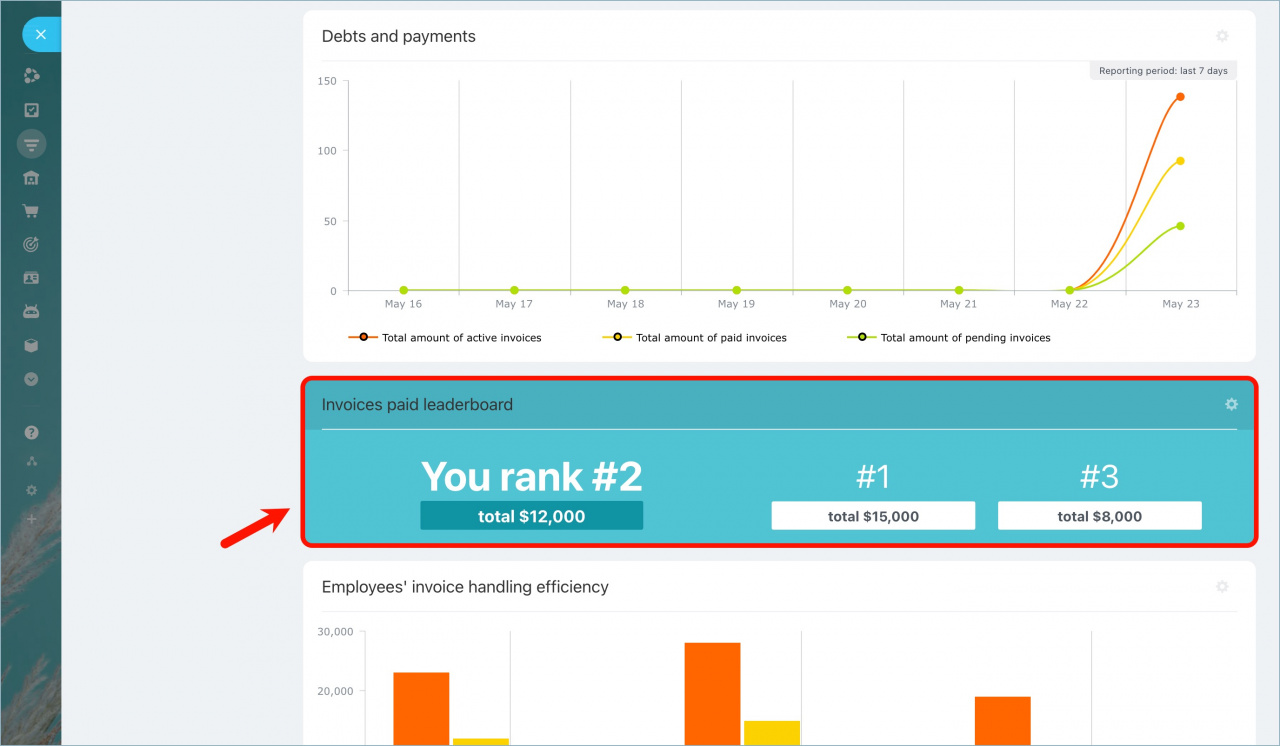
The Invoices paid leaderboard shows:
- Your ranking
- Total amount of paid invoices during the reporting period
- Two employees closest to your position in the ranking
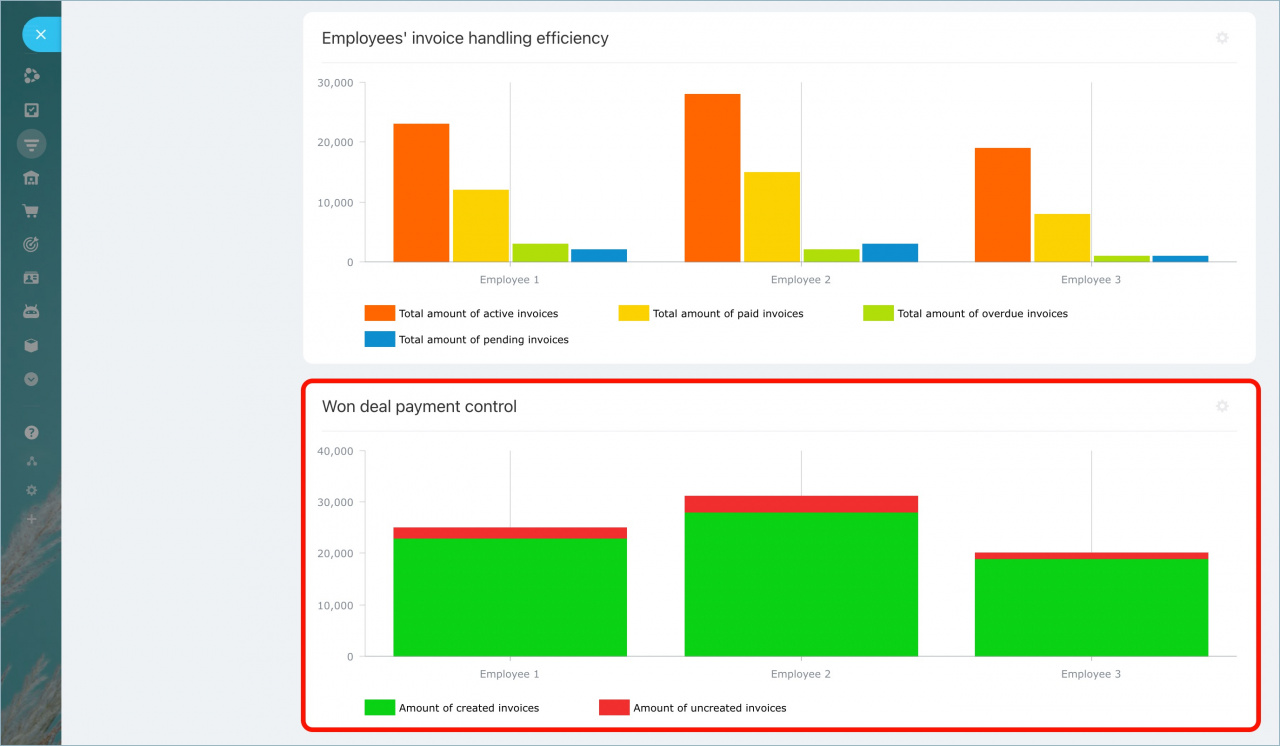
The Employees' invoice handling efficiency report displays the same data as the Debts and payments report, but grouped by employee.
Use this report to compare employee performance.
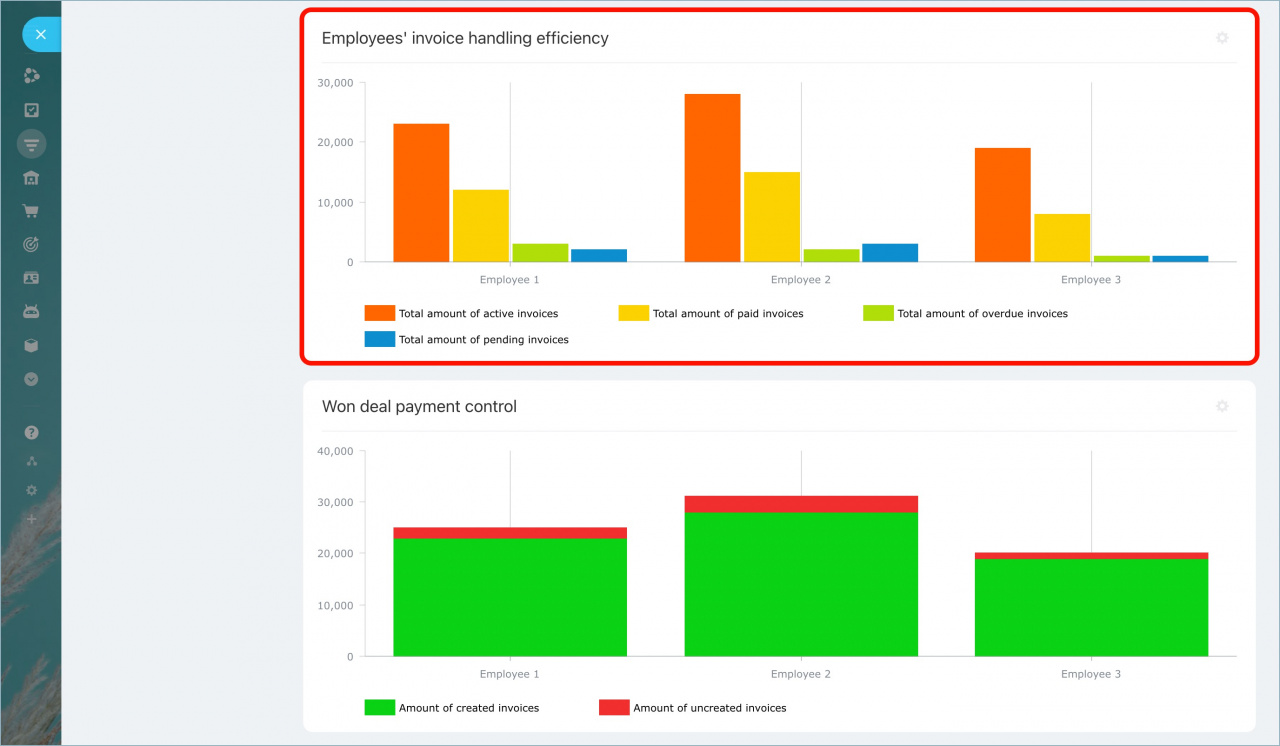
The Won deal payment control report shows for each employee:
- Amount of won and invoiced deals
- Amount of won deals that have not been invoiced yet