
A ping message is a short notification requesting the status of a task. It can be sent to the assignee and task participants to clarify task progress.
For example, the creator sends a ping to the designer, the task assignee. The designer receives a notification and responds in the task chat, allowing the creator to understand the current stage of work.
In this article:
Sending a task ping
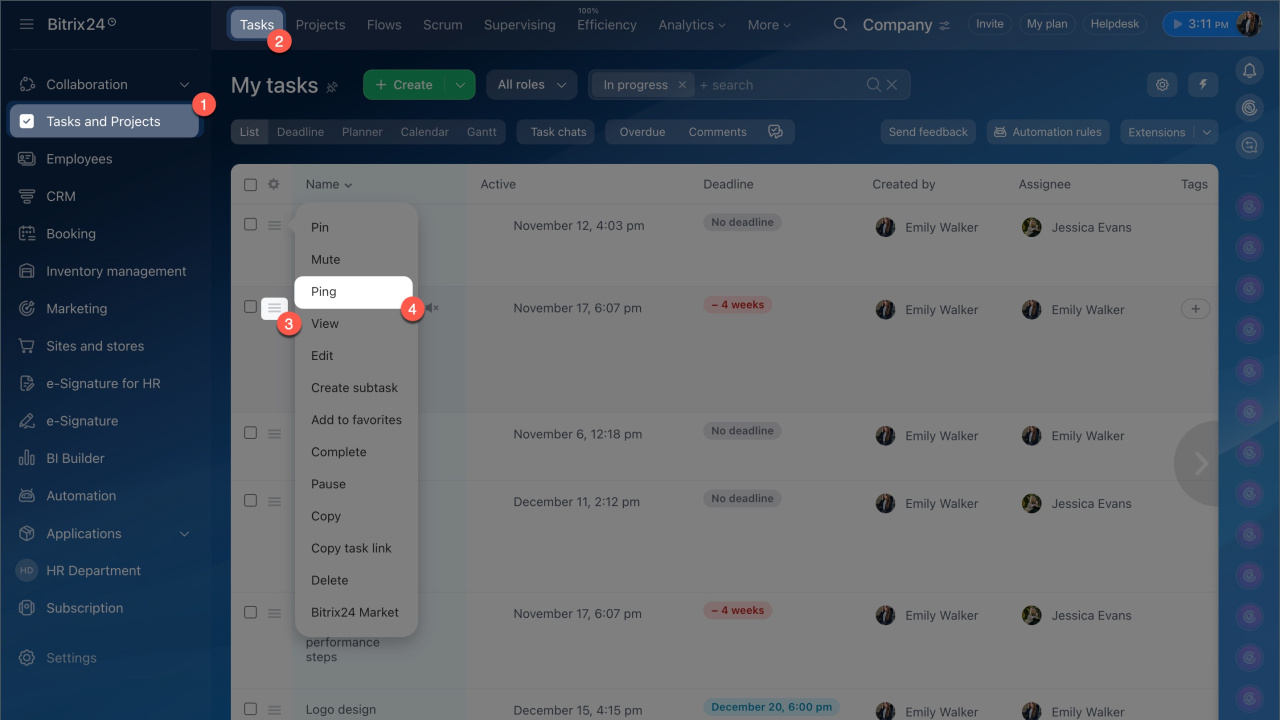
- Go to the Tasks and Projects section > Tasks.
- Select the task.
- Open the Menu (≡), and click Ping.
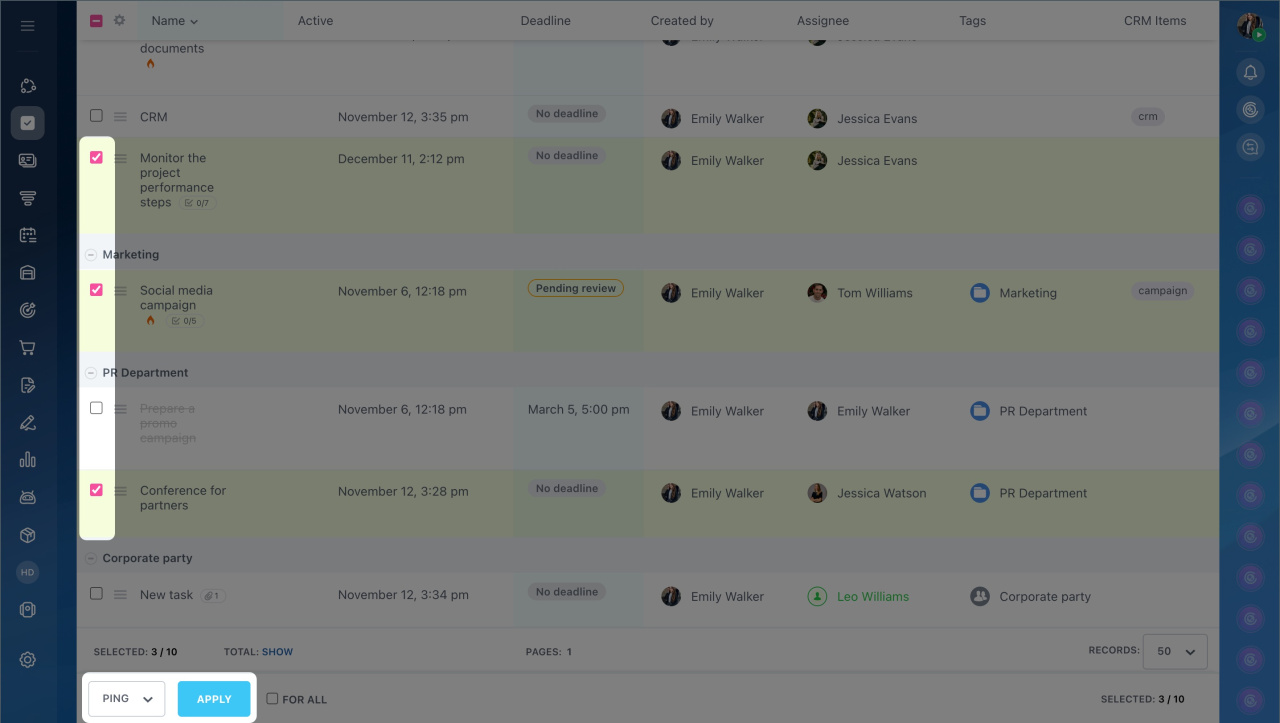
If there are multiple tasks, you can request their statuses using group actions. Select the tasks in the list and click Select action > Ping > Apply.
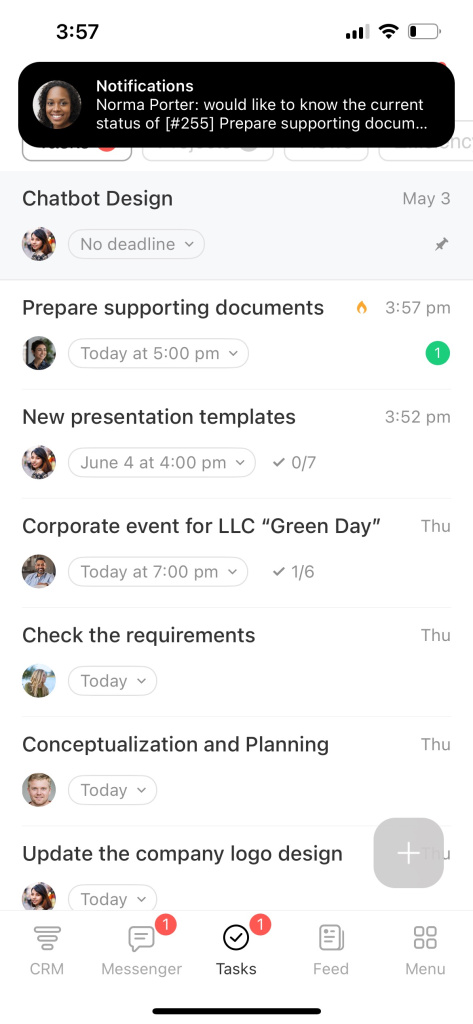
- Open the Bitrix24 mobile app and go to the Tasks tab.
- Press and hold the task to open the menu, then select Ping.

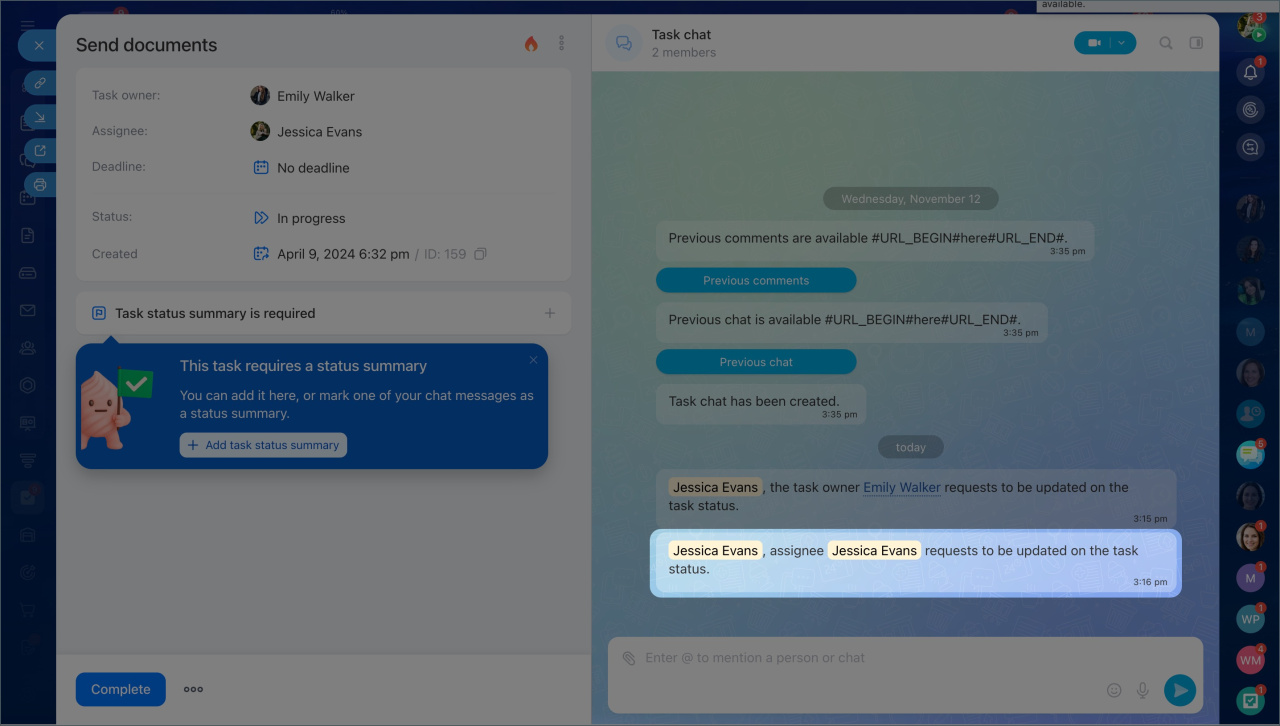
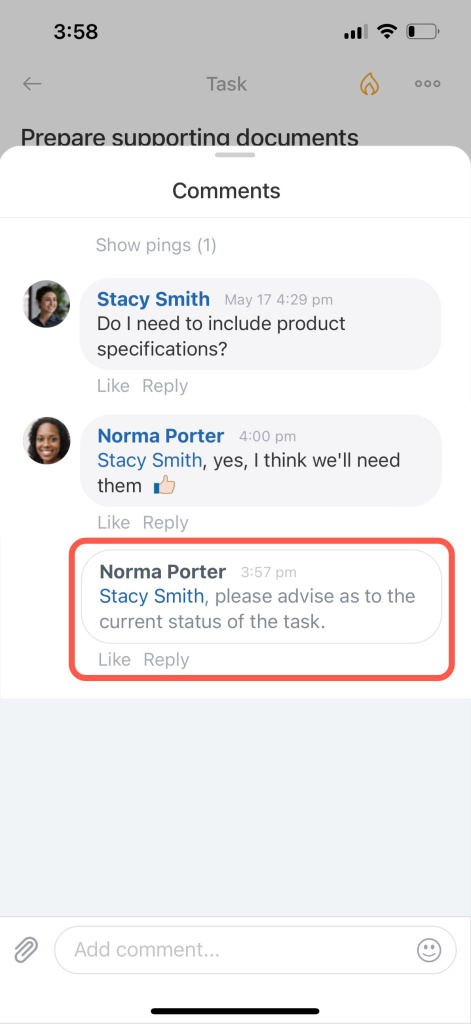
The ping message will appear in the task chat, and the assignee and task participants will receive a notification.
How pings work for task participants
Notifications about ping messages are sent to participants responsible for completing the task.
- Creator — views all ping messages in the task chat. Creators do not receive notifications about their own pings, only about actions taken by other employees in the task.
- Assignees and task participants — receive a notification for each ping and view it as a separate message in the task chat.
- Observers — ping messages are automatically marked as read and do not affect task counters.
In brief
- Pings help request task statuses and record the request in the task form.
- You can send a ping from the task list: in the web version via the task menu, and in the mobile app by long-pressing the task.
- The assignee and task participants receive a notification about the ping and view it as a system message in the task chat.
- For observers, ping messages are automatically marked as read and do not affect task counters.
