
Product reservation lets you set aside products for a specific customer. Reservations help you manage inventory more accurately. You can see how many items are available and how many customers plan to buy.
Work in Store without orders
Go to CRM > Deals and open a deal.
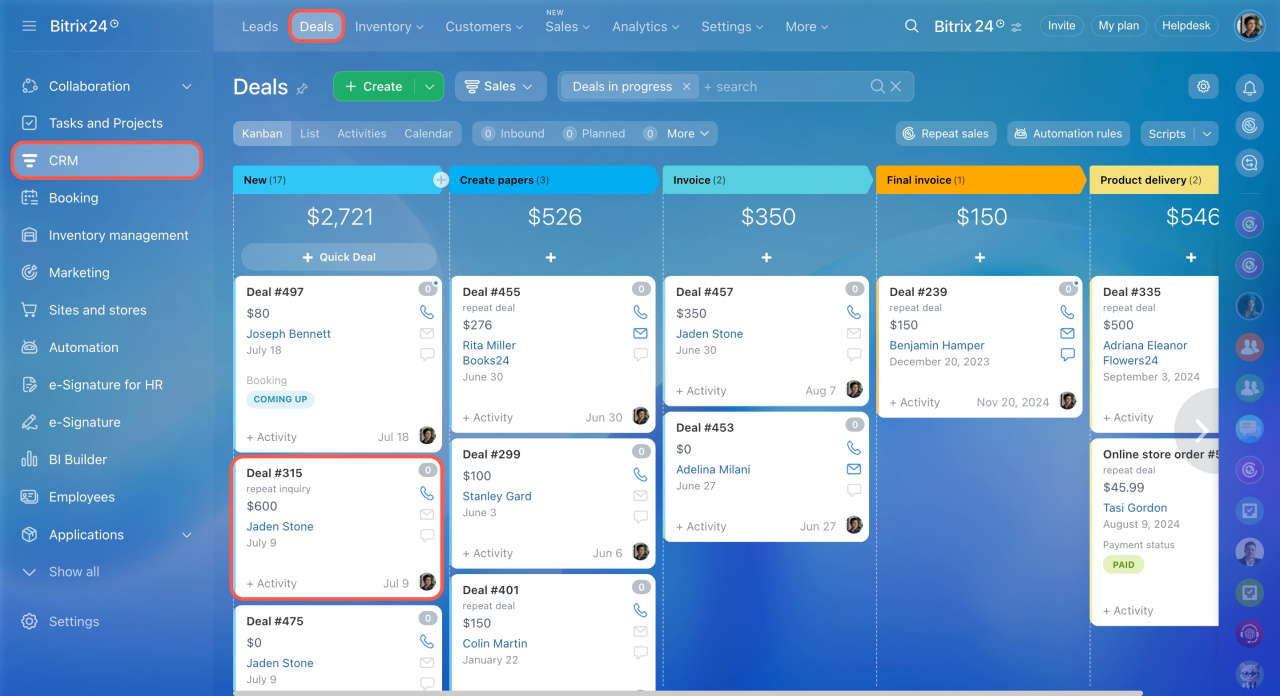
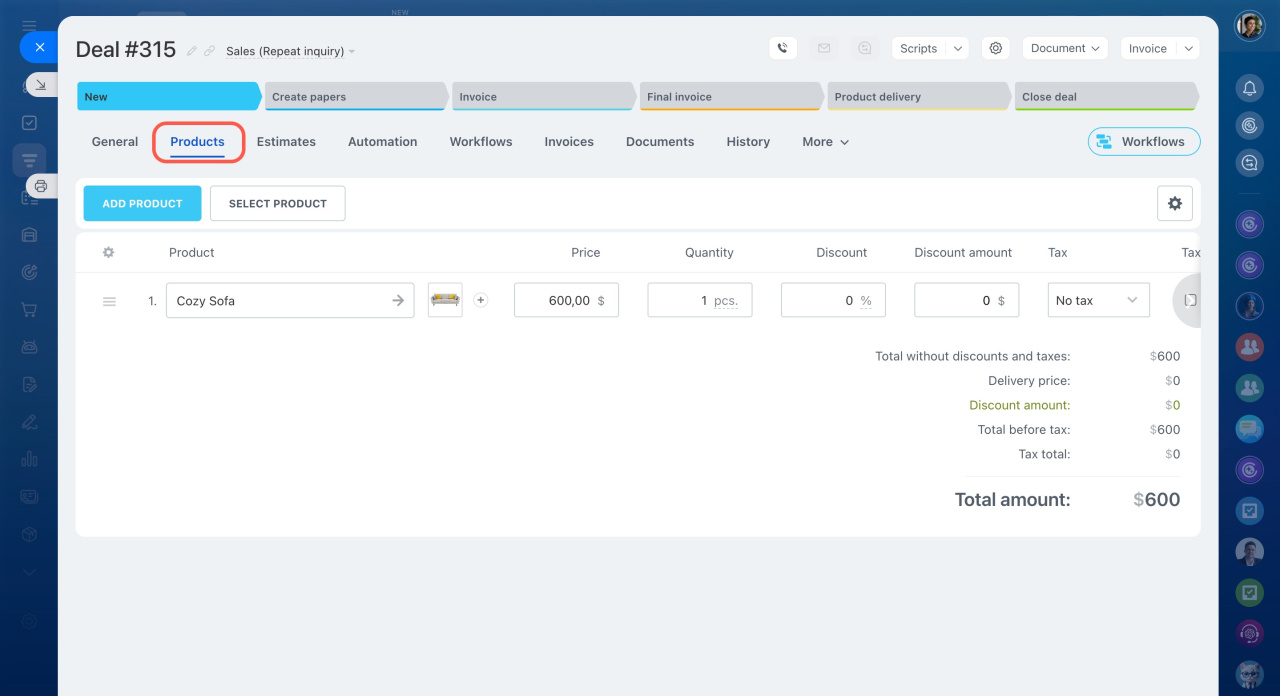
Open the Products tab.
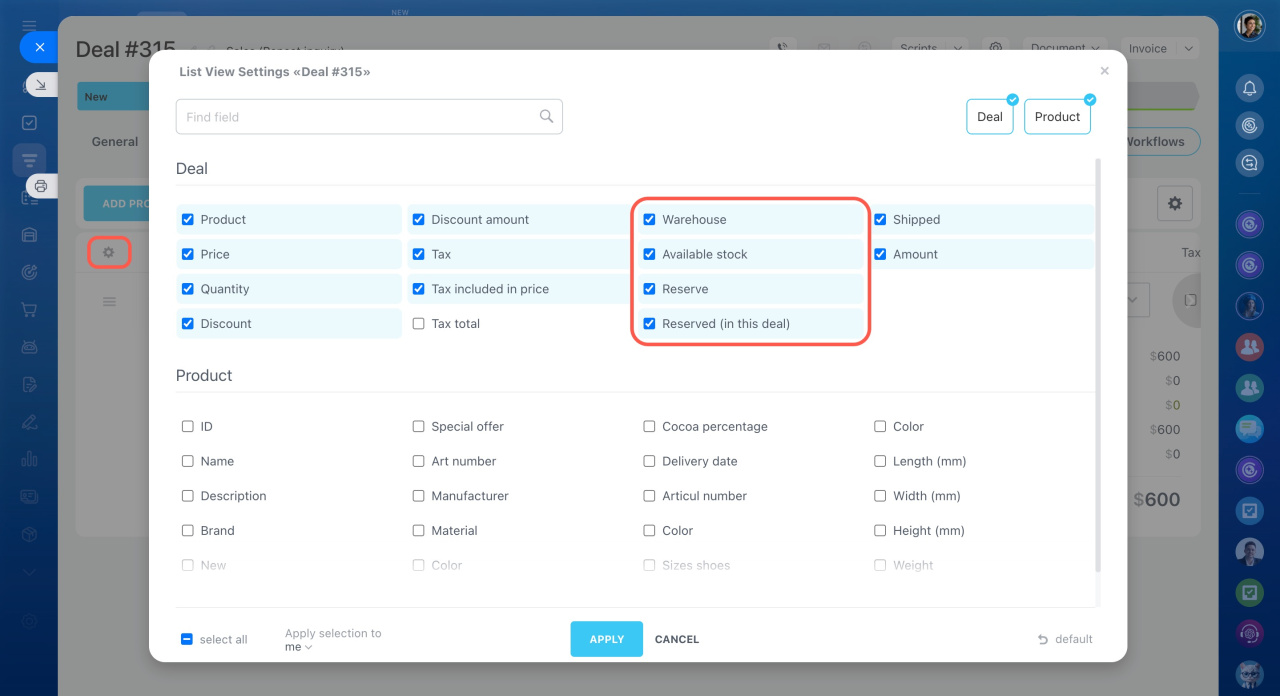
In the settings, enable the reservation fields.
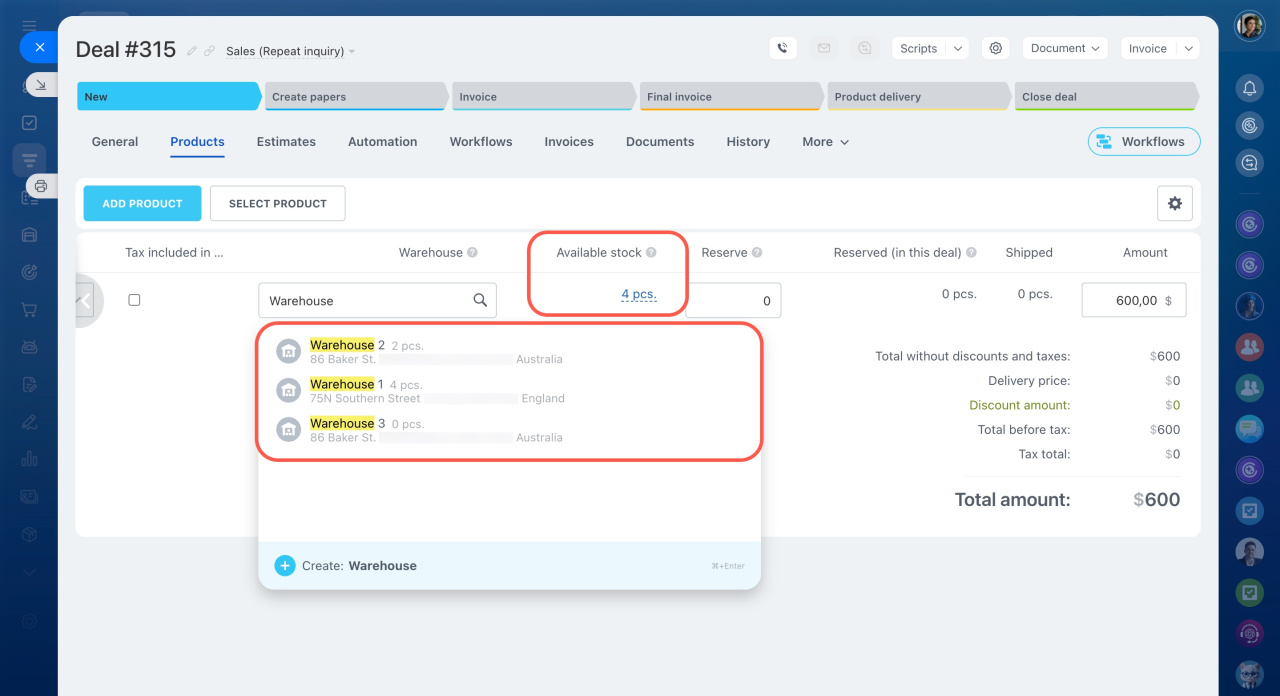
Add a product and select the warehouse where you want to reserve the item. The available stock appears next to the warehouse name and in the corresponding field. Enter the quantity you want to reserve.
The quantity in the Reserved field cannot be greater than the value in the Quantity field. For example, if you plan to sell 5 items, you cannot reserve 10.
However, you can reserve more items than are currently available in stock.
Example:
A customer wants to buy 20 items, but only 5 are currently in stock. If you know a new shipment will arrive soon, you can still reserve all 20 items.
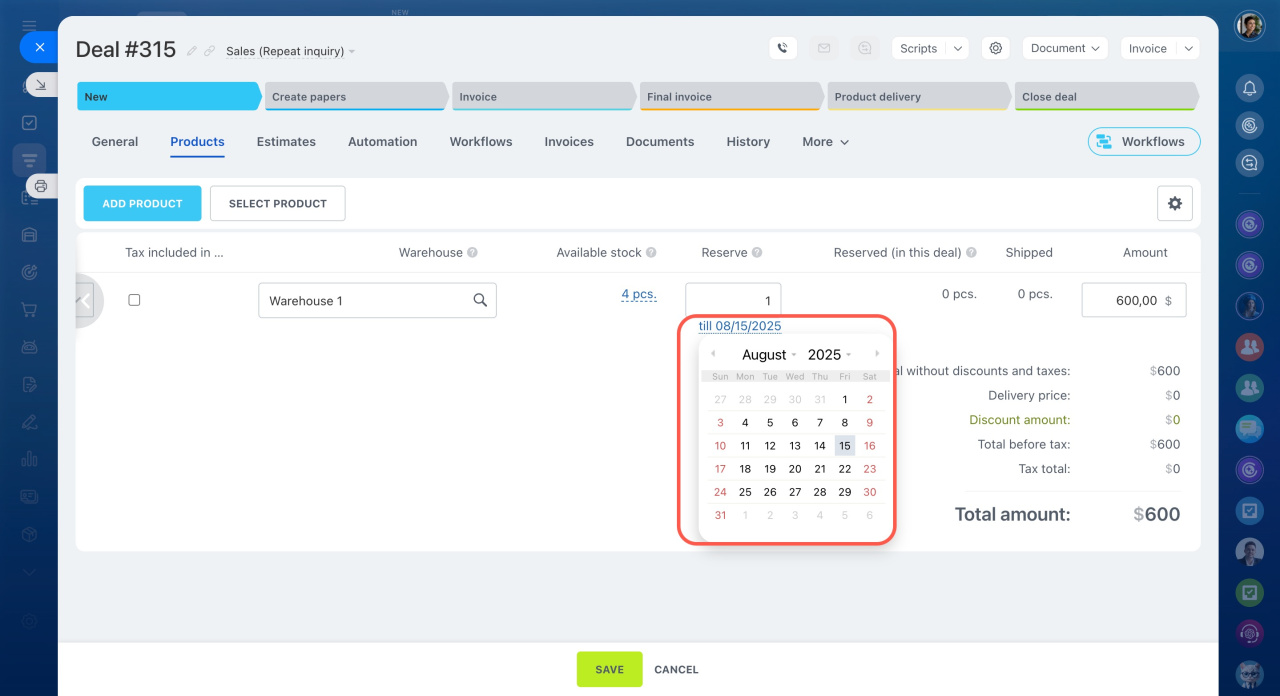
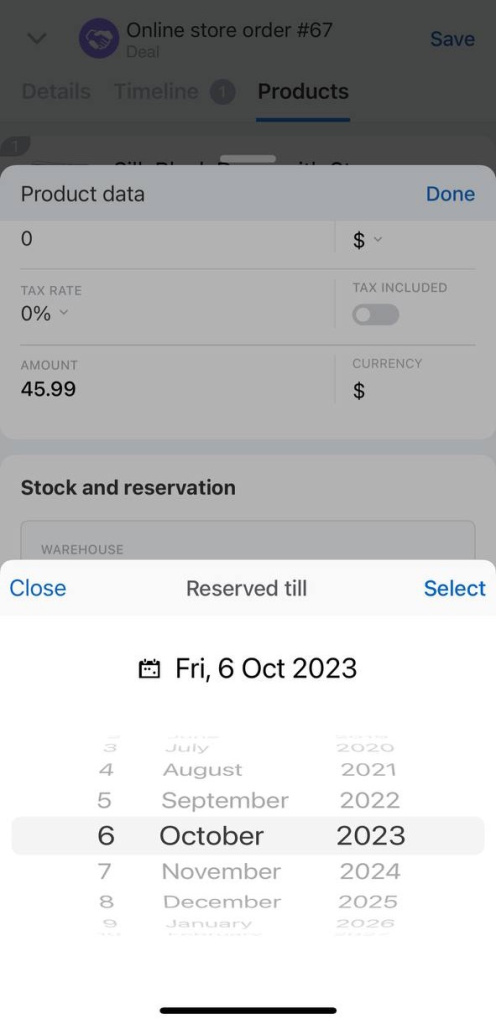
By default, products stay reserved for three days. To change the reservation period, click the date field and select a new date.
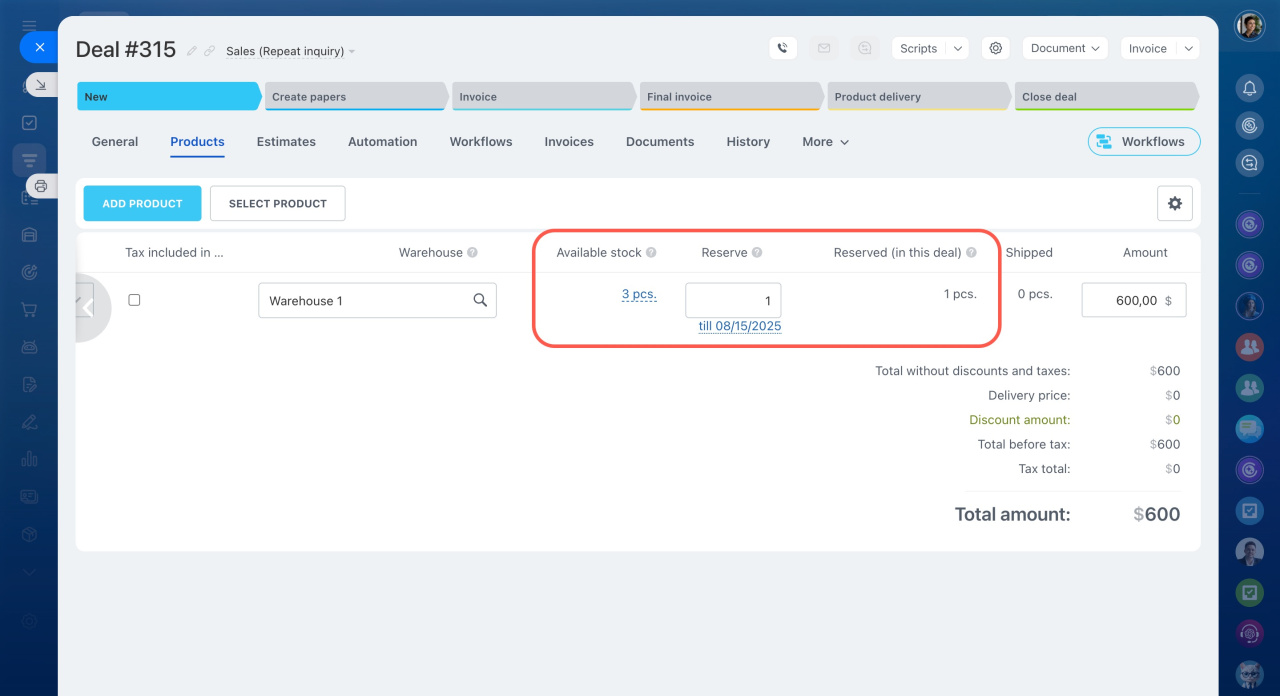
After you create the reservation, the number of available items decreases. You can see the reserved quantity in the Reserved (in deal) field.
A product is removed from the reservation in the following cases:
- The reservation period expires.
- The deal or selected products are deleted.
- The deal moves to the final stage and the products are sold.
By default, products in a deal are reserved automatically. If you specify that you are selling five items, the app reserves the same quantity.
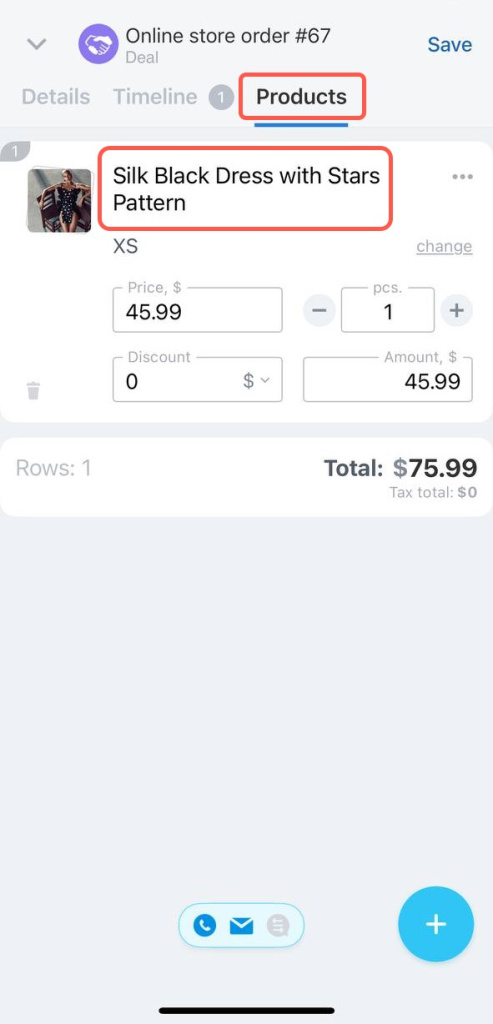
To view or change the reserved quantity:
- Open the Products tab.
- Tap the product name.
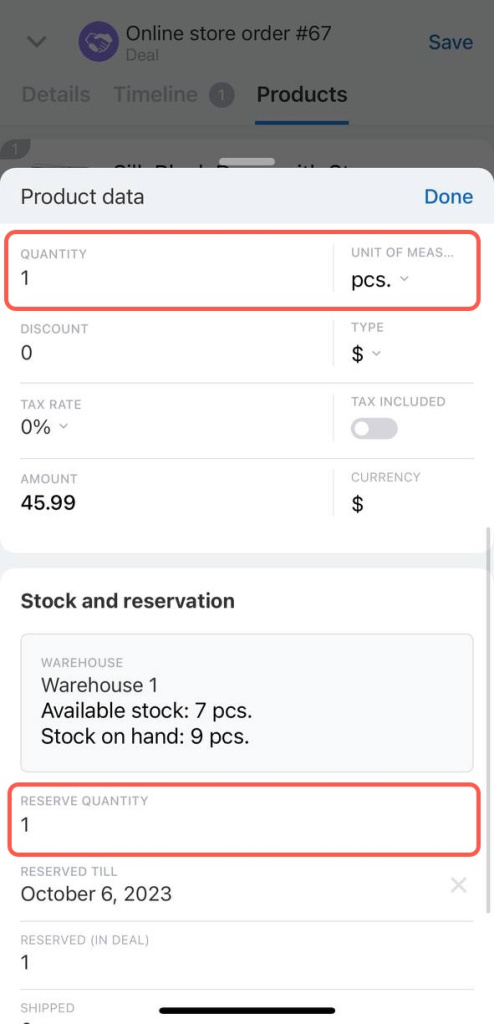
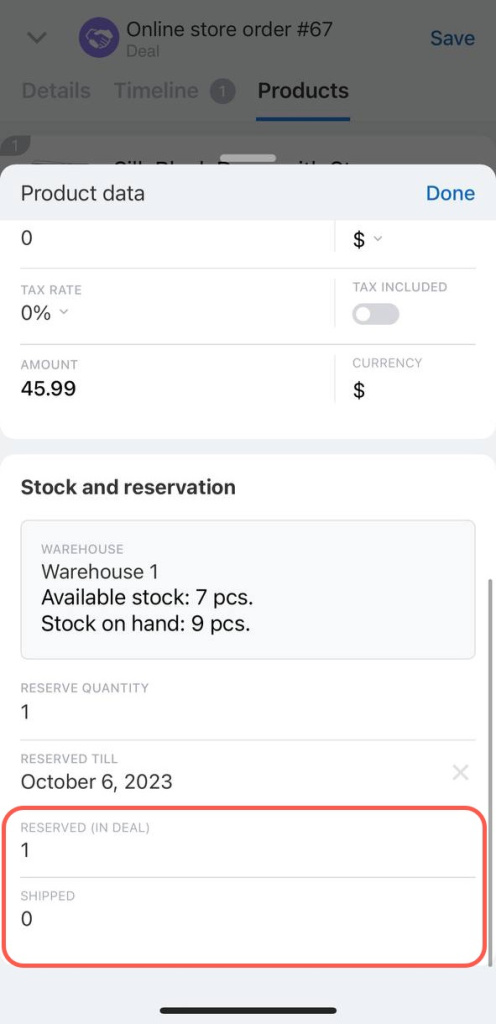
In the Stock and reservation section, you can view warehouse information and available stock. Tap the section to open the list of warehouses.
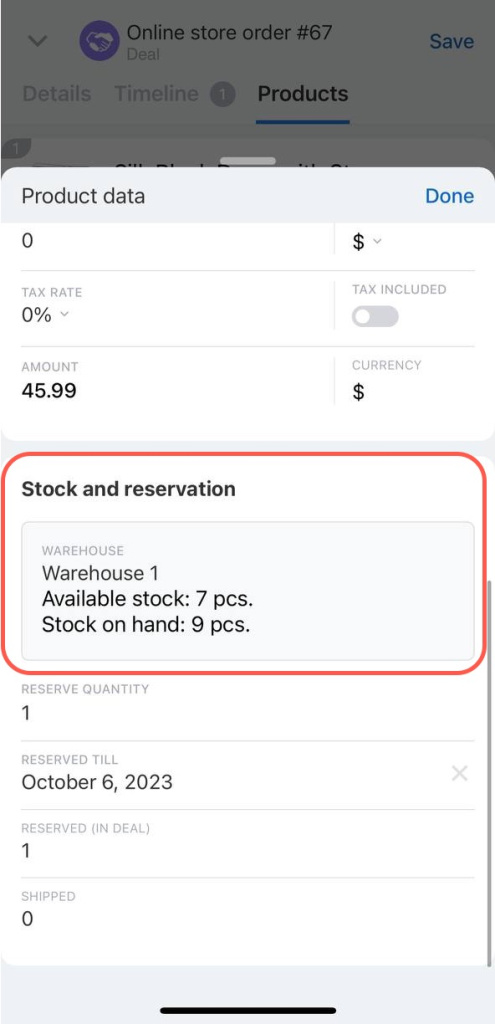
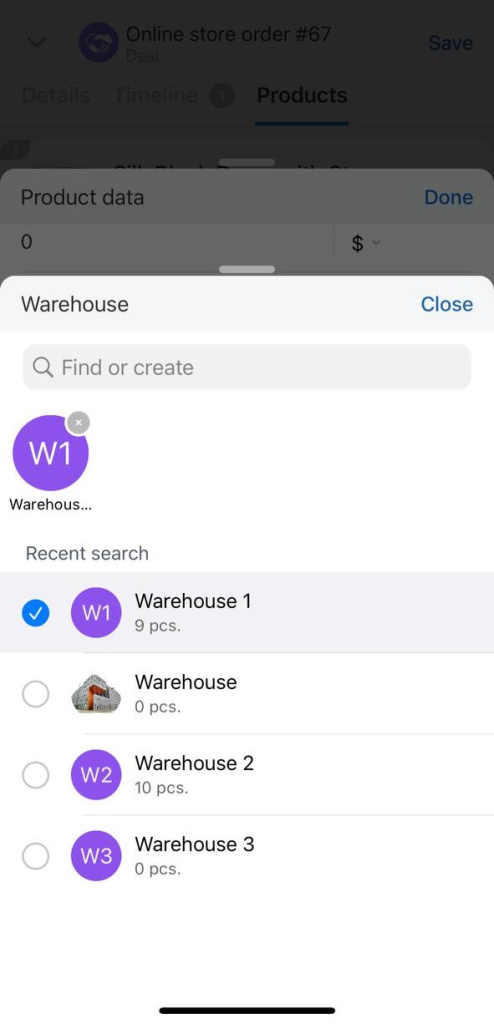
By default, products stay reserved for three days. To change the reservation period, tap the field and select a date.
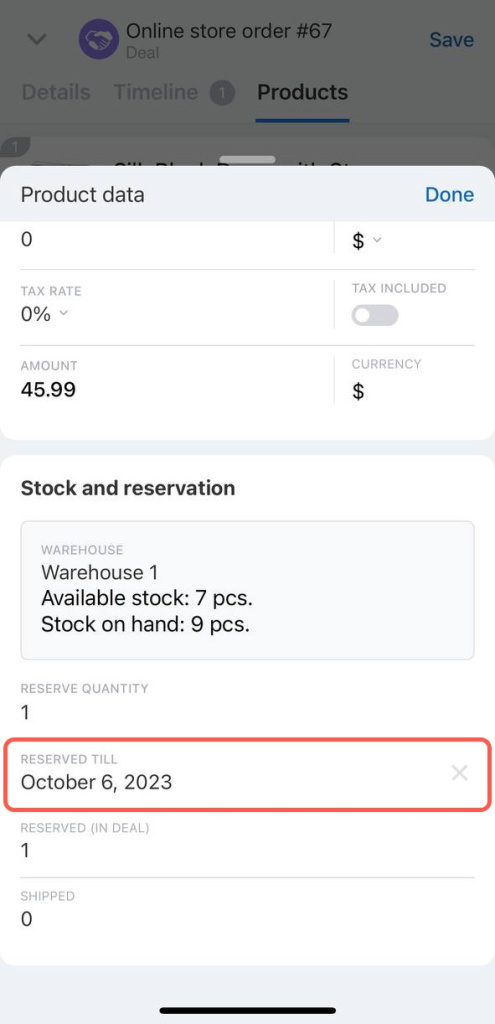
To view reserved and shipped quantities in the deal, check the Reserved (in deal) and Shipped fields.
In brief
- Product reservation lets you reserve products for a specific customer.
- You can reserve products only in the Without orders mode.
- You cannot reserve more products than you plan to sell.
- You can reserve more items than are currently available in stock.
- By default, products stay reserved for three days, but you can change the reservation period.