
Unlink a domain if you plan to:
- Connect it to another site
- Delete the site but keep the domain
When you move a site or online store to the recycle bin, the domain stays linked for 30 days before full deletion. If you need to use the domain right away, unlink it first and then delete the site.
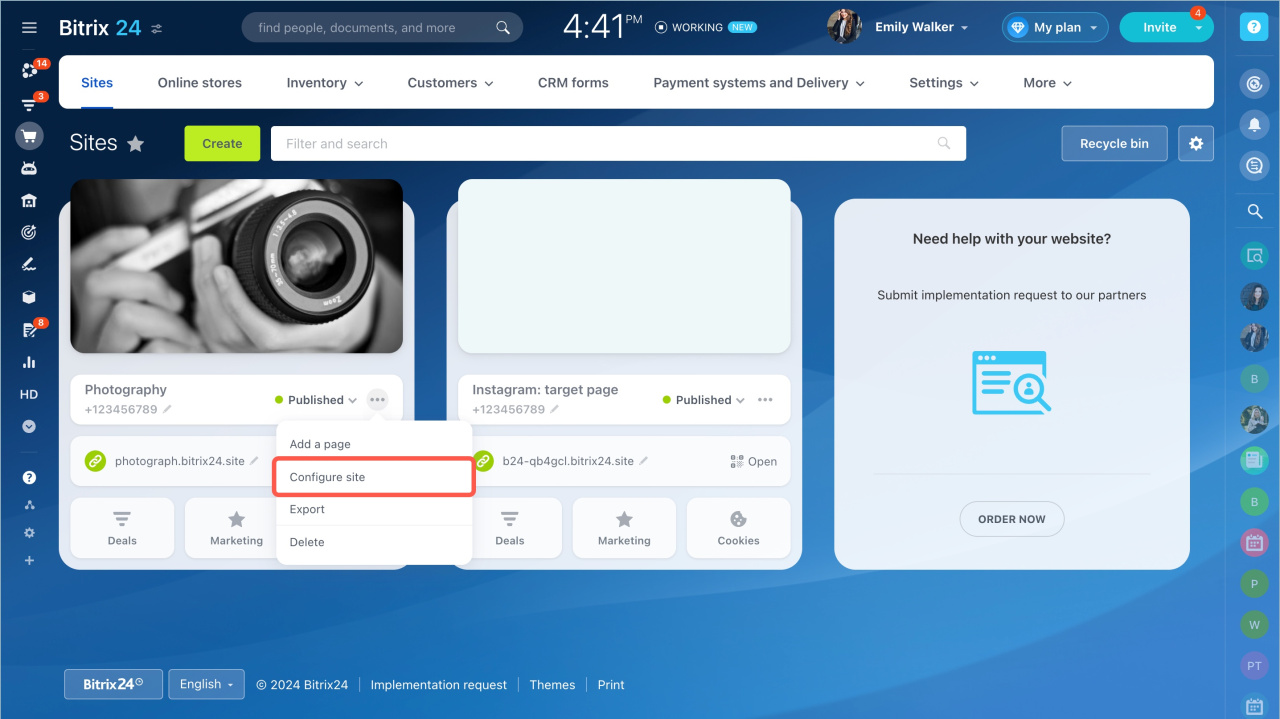
Open site settings:
- Go to Sites and Stores.
- Select the site and click the three dots > Configure site.
- Click the pencil icon in the Site address field.
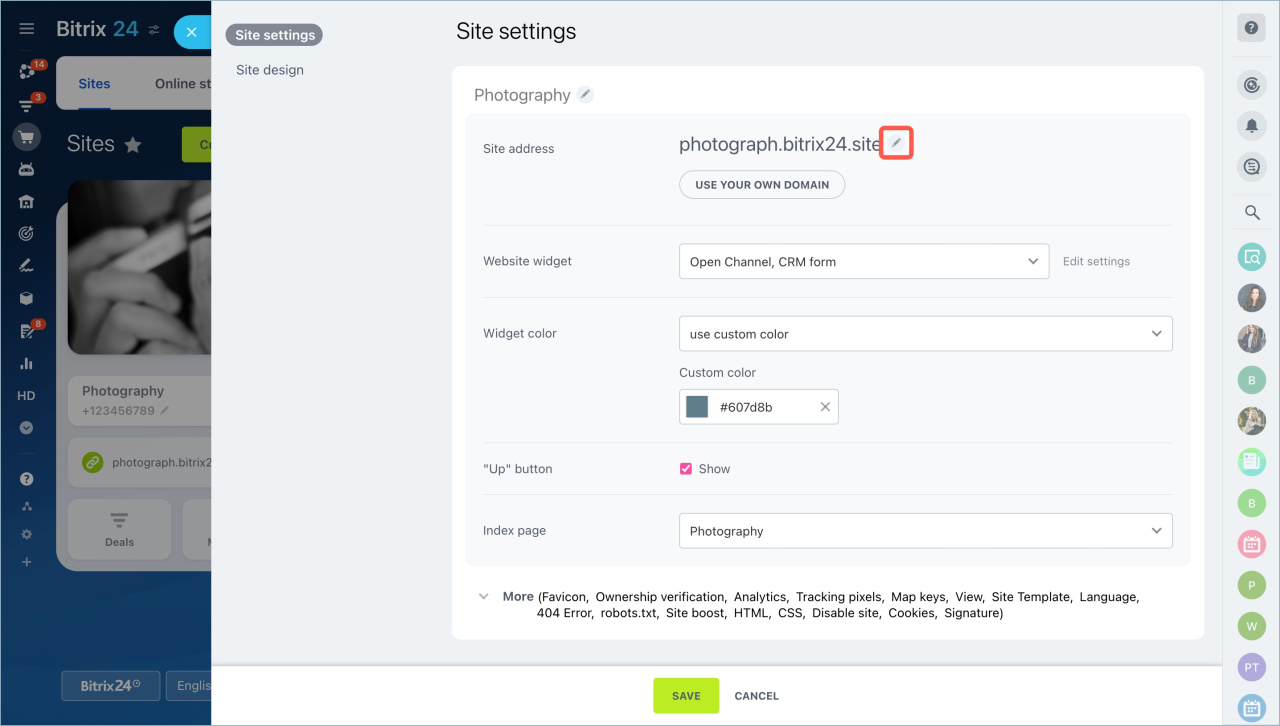
Open the Bitrix24 subdomain section and replace your current domain with any available one.
Do not use
bitrix as a third-level domain before .bitrix24.site or similar domains. For example, bitrixfor-example.bitrix24.site will not work. Use for-example.bitrix24.site instead.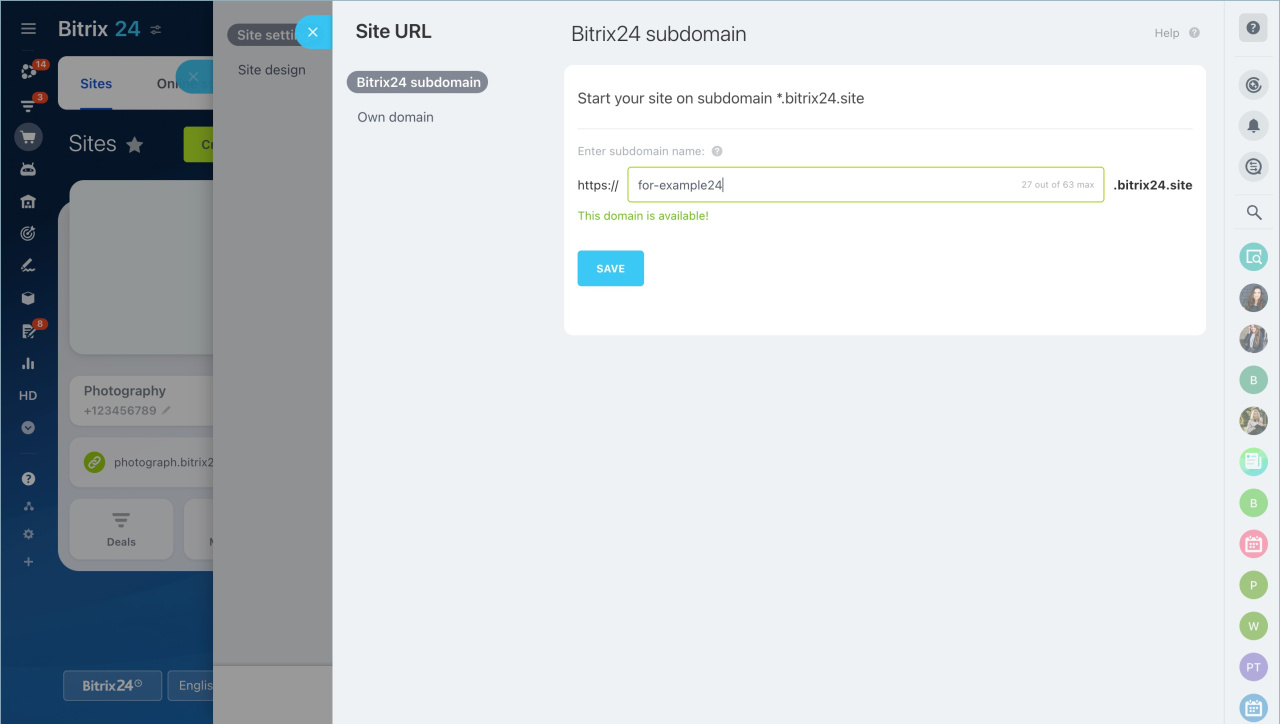
Delete or modify resource entries. Resource records can conflict with new settings and break forwarding.
- If you have not decided where to use the domain, delete the resource records. The domain will be unavailable until you add new records.
- If you plan to use the domain in another Bitrix24 zone or on an external site, update the resource records.
If you connect the domain to another Bitrix24 site in the same zone, you do not need to change the records.
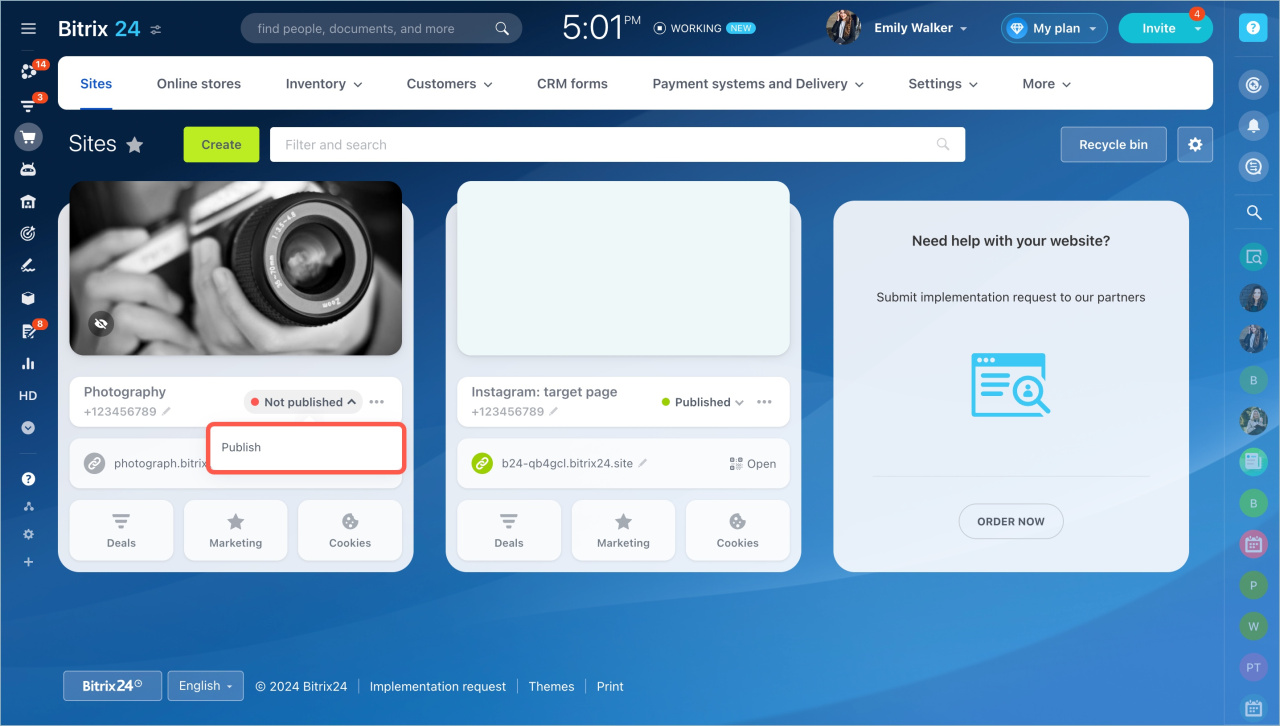
If you are not deleting the site or online store, republish it:
- Set the status to Unpublished.
- Click Publish.
In brief:
- Unlink the domain if you want to use it on another site, change the Bitrix24 zone, or keep it after deleting a site.
- Go to Sites and Stores and open Configure site.
- Click the pencil icon in the Site address field.
- In the Bitrix24 subdomain section, replace your domain.
- Delete resource records if you are not sure where to use the domain.
- Update resource records if you plan to use the domain elsewhere.
- Leave resource records as is if you connect the domain within the same Bitrix24 zone.
- Republish the site if you keep it.