
Some browsers, including Google Chrome, may show a “Deceptive site ahead” warning when you open a site built with Bitrix24 BI Builder or when you open Bitrix24.
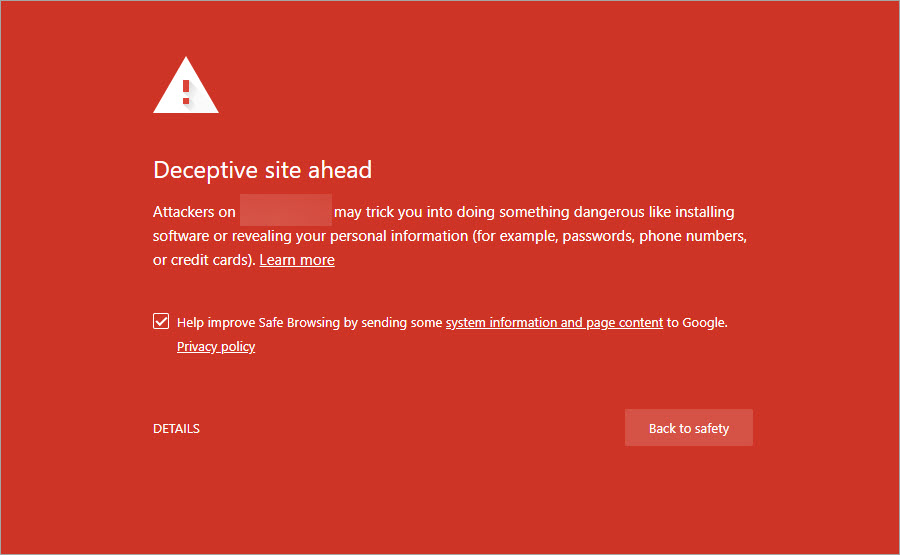
What this means
The code used in Sites24 and Bitrix24 is safe and does not include malware.
Google uses automated systems to check website safety. Because these checks run automatically, they can sometimes flag safe sites by mistake.
In some cases, if a website is blocked, Bitrix24 may also be blocked. This can happen when both your website and your Bitrix24 account use subdomains of the same domain. If Google blocks one part of the domain, it may block the entire domain based on its security policies.
What to do
If your site does not contain malicious content and you only use standard Bitrix24 BI Builder templates and blocks, follow these steps:
- Check your site status on the Safe Browsing: site status page.
- Verify ownership of your website. View Add your website to Google.
- Review the results for your website in the Manual actions or Security issues sections.
- After you fix any issues, use the Request a review option in each report to ask Google to review your site again.
- If your site was flagged for phishing by mistake, you can report an incorrect phishing warning .
If Google confirms that your site is safe, the warning will be removed from browsers and search results within 72 hours.