
In Bitrix24 e-Signature for HR, you can set reminders for your company representative and employees. This helps users sign documents on time and avoid delays.
The employee sending documents for signing can set up these reminders.
Send documents for signing
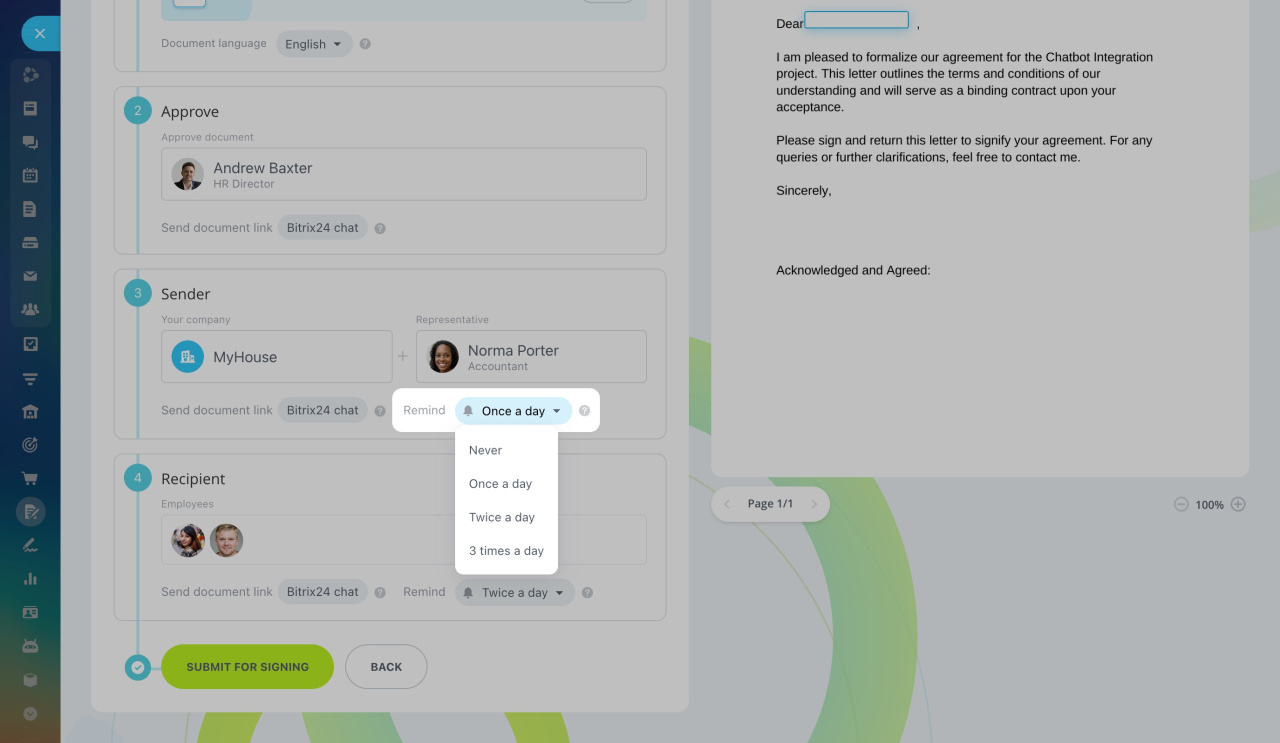
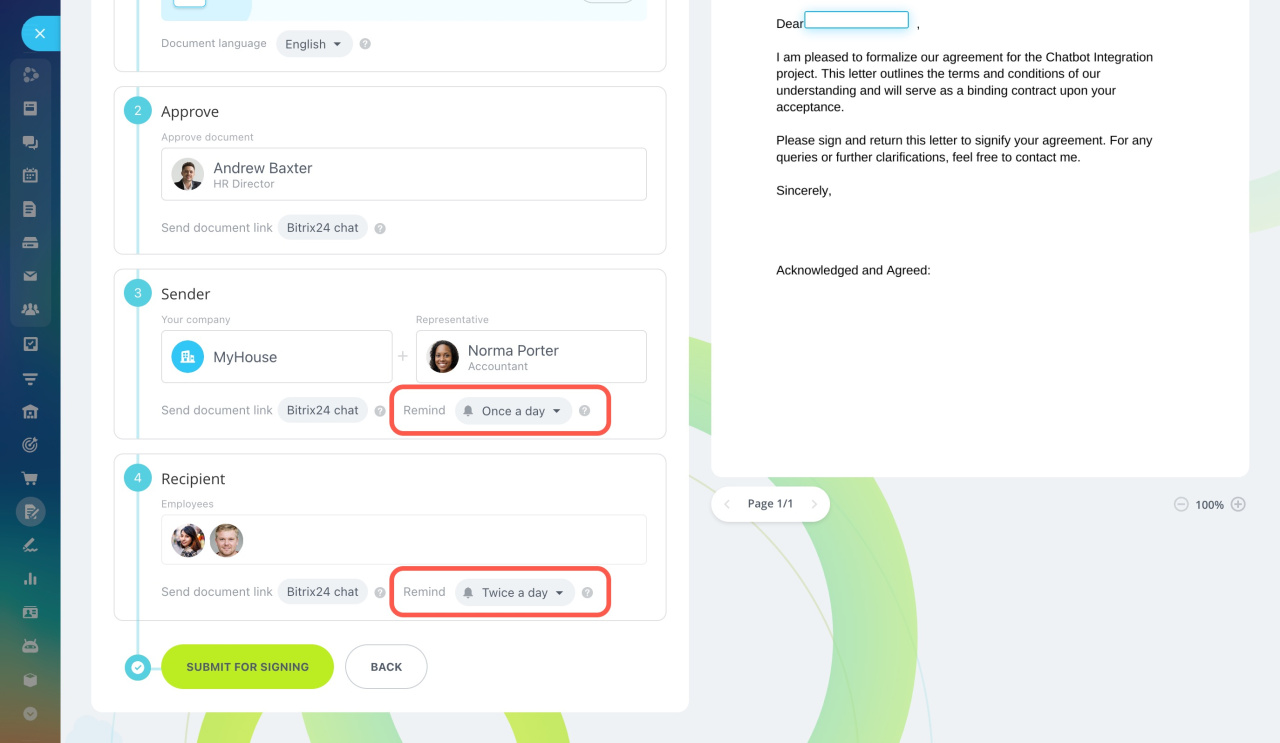
Set up reminders. By default, the company representative gets one reminder per day, and employees get two. You can adjust these settings to control how often reminders are sent.
Reminders are sent for up to three days, but they will stop if the employee signs the document earlier.
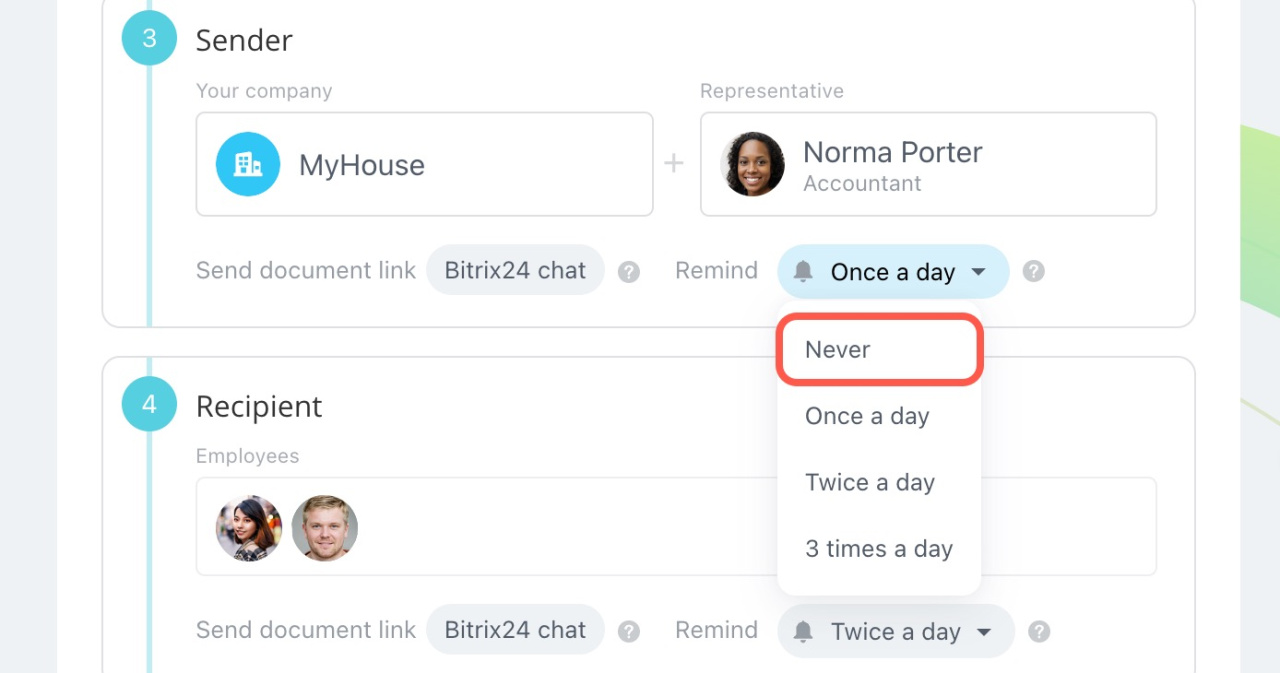
To disable reminders, select Never.
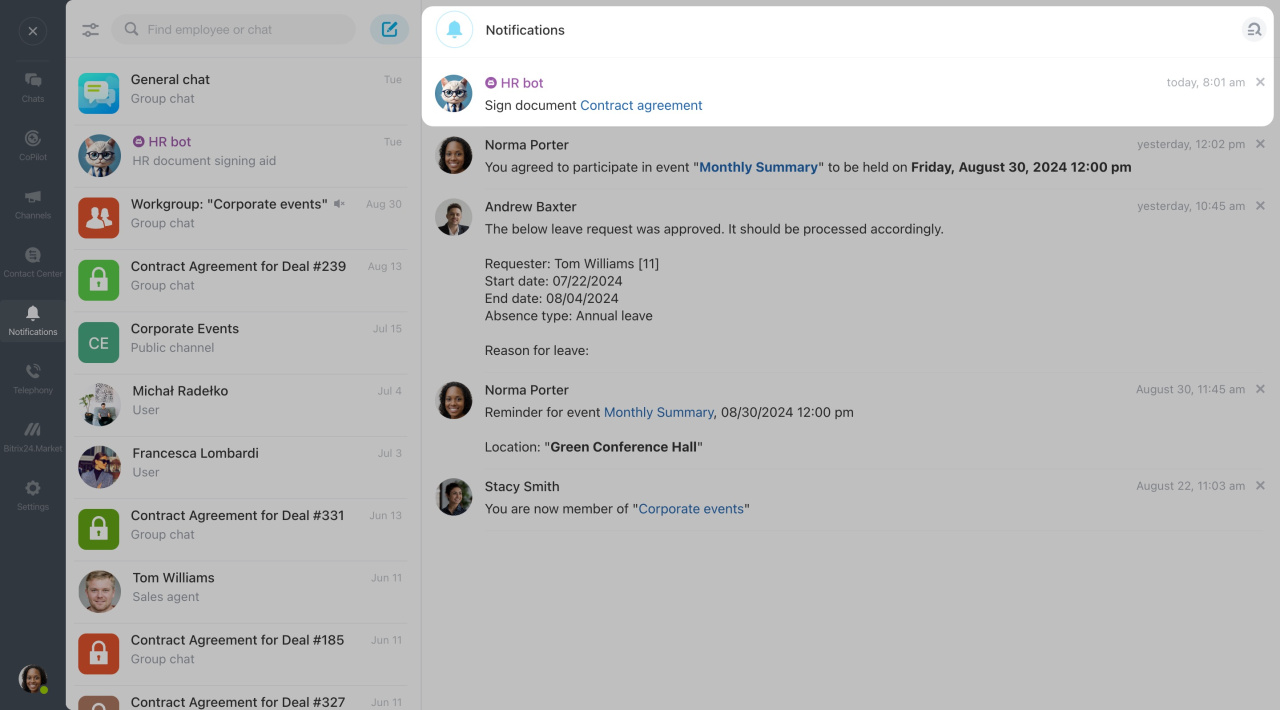
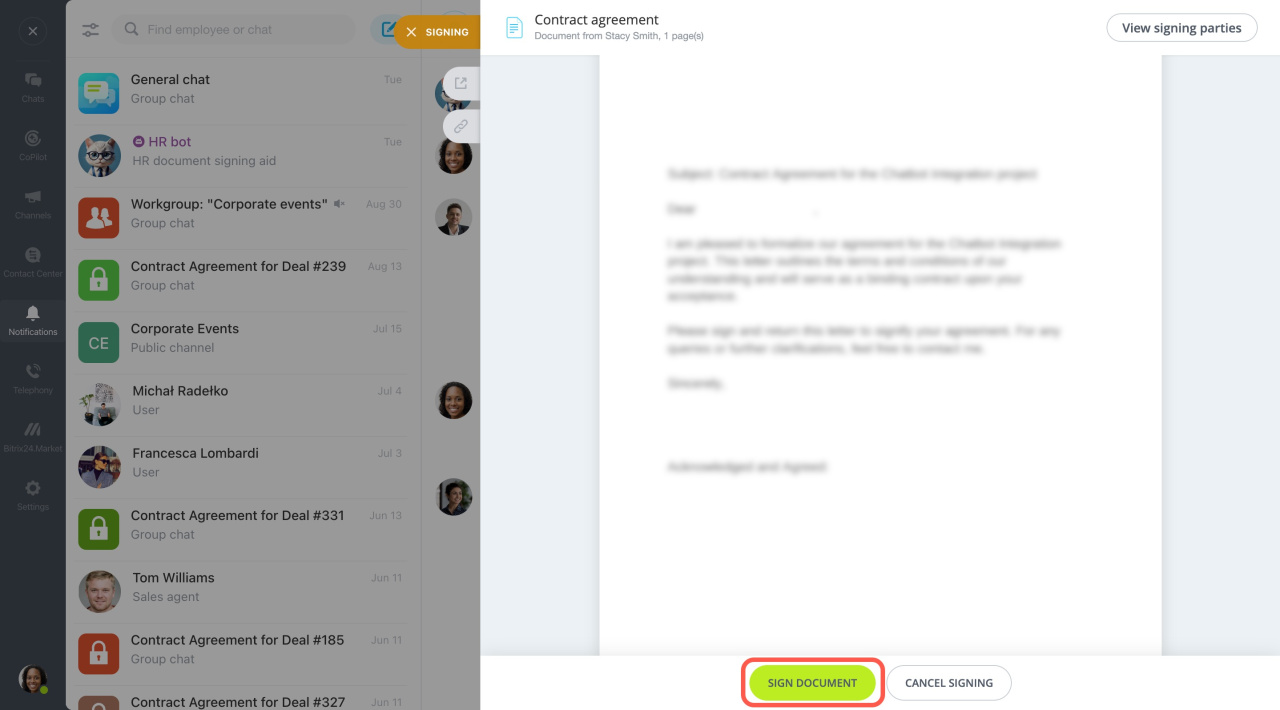
View reminders. You'll receive reminders from the HR bot in the notification center. To sign the document directly from the notification, click the title, review the document, and sign it.
In brief
-
In Bitrix24 e-Signature for HR, you can set reminders for your company representative and employees to sign new documents.
-
The employee sending documents for signing can set up these reminders.
-
By default, the company representative gets one reminder per day, and employees get two. You can adjust these settings.
-
Reminders come from the HR bot in the notification center.
-
You can sign the document directly from the notification.