
You can now use e-Signature for HR in Bitrix24 to sign HR documents with a simple electronic signature (SES).
Why use Bitrix24 e-Signature for HR
Easy to use
Create new documents or use ready-made templates. Bitrix24 automatically fills in company and employee information.
Save time
Fill out and sign documents online.
Reduce paper use
Cut down on printing and office supply costs.
Keep the process organized
Track document status and get notifications about signing deadlines.
How e-Signature for HR works
Depending on local laws, you may need to sign an agreement with an employee before you start using electronic signatures.
To create and send a document for signing:
- Create a new document or select a template.
- Select the company and the company representative who will sign the document.
By default, e-Signature for HR is selected as the provider. - Select the employees who need to sign the document.
- Review the document details and send the document for signing.
Employees can sign the document electronically after they receive it.
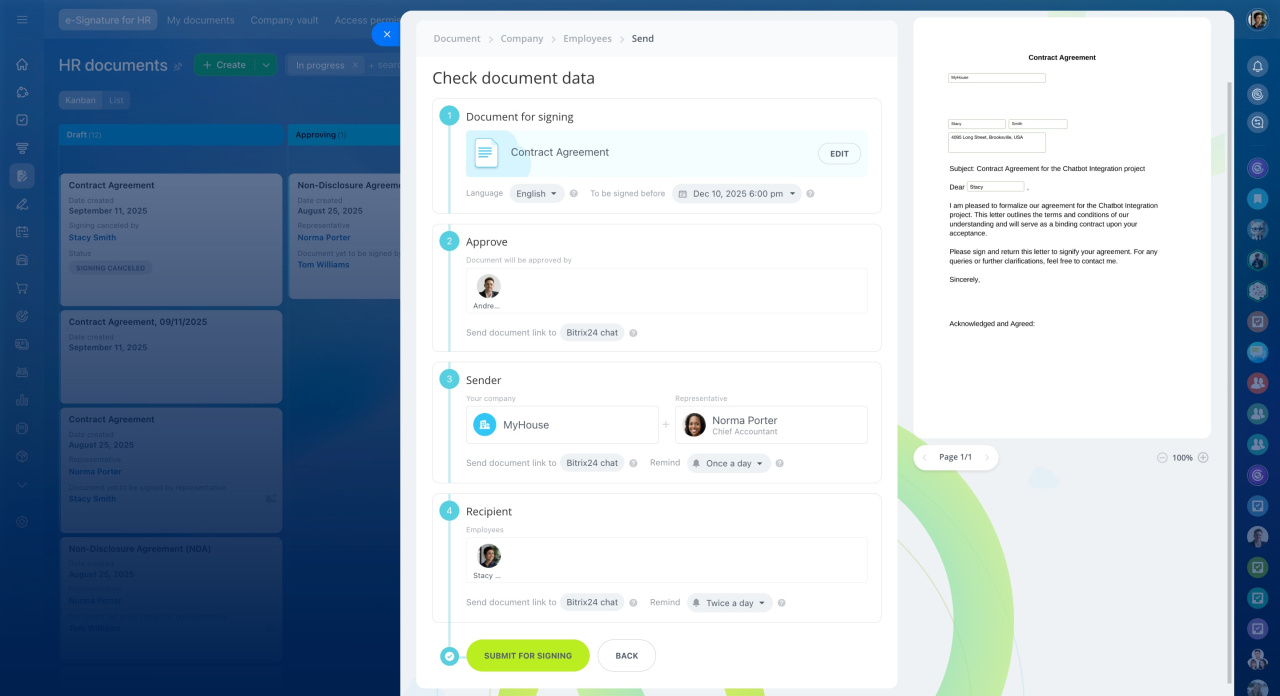
- Use e-Signature for HR in Bitrix24 to sign HR documents with SES.
- e-Signature for HR is selected as the default provider.
- Create a document, select the company and signer, and add employees.
- Employees can sign documents electronically.