
Sales Intelligence in Bitrix24 helps you measure how effective your ads are. You can see where customers come from and which channels bring the most leads and sales.
Sales Intelligence in Bitrix24
The accuracy of your analytics depends on two key settings:
- Attribution window — links a sale to the original ad, even if the customer returns later
- Referring domains — track traffic from social networks without UTM tags
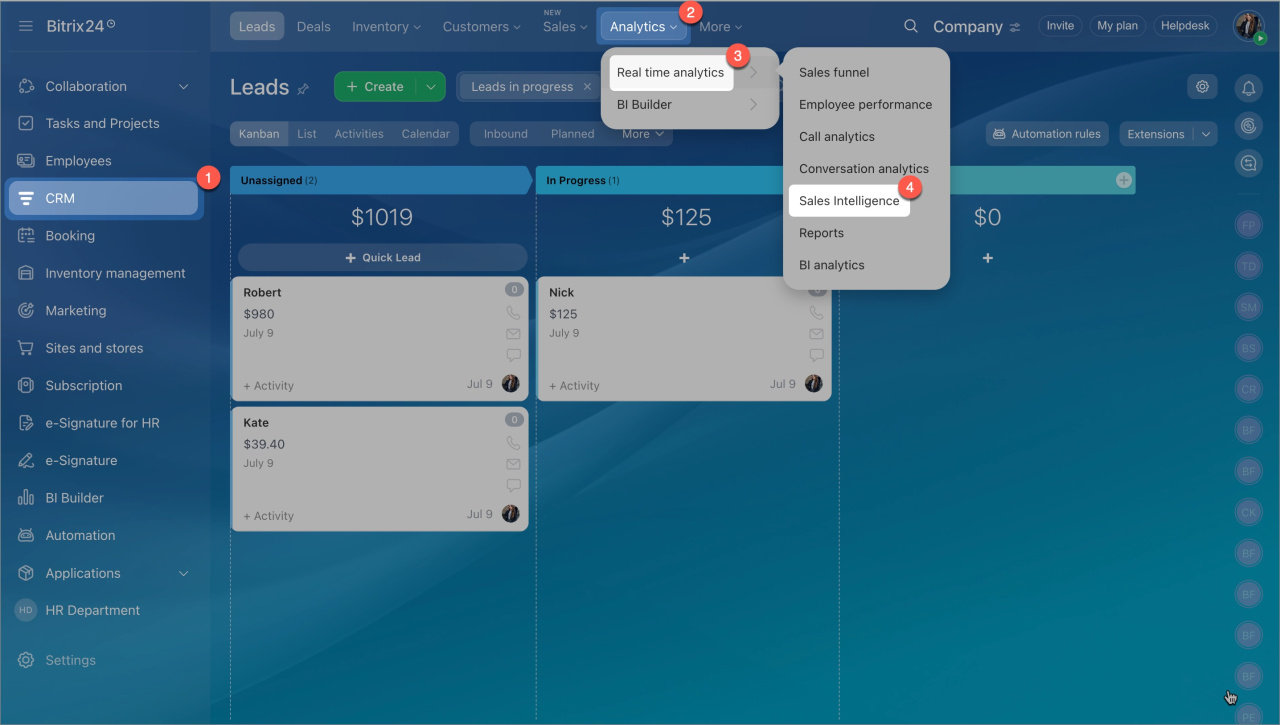
To open these settings, go to CRM > Analytics > Sales Intelligence > Settings.
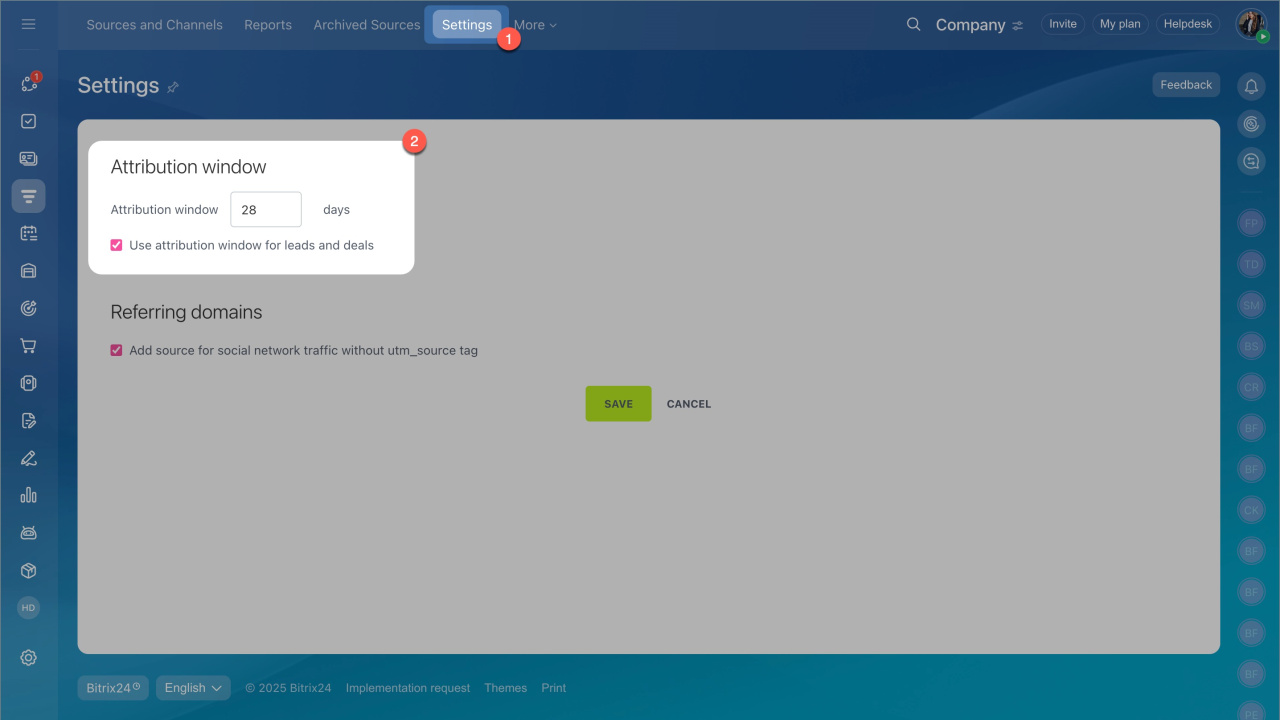
Attribution window
The attribution window defines how long Bitrix24 links customer actions to the original traffic source.
Example:
A customer clicks your Facebook ad, visits your site, and submits a CRM form. Bitrix24 creates a lead and records the source. Ten days later, the customer returns through Google. If this happens outside your configured sources, Bitrix24 marks it as Other traffic.
By default, the attribution window is 28 days. Adjust the window based on your sales cycle:
- Long sales cycle (real estate, education): increase the window.
- Short sales cycle (retail, food): reduce it to 7–10 days.
Use attribution window for leads and deals. Enable this option to keep the original source when creating leads or deals manually.
Bitrix24 fills in the source automatically if both conditions are met:
- The customer already has a recorded source (for example, from a form, chat, or call).
- The lead or deal is created within the attribution window.
For example, if a manager creates a deal within 28 days of the customer’s first interaction, Bitrix24 applies the original source.
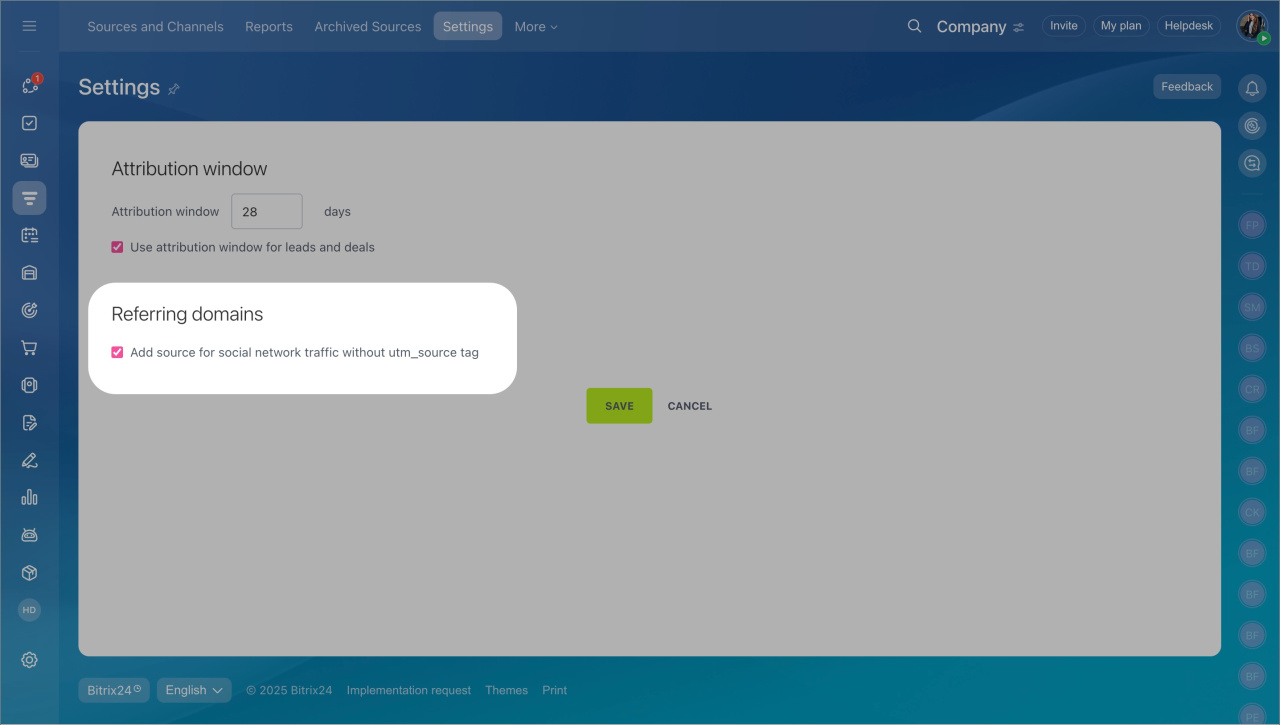
Referral domains
Referring domains are websites that send visitors to your site. Bitrix24 uses this data to identify traffic sources when UTM tags are missing.
Register the source for transitions from social networks without utm_source. This option detects visits from social networks without the utm_source parameter. Bitrix24 identifies the source based on the domain the visitor came from.
Use this when you share links on social media without tags, such as in posts, stories, or comments. Bitrix24 assigns the source automatically and saves it in the lead or deal.
This option is enabled by default. If you always use UTM tags and want to rely only on them, you can turn it off for more accurate analytics.
In brief
- Go to CRM > Analytics > Sales Intelligence > Settings to configure options.
- The attribution window defines how long Bitrix24 keeps the original source.
- The attribution option applies the source automatically to manually created leads and deals within the set period.
- Referring domains help track sources when links don’t include UTM tags.
- Social network tracking without utm_source is enabled by default.