
Businesses that schedule appointments sometimes have clients who confirm a visit but don't show up. This leads to employee downtime and lost revenue. One way to reduce this risk is overbooking — scheduling more clients for a time slot than you can serve at once. This approach works best when you expect some clients not to show up. However, if everyone arrives, you may need to ask someone to wait or reschedule their appointment. You can offer a bonus to make up for the inconvenience.
In Bitrix24 Booking, you can schedule two clients for the same time slot. If one cancels or reschedules, the other client still has a booking. This helps you reduce downtime and keep your schedule full.
In this article:
Is overbooking right for your business?
Overbooking isn't suitable for every business. It works best when three conditions are met.
- Reliable no-show data. If 5–10% of clients regularly miss their appointments, you can use this data as a starting point. Without reliable statistics, you risk booking more clients than you can serve.
- Flexible scheduling. You need backup resources and a plan in case all clients show up. For example, you might have an employee on call, an extra room, or some flexibility to adjust appointment times.
- The right type of service. Overbooking can help during peak hours and periods of high demand, when missed appointments leave valuable time slots unused. However, it may not work well for specialized services or appointments that require extensive preparation. For example, an extra booking for a highly specialized consultation could overload employees and disrupt the schedule.
To prepare for overbooking, follow these five steps.
- Collect no-show data. Track how many clients miss their appointments. For example, if 10 out of 100 scheduled appointments in a month were missed, the no-show rate is 10%. Use this data to help determine an appropriate overbooking level.
- Calculate the overbooking level. Start with a small margin, such as 5–7% of your total bookings, and monitor the results. For example, if you have 20 appointments a day, you could try adding one extra booking during peak hours. Bitrix24 doesn't currently let you set an overbooking level automatically, so employees need to follow internal guidelines and consider the overall workload.
- Prepare for everyone showing up. Decide what to do if all clients arrive for their appointments. You could offer another time slot, bring in an additional employee, or offer compensation for the wait. Having a plan helps maintain service quality and prevent conflicts.
- Test overbooking on a small scale. Try it with one service or on specific days, such as weekday mornings. This helps you evaluate the results before expanding the approach.
- Review and adjust. Regularly monitor no-show rates and adjust the overbooking level. For example, if more clients start showing up for their appointments, reduce the margin. This helps balance employee workloads and reduce scheduling conflicts.
Use overbooking
Employees can manage the entire overbooking process: add clients to occupied time slots, monitor the schedule, and track booking confirmations. Clients aren't notified that their appointments are part of an overbooking arrangement. They receive the same confirmations and reminders as for regular bookings. Working with overbooking involves three main activities:
Add a client to the schedule. Employees can book a second client for an occupied time slot in two ways:
1. From an existing booking. Find the booking in the schedule, click the arrow next to it, and select Overbooking. Fill in the client form and enter the visit details.
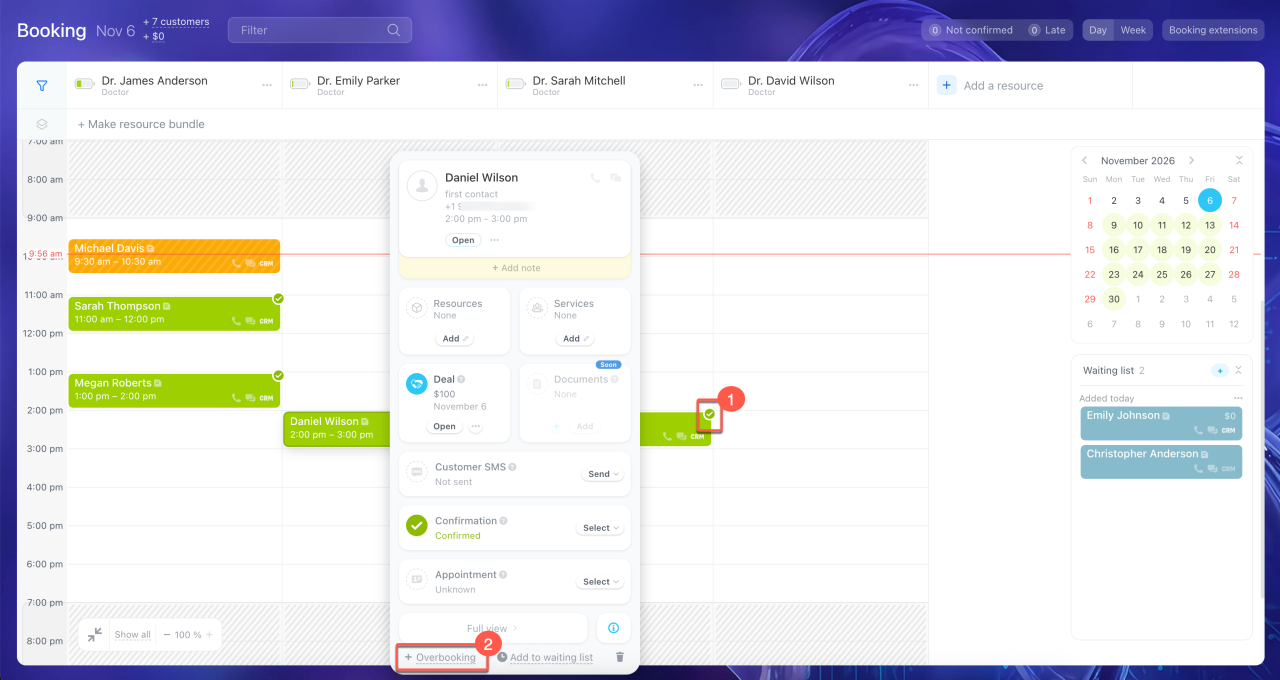
2. Drag a new booking onto an occupied time slot in the schedule. In both cases, Bitrix24 saves the booking, and employees can see that multiple clients are booked for the same time slot.
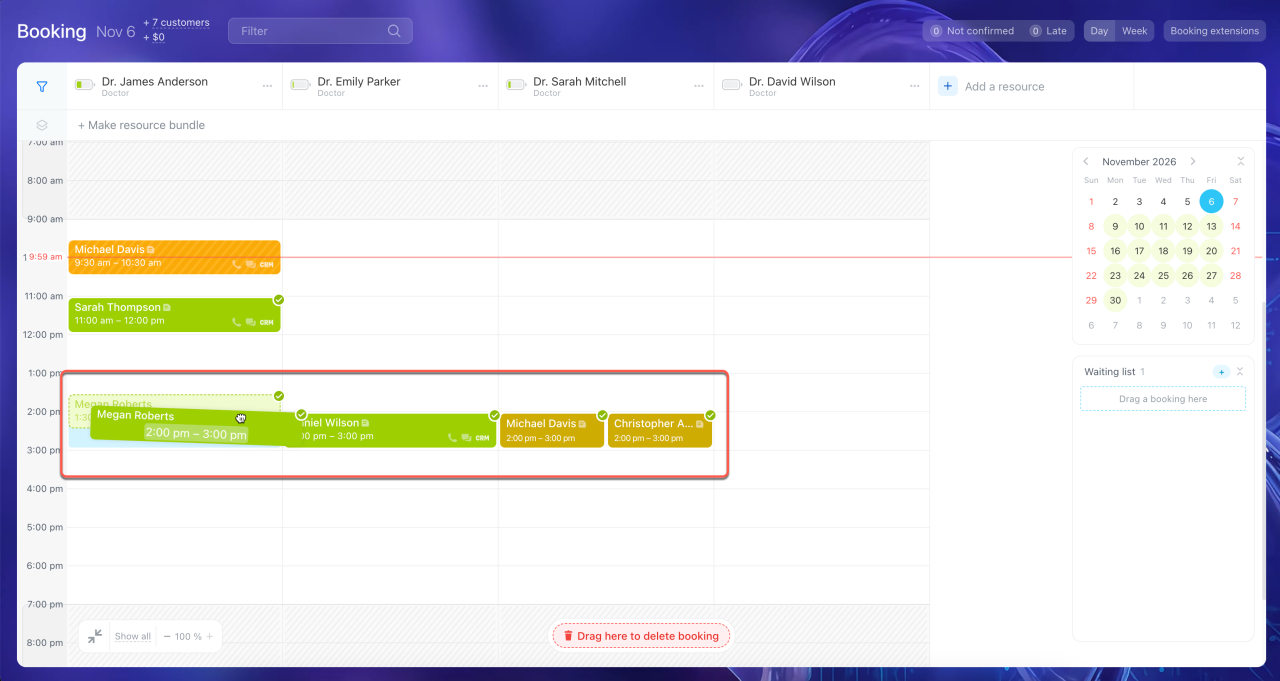
Monitor the schedule. Check the schedule in the morning and throughout the day. If there are unconfirmed or partially completed bookings, check their details in advance. You may need to reschedule an appointment or assign different resources.
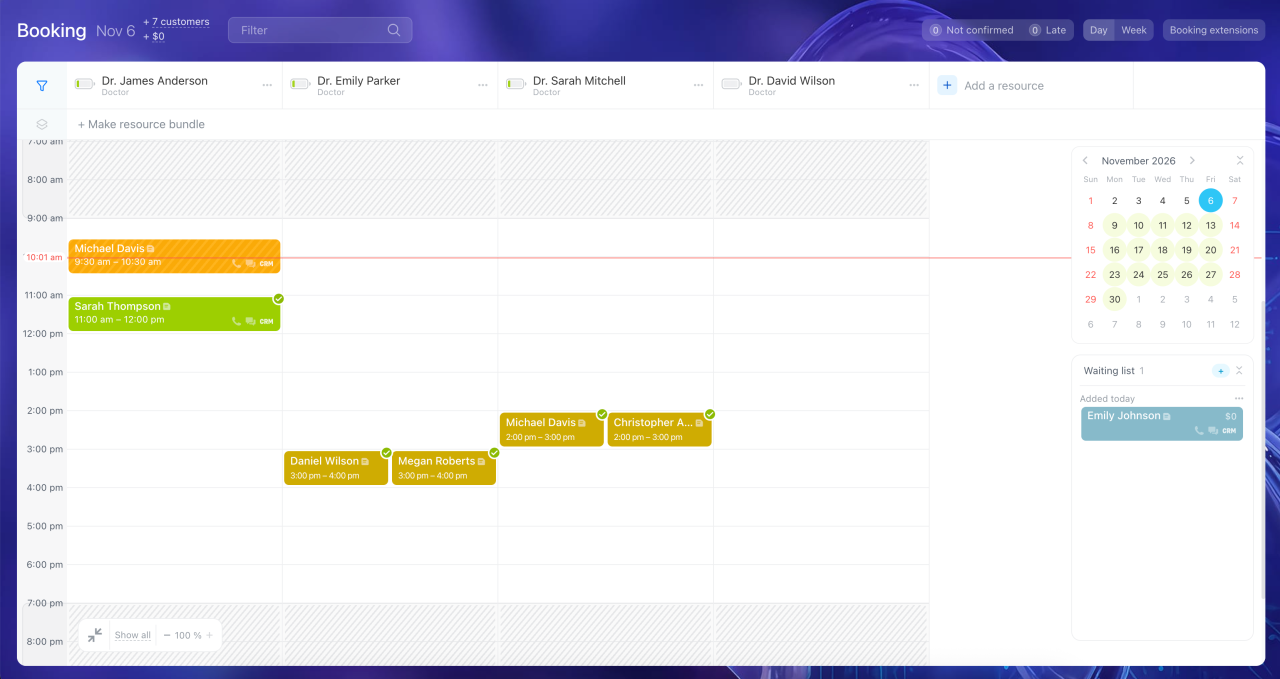
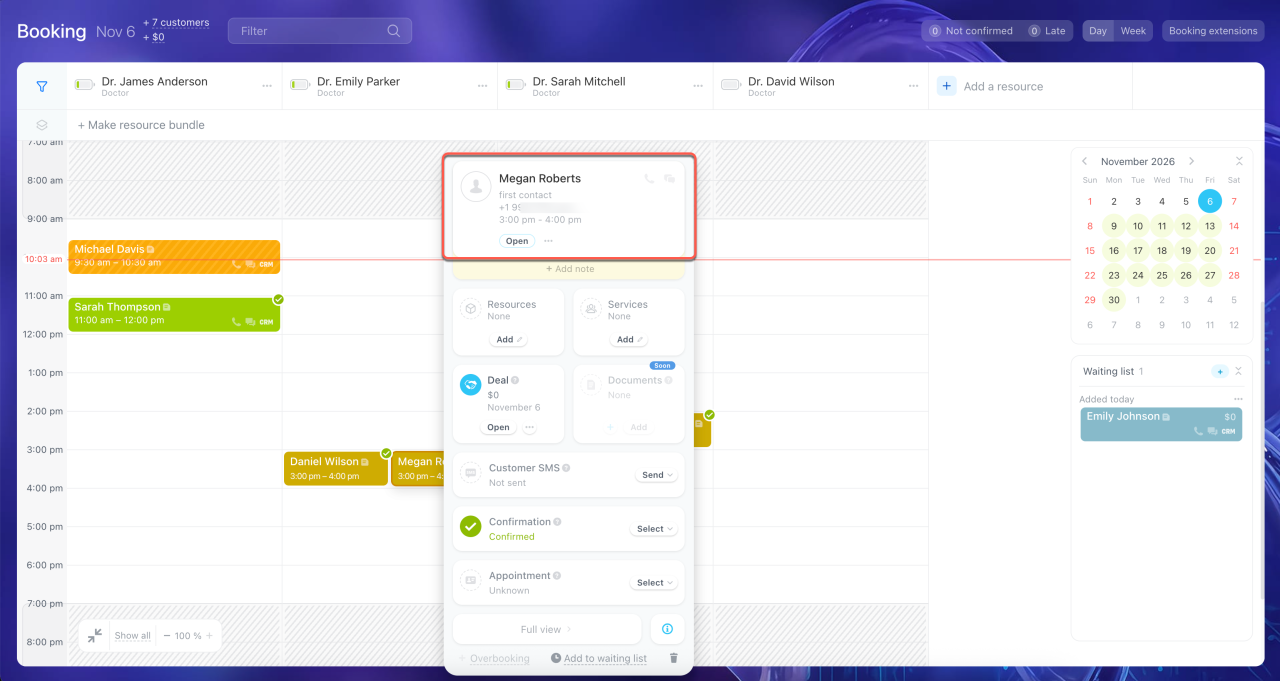
Track booking confirmations. Bitrix24 sends clients reminders and asks them to confirm their bookings. If a client hasn't confirmed their booking, contact them directly by phone or through a messenger. If they don't plan to come, you can free up the time slot in advance.
Add a customer booking
In brief
- Overbooking means scheduling more clients for a time slot than you can serve at once. It helps compensate for client no-shows and reduce employee downtime.
- Overbooking can be useful during peak hours and periods of high demand, when empty time slots can mean lost revenue.
- In Bitrix24 Booking, you can schedule multiple clients for the same time slot. Employees manage overbooking manually.
- To use overbooking safely, review no-show rates, make sure your schedule is flexible, and plan for situations when all clients show up.