
Some services require multiple resources at the same time. For example, an auto repair shop needs both a mechanic and a lift to repair a car. In Bitrix24 Booking, you can combine these resources into a bundle and book them together for the same time slot.
Resource bundles help businesses:
- Avoid scheduling conflicts. Bitrix24 prevents employees from accidentally booking the same resource for different clients at the same time. However, employees can manually book an occupied resource when needed, for example, when using overbooking.
- Make better use of resources. Coordinate specialists, equipment, and rooms to reduce downtime.
- Save time. Employees don't need to compare resource schedules manually. Bitrix24 shows time slots when all required resources are available.
In this article:
When to use resource bundles
Resource bundles are useful for businesses that need several resources at the same time, such as employees, equipment, or rooms. All required resources must be available to provide the service. If even one is unavailable, the service can't be scheduled.
Here are three examples of how resource bundles help prevent scheduling conflicts:
- Installation and construction. Installing an advertising structure requires both a crew and specialized equipment. If the equipment arrives before the crew, it may sit idle. If the crew is ready but the equipment is unavailable, employees may lose valuable work time. With resource bundles, you can book the crew and equipment together and see only time slots when both are available.
- Equipment rental with an operator. Some rentals require both equipment and a specialist, such as a crane with an operator or a bus with a driver. Resource bundles let you schedule them together.
- Auto repair and maintenance. Repairing a car may require a mechanic and a lift at the same time. With resource bundles, you can check their availability together and book an appointment only when both are free.
Use resource bundles
Bitrix24 Booking helps you manage schedules and book appointments for clients. If a service requires multiple resources, you can book them together, such as a specialist, a room, and equipment. This is called a resource bundle.
A resource bundle is created automatically when you select two or more resources for a booking, regardless of whether they appear in columns or in a list. You can combine:
- Two primary resources, such as a specialist and a room.
- Two secondary resources, such as equipment and a vehicle.
- A primary and a secondary resource, such as a specialist and equipment.
To set up resource bundles, follow these three steps:
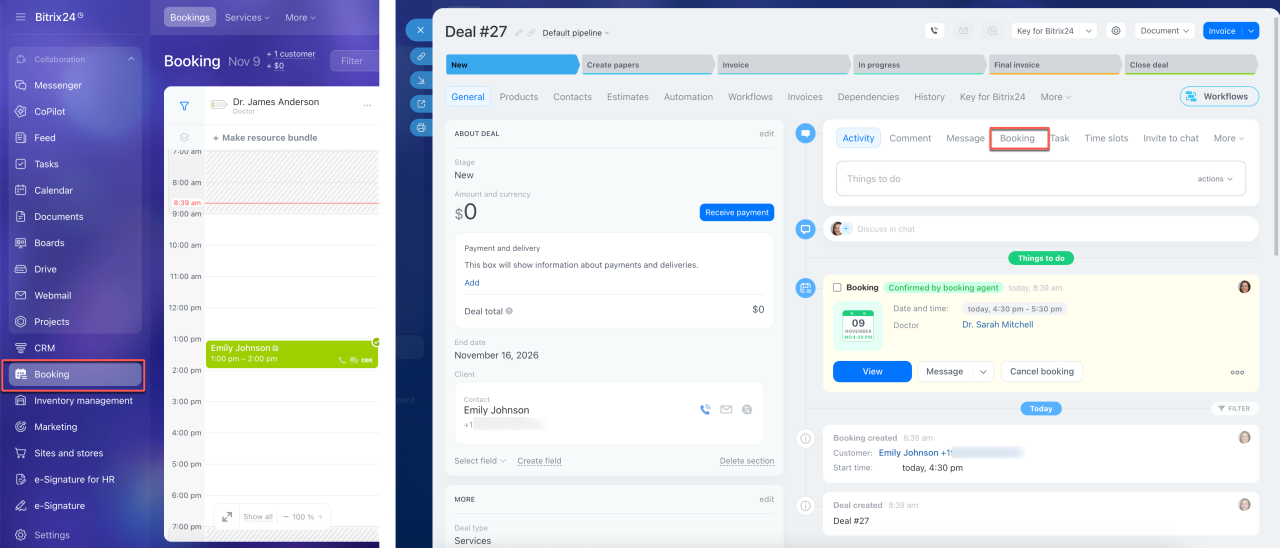
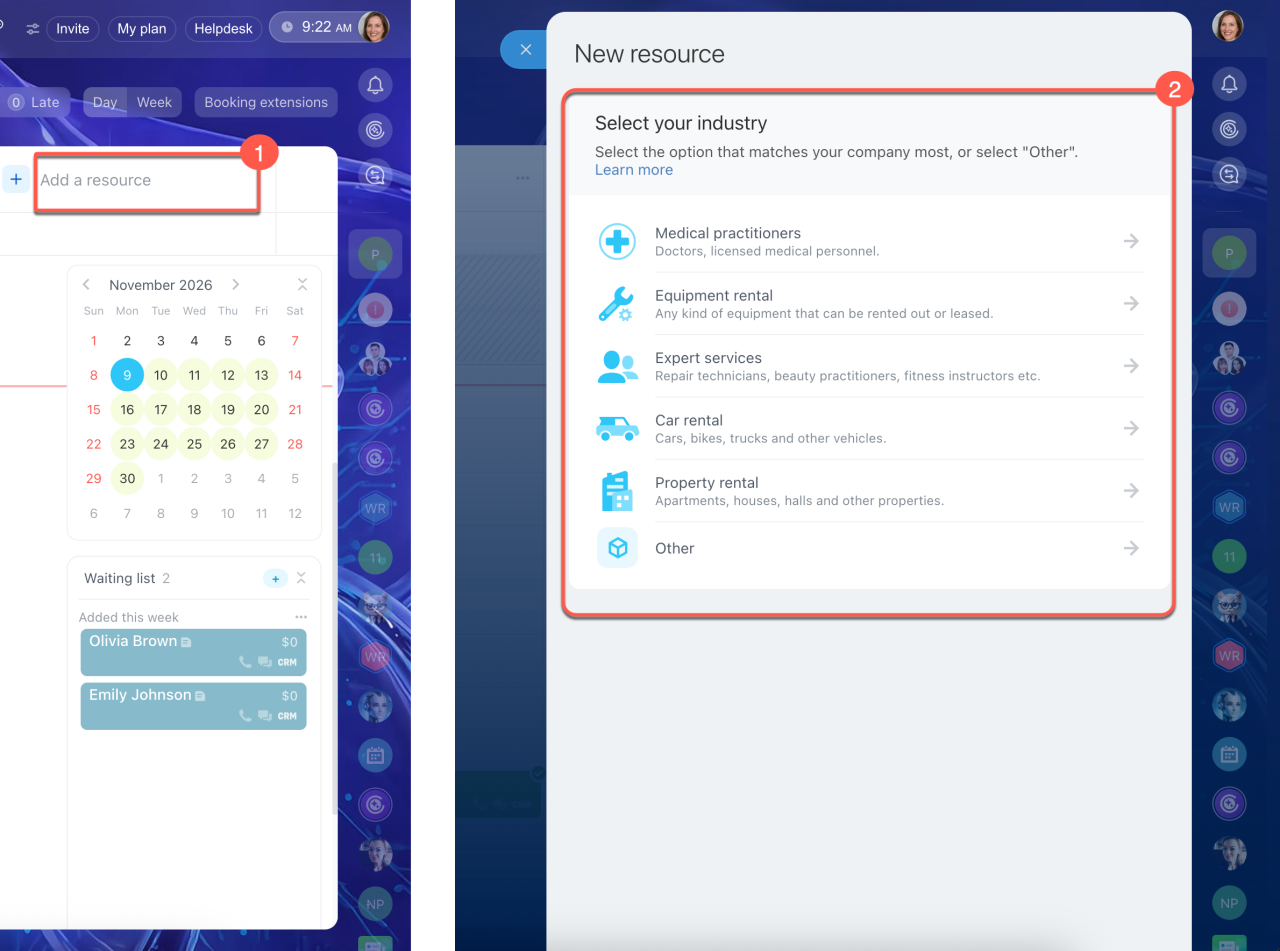
1. Create the resources you need. Open the Booking section from the deal form or the CRM side menu. Click Add a resource and select an industry. Enter a clear, specific resource name, such as "Attorney Carter" or "Room 3." Both clients and employees can see this name.
In the display settings, choose how the resource appears in the schedule:
- In columns — for primary resources that should always be visible in the schedule, such as a specialist or a room.
- In the secondary list — for additional resources that employees select when needed, such as equipment or an extra room. By default, these resources don't appear as columns in the schedule, but employees can manually move them to a separate column.
Next, set the work schedule and booking duration. Then configure employee reminders and client notifications.
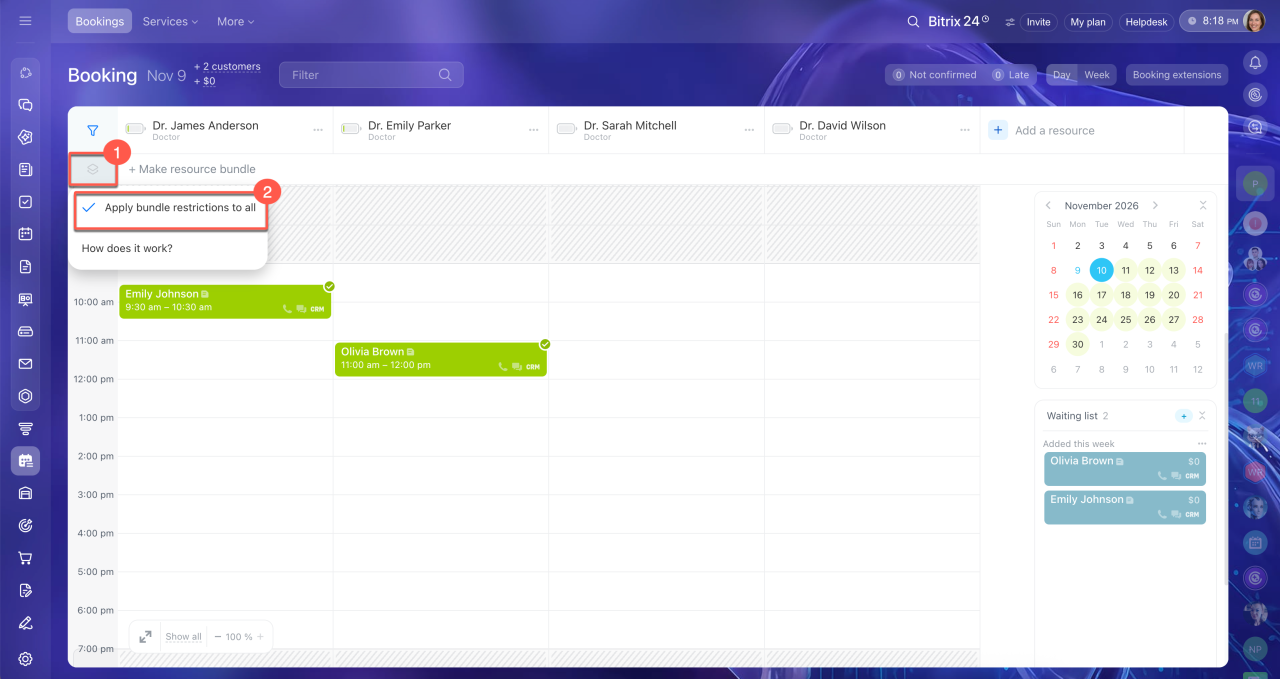
2. Set up resource bundles. After creating the resources, decide whether they can be used with any specialist or only with specific ones. If a resource can be used with any specialist, enable Apply bundle restrictions to all. This option is useful for shared rooms or equipment. When booking, Bitrix24 shows time slots when the resource and at least one specialist are available.
If a resource can only be used with a specific specialist, leave this option disabled. Instead, select the required resources manually when creating a booking. Bitrix24 will show only time slots when both the specialist and the resource are available.
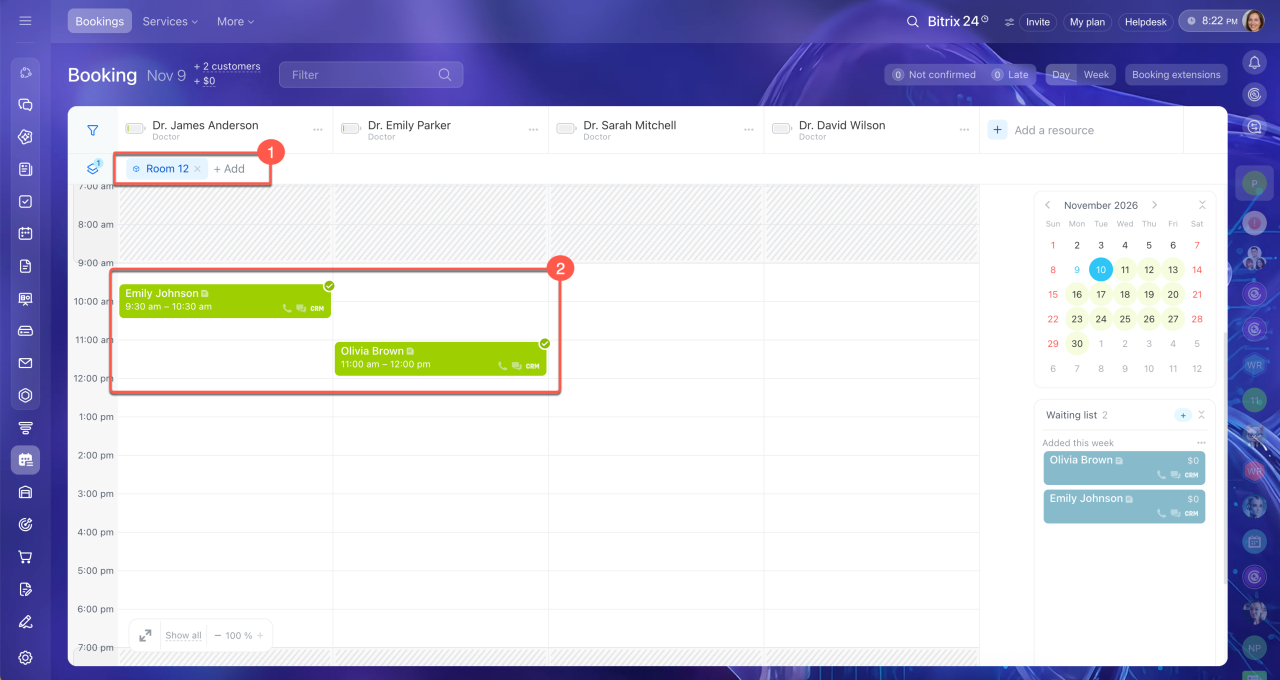
3. Create a bundled booking. Employees can create bookings manually in the schedule. Select a secondary resource, choose an available time slot for the primary resource, and enter the client's details. If you create a booking from a deal, Bitrix24 automatically fills in the client's information.
Booking: Getting started
Booking: how to create a new resource
In brief
- Bitrix24 Booking lets you schedule services that require multiple resources at the same time, such as specialists, equipment, and rooms.
- Resource bundles are useful when a service requires several resources, such as a mechanic and a lift or a crew and specialized equipment.
- To use resource bundles, create the required resources, set their schedules, and choose how they appear in the schedule.
- Employees can create bookings manually and select the required resources. Bitrix24 shows only time slots when all selected resources are available.