
A CRM customer database stores information about deals, contacts, and companies, including phone numbers, email addresses, and other details. It helps you:
- Keep track of clients and deals. Calls and messages are saved in CRM item forms, so employees can review communication history in one place. Keep client details up to date so new inquiries can be linked to the correct CRM items automatically.
- Identify clients who may buy again. CRM analyzes client behavior and identifies clients who may be interested in making another purchase.
- Create personalized offers. Use filters to group clients and send targeted offers through messengers, email, and other channels.
In this article:
Store client data correctly
Enter client phone numbers and email addresses in the standard fields of the contact or company form. Don't use custom fields for this information.
Standard fields in CRM
Here's why this matters:
- You can make calls directly from a CRM item form only if the phone number is stored in the Phone field. If you enter it in a comment or custom field, you won't be able to call the client with one click.
- Automation rules: Customer communication
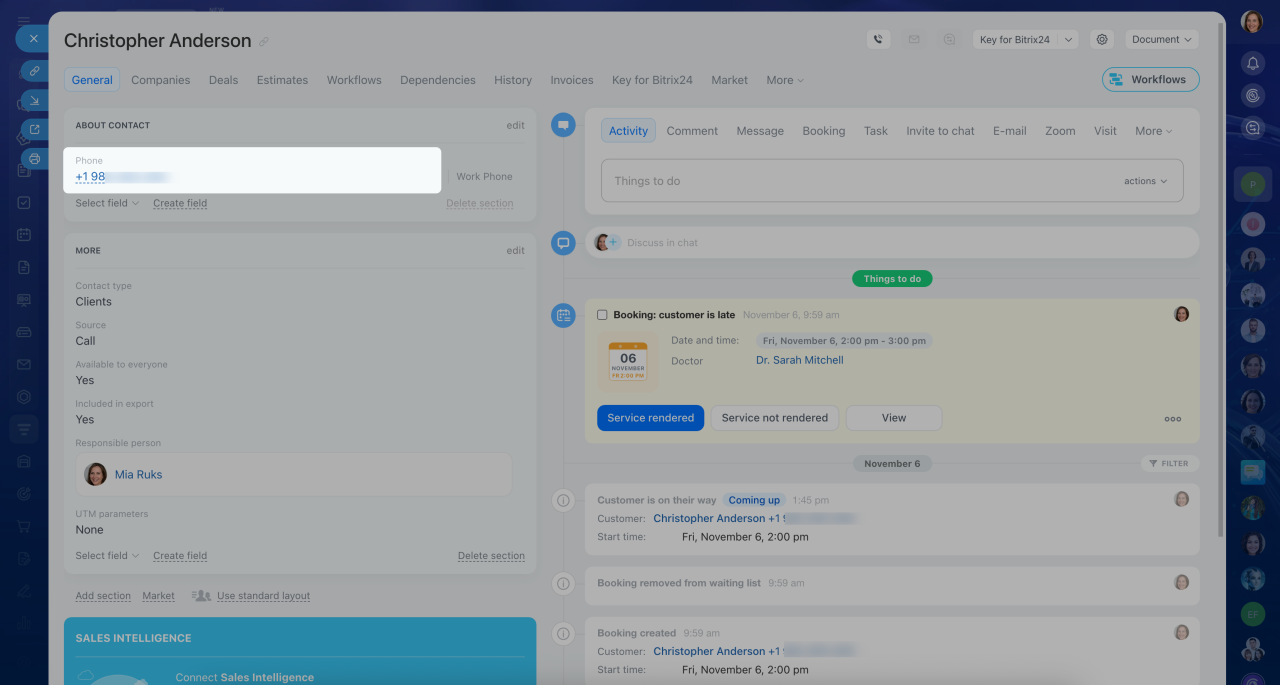 The phone number is saved in the standard field of the contact form. The employee can send the client a text about the order status directly from Bitrix24.
Create custom fields
Create custom fields to store information specific to your clients or deals. For example, a window installation company can create separate fields for glazing type, window size, and number of sashes.
Custom fields in CRM
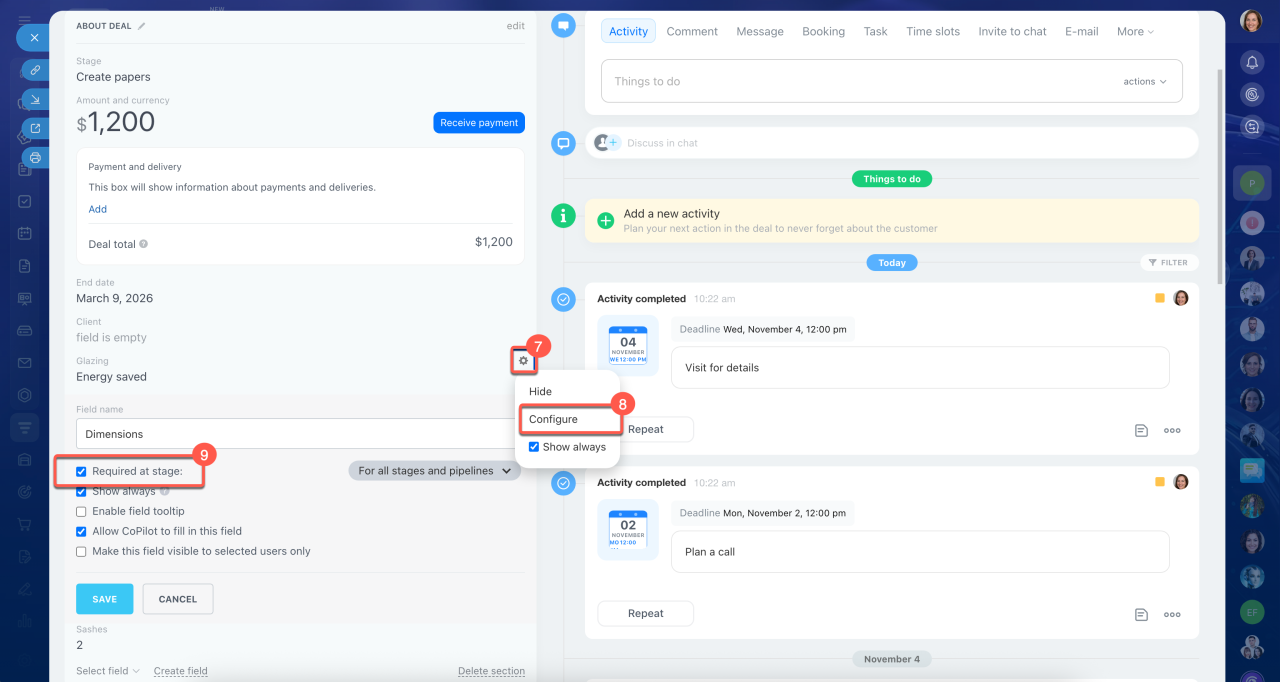
1–3. Go to CRM > Deals and open any deal form.
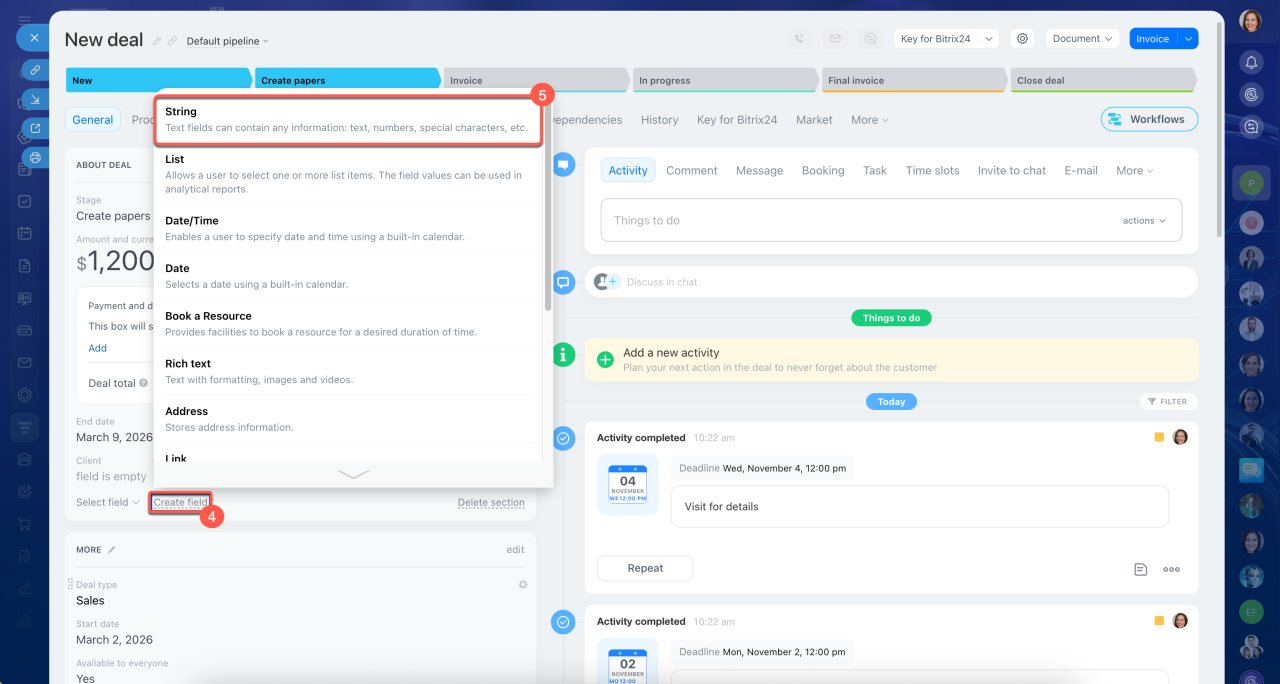
4–5. Click Create field and select a field type.
6. Arrange the fields in the order you typically ask clients for information. This helps employees follow the sales script.
7–9. Make fields required at specific stages so employees don't forget to enter important information.
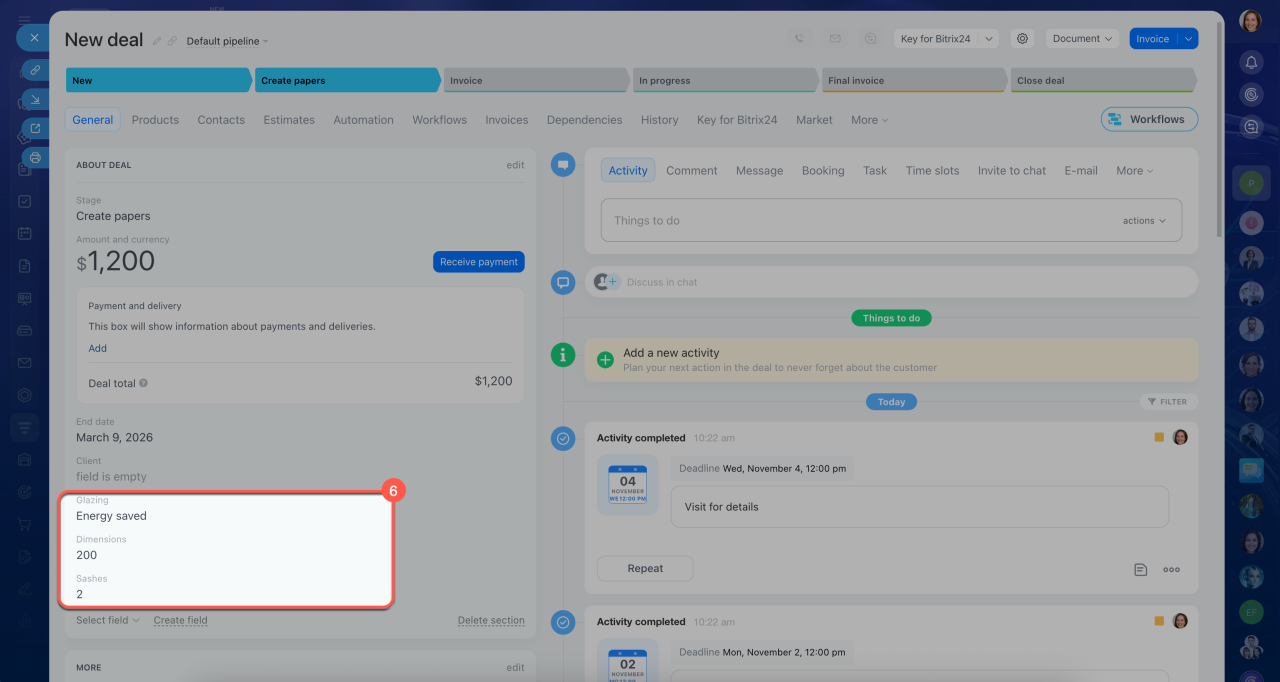 For a window sales and installation company, the following fields were created: Glazing, Dimensions, and Sashes
Use CRM forms
CRM forms help you automatically collect client information. Add separate fields for the details you need so clients can fill them in and the information is saved in the CRM.
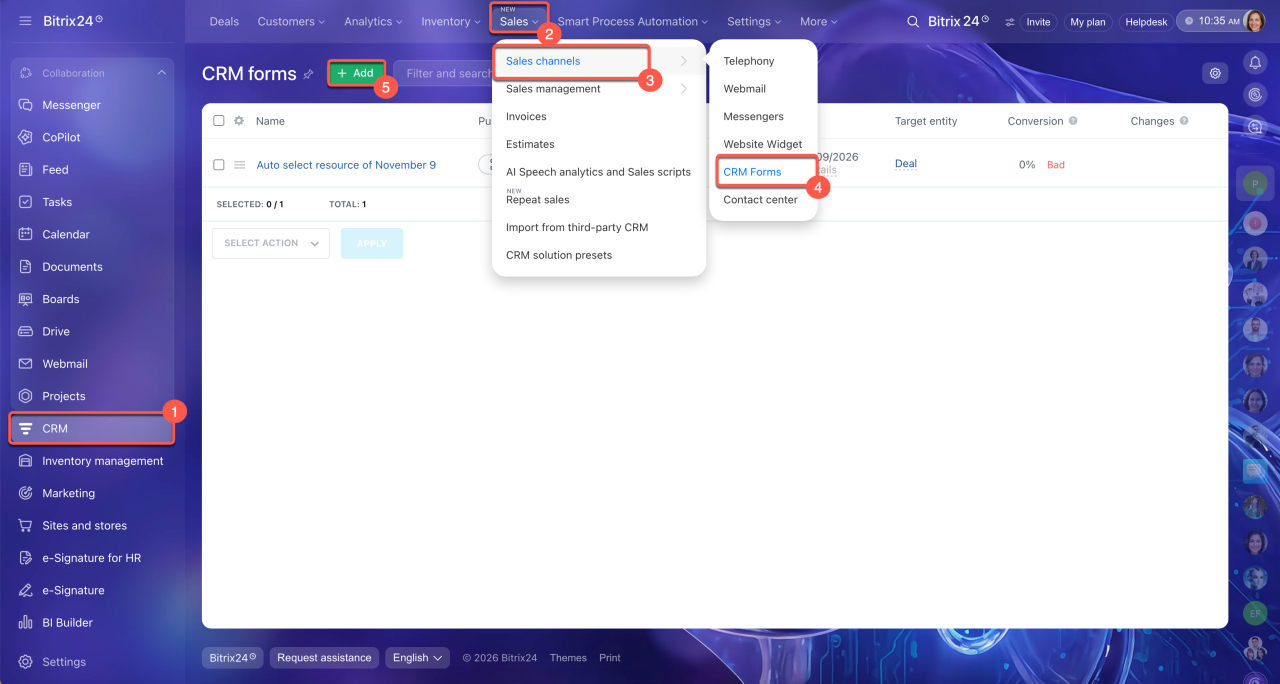
1–4. Go to CRM > Sales > Sales channels > CRM forms.
5. Click Add.
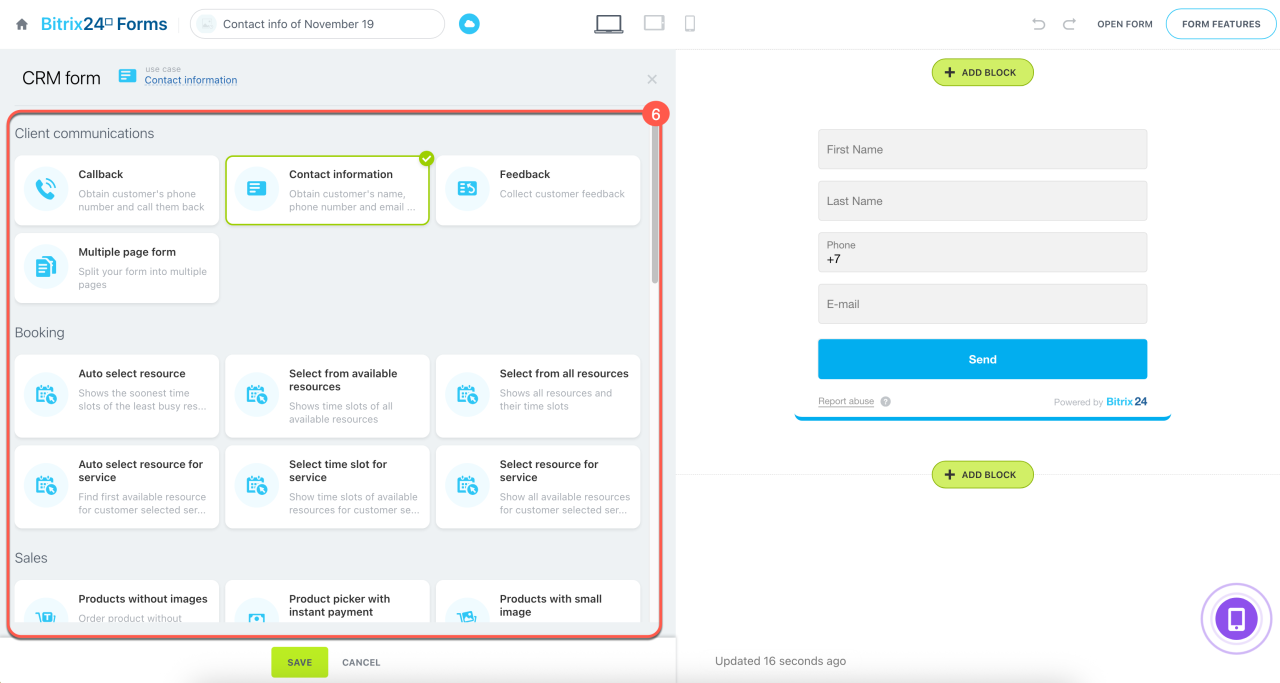
6. Choose a scenario, a CRM form template designed for a specific purpose. For example, select Feedback to collect client reviews or Online event to register participants for a webinar.
7. Add the required fields to the CRM form.
CRM form use cases
Create and configure CRM forms
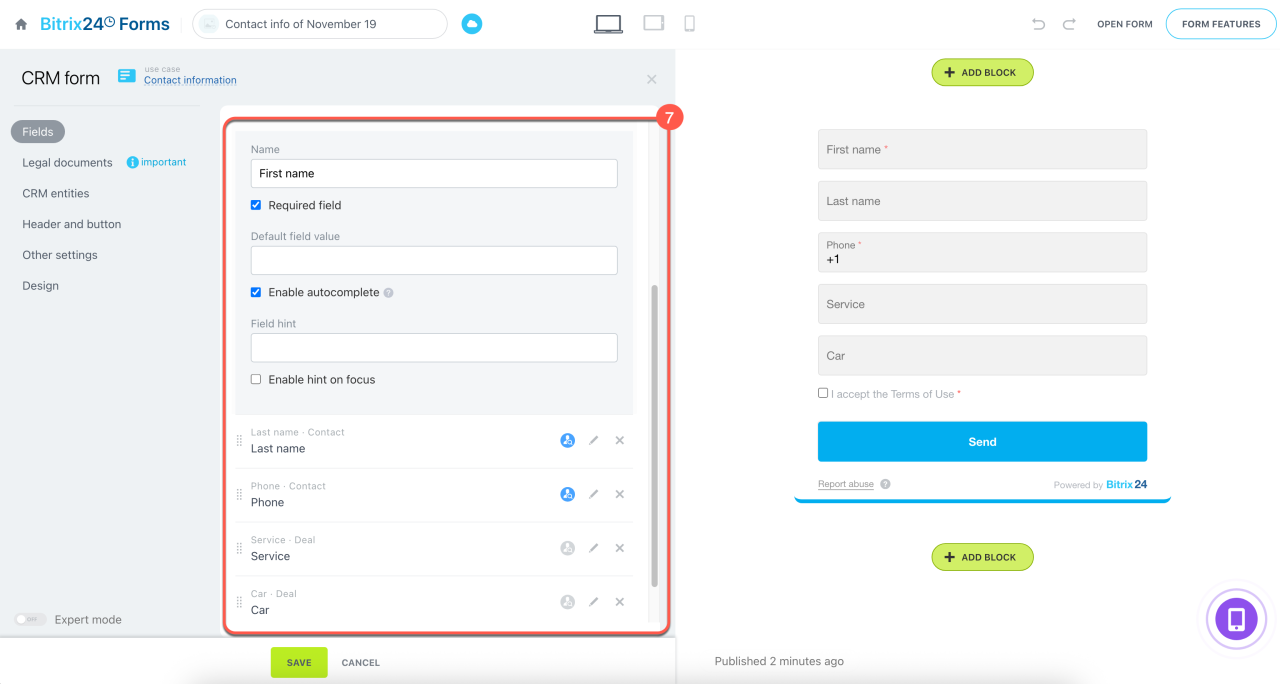 The auto repair shop's CRM form includes fields for name, phone number, service type, and car make. Clients can't submit a request without completing these fields.
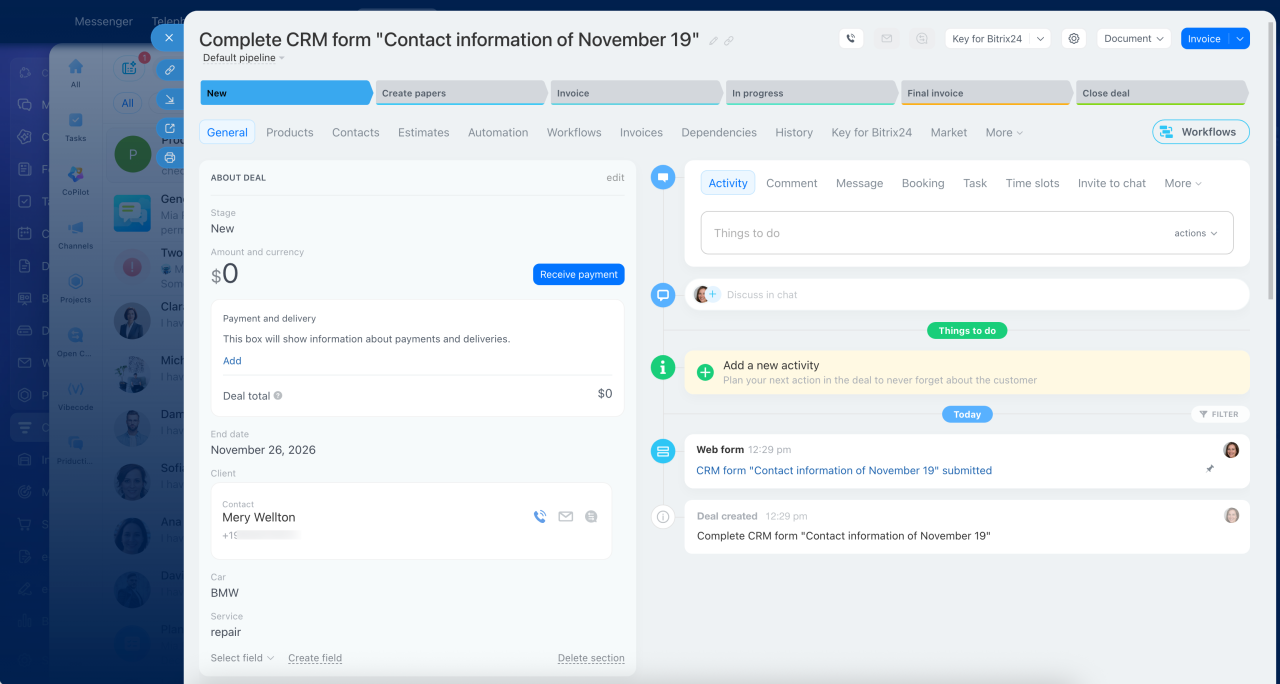 The contact form of a client who submitted the CRM form
Segment clients with filters
When client information is stored in separate fields, you can use CRM filters to find specific groups of clients. This helps you segment your customer database. For example, you can find contacts from a particular city and send them a newsletter about a new branch opening.
Filters in CRM
1–3. Go to CRM > Customers > Contacts or Companies.
4–5. Click the Filter + search field and select the fields and values you need. For example, select City and enter Springfield.
6. Click Find.
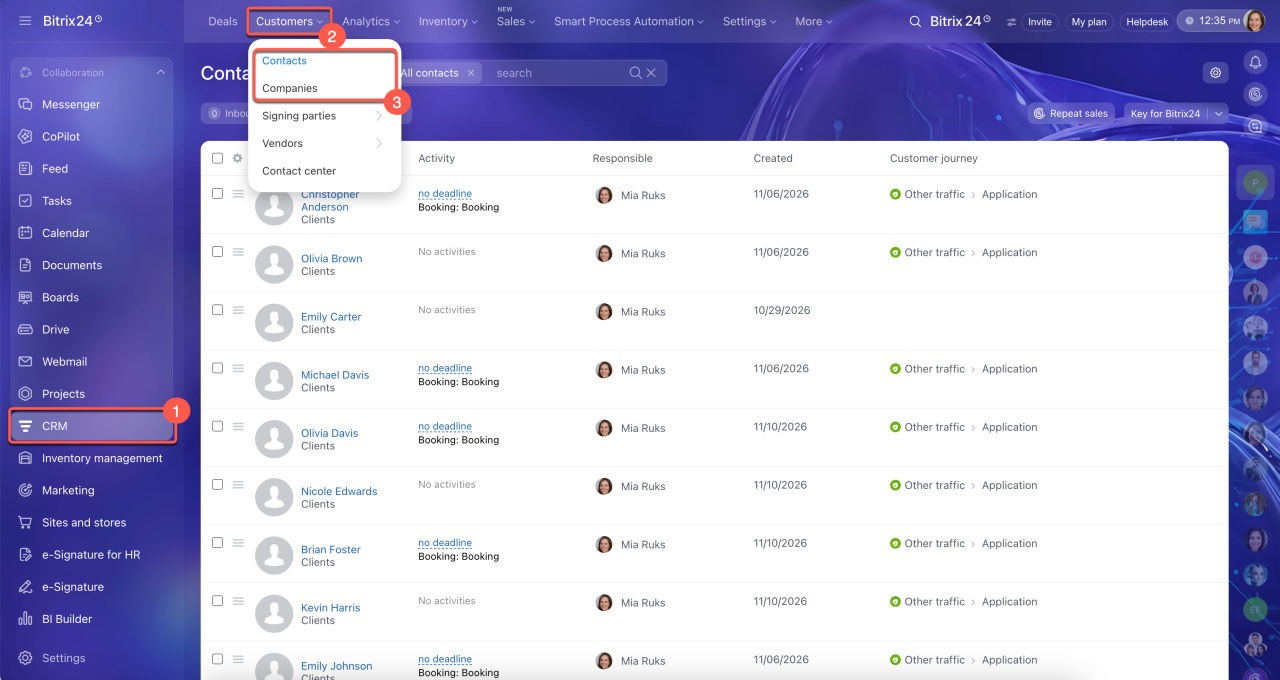
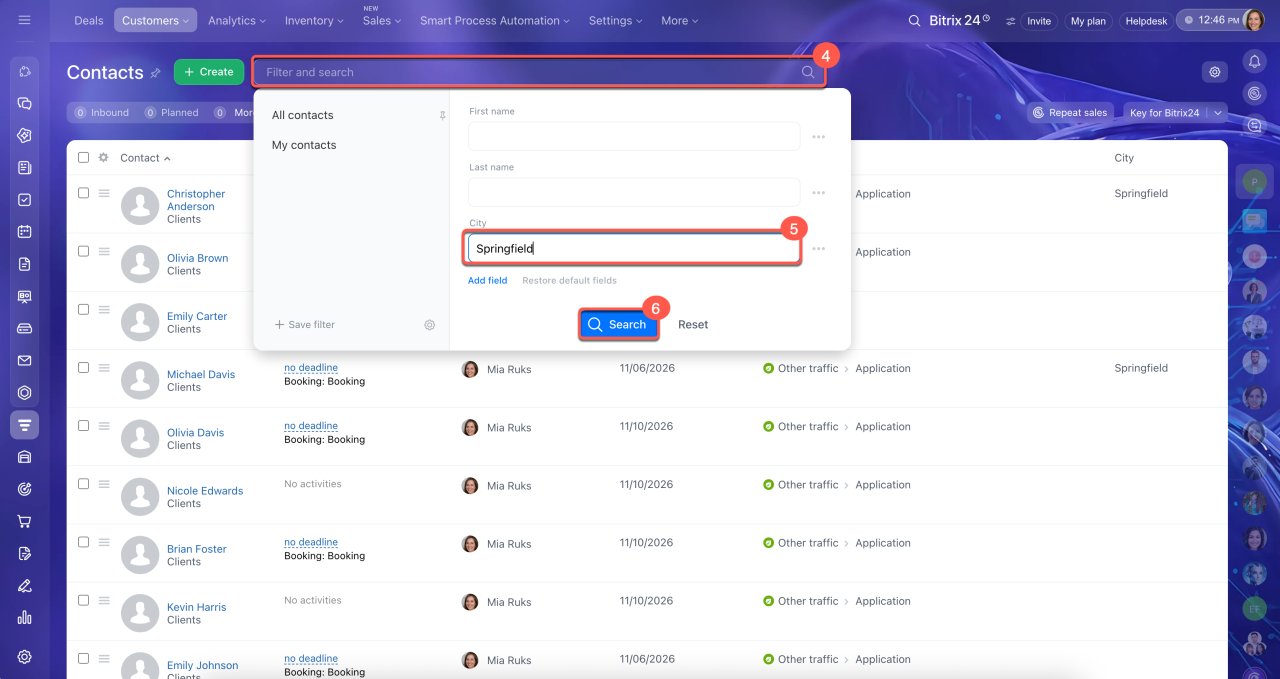
After filtering clients, you can send them an offer immediately. Select all contacts in the list and choose the action you need, such as Create newsletter.
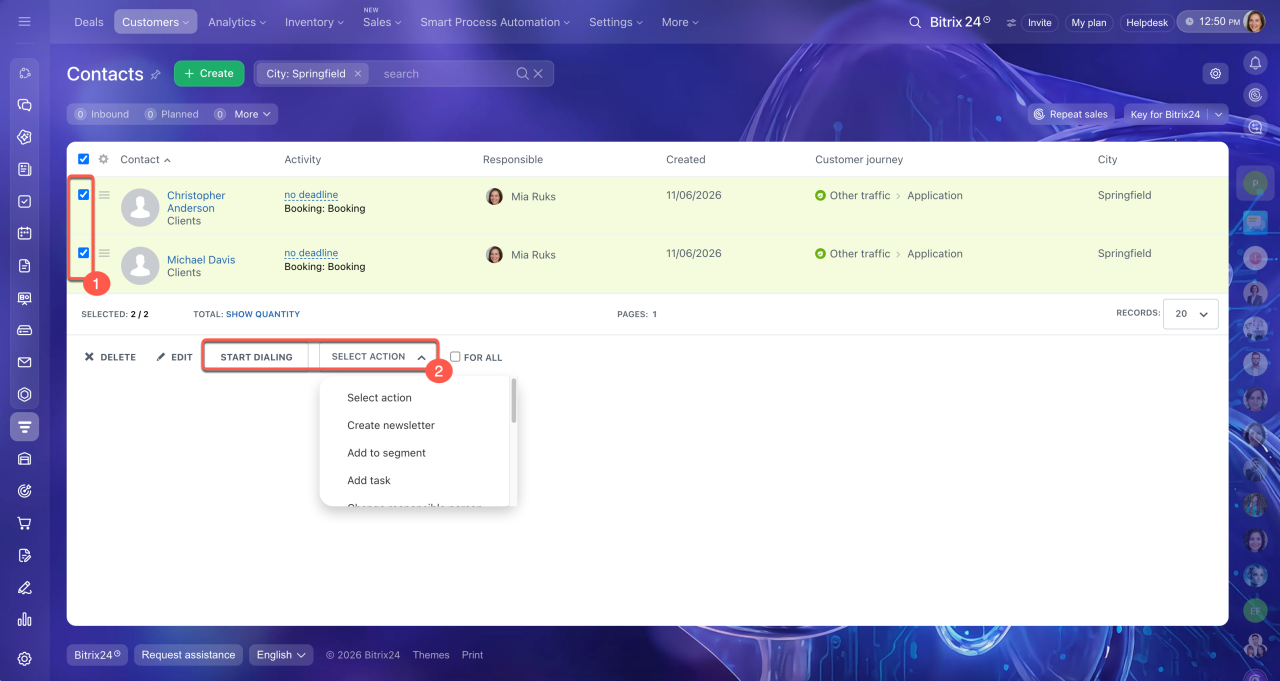
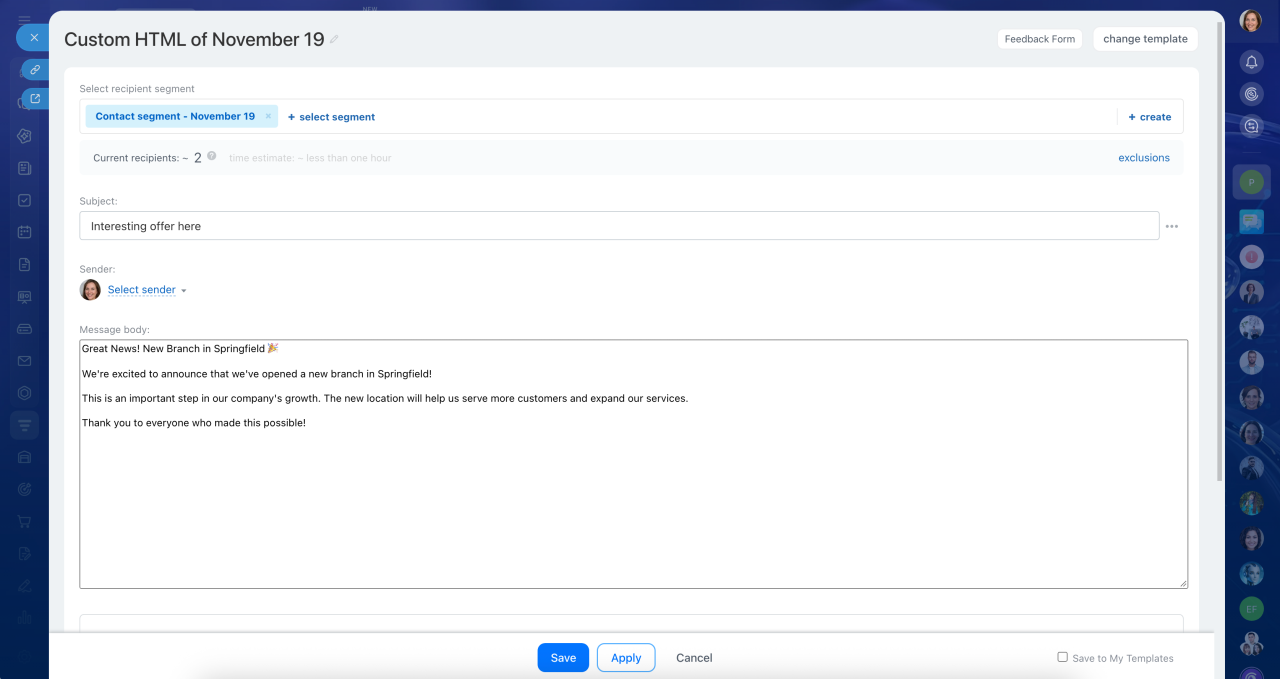 The employee filtered clients from Springfield and sent them a text about the new branch opening
Set up AI-assisted repeat sales
AI-assisted repeat sales helps you identify clients who may be ready to buy again and automatically creates deals for them. It analyzes CRM data and recommends which clients to contact, when to reach out, and what to offer. Keeping your CRM data complete and up to date helps AI generate more relevant recommendations. Make sure client and deal forms contain current information so you can offer products or services that match your clients' needs.
AI-assisted repeat sales in CRM
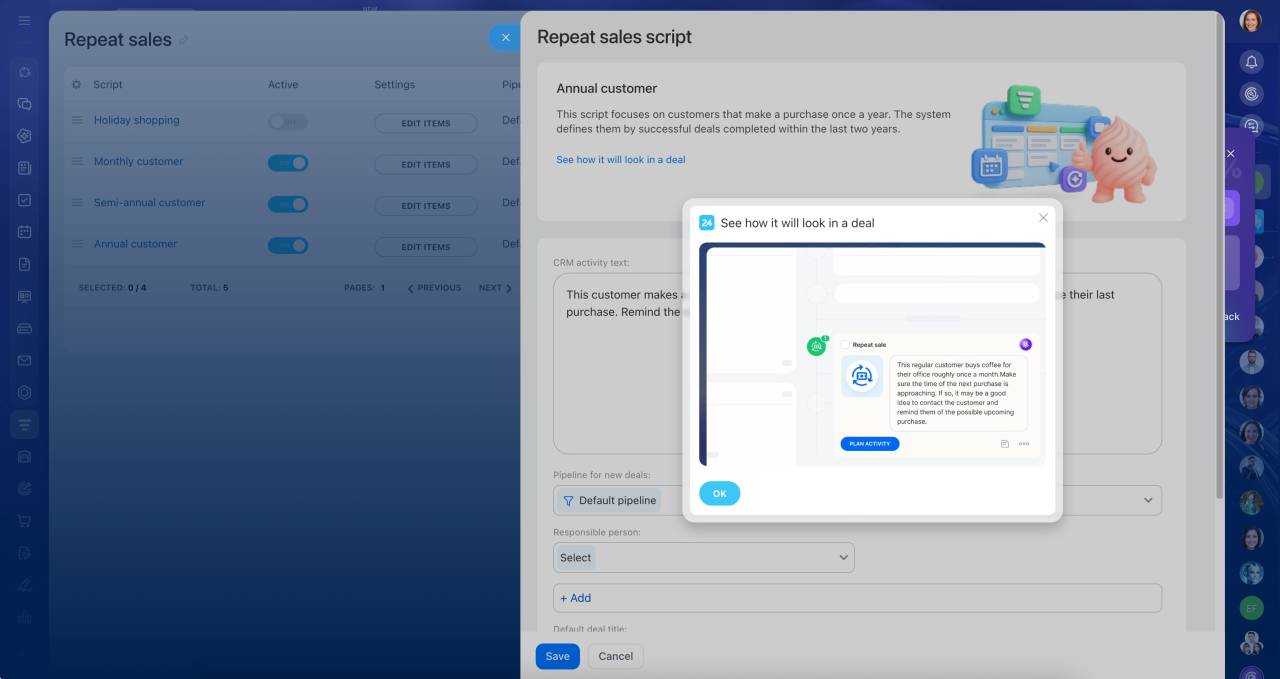 For every deal, AI adds an activity with recommendations for the employee: what to offer the client and how to structure the conversation most effectively
In brief
- A CRM customer database contains deals, contacts, and companies with phone numbers, email addresses, and other details. It helps you keep track of clients, review communication history, and make personalized offers.
- Enter client phone numbers and email addresses only in the standard fields of contact and company forms. This lets you make calls, send emails, and send SMS messages directly from the CRM item form.
- Create custom fields to store additional information about clients or deals.
- Set up CRM forms to collect client information automatically.
- Storing information in separate fields makes it easier to filter, segment, and analyze your customer database.
- AI-assisted repeat sales identifies clients who may be ready to buy again and automatically creates deals for them. It analyzes CRM data and recommends which clients to contact, when to reach out, and what to offer. Complete, up-to-date CRM data helps AI provide more relevant recommendations.