
Workflow is one of the key features of Bitrix24 Lists. It lets you automatically run actions for list items, such as approvals, notifications, or data updates.
Before using workflows, you need to enable them in the list settings.
Enable workflows in a list
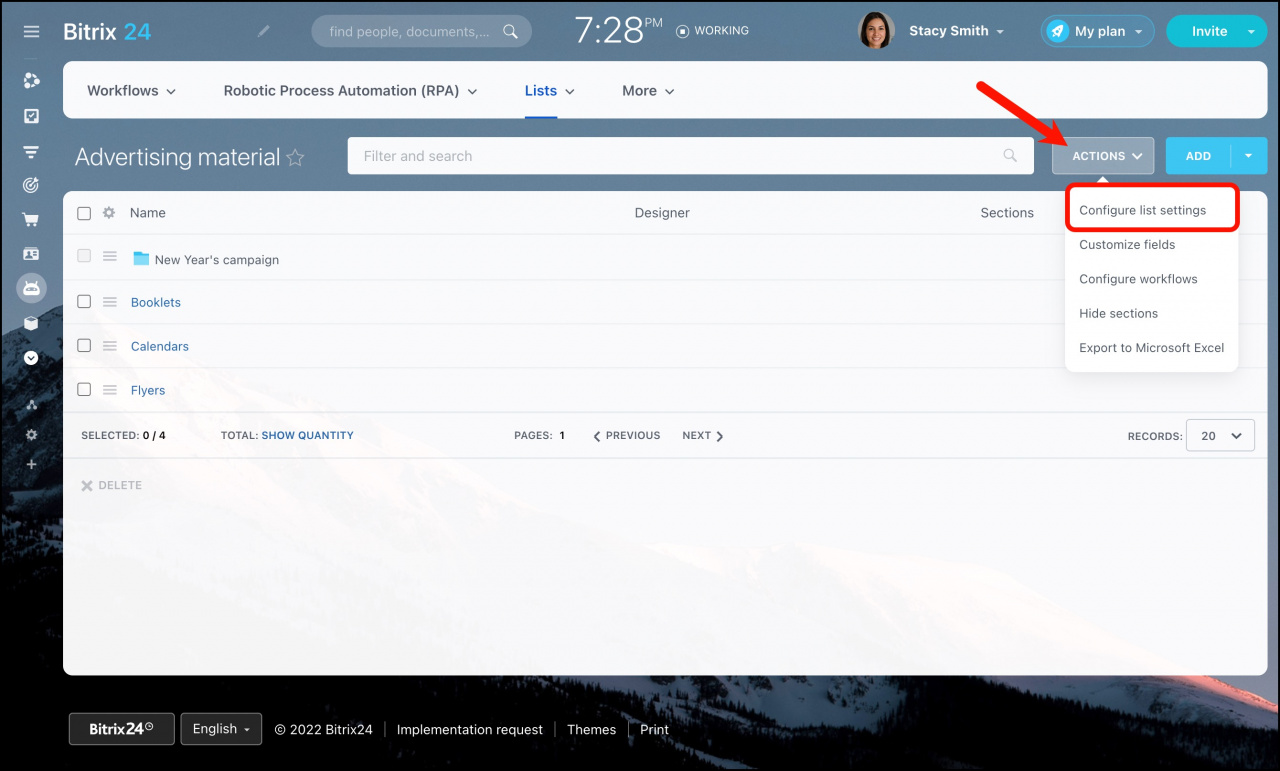
- Open the list.
- Click Actions > Configure list settings.
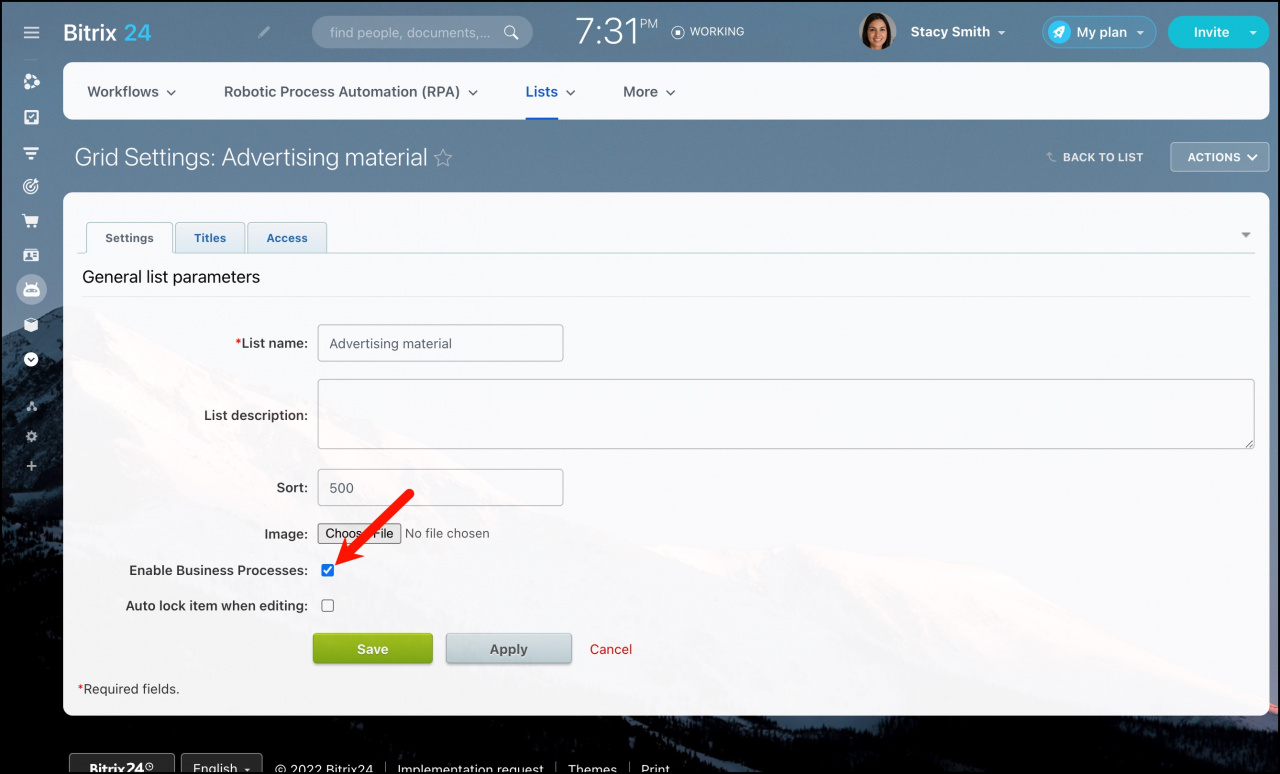
- Turn on the Enable Business Processes option.
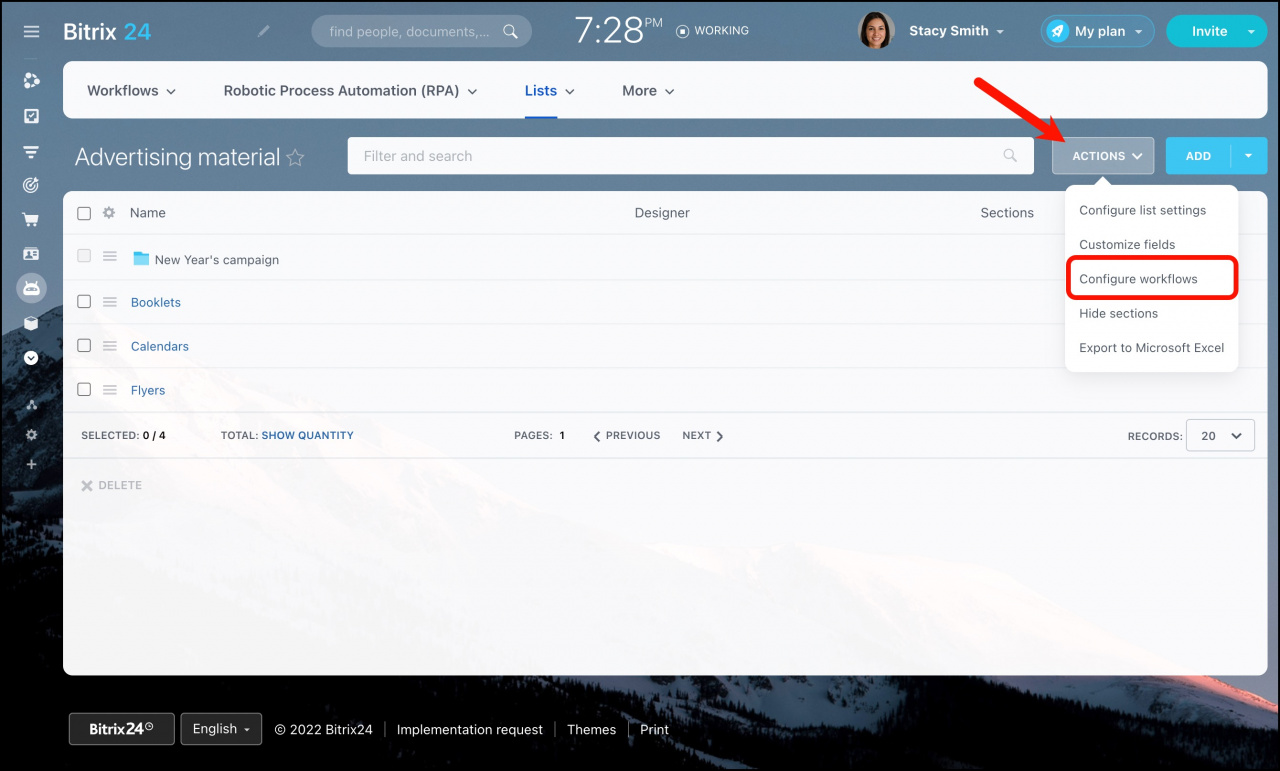
- Click Configure workflows to start creating or managing workflows.
After enabling this option, you can automate actions for list items.
Move a list to Workflows
If you use a list frequently, you can move it to the Workflows section. This makes it easier to create items directly from the Feed using a dedicated menu item.
No list items will be lost during the move.
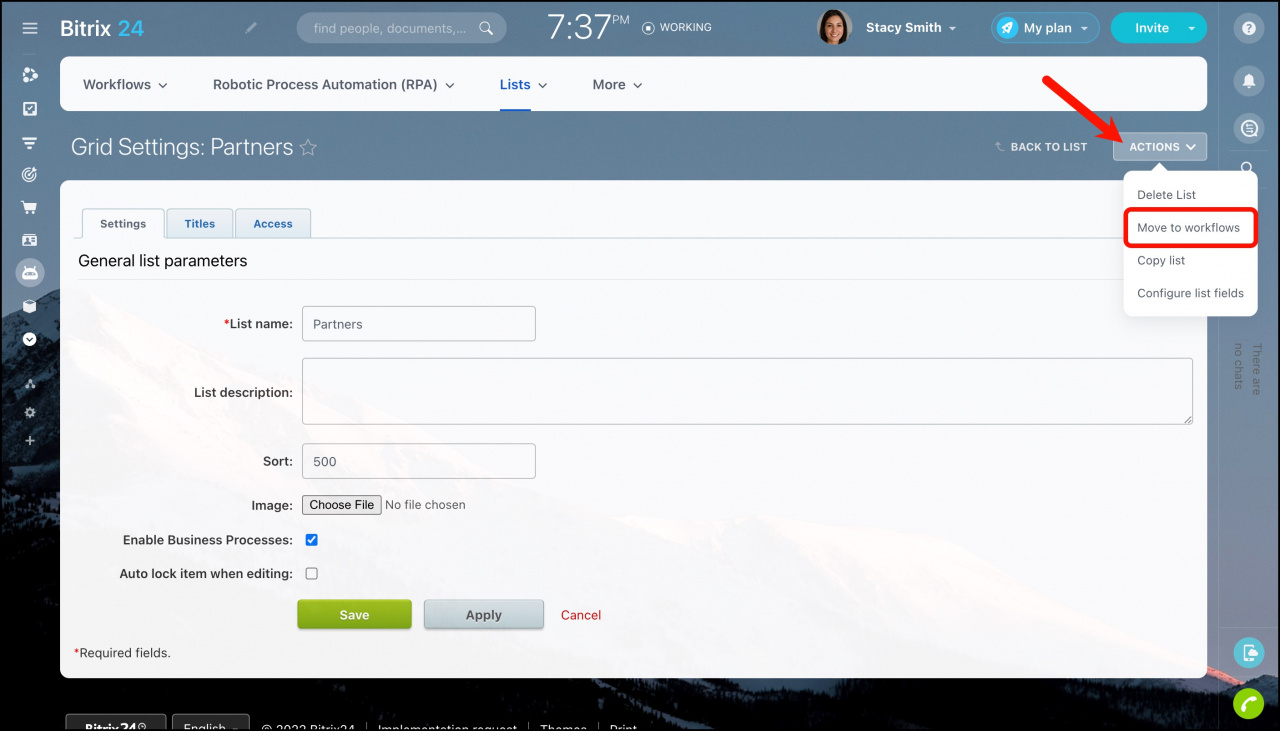
After moving the list to Workflows, you cannot move it back to Lists.