Segmenting your customer base helps you manage it more efficiently. It means dividing customers into groups based on specific characteristics. Without segmentation, it takes more time to find customers interested in certain products.
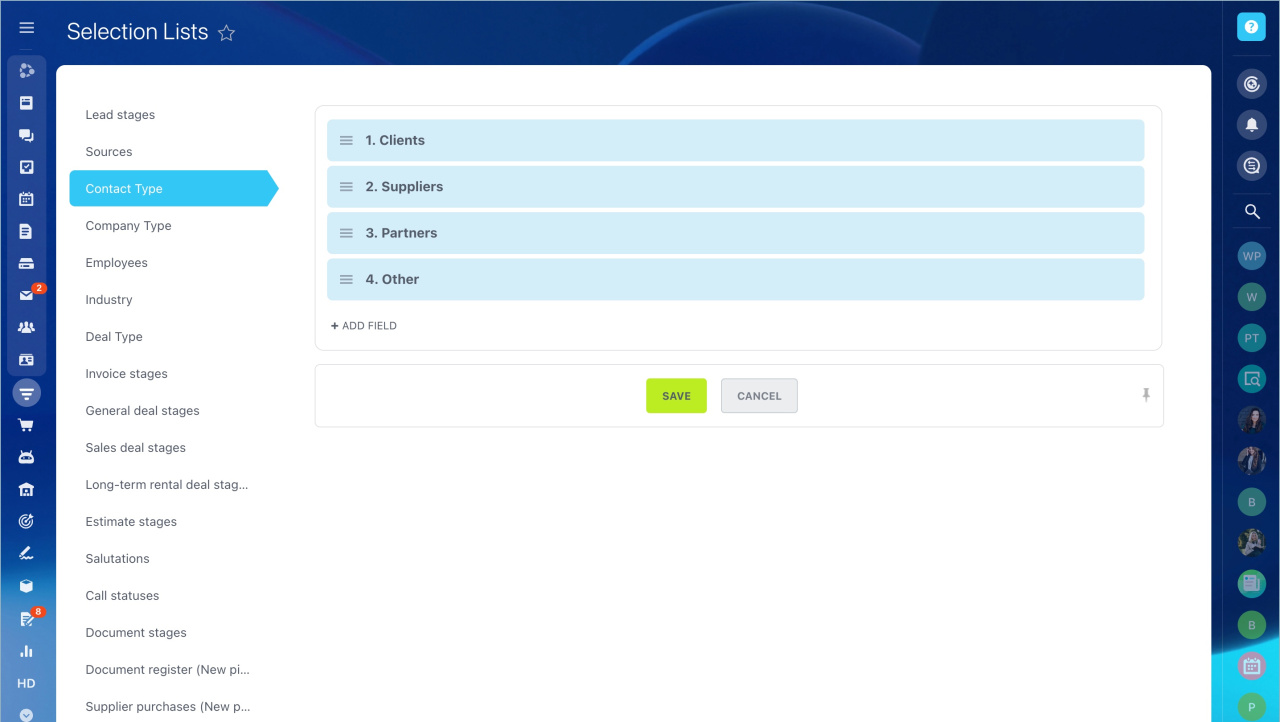
Segment contacts and companies. Use the Contact Type and Company Type fields to define the main types of clients you work with. You can use these values in filters and automation rules.
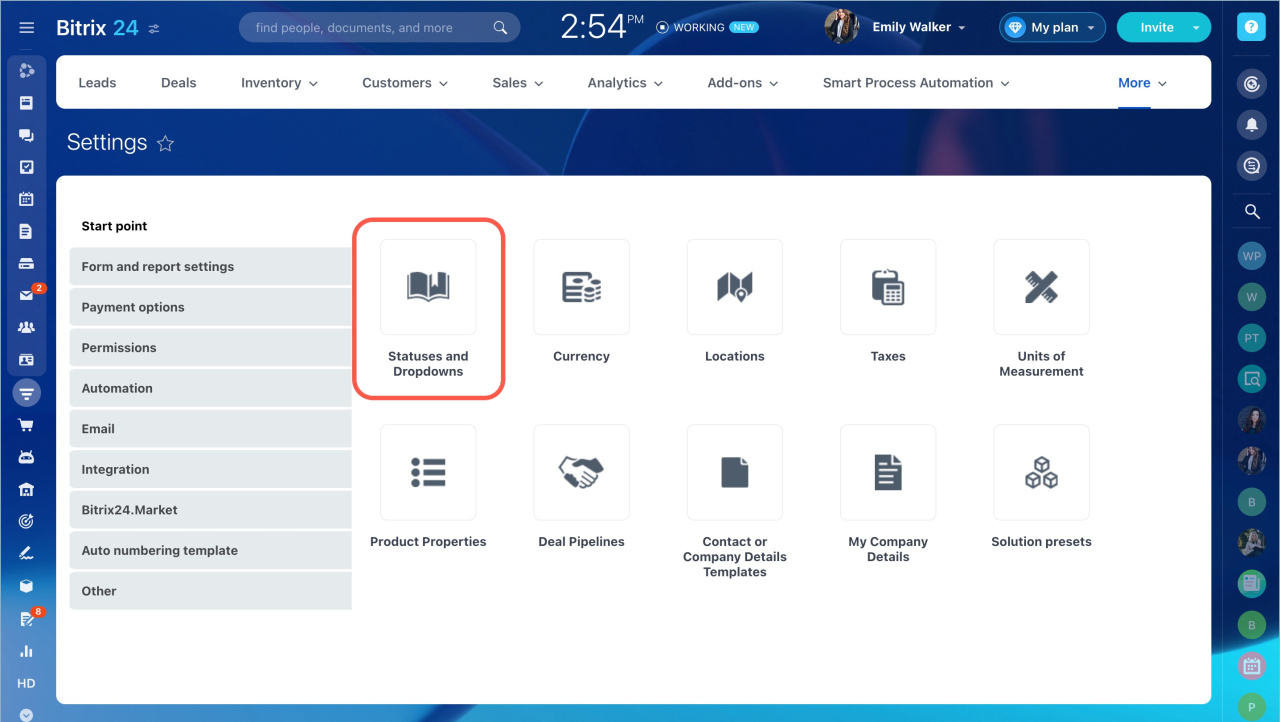
- Go to CRM - Settings - CRM Settings - Start point - Statuses and Dropdowns.
- Add the types of contacts and companies you work with. Use custom fields like List to capture key customer characteristics.
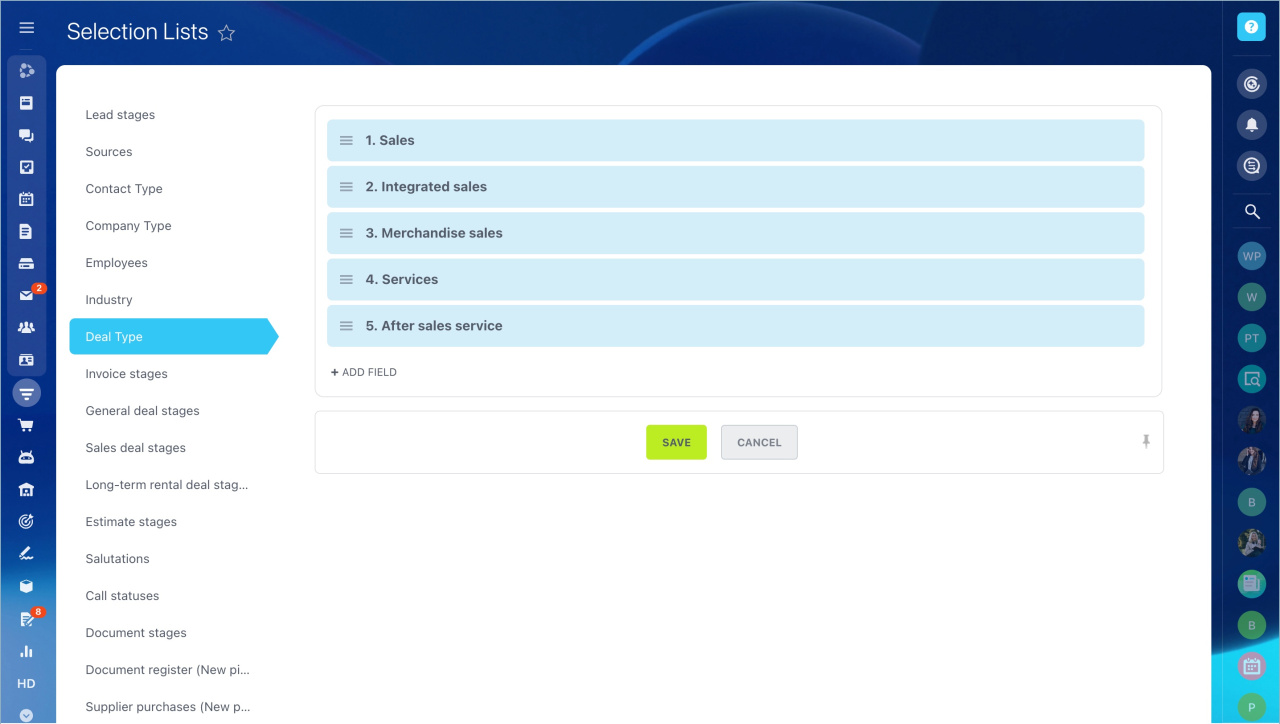
Segment deals. You can assign deals to employees based on their type. Set this up the same way as for contacts and companies.
- Go to CRM - Settings - CRM Settings - Start point - Statuses and Dropdowns.
- Add the required values in the Deal Type section.
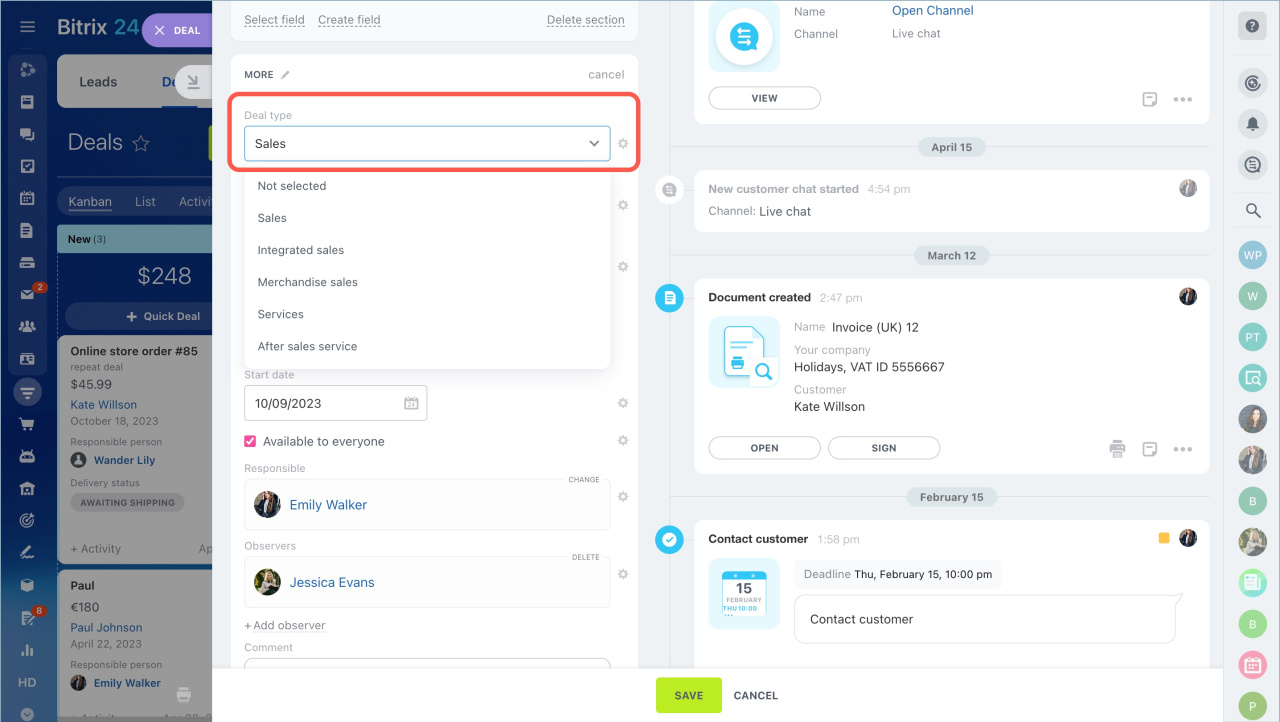
Assign responsible users based on the deal type.
To set a deal type:
- Open the CRM item form and find the Type field.
- Select a type for a deal, contact, or company. Use this data for analytics and reports.