
Marta AI is a friendly virtual assistant that enhances your Bitrix24 experience by providing quick and clear answers in support chats.
How Marta AI functions:
- Automatically joins all new support chats.
- Quickly responds to inquiries about Bitrix24.
- Transfers the conversation to a support specialist if it can't provide an answer.
Plans
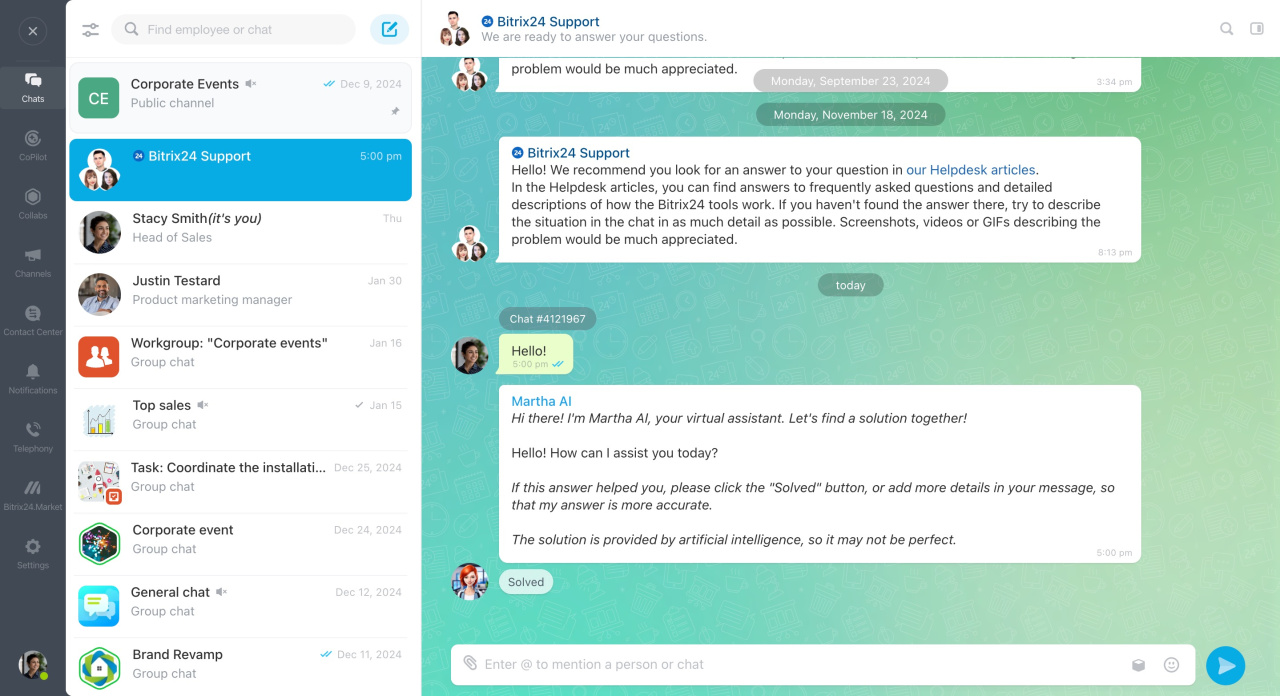
Contact Marta AI
Administrators and Bitrix24 partners can initiate a chat with Marta AI.
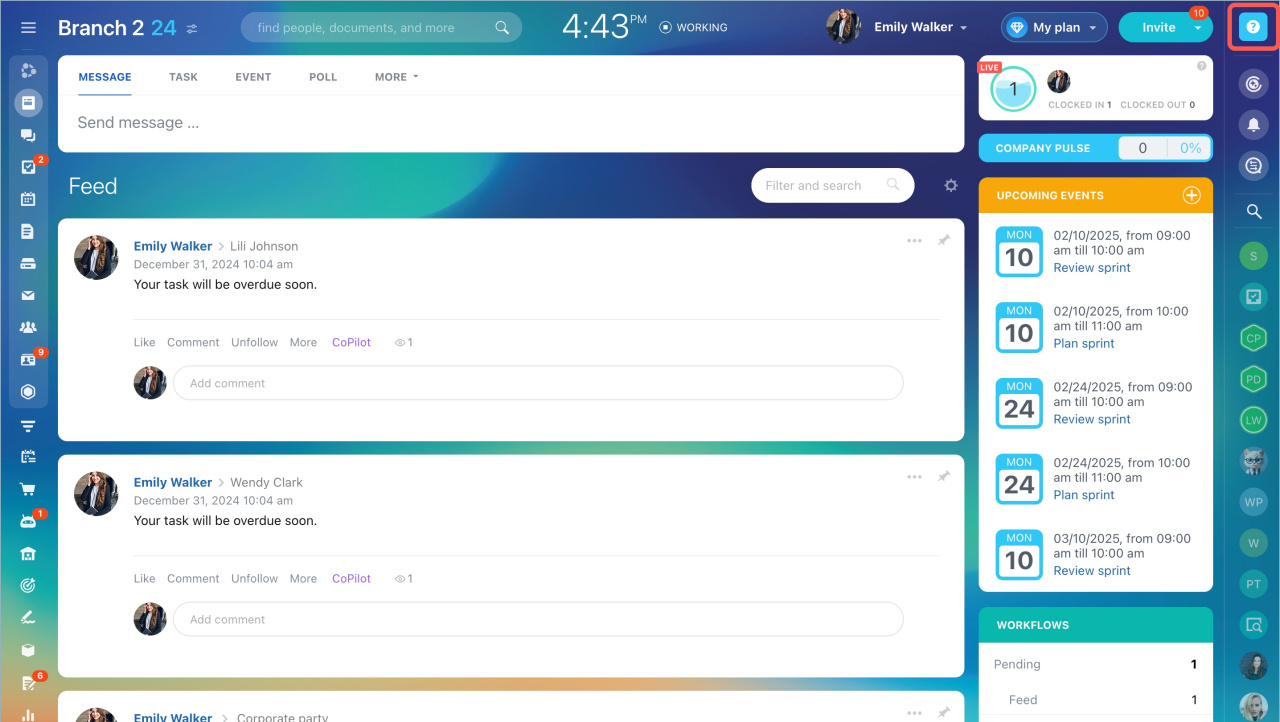
- Click on Question in the top right corner.
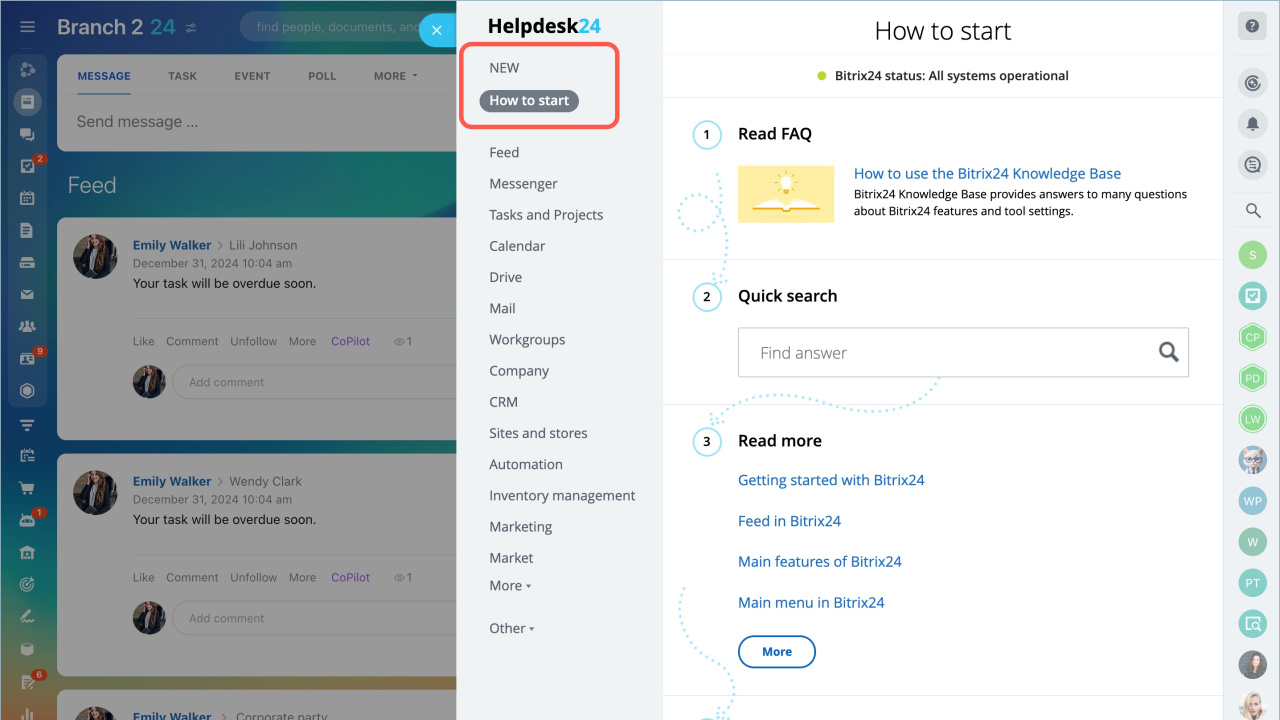
- Select the New or How to start section.
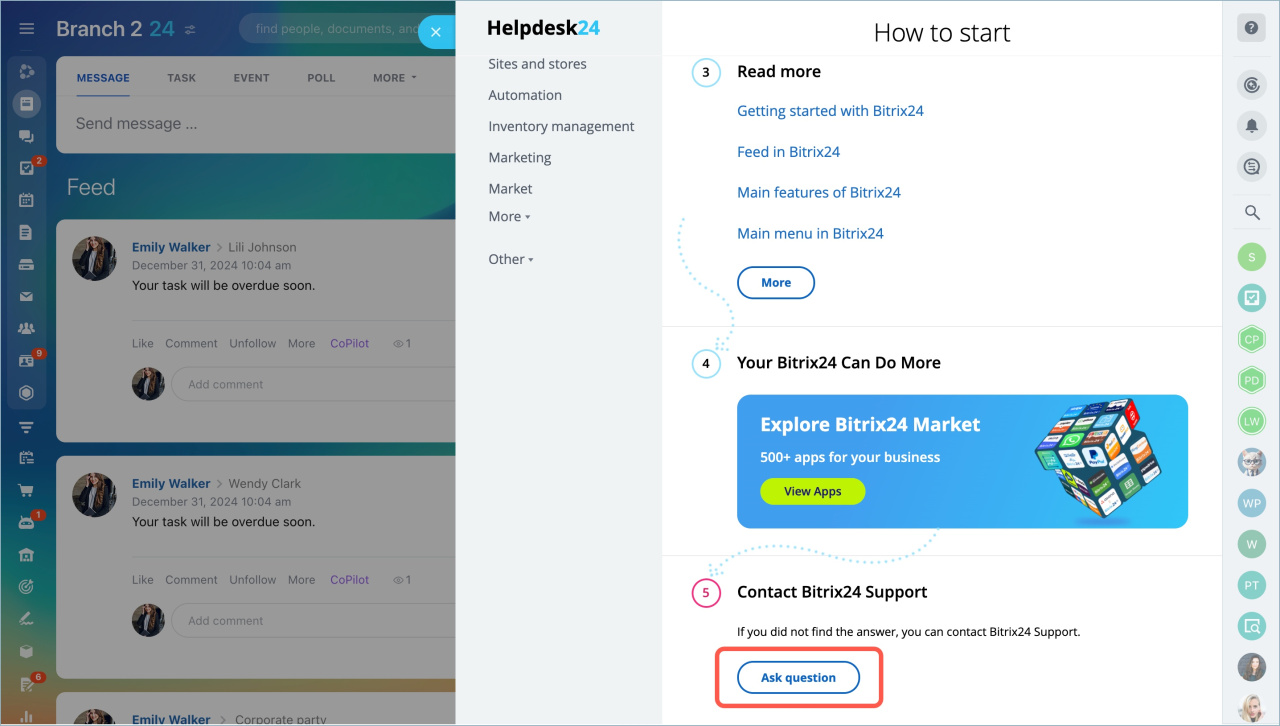
- Click Ask question.
- Type your inquiry.
Ask Marta AI a question
To receive a response from Marta AI, it's crucial to clearly articulate your request.
Provide a detailed description in one message. Marta AI will generate a response as soon as it receives your message. For instance, if you write "Hello" and send it, Marta AI will reply to the greeting.
Explain step-by-step: what you are doing, the outcome you get, and the result you want. Ensure there are no typos or grammatical errors that could alter the meaning.
Hello! I have a task in the Tasks and Projects section. I want to change the deadline, but the field is inactive. I can't modify the deadline. How can I adjust it?
Describe the situation in text if you send a screenshot. Marta AI does not analyze images, so text will help understand your request and provide an accurate answer. A screenshot may be needed if Marta AI transfers the conversation to a support specialist.
When trying to manually save an email in CRM, "Email saving error" occurs. What does this error mean?
Use the correct names of Bitrix24 tools. This will help Marta AI understand the question faster and provide an accurate answer.
Can several employees use one API key in the e-Signature for HR
Ask Marta AI clarifying questions. Request the AI assistant to explain in more detail or rephrase the answer. This will help you better understand the information and continue the conversation without contacting a support employee.
Can you explain in more detail how to set up notifications for new tasks? Write step-by-step how to do it.
Use the buttons under Marta AI's answers:
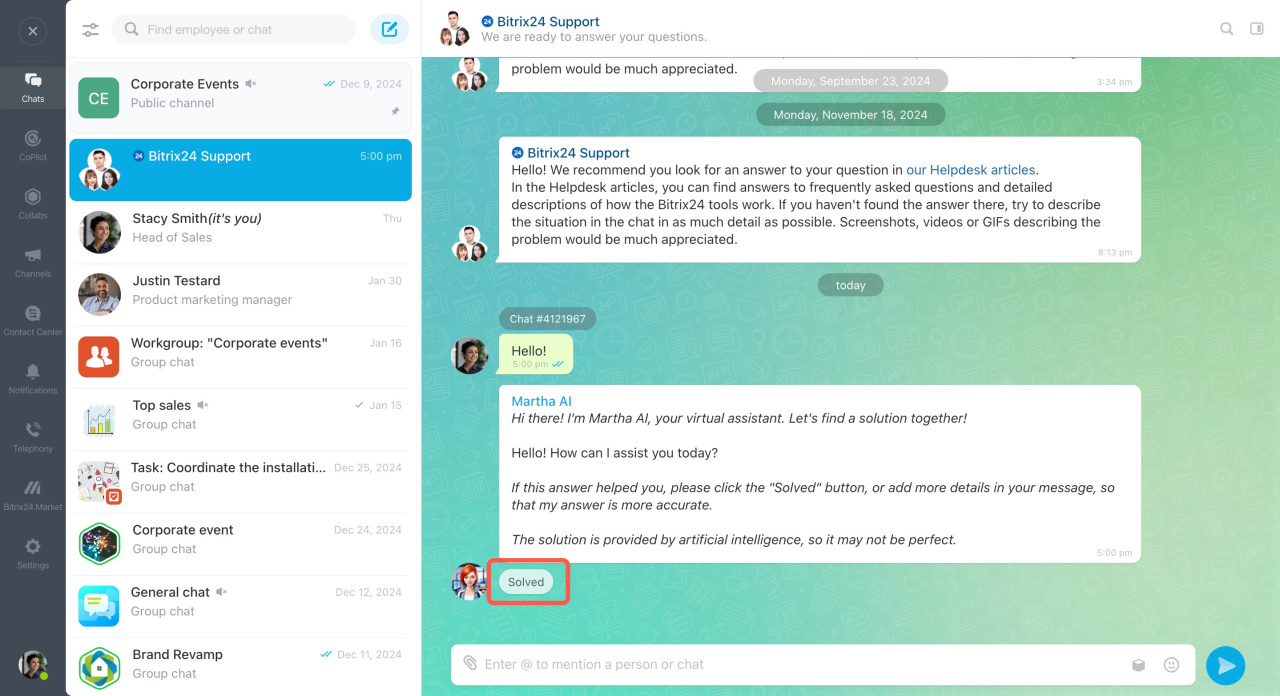
- Solved — click if Marta AI resolved the issue. Do not click if you want to ask Marta AI clarifying questions or need time to verify the answer.
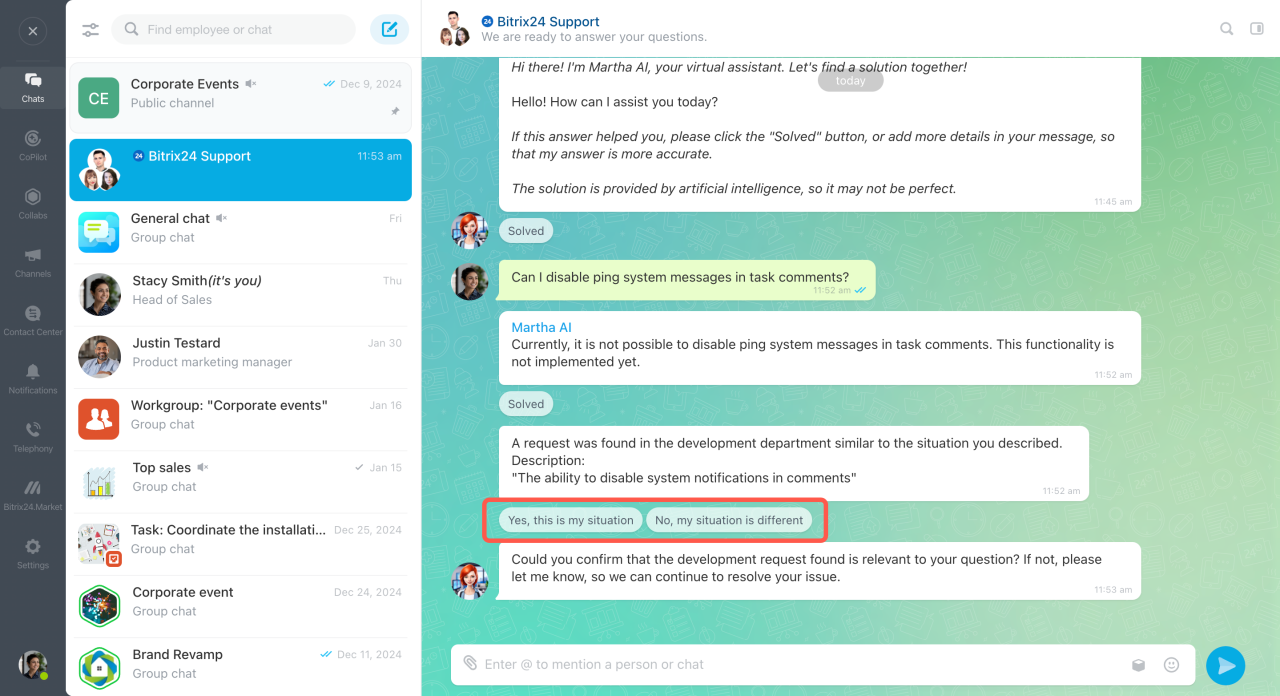
- Yes, this is my situation — click if your question matches the situation described by Marta AI.
- No, my situation is different — click if the answer does not fit, and ask Marta AI an additional question.
Connect an agent to the conversation
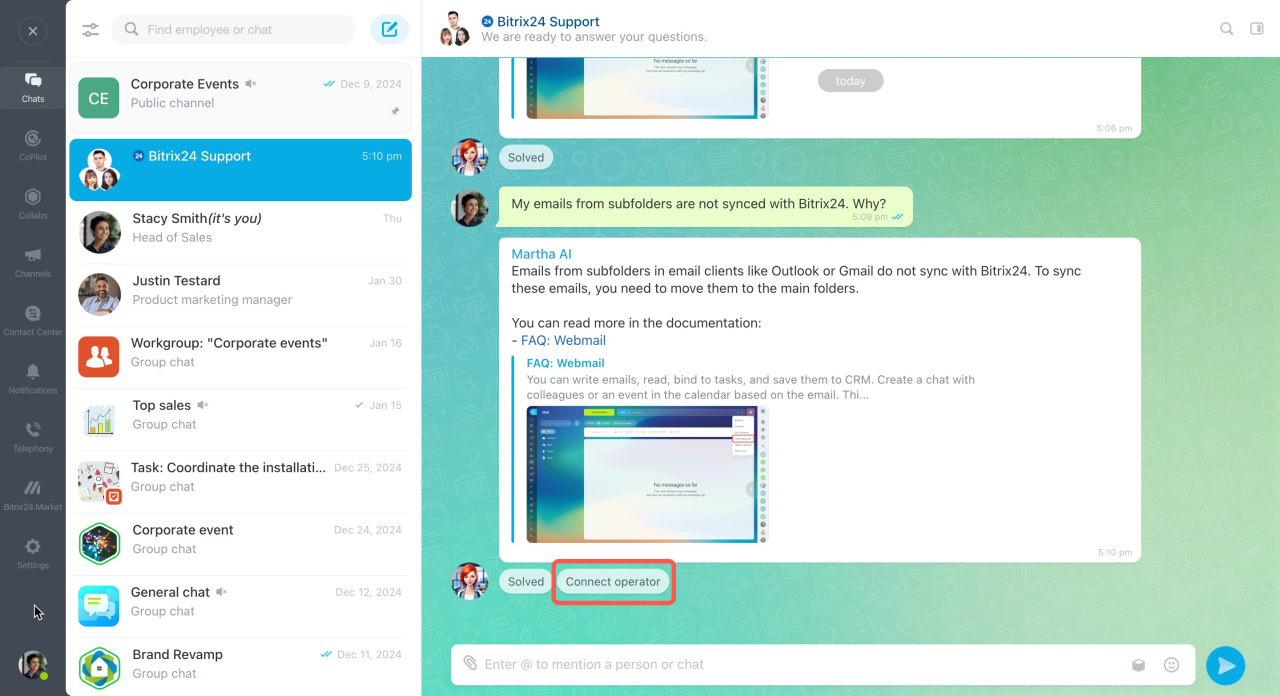
If Marta AI can't answer the question, you can connect a Bitrix24 support specialist to the chat. This option becomes available after the AI assistant has attempted to answer your question three times.
Click Connect operator.
Plans
In brief
- Marta AI is a virtual assistant that answers questions in Bitrix24 support chats, providing timely assistance.
- The AI assistant automatically connects to all new support chats to ensure you receive prompt help.
- If Marta AI can't answer the question, an agent can be connected to the chat for further support.
- Chat with Marta AI is available on any plan, but only commercial plans allow chat transfers to a support specialist.
- Administrators and Bitrix24 partners can write to Marta AI. To ask a question, click on Question in the top right corner of Bitrix24.
- To get an accurate answer, clearly formulate the question: describe the situation in detail, use the correct names of Bitrix24 tools, and ask Marta AI clarifying questions.
Related articles:
