
CoPilot is an AI assistant built into your daily work. What it can do depends on the tool you use:
- In chats, including Messenger, Tasks, and Projects, all AI scenarios are available. CoPilot works as an agent. It answers questions, processes text and data, and performs actions in Bitrix24. For example, it can create tasks, edit meetings, and search the knowledge base and the internet.
- In other tools, CoPilot works within a set scenario. Depending on the tool, it starts automatically or when you click the CoPilot button.
Enable CoPilot in Bitrix24 On-Premise
Where CoPilot is available
CoPilot is available in many Bitrix24 tools. Its capabilities depend on where you use it.
CoPilot Agent in chats
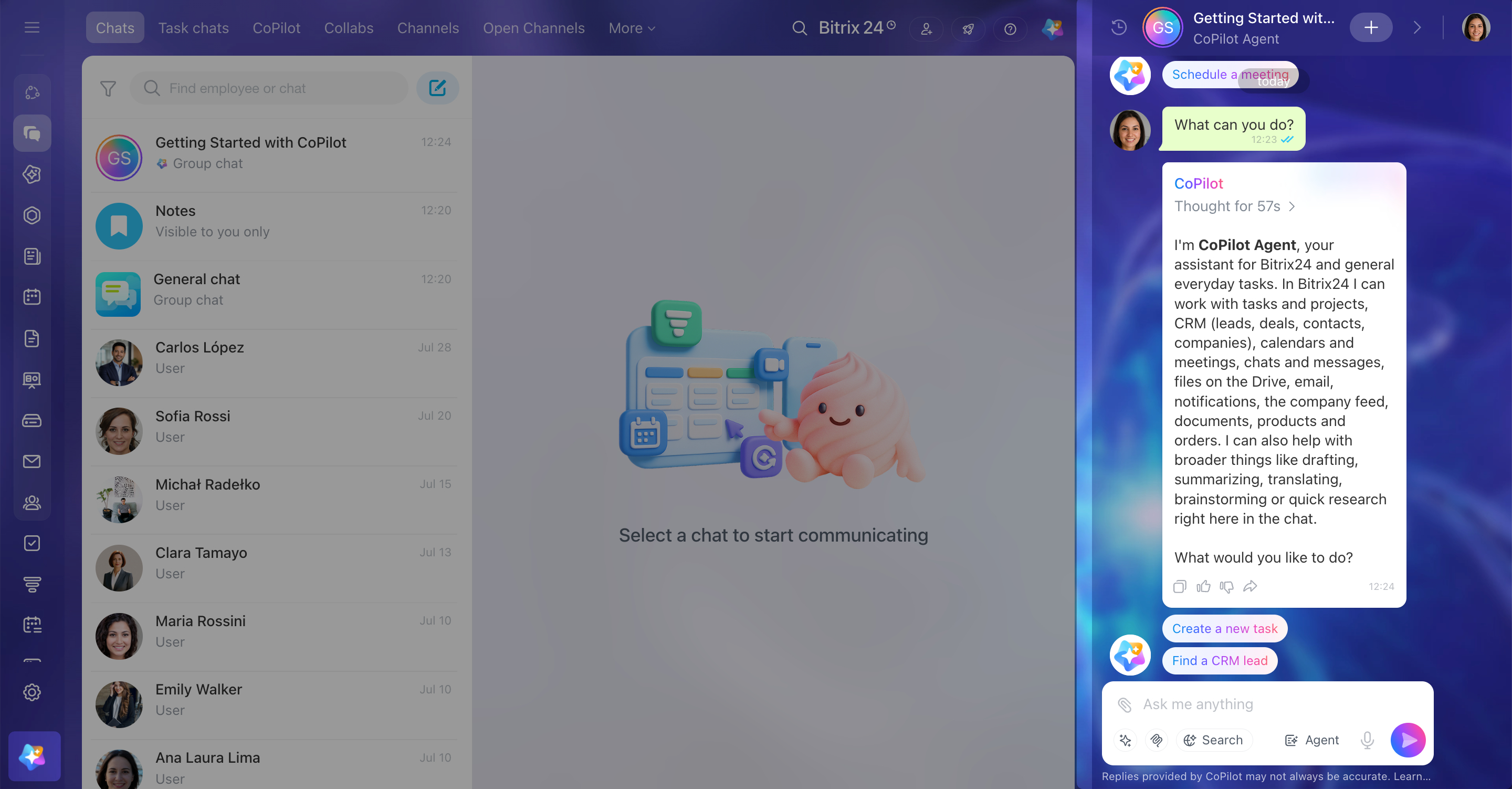
The CoPilot Agent is a personal AI assistant available in chats, including Messenger, task and project chats, and personal and group chats with coworkers. Tell the agent what you need. It can clarify details, ask for confirmation, and complete the action.
You can manage Bitrix24 tools by chatting with the CoPilot Agent. For example, you can create tasks, reschedule meetings, find emails, configure CRM, and work with files.
CoPilot Agent: Your personal assistant in Bitrix24
Use the CoPilot Agent in chat
Manage Bitrix24 with the CoPilot Agent
CoPilot in CRM
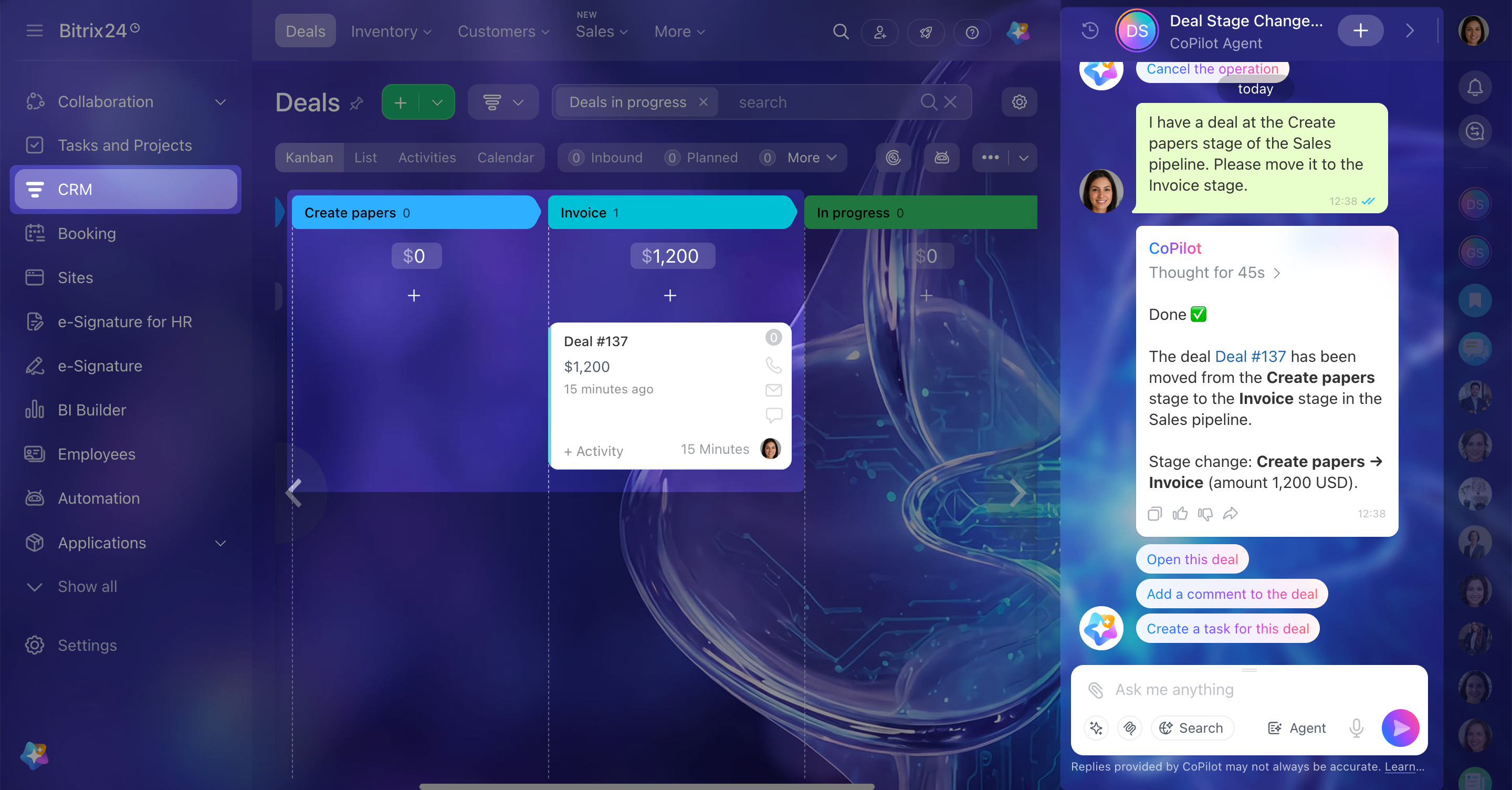
CoPilot helps sales teams process calls and customer messages, analyze call quality, and, in agent mode, set up CRM.
Set up CRM for your business. The CoPilot Agent asks follow-up questions and helps you configure CRM. It can create pipelines, stages, custom fields, and more.
Sales scripts and speech analytics. CoPilot checks sales calls against scripts and gives clear recommendations for each conversation. A supervisor can review each employee's score without listening to the calls.
AI Speech analytics and Sales scripts in CRM

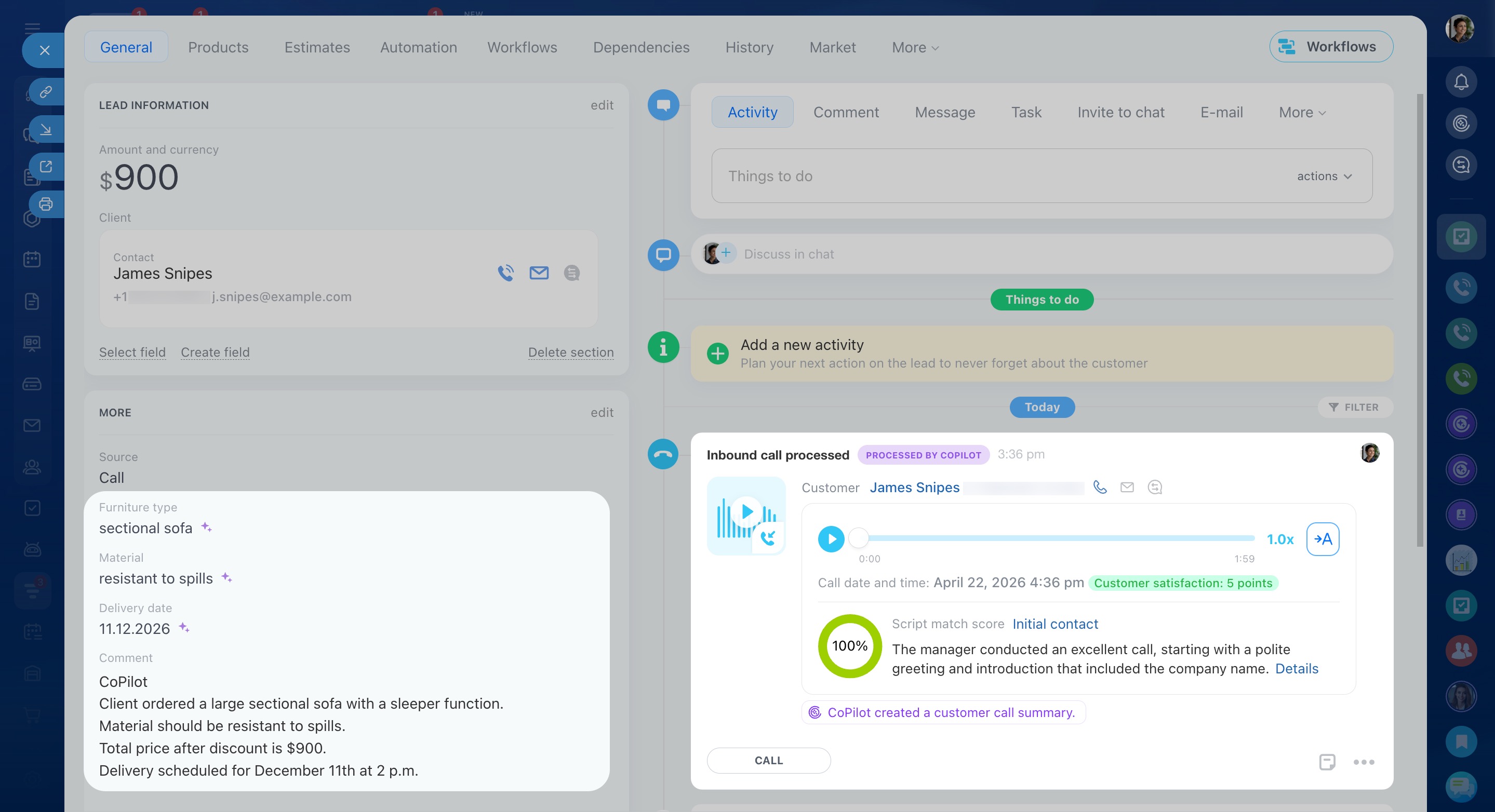
Call, chat, and email analysis. CoPilot transcribes calls and analyzes customer conversations. After each conversation, it highlights key points, creates a summary, and automatically fills in empty fields in the CRM item form with relevant information. You don't need to listen to recordings or enter information manually.
CoPilot in CRM: Set up call, chat, and email processing
CoPilot in CRM: Call transcription and automatic field updates
CoPilot in CRM: Chat summary and automatic field updates
CoPilot in CRM: How to process an email
CoPilot in Tasks
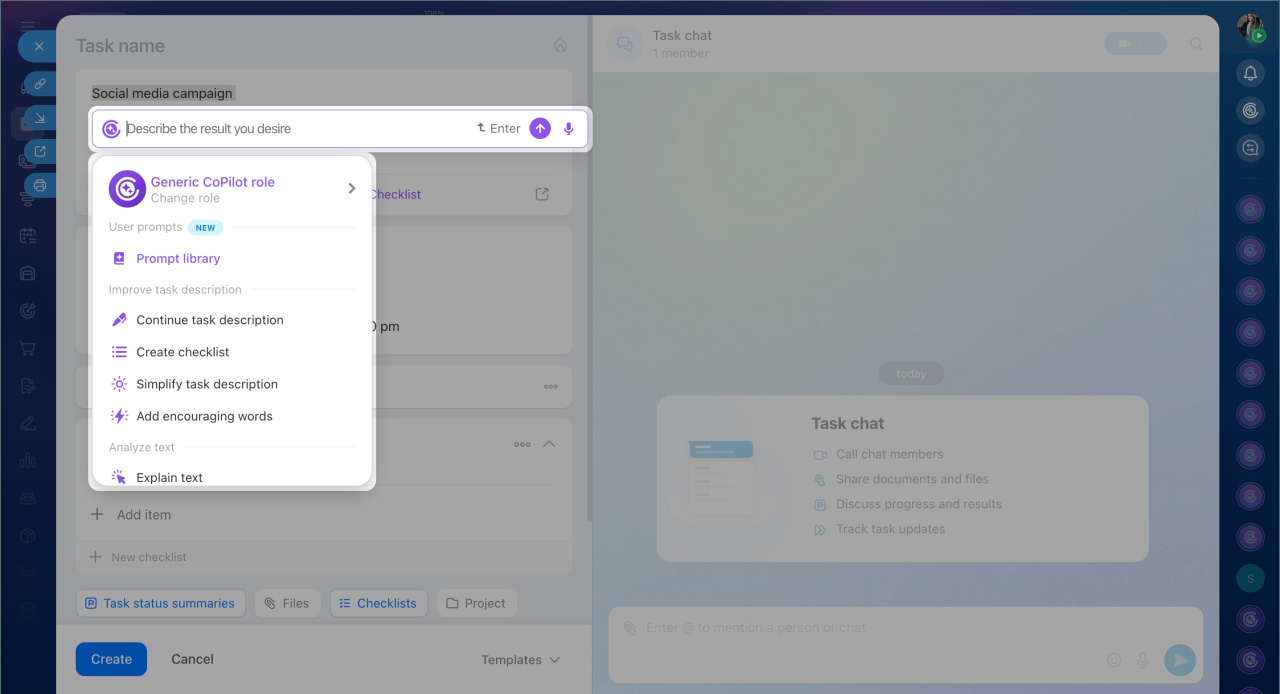
CoPilot saves time when you create tasks. Write a draft description, and CoPilot will turn it into a clear task and build a checklist. On request or with a ready-made prompt, CoPilot can:
- Write a detailed task description and add useful details
- Create and add a checklist
- Improve text by highlighting key points, showing pros and cons, and clarifying unclear parts
- Edit text, adjust the tone, fix errors, translate text, or make it more formal or friendly
- Summarize discussions and help draft a reply
In the task chat, CoPilot works as an agent. It answers questions, searches internal knowledge bases and the internet, and performs actions in Bitrix24.
CoPilot in Tasks
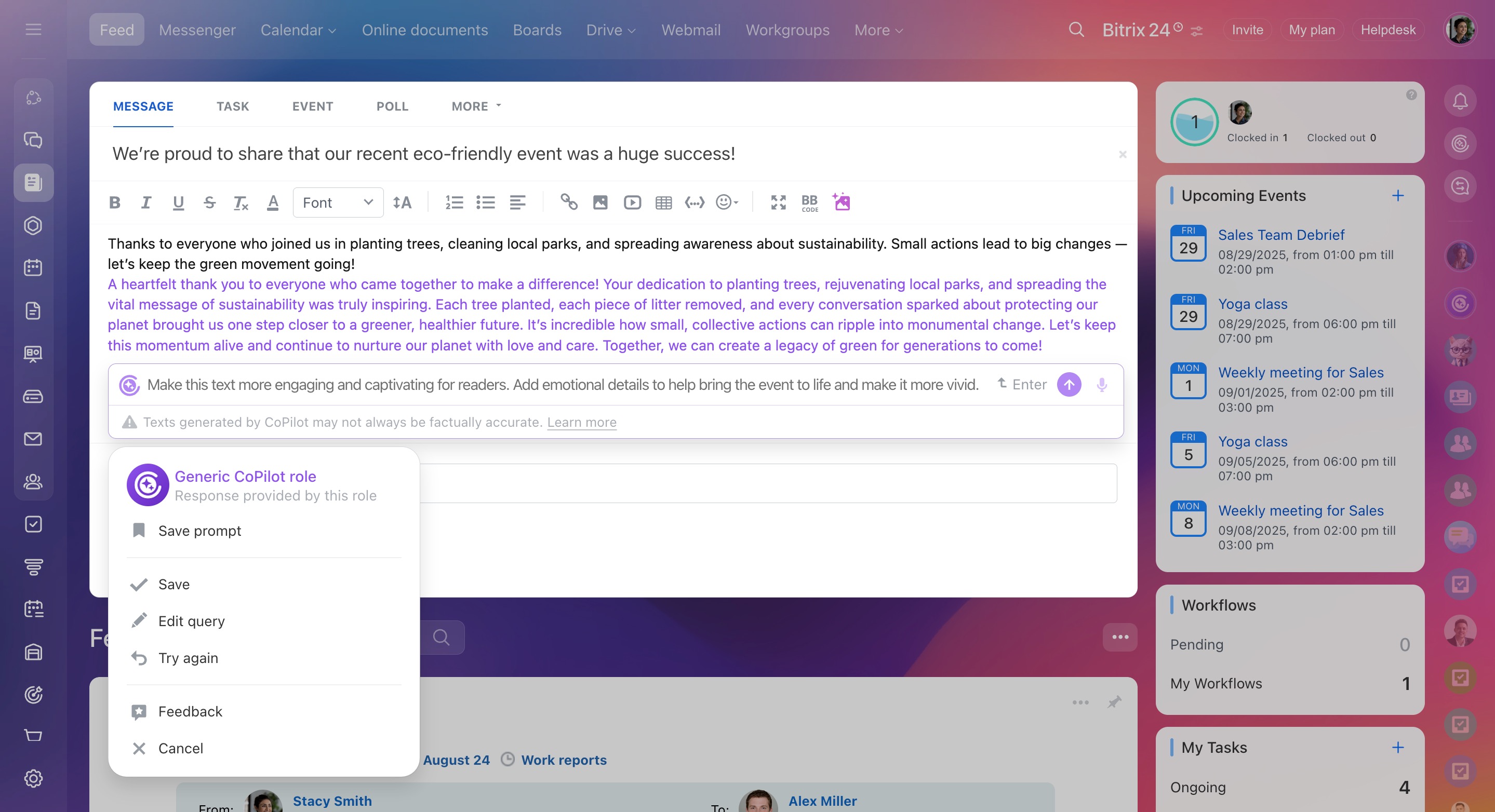
CoPilot in Feed
CoPilot helps you quickly create posts, write comments, and process messages from coworkers. On request or with a ready-made prompt, CoPilot can:
- Improve a message — highlight key points, show pros and cons, and clarify unclear parts
- Edit text and adjust the tone — make it shorter or longer, friendlier or more formal, add emoji, and fix errors
- Write a post in a specific format — a message, greeting, news item, press release, article, or job posting
- Suggest a quick reply in comments
- Translate text or turn it into a list
CoPilot in Mail
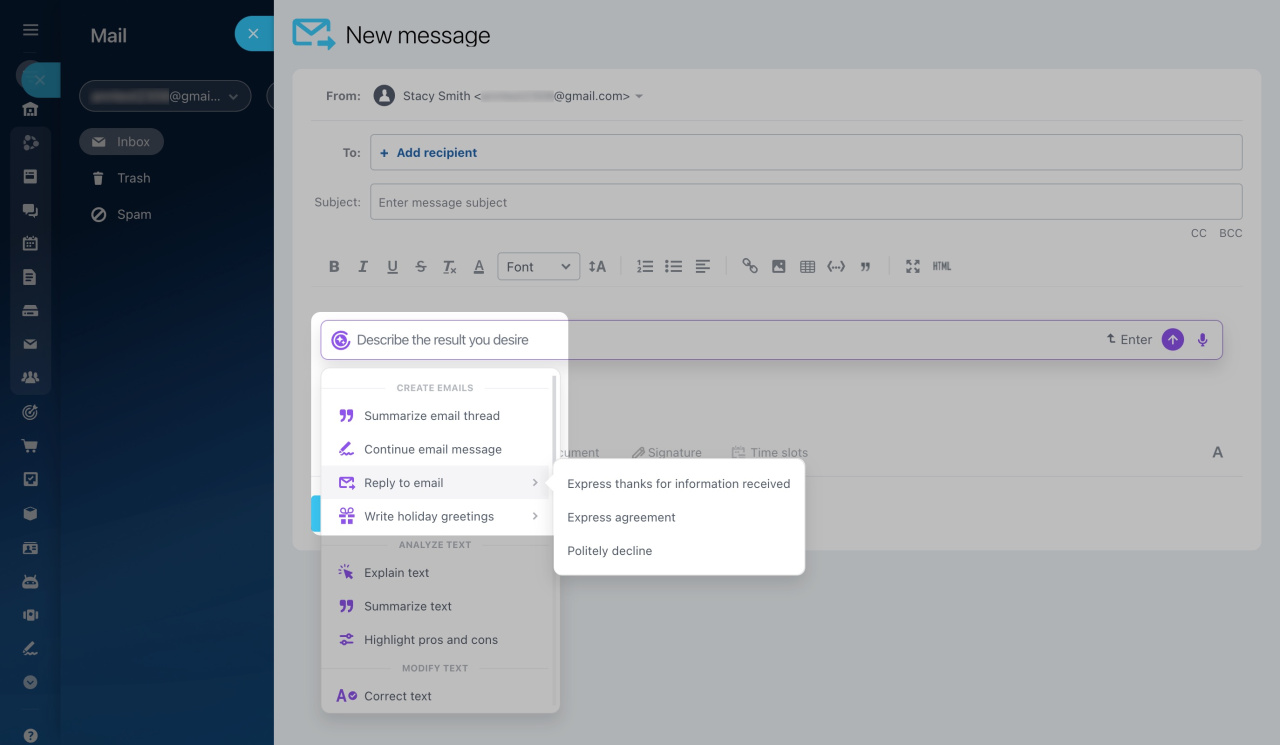
CoPilot helps you work faster with emails. It is available in the Webmail section and in CRM emails. On request or with a ready-made prompt, CoPilot can:
- Summarize an email conversation
- Write or continue an email based on your input
- Generate a reply using a ready-made option: Express thanks for information received, Express agreement, or Politely decline
- Adjust the tone to make the text more formal or friendly
- Fix errors, translate an email into another language, or turn the text into a list
CoPilot in Flows
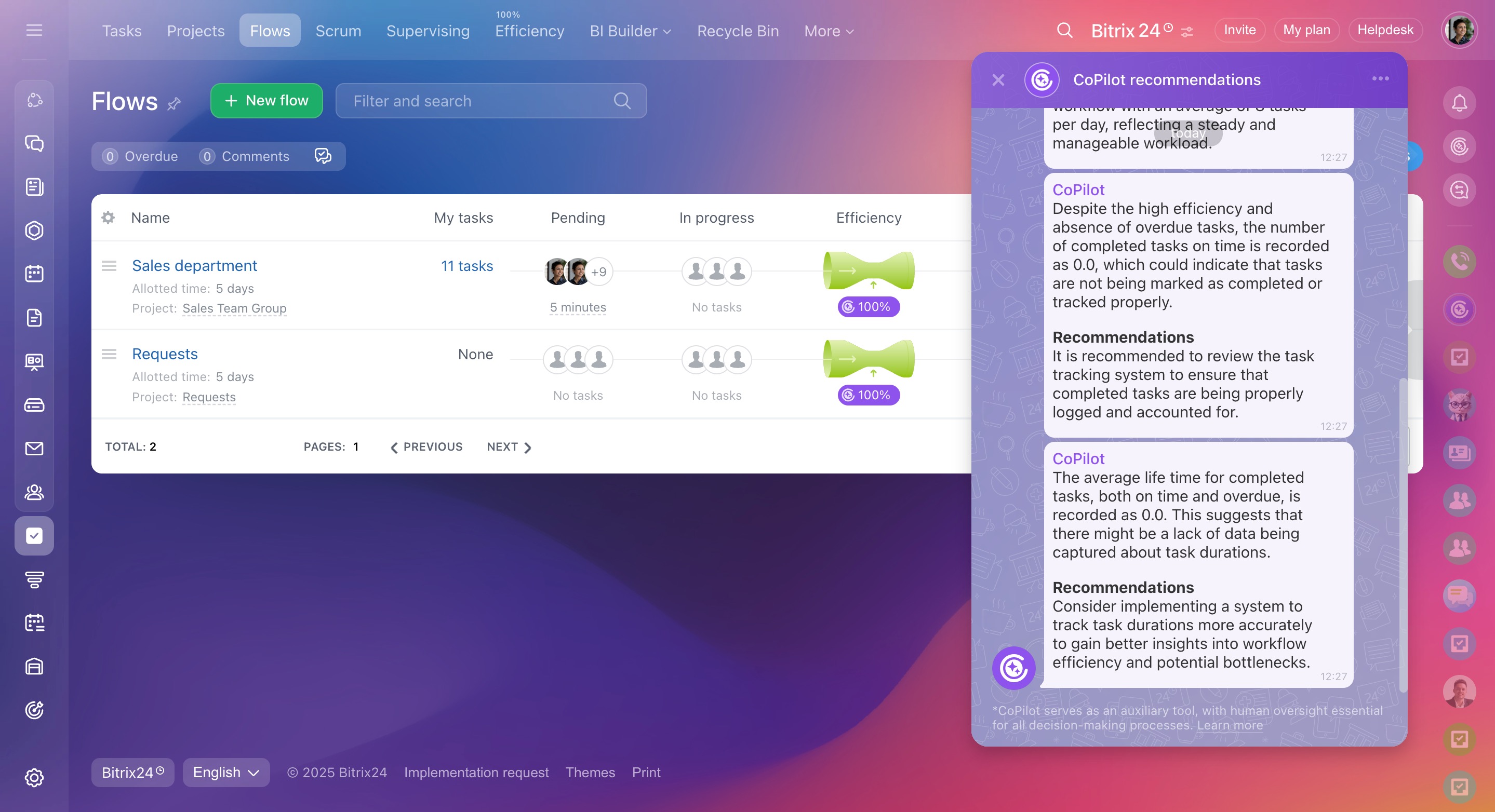
CoPilot analyzes team performance in Flows. If efficiency drops below 80%, it identifies the reasons and prepares recommendations to improve. When efficiency is high, it explains what helped the team reach that level.
You can create a task or schedule a meeting directly from CoPilot recommendations to discuss and implement changes.
CoPilot in Flows
CoPilot Follow-Up
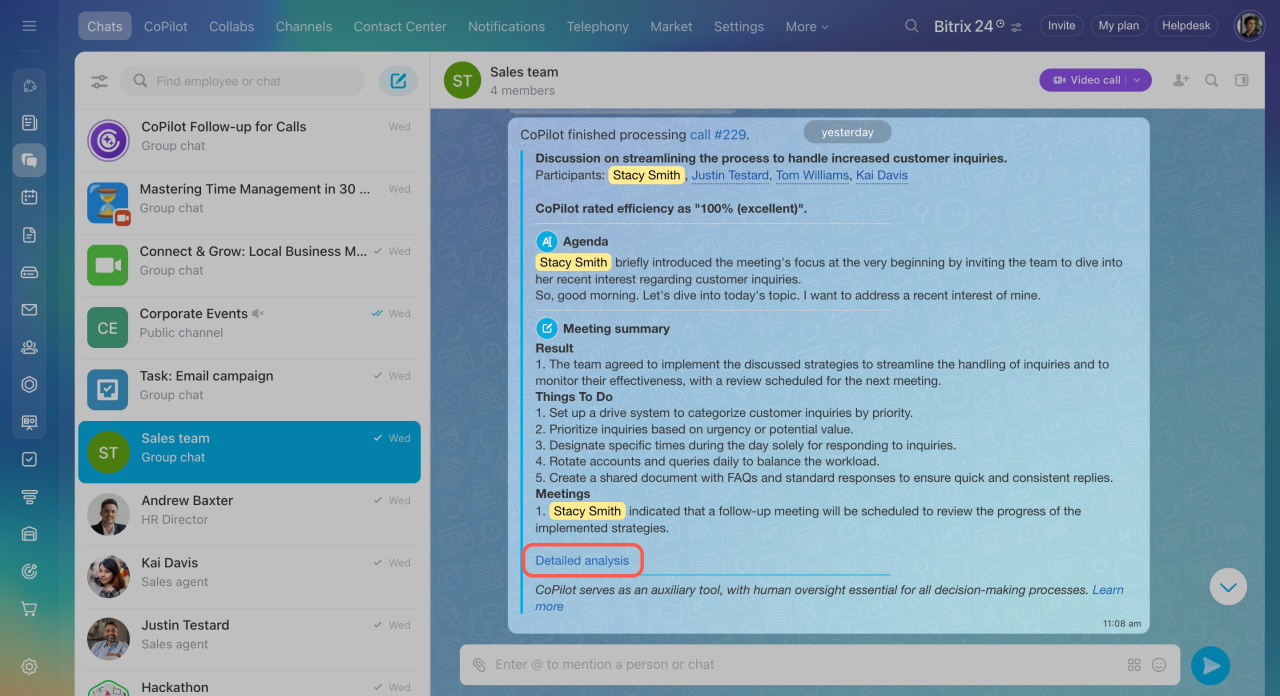
CoPilot Follow-Up starts automatically in chats with three or more participants. It analyzes video calls and helps teams make the most of meetings. You do not need to replay recordings or take notes. After the meeting, the chat will show:
- The meeting topic, participants, and agenda
- Key outcomes and agreements
- An engagement score for each participant
- A summary and transcript with timestamps
You can create a task or schedule a meeting directly from the agreements.
CoPilot Follow-Up: AI-powered speech analytics for video calls
CoPilot in the product form
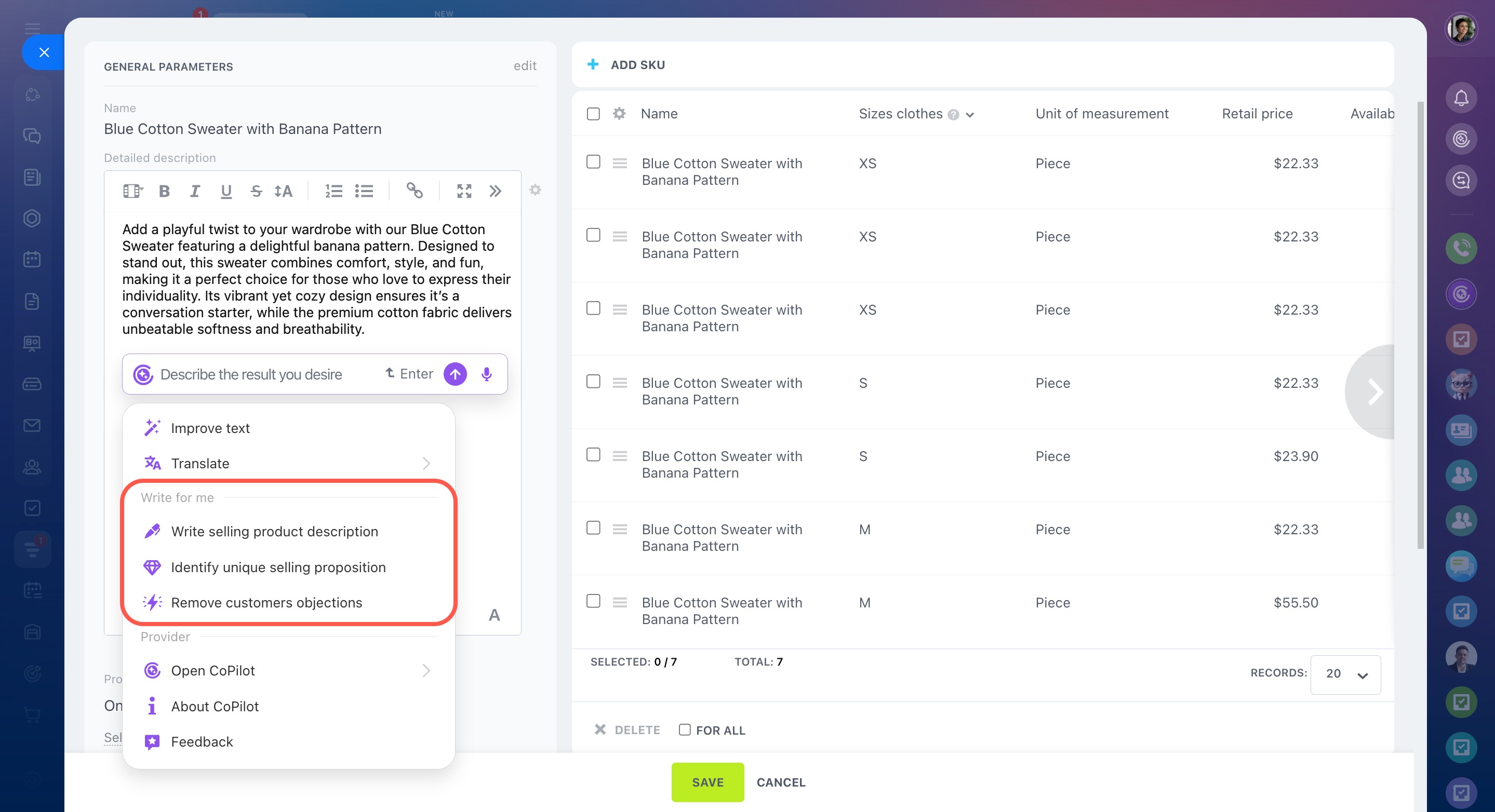
CoPilot helps you fill out product forms quickly. On request or with a ready-made prompt, CoPilot can:
- Write a sales description based on product specifications
- Identify the product’s unique selling points
- Prepare responses to common customer objections
- Improve existing text, fix errors, or translate the description into another language
CoPilot in Sites
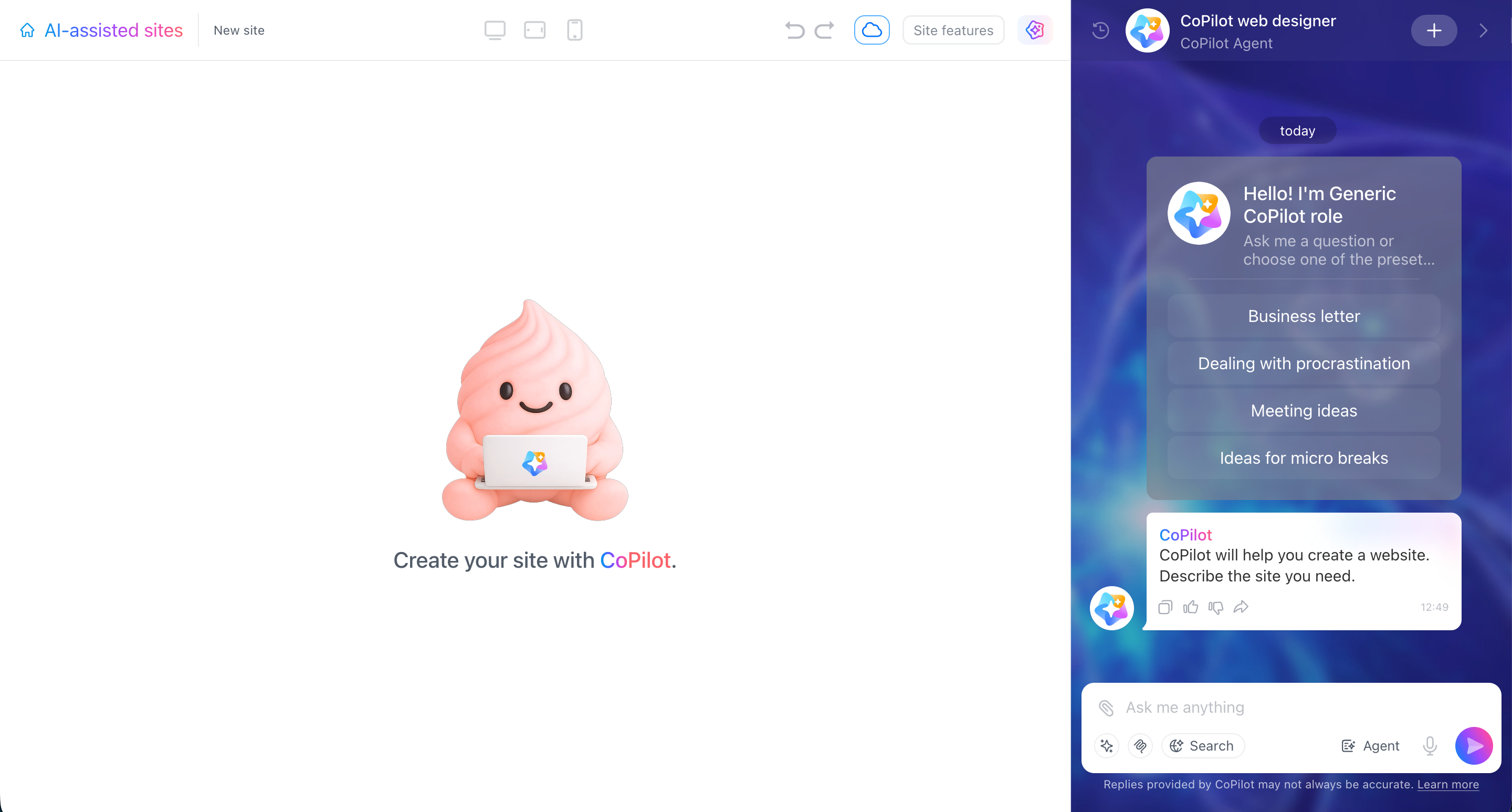
CoPilot helps you create websites and add content without coding or design skills. Describe the topic, colors, and style. CoPilot will create the site, choose a design, write the text, and add images.
CoPilot: AI assistant to create websites
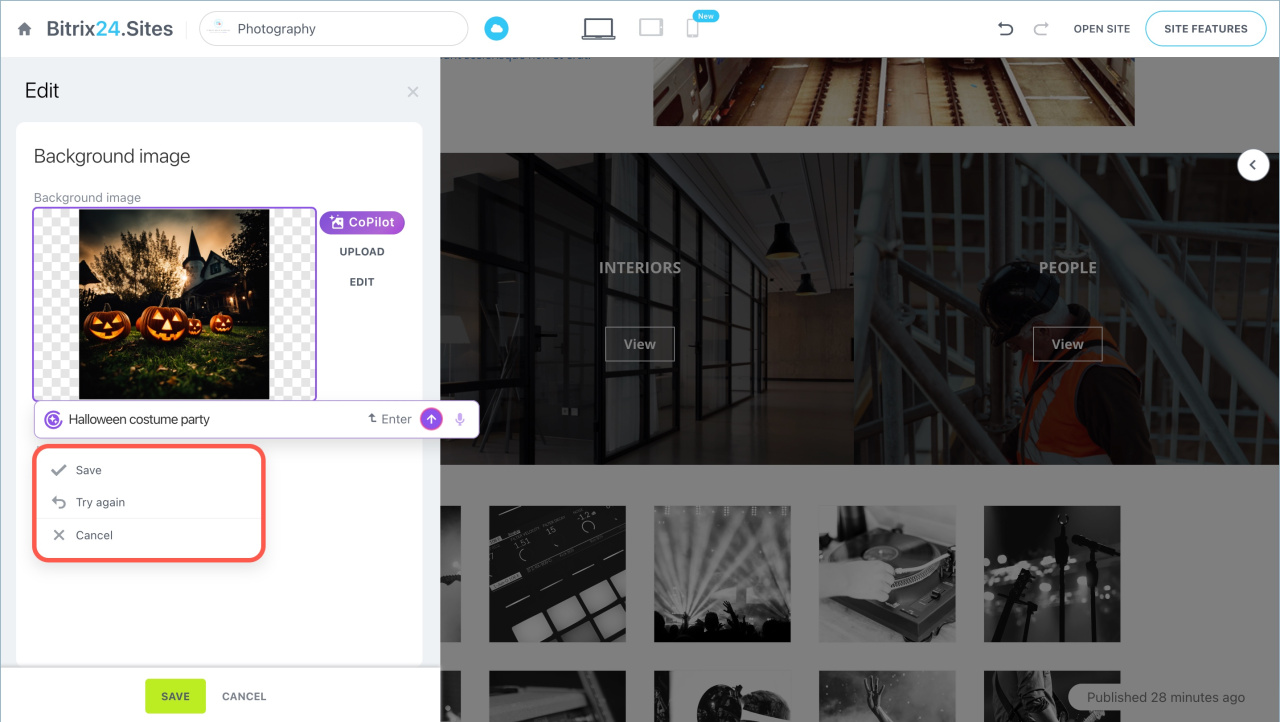
In the Bitrix24 Sites builder, you can edit sites created from scratch or with Bitrix24 Market templates. Update the text and images in individual blocks.
CoPilot in Bitrix24 Sites
CoPilot in sites: how to create an image
Configure CoPilot
In Bitrix24, you can configure CoPilot to fit your company's needs.
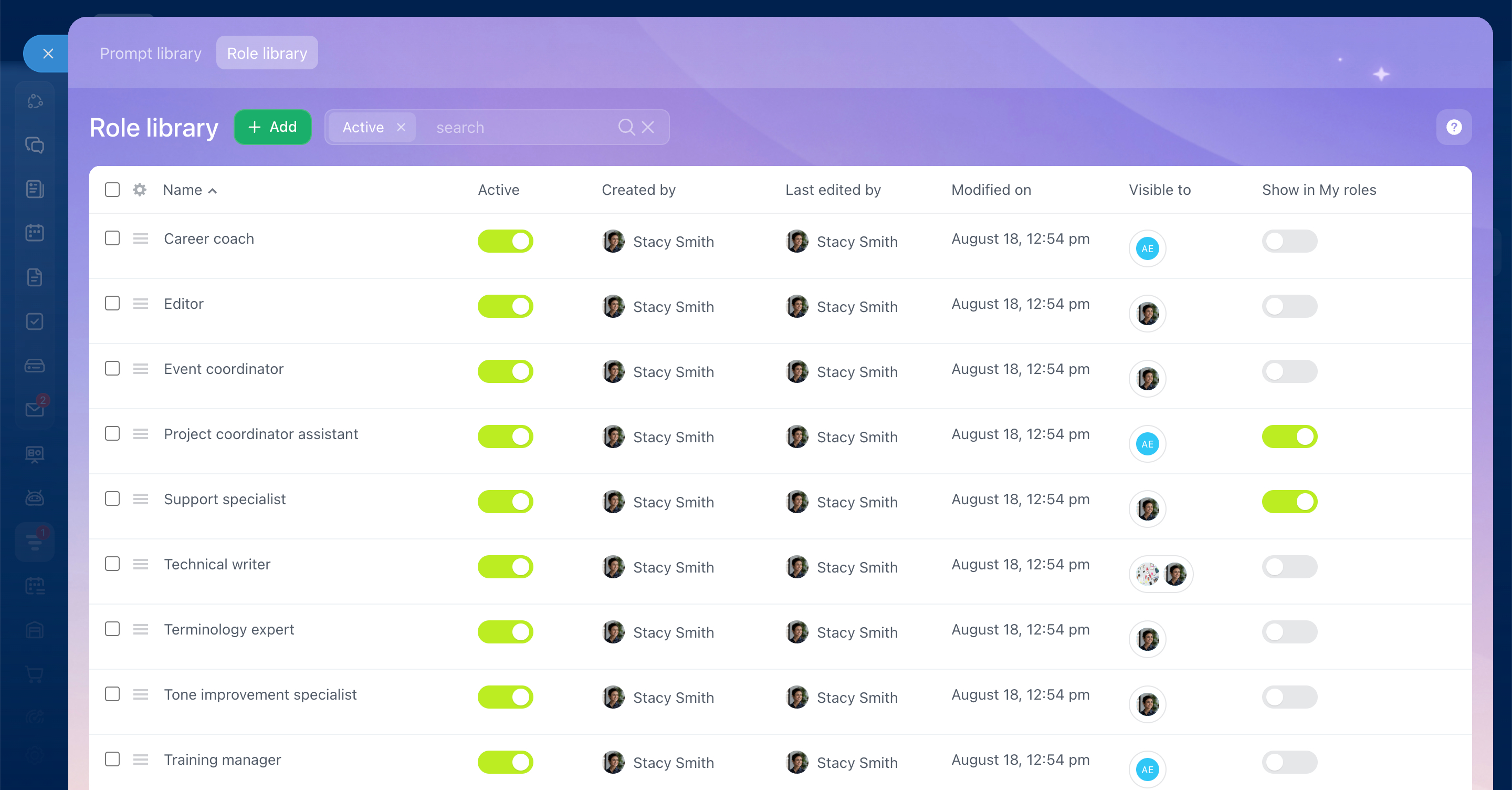
Create role and prompt libraries. Use them to launch common scenarios faster and get more accurate answers for specific tasks.
Role library: Create new roles for CoPilot
Prompt library: Create prompt templates for CoPilot
View and manage AI models for different tasks. CoPilot uses several service providers to work with text, generate images, recognize speech, evaluate calls against scripts, and perform other tasks. You can view and manage these providers in your Bitrix24 settings.
CoPilot providers
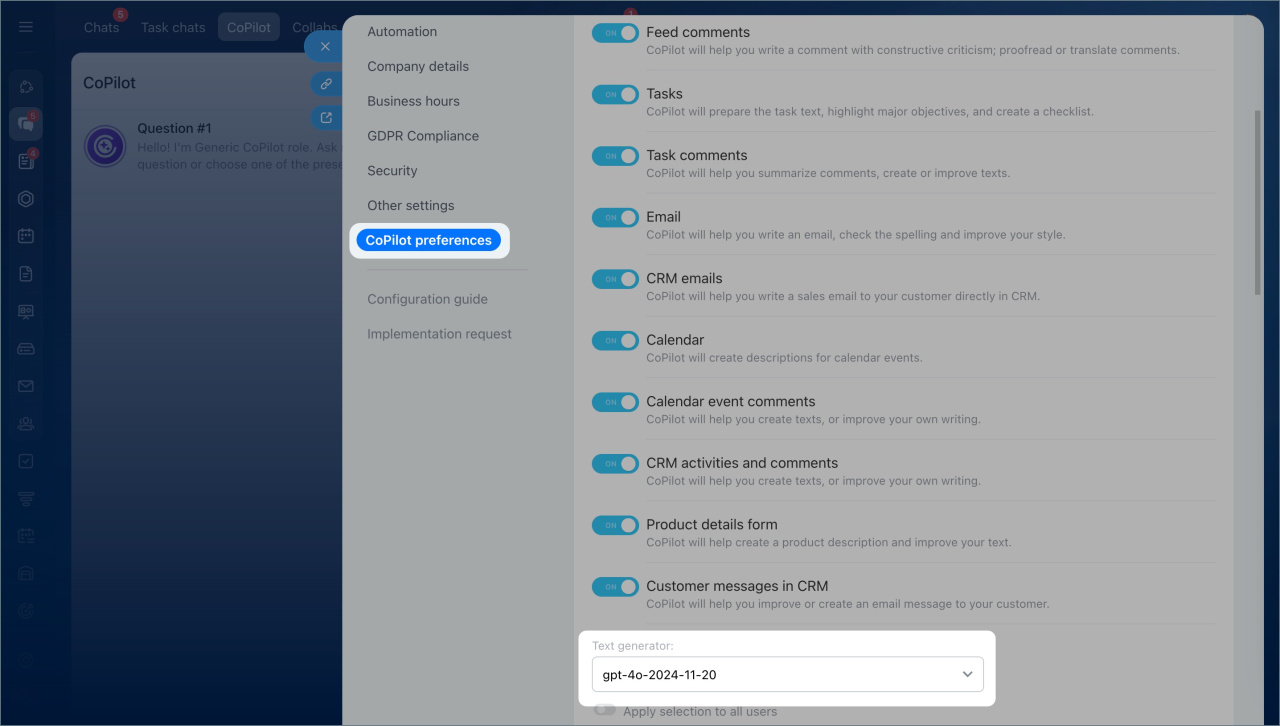
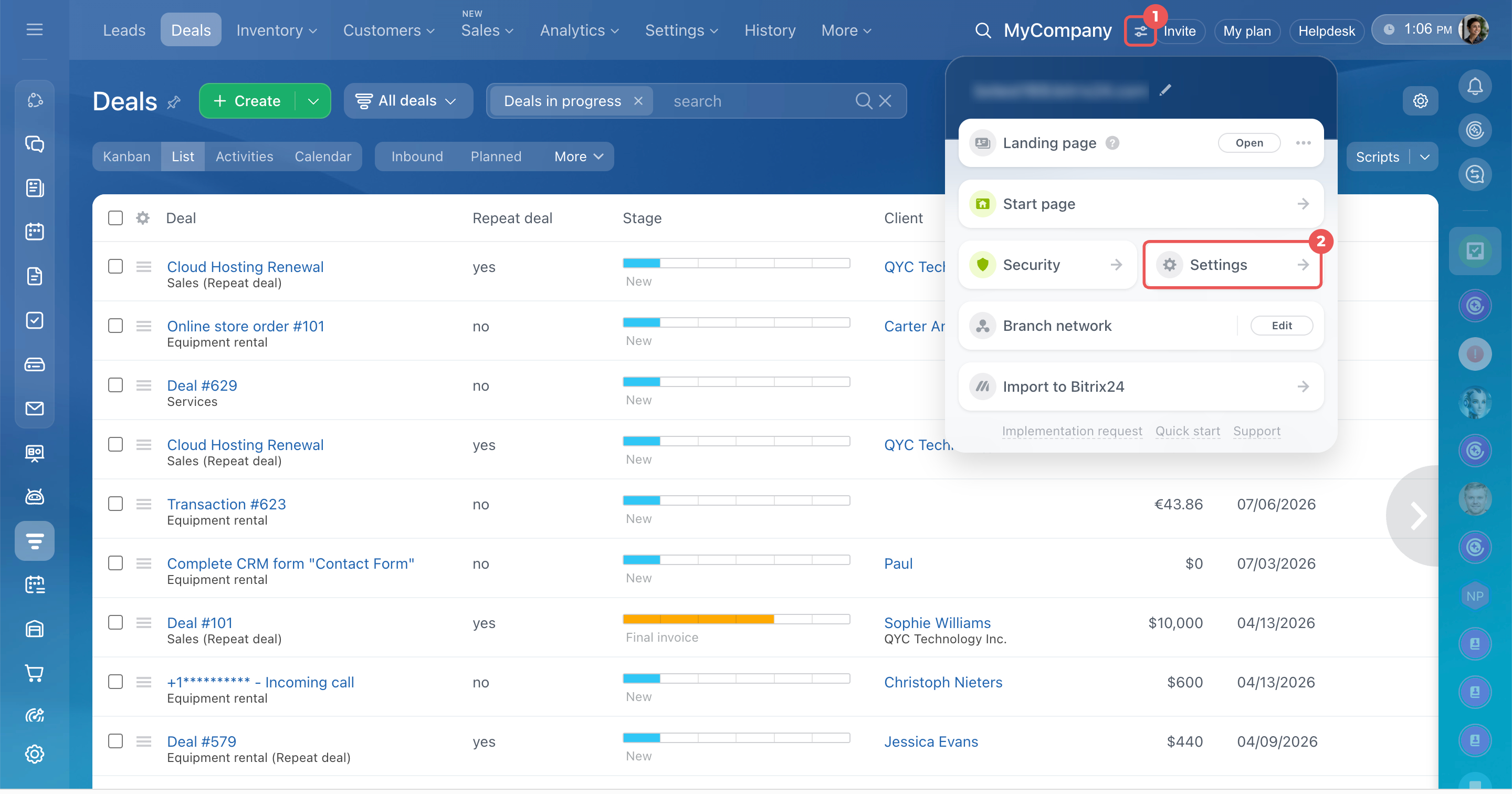
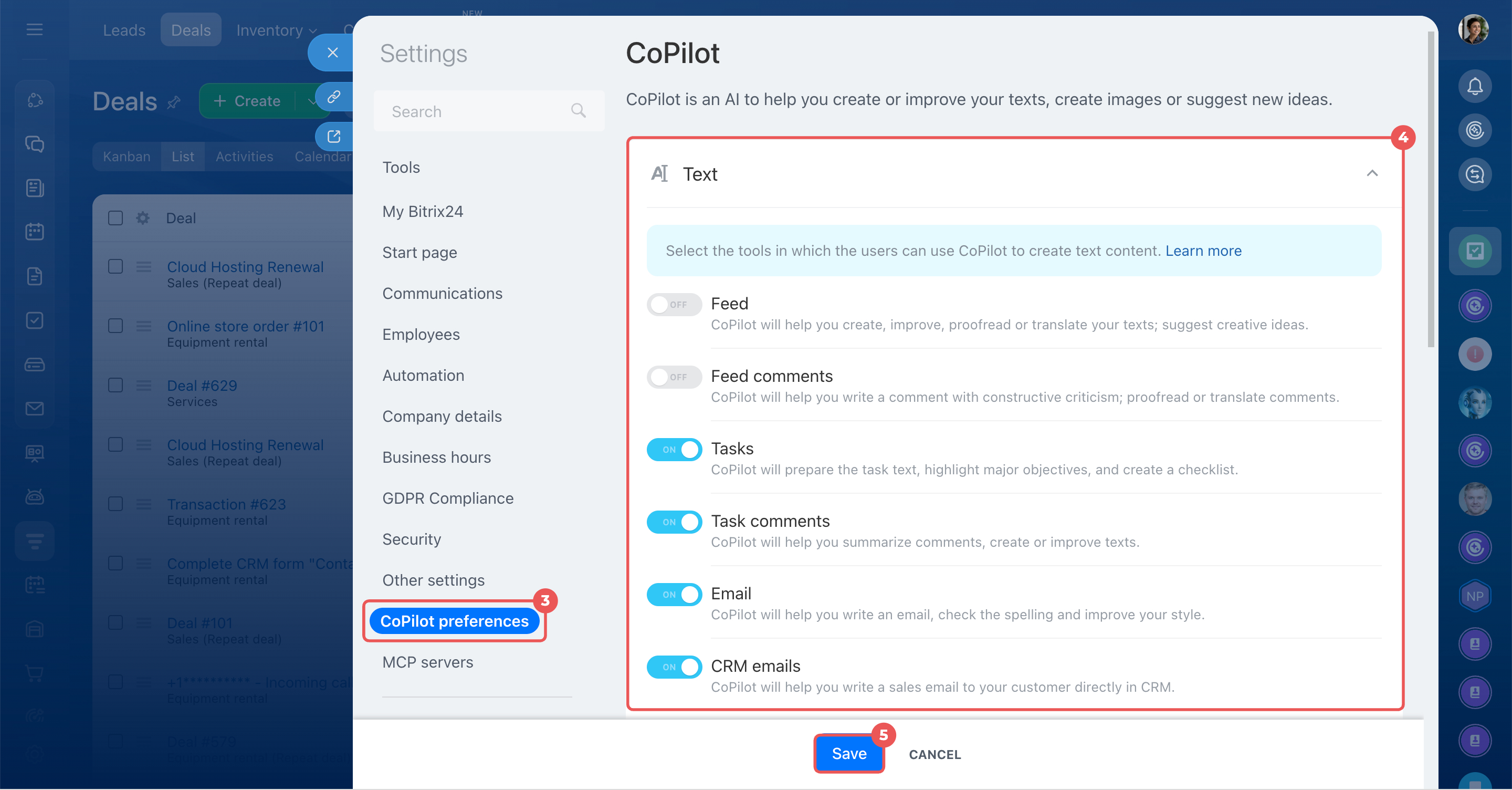
Restrict CoPilot in specific tools. If you do not need CoPilot in every section, an administrator can turn it off for specific tools.
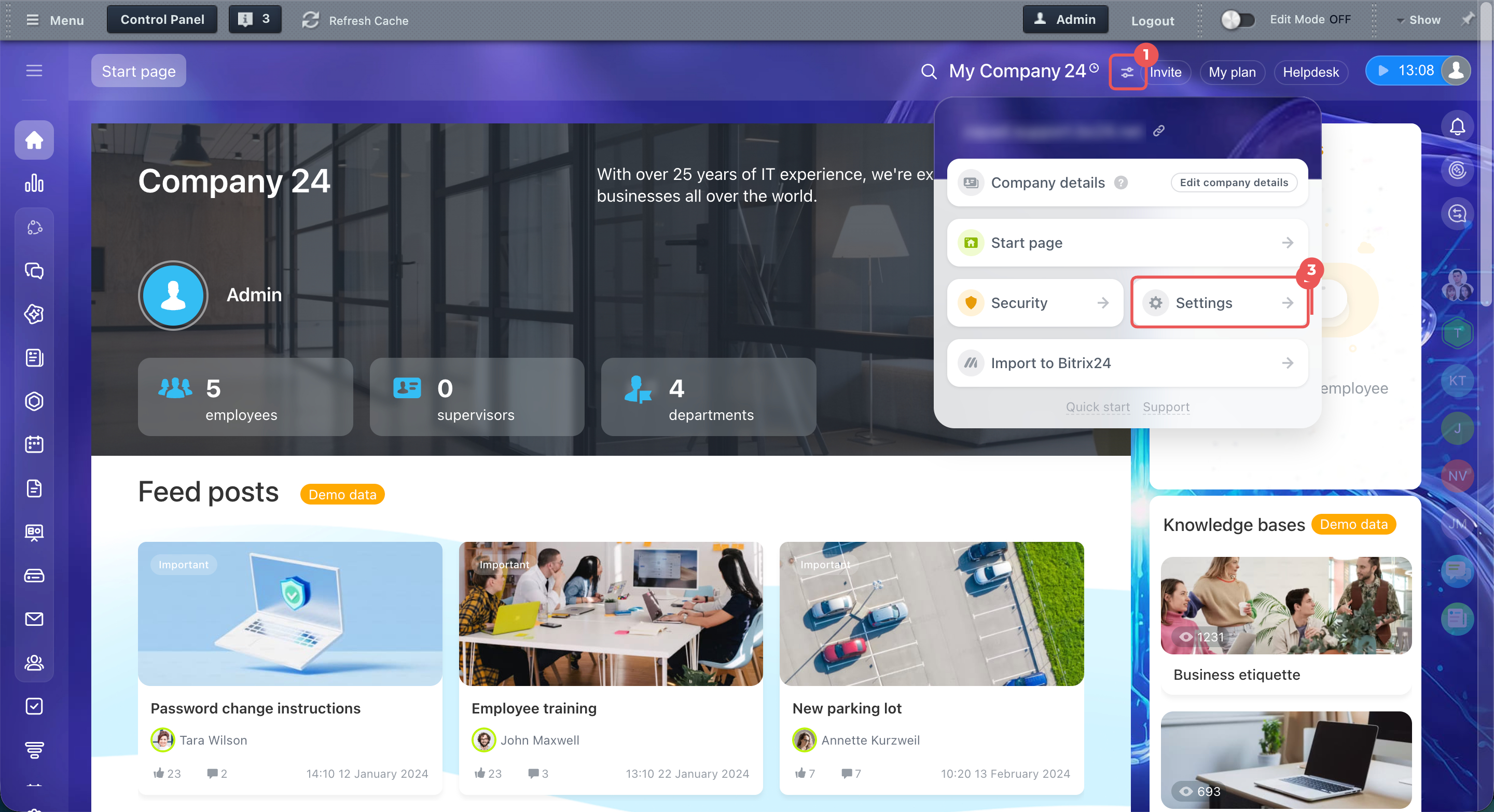
- Click the toggles icon next to your Bitrix24 name or logo, then select Settings (⚙️).
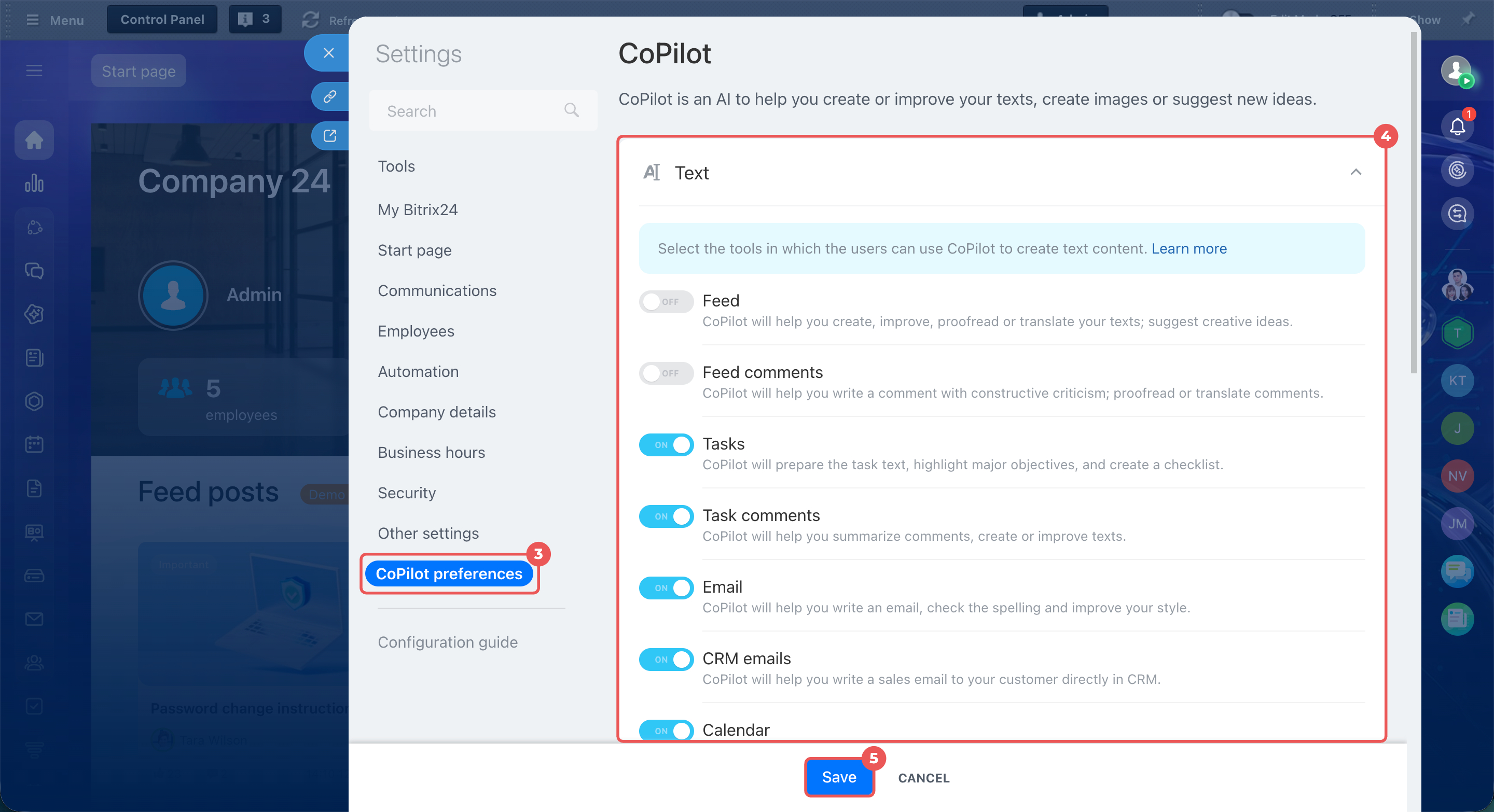
- Open CoPilot preferences and turn CoPilot on or off for each tool.
- Save your changes.
Enable CoPilot in Bitrix24 On-Premise
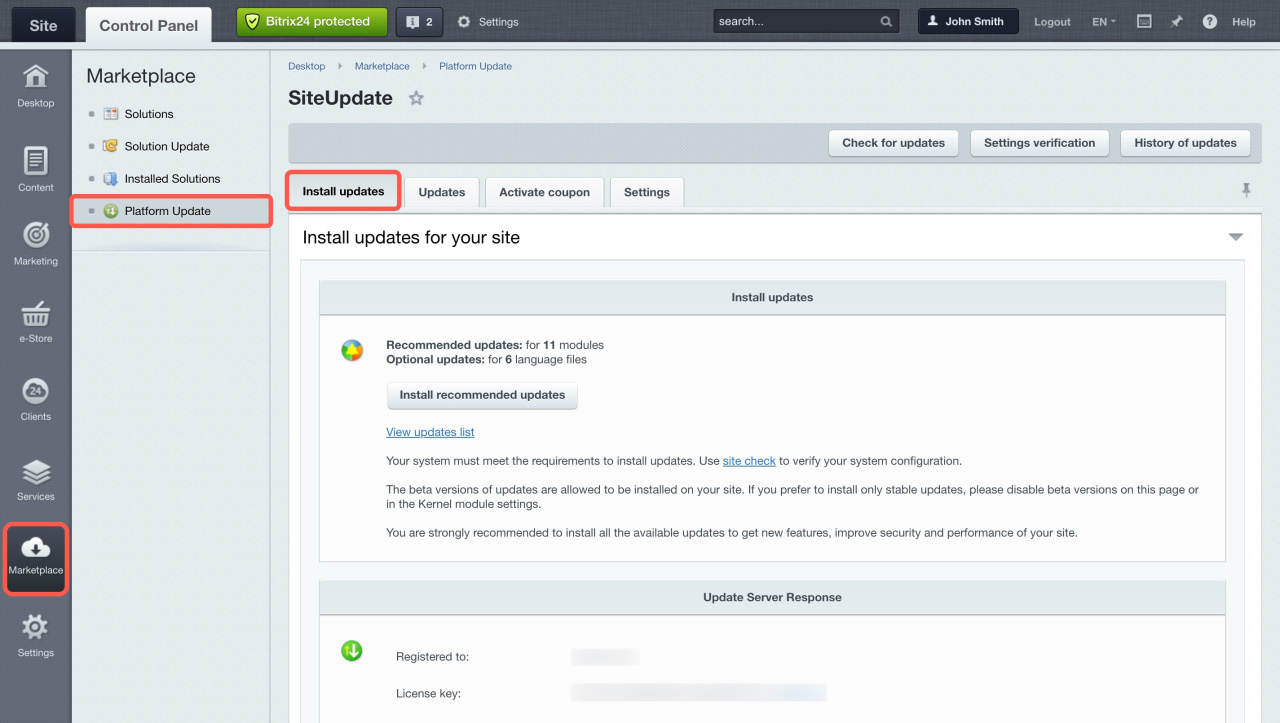
- Go to Control Panel > Marketplace > Platform Update > Install updates and install the latest updates. CoPilot requires platform version 24.700.0 or later.
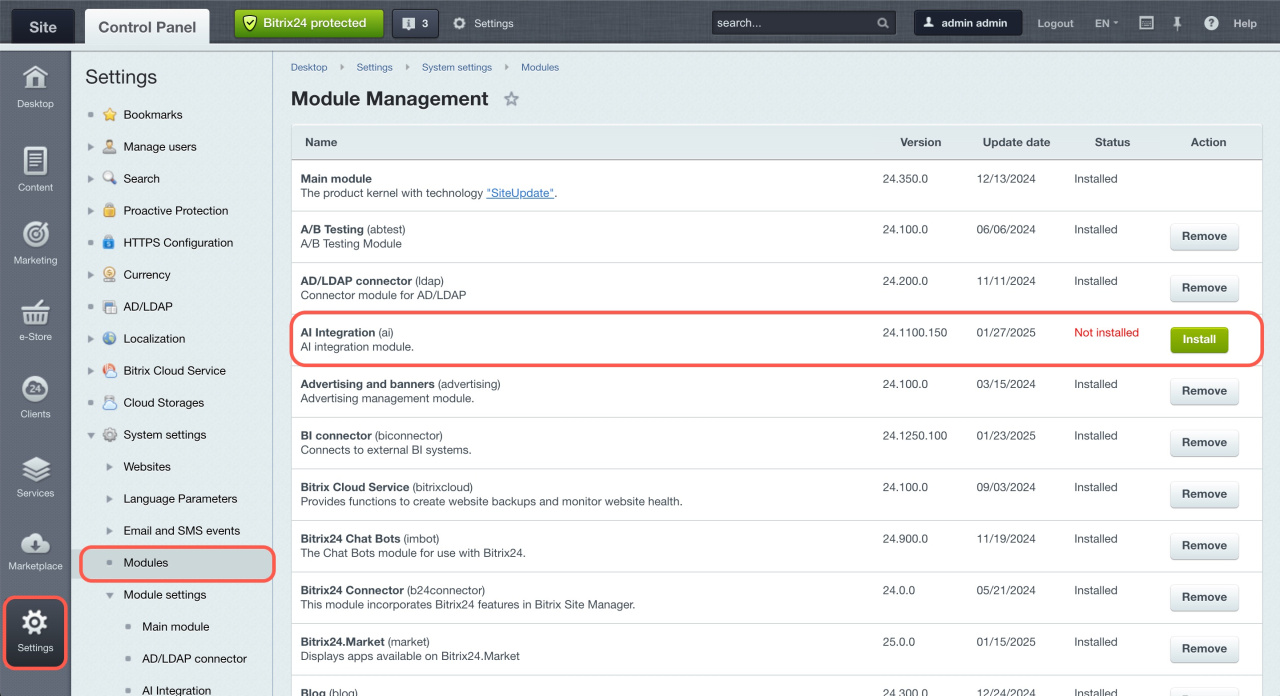
Update Bitrix24 On-Premise - Go to Settings > Modules and install the AI Integration (ai) module.
- Click Site to open the public section of Bitrix24.
- Click the toggles icon next to your Bitrix24 name or logo.
- Open Settings > CoPilot preferences and turn CoPilot on or off for each tool.
- Save your changes.
- ai-proxy-de.bitrix.info
- ai-proxy-de-main.bitrix.info
- ai-proxy-de-clone.bitrix.info
In brief
- CoPilot is your personal AI assistant in Bitrix24.
- It is available in several tools, and its features depend on where you use it.
- In chats, CoPilot works as an AI agent. It answers questions, processes data, and performs actions. You can manage Bitrix24 tools by chatting with the agent.
- In CRM, CoPilot transcribes calls, analyzes customer conversations, fills out forms, and evaluates sales calls against scripts. In agent mode, it also helps set up CRM.
- In Tasks, CoPilot writes task descriptions and creates checklists. In task chats, it works as an AI agent.
- In emails, Feed posts, and product forms, CoPilot helps you write, edit, and translate text and adjust its tone.
- In Flows, CoPilot analyzes cross-functional team performance and suggests ways to improve efficiency.
- In Sites, CoPilot creates a site from a description, writes content, and generates images for blocks.
- You can tailor CoPilot to your company's needs with the role library, prompt library, and AI model settings for each tool.