
CoPilot is an AI assistant that builds websites from a simple description. You define the key details, and it generates the design, selects images, and writes the content.
CoPilot helps you:
- Create a website without coding. For example, launch a landing page for a promotion or a new business.
- Edit specific site blocks without a designer. You can update text and replace images.
Even with a short prompt, CoPilot can generate a complete site based on context. More detailed input produces more accurate results.
In this article:
Paid plans allow you to create additional sites as long as you stay within the CoPilot request limit.
Free 15-day trial
Bitrix24 pricing page
Create a site with CoPilot
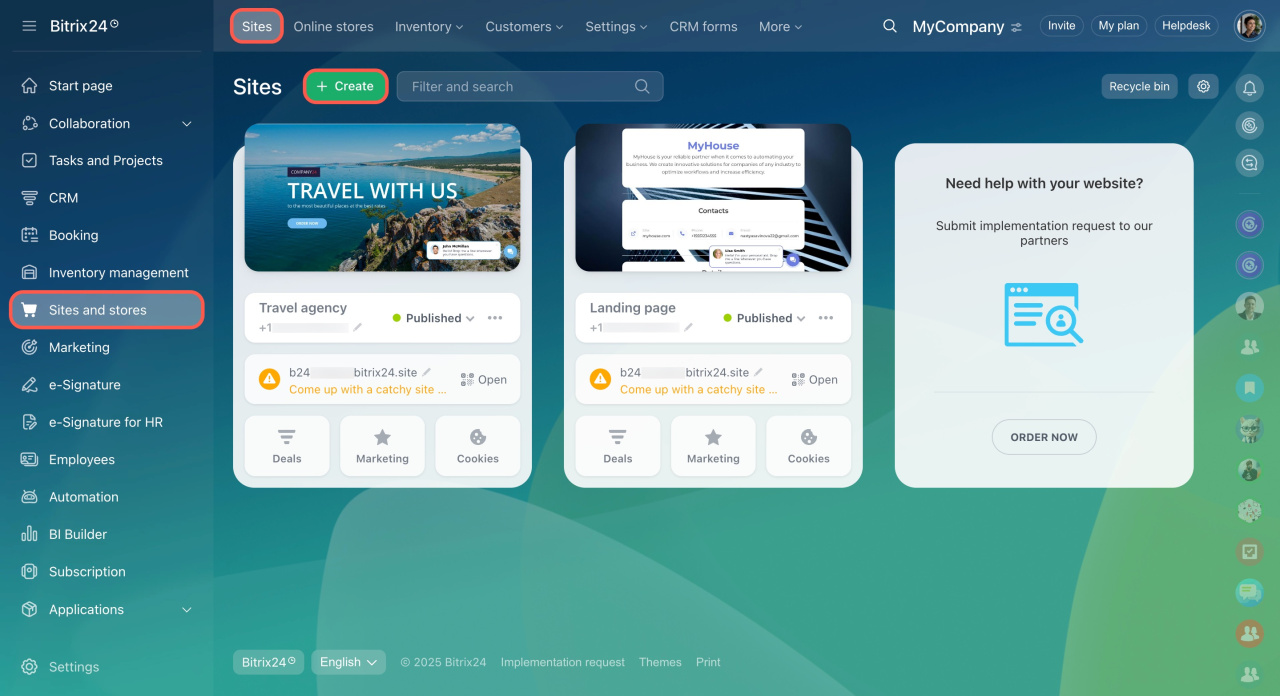
- Go to Sites and Stores and click Create.
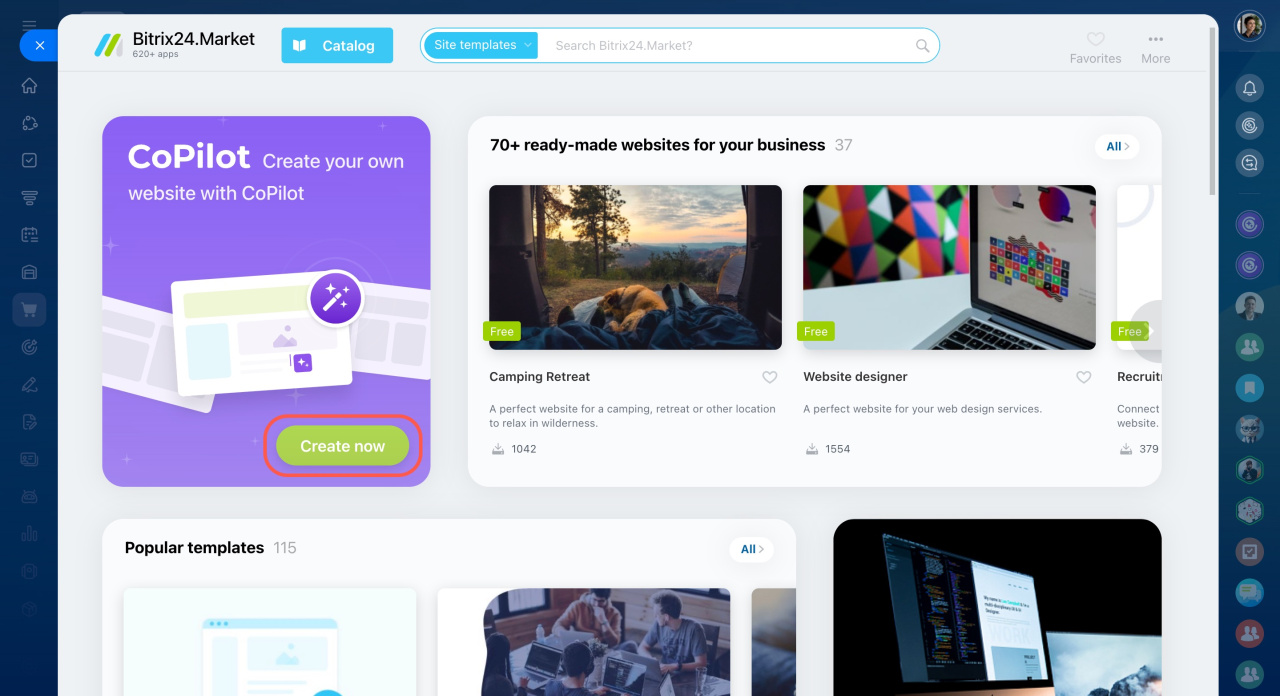
- On the Market page, click Create now in the CoPilot section.
- Describe your site idea in the chat.
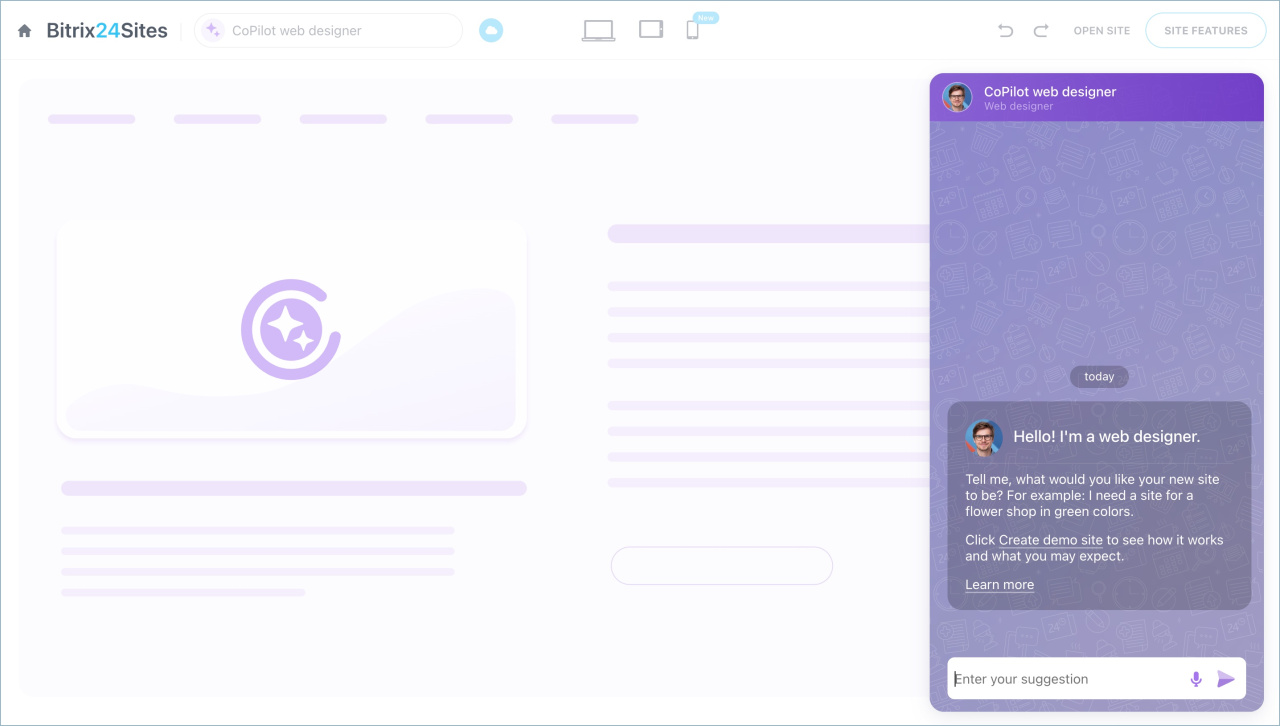
Include details like theme, colors, and style. For example: “I need a website for a flower shop in green colors.”
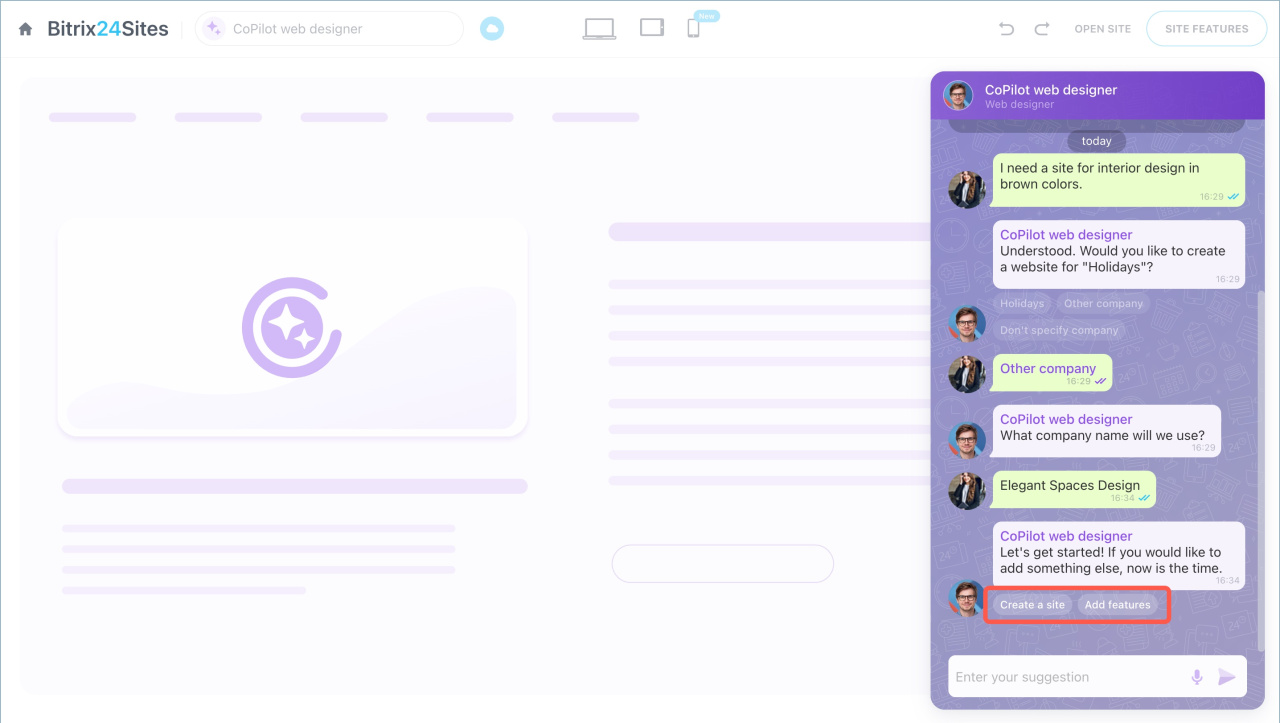
Next, CoPilot will ask for a company name. You can use the current name, enter a new one, or skip this step. To enter a custom name, select Another company and send it in chat.
After that, create the site or add extra features.
CoPilot builds the site in three steps:
- Defines key parameters such as color scheme and name. If you don’t specify colors, CoPilot selects them automatically.
- Generates text and selects images.
- Arranges the content into blocks and creates a ready-to-use site.
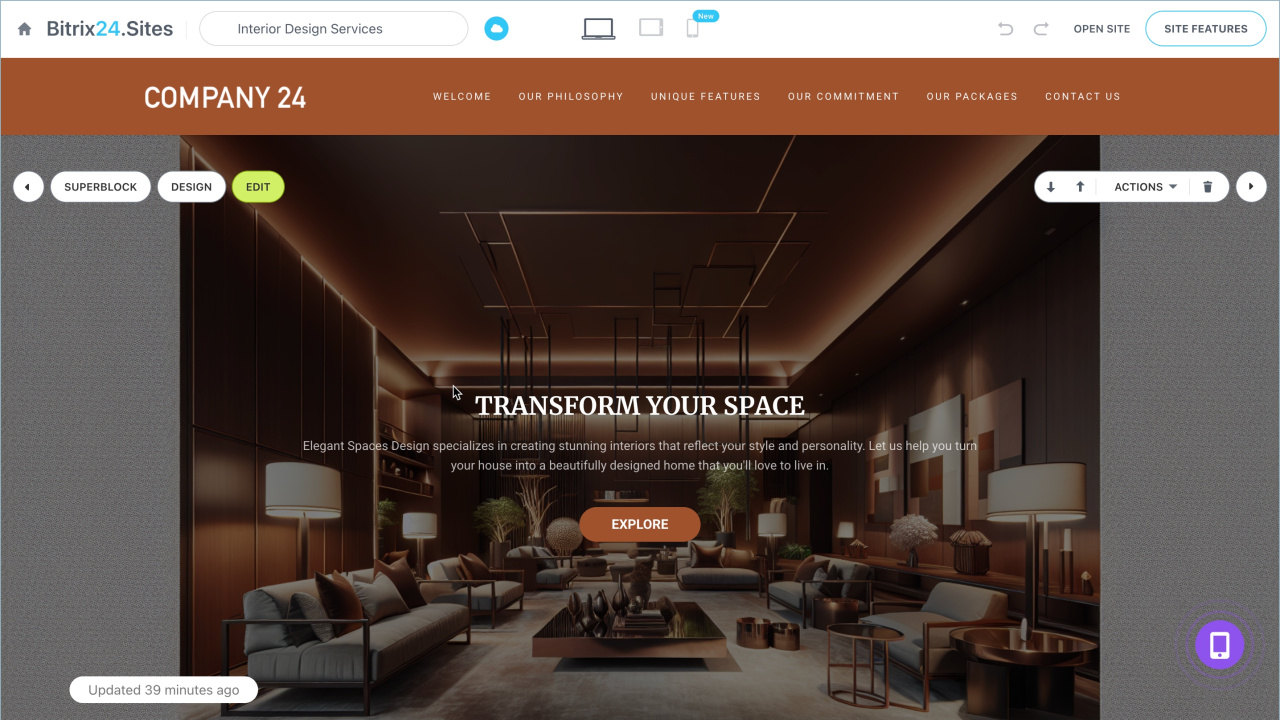
If you need to change site elements, you don't need to regenerate the site. Text and images can be updated precisely with CoPilot. To edit text, highlight the desired fragment and call CoPilot. To create or edit an image, open the block with the picture, click on it, and select CoPilot.
CoPilot in Bitrix24 Sites
CoPilot in sites: how to create an image

Edit blocks with CoPilot
You can edit blocks in both your sites and ready-made templates from the Bitrix24 Market. For example, select a landing page template for bouquet orders and update its text and images with AI. This helps you adapt a template or update your site without a designer.
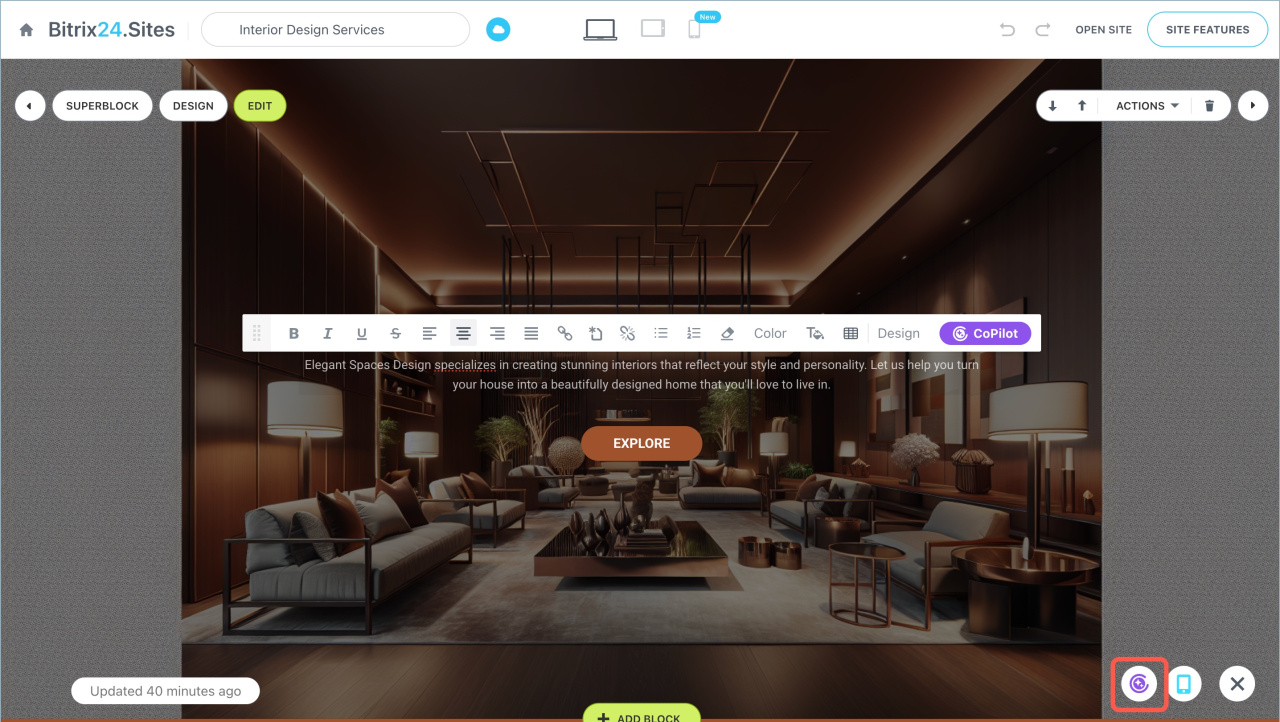
- Open the site and click the icon in the lower-right corner.
- Open the CoPilot chat.
- Select a block, describe the changes, and send your request.
CoPilot updates text and images in the selected block. It adapts the content to match the site’s theme. For example, on a flower shop site, it uses relevant wording and visuals.
In brief
- CoPilot creates websites from a description. You define the theme, colors, and style.
- With minimal input, CoPilot selects design and content automatically.
- To create a site, go to Sites and Stores and click Create. On the Bitrix24 Market page, click Create now in the CoPilot section. Then describe your site idea in the chat.
- Use CoPilot to edit blocks. You can update text, replace images, and adjust styles.
- CoPilot works with both your sites and templates from the Bitrix24 Market.