
A dataset keeps information about deals, leads, calls, and other Bitrix24 elements. Use Bitrix24 data to create reports, import data from CSV files, and connect advertising sources and external MySQL, PostgreSQL, and ClickHouse databases. You can build charts and analyze business metrics. For example, find out how many deals were completed in a month and which manager achieved the best results.
This article describes the datasets available in Bitrix24 and how to use data from external sources.
Datasets from Bitrix24:
- Tasks and projects
- Calendar
- Leads
- Deals
- Products
- SPA
- Workflows
- Companies and contacts
- CRM details and addresses
- Activities, stages, and links between CRM items
- Call assessment
- Invoices and estimates
- e-Signature and e-Signature for HR
- Employees, company structure, calls, and customer chats
Datasets from external sources:
Plan comparison
Datasets from Bitrix24
Tasks and projects. There are seven datasets for tasks and projects:
- Tasks (task)
- Custom fields (task_uf)
- Elapsed time (task_elapsed_time)
- Task stages (task_stages)
- Task efficiency (task_efficiency)
- Task flows (flow)
- Projects (socialnetwork_group)
The datasets contain information about tasks, projects, and related metrics. They help track project status and analyze task completion.
BI Builder datasets: Tasks and projects
Calendar. There is one dataset for calendar events:
- Calendar events (calendar_event)
This dataset contains information about calendar events, including their start times, duration, attendees, availability, meeting rooms, recurring events, and other details. You can use it to analyze the number and duration of meetings, employee availability, and meeting room usage.
BI Builder datasets: Calendar
Leads. There are four databases for leads:
- Leads (crm_lead)
- Custom fields (crm_lead_uf)
- Status history (crm_lead_status_history)
- Products in leads (crm_lead_product_row)
The databases contain data about leads and related elements. They help analyze the lead from creation to the final stage.
BI Builder datasets: Leads
Deals. There are four datasets for deals:
- Deals (crm_deal)
- Custom fields (crm_deal_uf)
- Status history (crm_deal_stage_history)
- Products in deals (crm_deal_product_row)
The datasets contain data about deals and related elements. They help analyze the deal from start to finish and track employee performance dynamics.
BI Builder datasets: Deals
Products. There are three datasets for products:
- Products (crm_product)
- Product properties (crm_product_property)
- Product property values (crm_product_property_value)
The datasets contain data about products from the catalog and their characteristics. They help analyze the assortment and track price changes. For example, see which products are available in the catalog and their properties.
BI Builder datasets: Products
SPA. There are four datasets for SPA:
- SPA (crm_dynamic_items_
"type identifier") - SPA item stage history (crm_entity_stage_history)
- Products in SPA (crm_dynamic_items_prod_
"type identifier") - SPAs of automated solutions (crm_automated_solution_
"automated solution identifier") - SPA list (crm_smart_proc)
The datasets contain data about SPAs, their items, products, and automated solutions. You can find out how many items were created in a month, which employees worked with them, and which products are included in the processes.
Each SPA is a separate dataset with its fields and columns. To use it in a report, you need to know its identifier type.
BI Builder datasets: Smart Process Automation
Add multiple SPAs to a Power BI report
Workflows. There are two datasets for workflows:
- Workflow assignments (bizproc_task)
- Workflow (bizproc_workflow_state)
- Workflow templates (bizproc_workflow_template)
The datasets contain data about running workflows, workflow templates and their assignments. They help track workflow progress, analyze assignment completion time, and monitor their statuses.
BI Builder datasets: Workflows
Companies and contacts. There are four datasets for working with companies and contacts:
- Company (crm_company)
- Company: custom fields (crm_company_uf)
- Contact (crm_contact)
- Contact: custom fields (crm_contact_uf)
The datasets contain data about companies, contacts, and related parameters. They help analyze the client base and consider additional parameters, such as the customer's status or the date of the last call.
BI Builder datasets: Companies and contacts
CRM details and addresses. Five datasets are available for working with company details and addresses:
- CRM company details (crm_requisite)
- Custom fields for company details (crm_requisite_uf)
- CRM banking details (crm_bank_detail)
- CRM templates for contact or company details (crm_requisite_preset)
- CRM addresses (crm_address)
These datasets contain information about company details, banking details, templates, and CRM item addresses. Use them to check which items have company details, banking details, and addresses completed.
BI Builder datasets: CRM details and addresses
Activities, stages, and links between CRM items. There are nine datasets for CRM items:
- Activity (crm_activity)
- CRM activity associations (crm_activity_relation)
- CRM stages (crm_stages)
- Lead-contact links (crm_lead_contact)
- Deal-contact links (crm_deal_contact)
- Estimate-contact links (crm_quote_contact)
- Contact-company (crm_contact_company)
- SPA item-contact links (crm_entity_contact)
- Latest communication data (crm_last_communication)
The datasets contain data about activities, stages, and links between CRM items. You can find out which activities and contacts are linked to deals, leads, companies, estimates, SPAs, and invoices, and analyze how items move through stages.
BI Builder datasets: Activities, stages, and links between CRM items
Call assessment. The dataset (crm_ai_quality_assessment) is used to evaluate agent calls based on sales scripts. It includes call IDs, ratings, and employee information. This allows you to check how well agents follow scripts and track call quality dynamics.
BI Builder datasets: Call assessment
Invoices and estimates. There are four datasets for invoices and estimates:
- Invoices (crm_dynamic_items_31)
- Estimates (crm_quote)
- Estimate custom fields (crm_quote_uf)
- Estimate: products (crm_quote_product_row)
The datasets contain data about invoices, estimates, and related products. They help track invoice and estimate statuses, control price changes, and monitor product quantities.
BI Builder datasets: Invoices and estimates
e-Signature and e-Signature for HR. There are two datasets for electronic documents:
- e-Signature (crm_dynamic_items_36)
- e-Signature for HR (crm_dynamic_items_39)
The datasets contain data about HR documents and documents for signing with clients. They help track signing statuses, control deadlines, and analyze document movement through stages.
BI Builder datasets: e-Signature and e‑Signature for HR
Employees, company structure, calls, and customer chats. There are four datasets for employees, departments, calls, and customer chats:
- Employees (user)
- Company structure (org_structure)
- Calls (telephony_call)
- Open channel conversations (imopenlines_session)
The datasets contain data about employees, departments, calls, and open channel conversations. They help analyze number of users, track structural changes, and view call history.
BI Builder datasets: Employees, company structure, calls, and customer chats
Datasets from external sources
In BI Builder, you can import data from CSV files and connect advertising accounts, and external MySQL, PostgreSQL, and ClickHouse databases.
Import data from CSV files. If data is stored in CSV files, you can upload it to BI Builder.
Create a dataset from a CSV file in BI Builder
Configure data formats and types for CSV file import

Connect MySQL, PostgreSQL, and ClickHouse. In BI Builder, you can connect an external database and use its tables to create datasets and dashboards. This is useful if you store some of your data in an online store, internal service, or another company database. For example, you can connect a database, select a table with sales data, create a dataset, and build a chart showing order totals.
BI Builder: Use external MySQL, PostgreSQL and ClickHouse databases
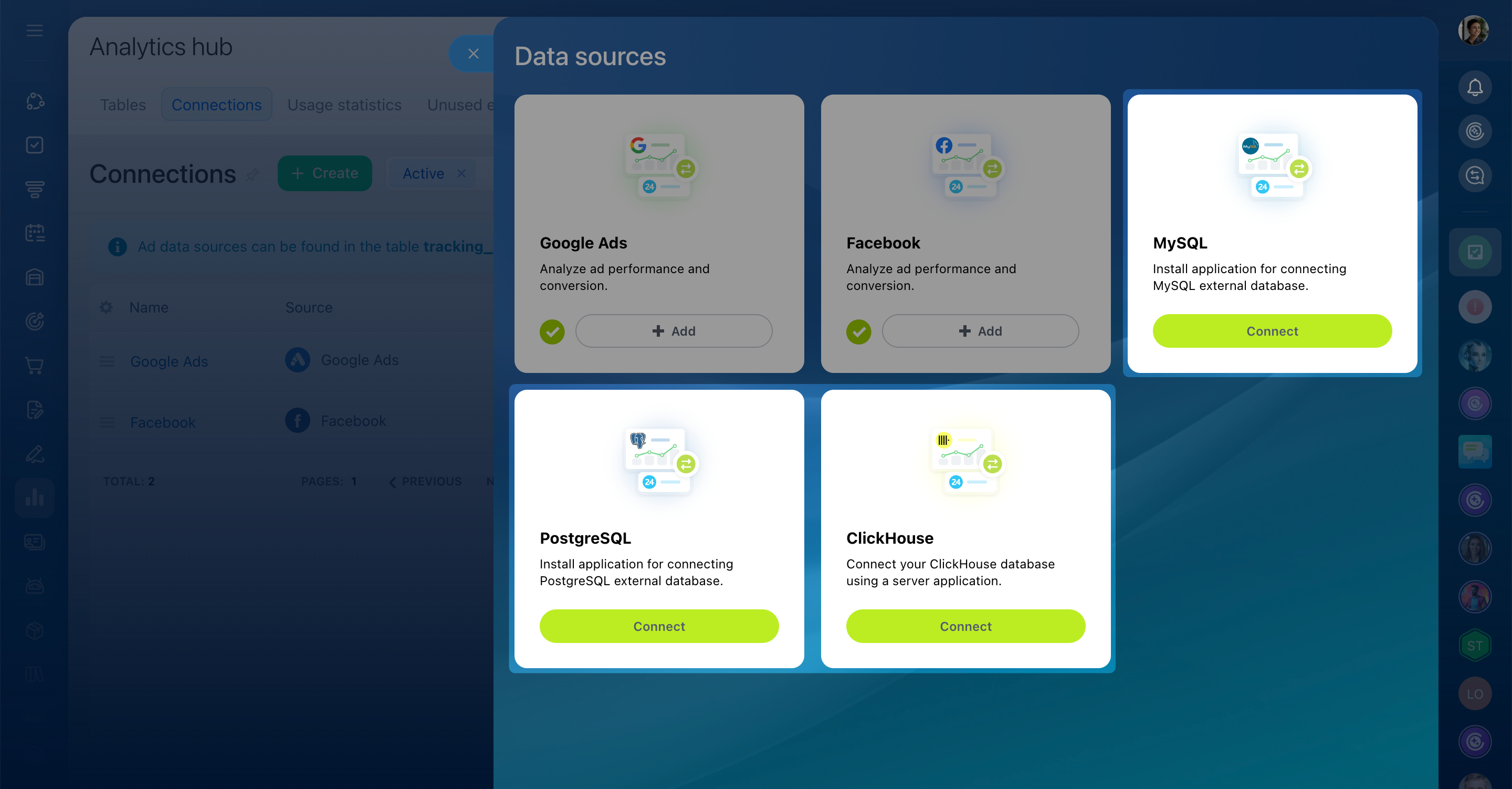
Connect advertising sources. Information from advertising accounts will be automatically collected into datasets: advertising sources and expenses.
BI Builder: Get and use data from ad accounts

In brief
- In BI Builder, you can work with data from Bitrix24 and external sources.
- Datasets are available for tasks, CRM, products, inventory, workflows, employees, calls, calendar events, and other Bitrix24 items.
- You can import CSV files and connect advertising accounts, MySQL, PostgreSQL, and ClickHouse to analyze data.
- You can use this data to create datasets and visualize information in charts.