
Changing the responsible person in CRM allows you to transfer customer management to another employee, such as during vacations, resignations, or workload redistribution. This ensures you don't lose deals or customers, maintain control over processes, and always know who is accountable for results.
Only Bitrix24 administrators and employees with permission to edit CRM items can change the responsible person.
Role-based access permissions in CRM
The responsible person is changed only for the selected CRM item. For related items, tasks, and activities, you need to assign responsible people separately.
In this article:
- Change the responsible person for a single item
- Change the responsible person for multiple items at once
If an employee has resigned and you want to transfer their items to another, read the article Reassign CRM items from dismissed users.
If you want to automatically change the responsible person using an automation rule, check out the article Automation rules: Manage workflow items.
Change the responsible person for a single item
This method is suitable when you need to transfer a specific item to another employee, such as assigning a single deal to a senior manager or a colleague during a vacation.
Here’s how to change the responsible person in a deal form. The same steps apply to other CRM items.
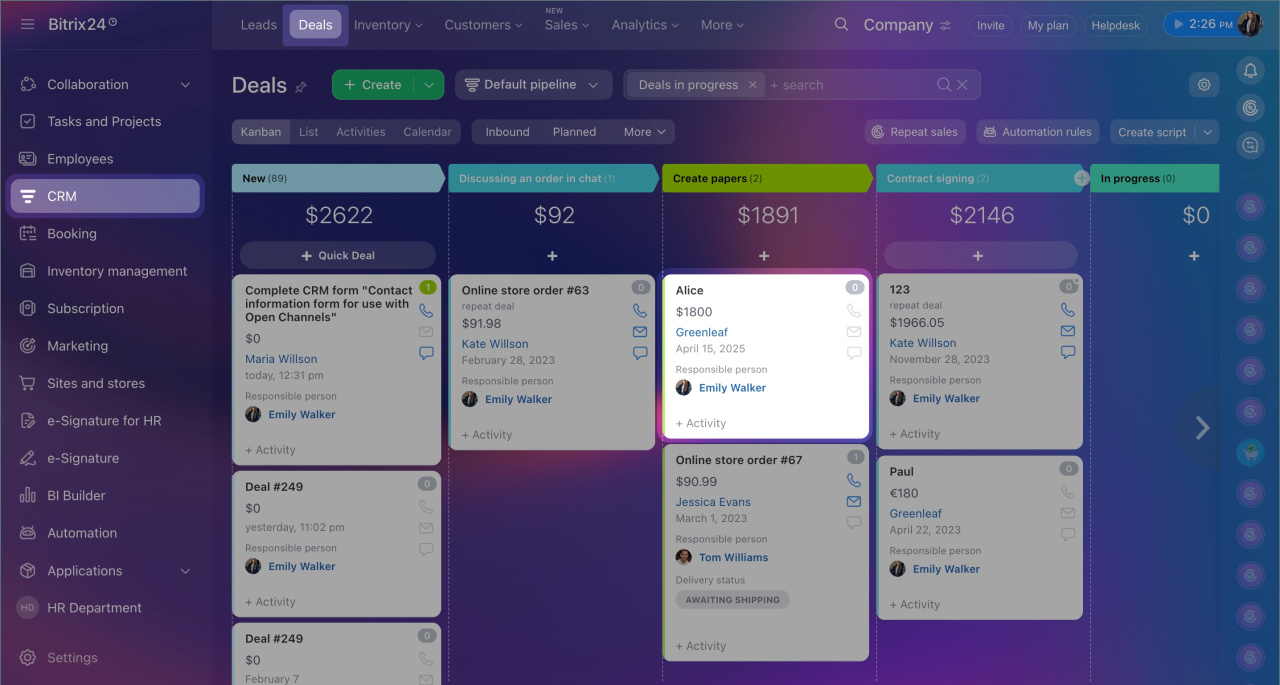
1. Go to CRM > Deals and open the required one.
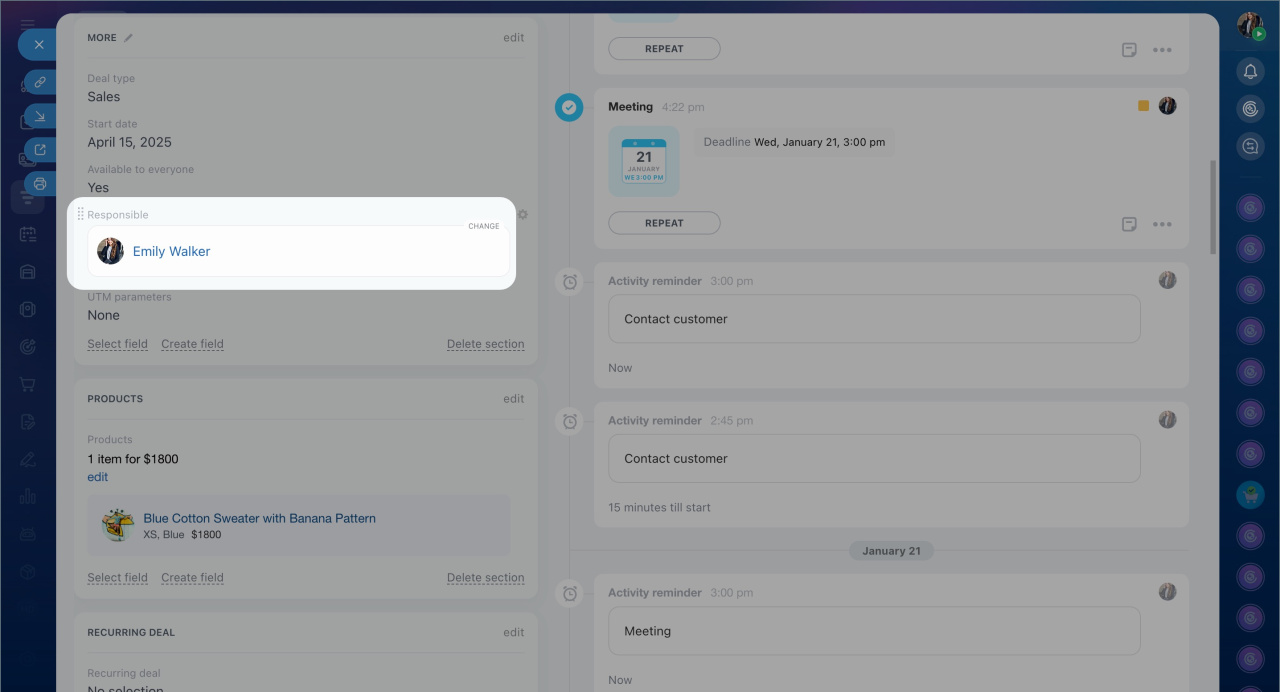
2. Hover over the Responsible person field. A Change button will appear. Select the appropriate employee. Changes will be saved automatically.
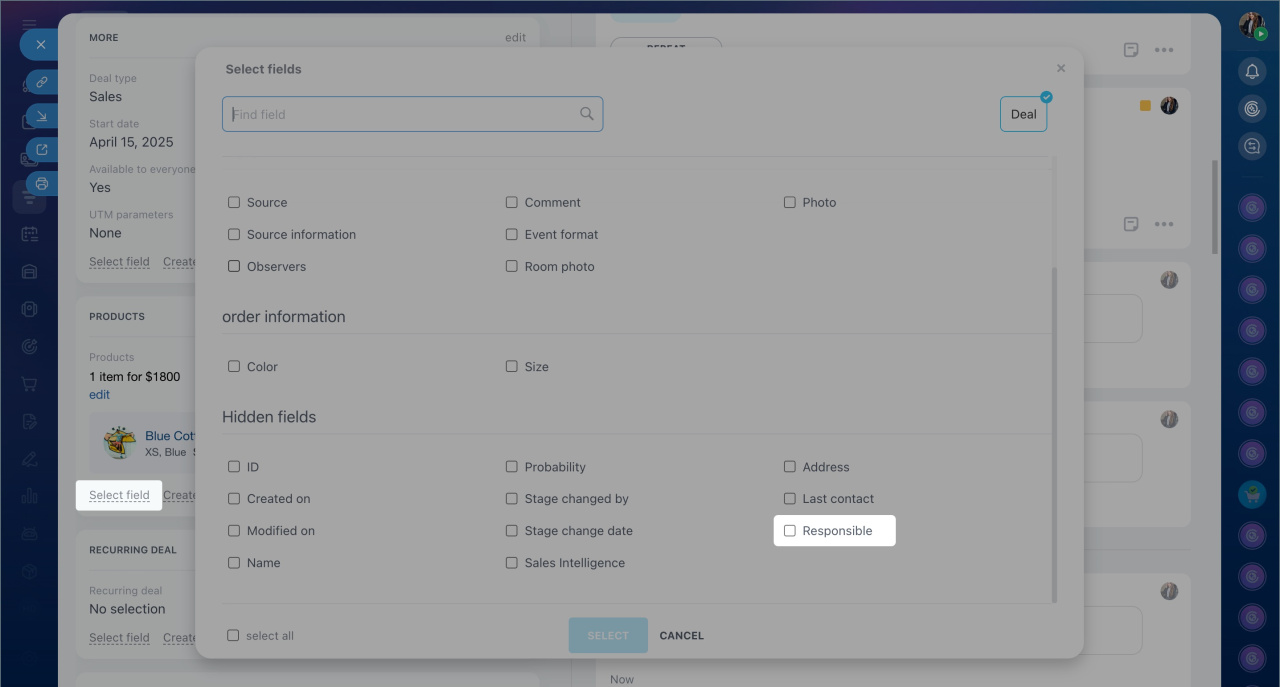
3. If the field is not visible, it might be hidden. To restore it, click Select field, check Responsible person in the Hidden fields section, and click Select.
Change the responsible person for multiple items at once
Mass reassignment is useful when you need to transfer multiple items to another employee, such as redistributing deals among managers.
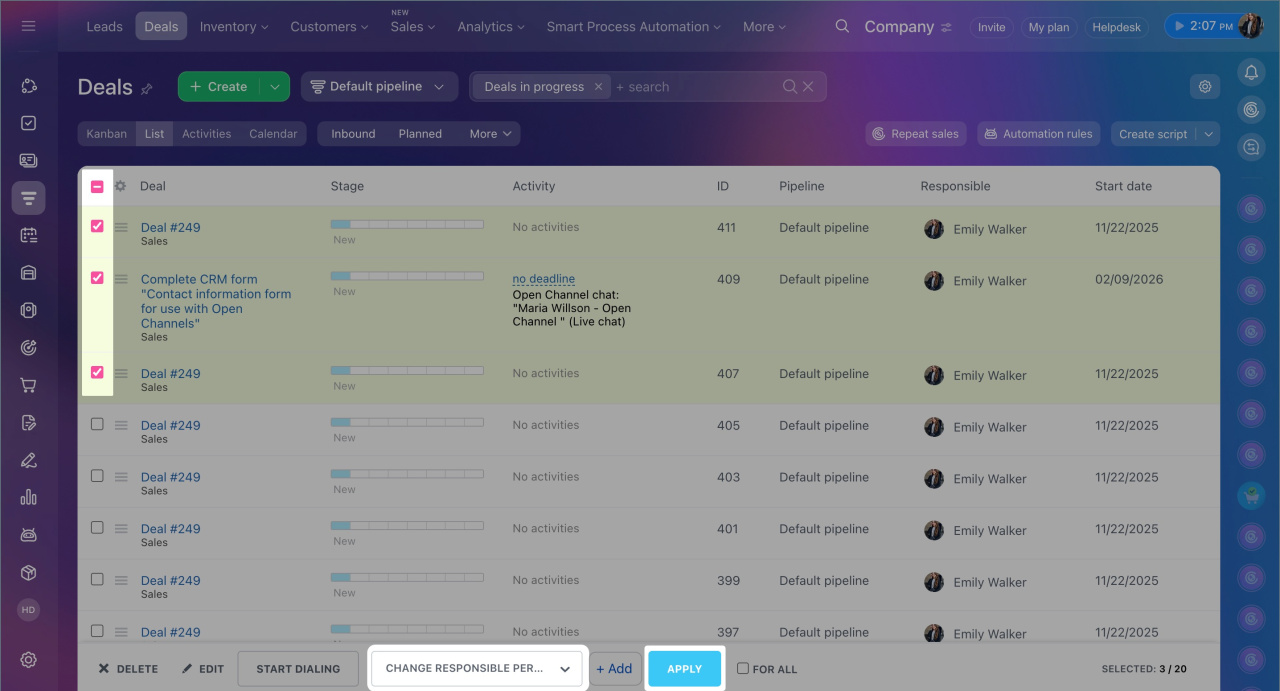
1. Go to CRM > Deals.
2. Switch to the List view.
3. Select the deals you want to reassign.
4. From the action list, choose Change responsible person > Add. Specify the employee and click Apply. The responsible person will be updated for all selected deals.
In brief
- Changing the responsible person in CRM allows you to transfer customer management to another employee during vacations, resignations, or workload redistribution.
- Only Bitrix24 administrators and employees with permission to edit CRM items can change the responsible person.
- You can change the responsible person for a single item or multiple items at once.
- To change the responsible person for a single deal, go to CRM > Deals and open the required deal. Hover over the Responsible person field and click Change. The same steps apply to other CRM items.
- To change the responsible person for multiple deals, go to CRM > Deals and switch to List view. Select the required deals and choose Change responsible person > Add from the action list. Specify the employee and click Apply.
- The responsible person is changed only for the selected CRM item. For related items, tasks, and activities, you need to assign responsible persons separately.
